
This page is not an official page of the app or its developer, but an independent editorial publication created for informational and commentary purposes. Unless expressly stated otherwise, neither the app nor its developer is affiliated with, endorsed by, sponsored by, authorized by, or otherwise officially connected with MWM, Apple, Google Play, the app publisher, or the app's developer, and nothing on this page implies that the app was developed using MWM's services. Any trademarks, logos, screenshots, and other content remain the property of their respective owners.


幕布 - 大纲笔记&思维导图
Unleash clarity; this app reframes how thoughts take form. It transforms raw ideas into structured insights, giving users a powerful mental scaffold.
Downloads
7.5M+User Rating
Total Ratings
248.6KPublisher
Category
ProductivityLocales
1Latest Version
3.9.1Size
78.0 MBFirst Released
Mar 22, 2017An evaluation of core functionalities designed for structured note-taking, task management, and knowledge organization across diverse user profiles.
Key Features Analysis: 幕布 (Mubu) for Enhanced Productivity
Structured Outline Note-taking
The app provides a hierarchical, tree-structured note-taking system that enables users to organize information logically and build clear content outlines for enhanced clarity and depth.
Instant Mind Map Generation
It allows users to instantly convert their hierarchical notes into visually engaging mind maps with a single click, facilitating quick comprehension, idea exploration, and structured thinking.
Seamless Multi-Device Sync
This tool features real-time synchronization across various devices and platforms including mobile, desktop, tablet, and web, ensuring continuous access and an uninterrupted workflow for users on the go.
Robust Task Management & Tagging
The app provides an intuitive method for describing and managing tasks, allowing users to efficiently break down projects, track progress, and assign tags for execution details.
Collaborative Editing & Sharing
It allows for collaborative editing and easy sharing of documents, fostering teamwork and enhancing collective knowledge management and efficiency within teams or study groups.
Content Outline & Brainstorming Aid
This tool assists content creators by capturing fleeting inspirations and quickly organizing ideas into clear outlines, facilitating a structured approach to writing, planning, and design.
Frequently Asked Questions
Everything you need to know about 幕布 - 大纲笔记&思维导图
What is Mubu?
Mubu is an outline-style note-taking tool that helps users record notes, manage tasks, plan work, and brainstorm. It uses a tree structure for organized content and promotes structured thinking.
Can Mubu create mind maps?
Yes, Mubu can generate mind maps from outline notes with one click. This feature allows users to quickly visualize their ideas and content structure for better clarity.
Does Mubu support multi-device synchronization?
Yes, Mubu supports real-time synchronization across multiple devices including phones, computers, tablets, and web browsers. This ensures a seamless note-taking and management experience.
What formats can Mubu export notes to?
Mubu allows one-click export of notes into various formats. Users can export their content as Word documents, PDF files, or different image types, including mind maps.
How much does Mubu cost?
Mubu offers a subscription service. It costs ¥12 per month or ¥108 per year. Prices may vary based on the user's region.
Does Mubu offer team collaboration features?
Yes, Mubu provides collaborative editing and team sharing functionalities. These features enable teams to work together efficiently, share knowledge, and enhance productivity.
How does Mubu help with task management?
Mubu aids task management by offering a simple and intuitive method for describing and organizing tasks. Users can break down tasks and use unique tagging features to mark execution information.
Is Mubu suitable for students' study needs?
Yes, Mubu is a versatile tool for students. It supports taking class notes, preparing for exams, organizing reading notes, and planning study schedules with structured content.
Are there templates available in Mubu?
Yes, Mubu includes a Template Center. This feature provides a variety of templates designed for different purposes, including learning, work, and daily life organization.
Does Mubu provide a community for knowledge sharing?
Yes, Mubu features a curated "Mubu Selection" knowledge sharing community. Users can explore and access high-quality notes and shared content from other users.
The following screenshots and description are sourced directly from the app's official store listing and are the property of the app developer.
App Store
Screenshots
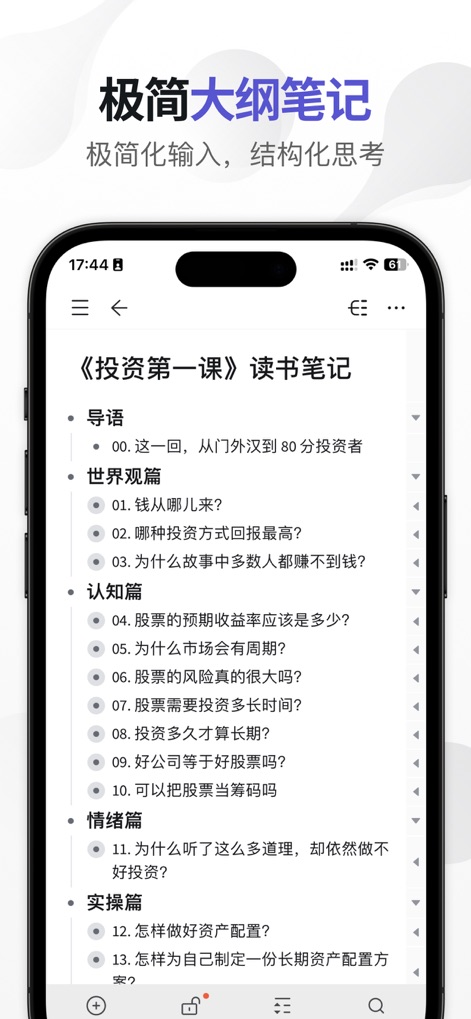
This tool provides an intuitive outline structure for notes, allowing users to organize complex information with nested bullet points and a clear hierarchy.
Structured Note-Taking
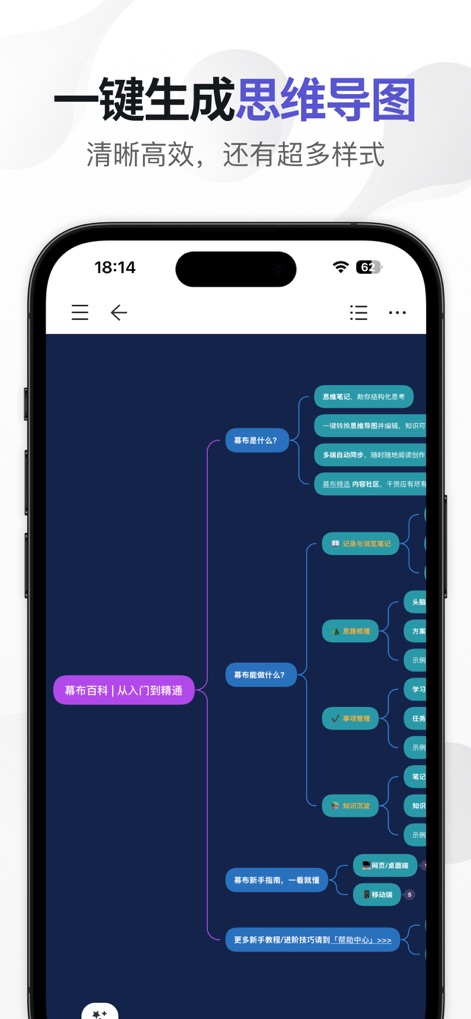
Effortlessly transform structured notes into dynamic mind maps with a single tap, visually representing intricate connections and concepts.
Instant Mind Mapping

The app ensures seamless productivity across all devices, offering real-time synchronization between mobile and desktop interfaces via robust cloud storage.
Universal Data Sync
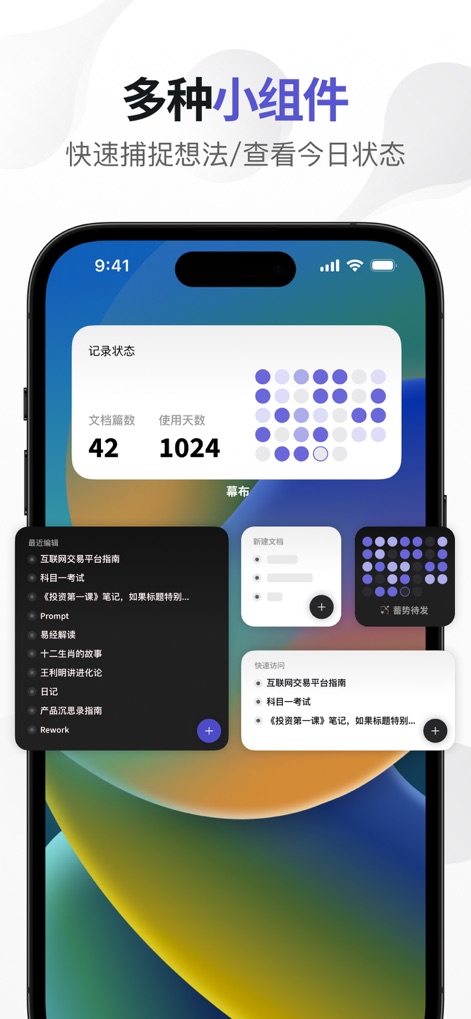
Enhance productivity with customizable home screen widgets, providing quick access to recent documents and displaying key usage statistics.
Interactive Home Widgets
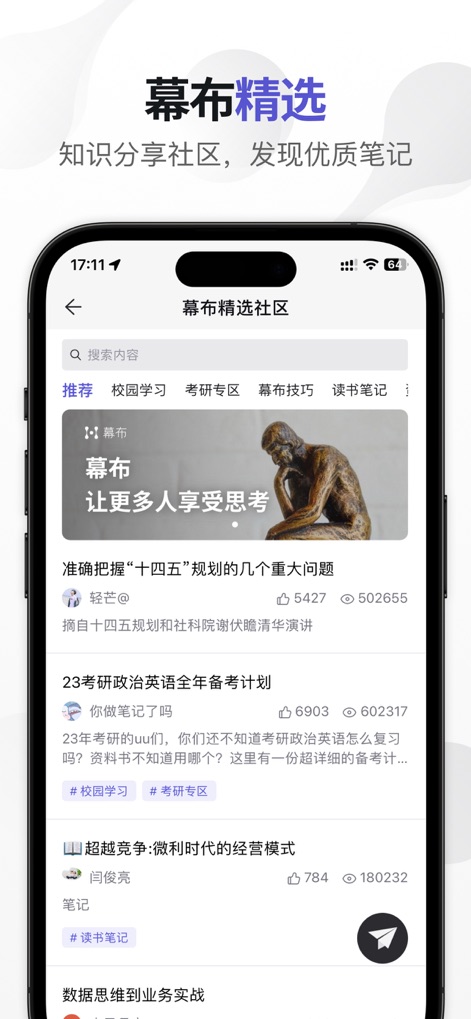
Discover and share valuable insights within the app's vibrant knowledge-sharing community, featuring a curated feed of expert-created content and discussions.
Community Knowledge Hub
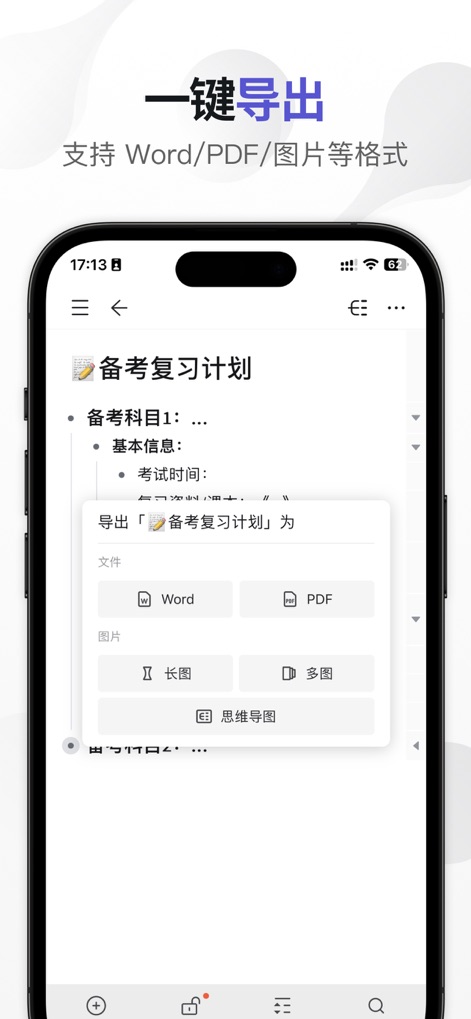
This tool offers flexible export capabilities, allowing users to instantly convert their structured notes into popular formats like Word and PDF.
Versatile Export Formats
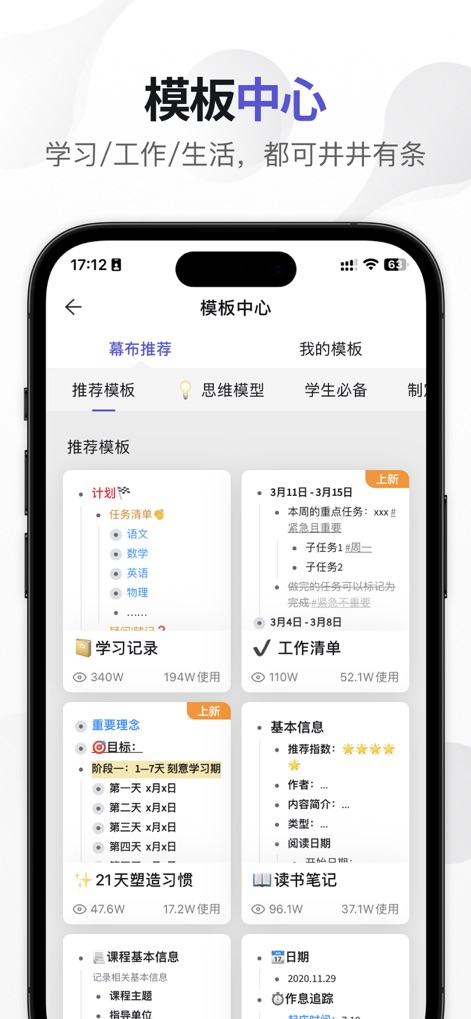
Jumpstart any project with the extensive template center, offering pre-designed structures for planning checklists and learning records across various categories.
Curated Template Library
Description
Download
More Like This
Apps with similar features and user experience

Notion: Notes, Tasks, AI
Notion Labs, Incorporated

Freenotes®: AI Notes Taking
Hangzhou Free Notes Technology Co., Ltd

Structured - Daily Planner
unorderly GmbH

Google Tasks: Get Things Done
Google LLC

TickTick:To-Do List & Calendar
Appest Limited

Noteful: Notes & PDF Markup
Noteful Technologies Ltd

Todoist: To Do List & Calendar
Doist Inc.

To do list MinimaList & Widget
Inner Grow Limited

monday.com - Work Platform
monday.com Ltd.
This page is not an official page of the app or its developer, but an independent editorial publication created for informational and commentary purposes. Unless expressly stated otherwise, neither the app nor its developer is affiliated with, endorsed by, sponsored by, authorized by, or otherwise officially connected with MWM, Apple, Google Play, the app publisher, or the app's developer, and nothing on this page implies that the app was developed using MWM's services. Any trademarks, logos, screenshots, and other content remain the property of their respective owners.