
This page is not an official page of the app or its developer, but an independent editorial publication created for informational and commentary purposes. Unless expressly stated otherwise, neither the app nor its developer is affiliated with, endorsed by, sponsored by, authorized by, or otherwise officially connected with MWM, Apple, Google Play, the app publisher, or the app's developer, and nothing on this page implies that the app was developed using MWM's services. Any trademarks, logos, screenshots, and other content remain the property of their respective owners.

MyCAM.
Gain total peace of mind on the road with instant video downloads, live previews, and easy settings management directly from your iPhone.
Downloads
318K+User Rating
Total Ratings
300Publisher
Category
Photo & VideoLocales
3Latest Version
2.1.41Size
61.9 MBFirst Released
Sep 5, 2018Stay Protected Every Mile
Seamlessly connect your Polaroid dashcam to your iPhone to manage footage, adjust settings, and secure the evidence you need instantly.
Instant Video Access
Skip the SD card hassle. Download and play road footage directly on your iPhone for immediate proof during insurance claims or roadside incidents.
Real-Time Live Preview
Eliminate blind spots. Use your phone as a high-definition monitor to ensure your camera is perfectly angled to capture every lane and detail.
Frequently Asked Questions
Everything you need to know about MyCAM.
What is MyCAM. used for?
MyCAM. is an application designed to manage Polaroid dash cameras. It enables users to start and stop recordings, view live footage, download and play videos, and adjust camera settings.
Which cameras are compatible with the MyCAM. app?
The MyCAM. app is compatible with Polaroid dash cameras. It is specifically designed to connect and control these devices for recording and video management.
Does MyCAM. provide a live preview of the dash camera footage?
Yes, MyCAM. provides a live preview feature. Users can view real-time footage from their connected Polaroid dash camera, as shown by the "实时画面" interface.
How do I connect my Polaroid dash camera to the MyCAM. app?
You connect your Polaroid dash camera to the MyCAM. app by joining its Wi-Fi network. The app instructs users to navigate to their device's Wi-Fi settings and select the "Polaroid XXXXXXXX" network.
Can I download videos from my dash camera using MyCAM.?
Yes, MyCAM. allows users to download videos from their connected dash camera. The app includes a video management interface with options for downloading and playing recorded footage.
What video resolution does the MyCAM. app support for live viewing?
The MyCAM. app supports live viewing at 1920 x 1080 resolution at 30 frames per second (1080P 30P). This resolution is visible on the live preview screen.
Does the MyCAM. app allow adjustment of dash camera settings?
Yes, the MyCAM. app allows users to adjust settings for their connected Polaroid dash camera. This feature is listed as a key capability of the application.
The following screenshots and description are sourced directly from the app's official store listing and are the property of the app developer.
App Store
Screenshots
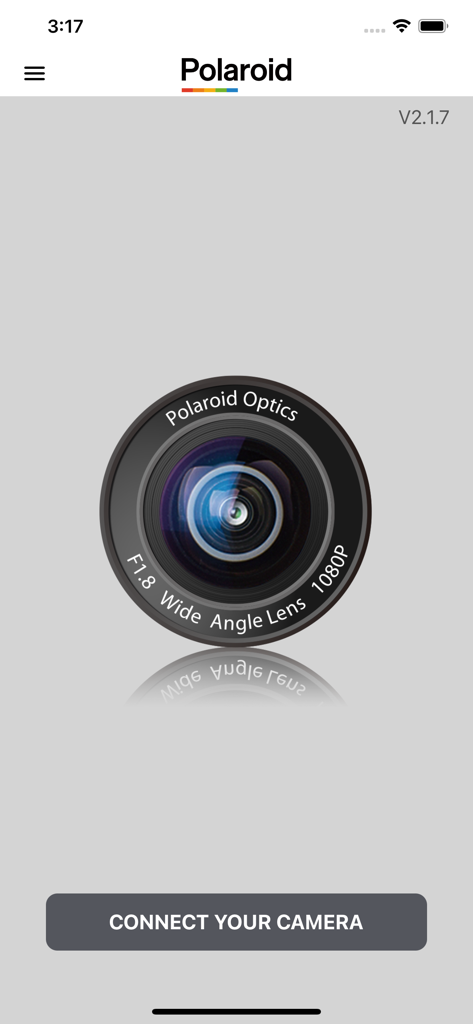
MyCAM app home screen showing a camera lens graphic and a connect your camera button
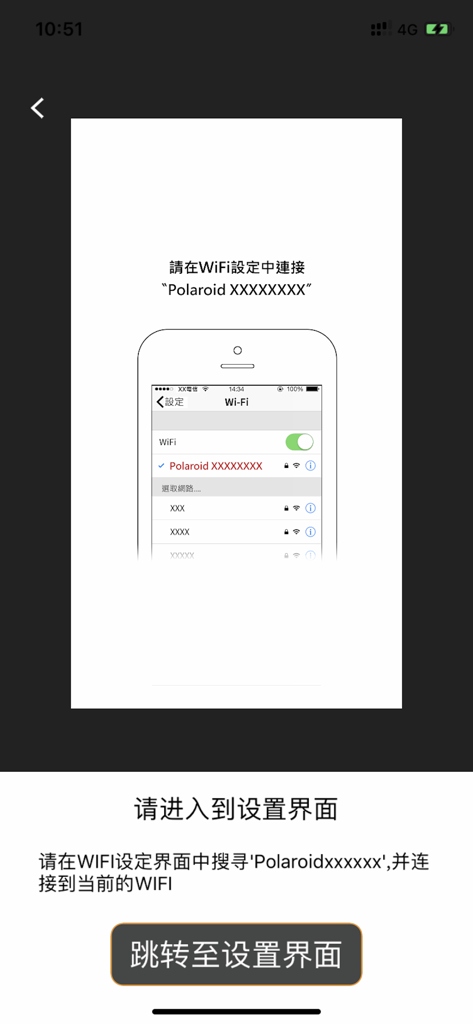
Setup screen showing instructions to connect the MyCAM app to a Polaroid dash cam via Wi-Fi settings
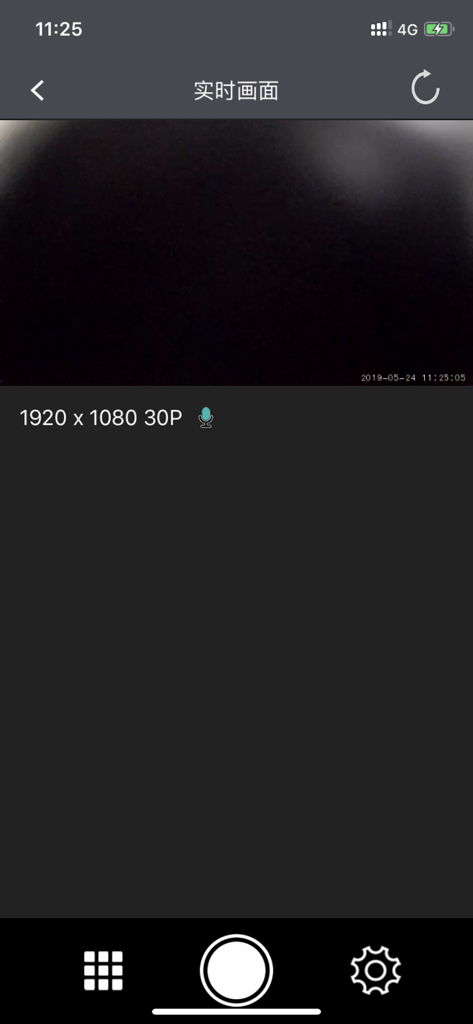
Live preview interface of the MyCAM dashboard camera app showing video recording controls and resolution settings
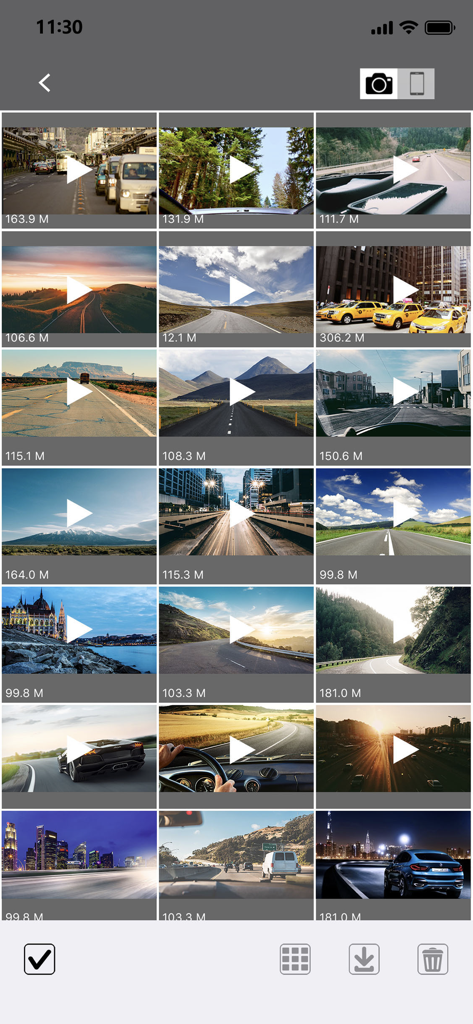
A grid gallery display of recorded dashcam videos within the MyCAM app showing various road and scenery clips
Description
Download
More Like This
Apps with similar features and user experience

PAPAGO Focus
PAPAGO INC.

GKU GO
Shenzhen Yutu Technology Co., Ltd.

Nice DVR
Shenzhen Xiaozhen Technology Co.,Ltd.
Wolfbox
WOLFBOX TECH, INC.
Garmin Drive™
Garmin International

360 Dash Cam
Beijing Qihoo Technology Co Ltd

Drive Smarter
CEDAR ELECTRONICS HOLDINGS CORP.

TERUNSOUL
chimo inc

MiVue Pro
MiTAC International Corp.
This page is not an official page of the app or its developer, but an independent editorial publication created for informational and commentary purposes. Unless expressly stated otherwise, neither the app nor its developer is affiliated with, endorsed by, sponsored by, authorized by, or otherwise officially connected with MWM, Apple, Google Play, the app publisher, or the app's developer, and nothing on this page implies that the app was developed using MWM's services. Any trademarks, logos, screenshots, and other content remain the property of their respective owners.