MyKeyboard - Custom Keyboard

MyKeyboard - Custom Keyboard

Download on App Store
Logo of MyKeyboard - Custom Keyboard

MyKeyboard: Design the Ultimate Custom Layout & Aesthetic Fonts

Go beyond the standard iOS experience. Use simple drag-and-drop to build your perfect layout, stand out on social media with unique fonts, and boost your productivity with custom action keys and themes tailored to your identity.

Download on App Store

Publisher

FiveSheep OU

Category

Utilities

Downloads

5K+

User Rating

3.7/5

Total Ratings

200

Locales

7

Your Keys, Your Rules

Discover the interface used by 5K+ users.

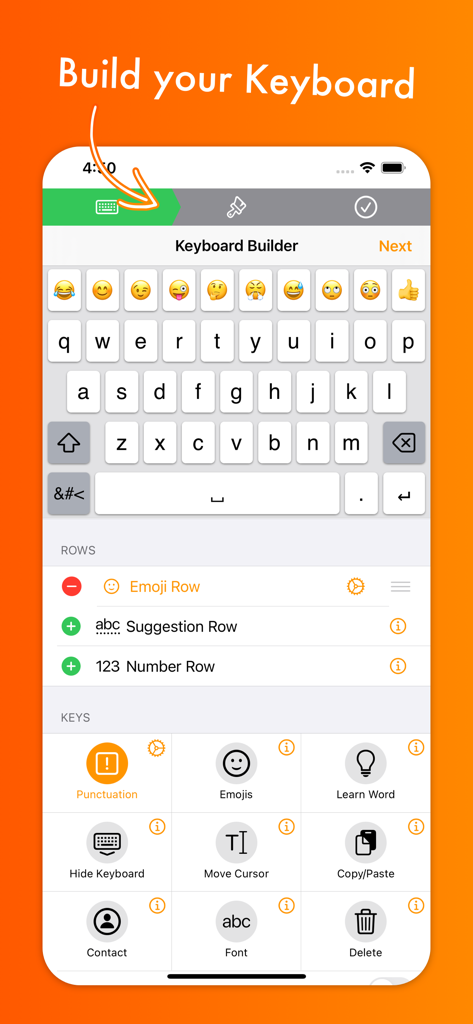
Interface of the MyKeyboard app showing the keyboard builder with options to customize rows and keys for iOS
Interface of the MyKeyboard app showing the keyboard builder with options to customize rows and keys for iOS

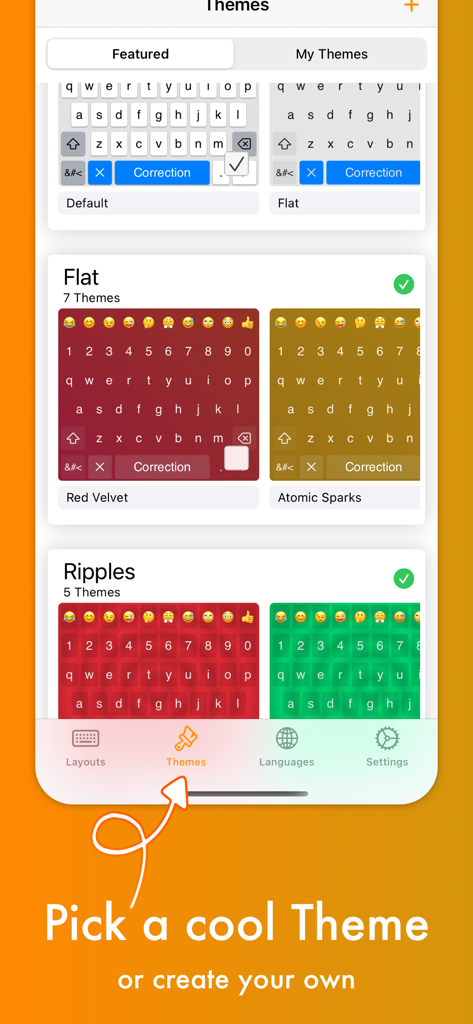
A screen showing various colorful keyboard themes like Red Velvet and Atomic Sparks within the app
A screen showing various colorful keyboard themes like Red Velvet and Atomic Sparks within the app

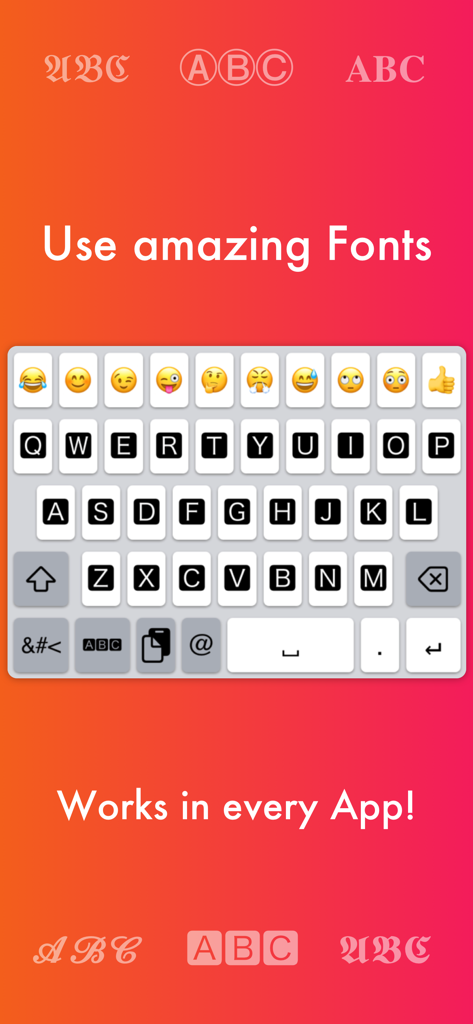
Custom keyboard interface showing various font styles and emoji options for iOS
Custom keyboard interface showing various font styles and emoji options for iOS

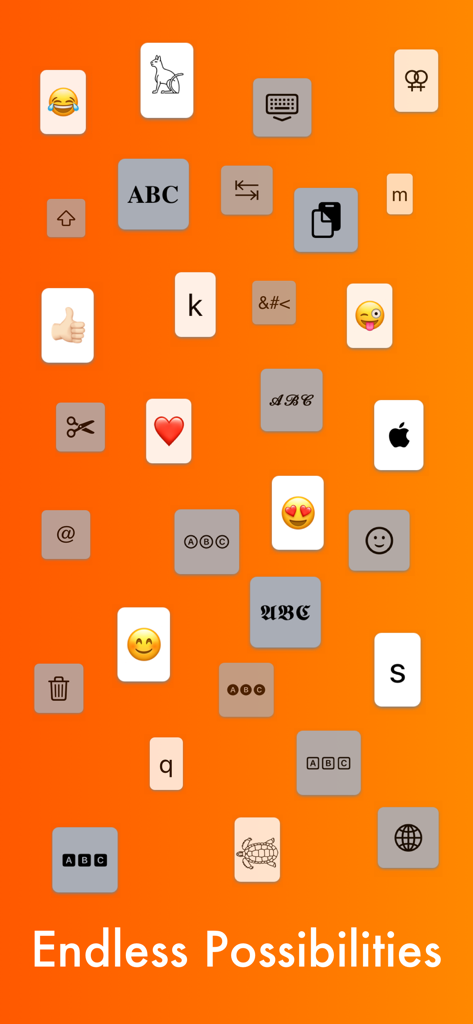
Various keyboard keys including emojis fonts and utility icons on an orange background with Endless Possibilities text
Various keyboard keys including emojis fonts and utility icons on an orange background with Endless Possibilities text

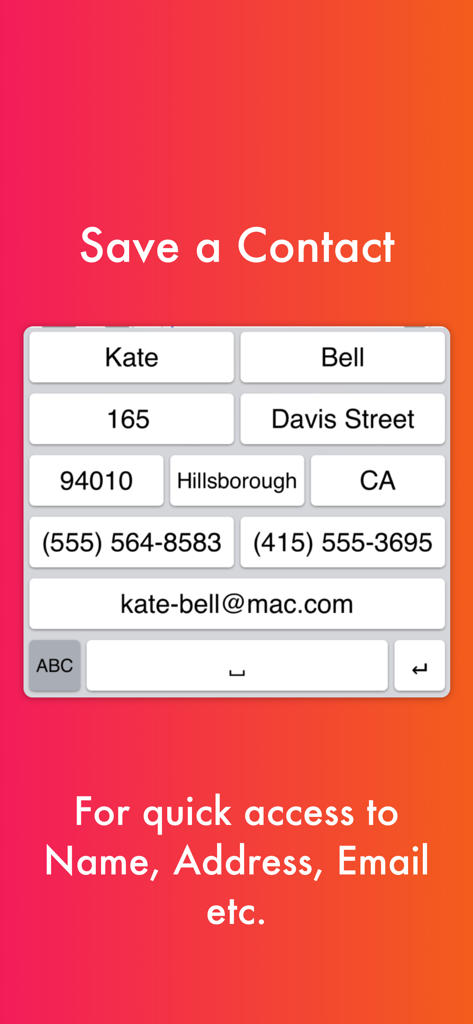
Custom keyboard layout with shortcut keys for quick access to contact information like name, address, and email.
Custom keyboard layout with shortcut keys for quick access to contact information like name, address, and email.

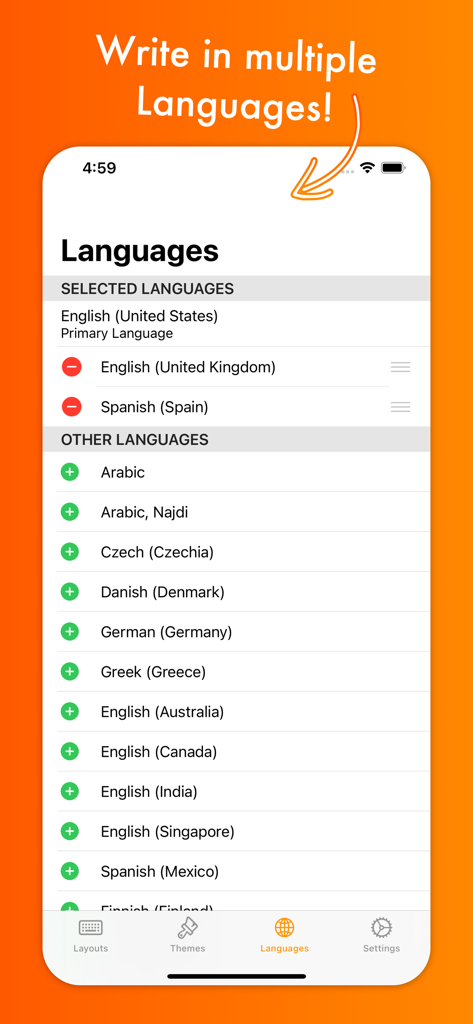
Language selection screen in the MyKeyboard app showing options for multiple international keyboard languages and dialects.
Language selection screen in the MyKeyboard app showing options for multiple international keyboard languages and dialects.

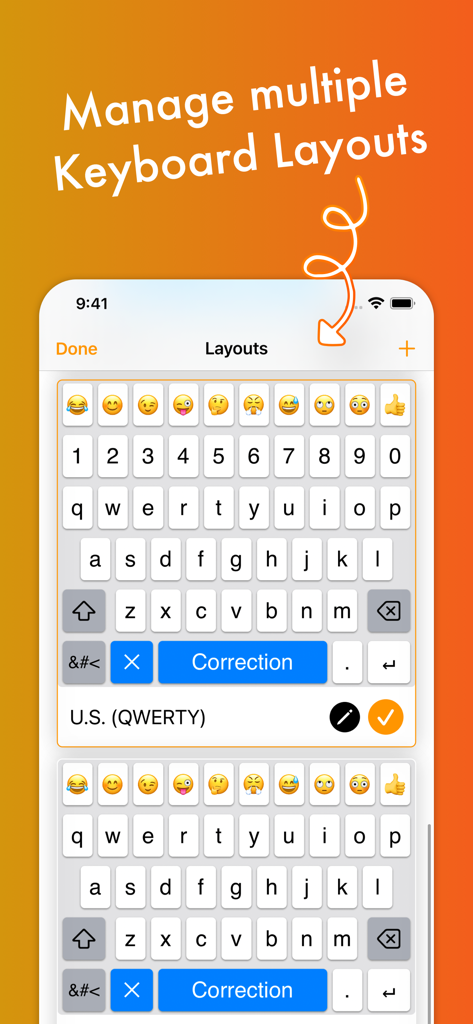
Interface showing how to manage multiple custom keyboard layouts with emoji and number rows

Interface showing how to manage multiple custom keyboard layouts with emoji and number rows

Level Up Your Typing Game

The tools that make this app stand out, trusted by 5K+ users.

🚀

Pro Productivity Shortcuts

Add custom rows and one-tap keys for Copy, Paste, and Trackpad mode to finish tasks in seconds.

Aesthetic Fonts Anywhere

Stand out on social media with unique fonts that work directly in Instagram, TikTok, and WhatsApp.

🎨

Infinite Theme Styling

Match your unique vibe by customizing everything from photo backgrounds to key shapes and colors.

About the app

Everything you need to know about MyKeyboard - Custom Keyboard.

Description

Customize virtually anything about your iOS keyboard, with simple drag and drop. Add or remove keys or rows, customize the way keys look and behave, change the duration until subkeys (the keys that pop up when holding on a key) pop up, add and remove subkeys and add keys with custom actions. MyKeyboard is beloved by its users for its ease of use and endless possibilities. For example, the emoji row is a standard feature of the custom Keyboard and can be changed to contain all of your favorite emoji. These emoji keys then automatically contain subkeys with similar emoji which you can personalize. By default, a number row is also in the keyboard, providing you fast access to these often-used keys. Another amazing feature of MyKeyboard is the switchable fonts. MyKeyboard contains 19 amazing fonts that can be used across almost all apps, including WhatsApp, Instagram, Facebook and iMessage. You can add a font key to your keyboard and switch to the font by tapping on it. Custom key actions include: - Insert Appearance - Insert - Replace Word With Appearance - Show Subkeys - Shift - Caps Lock - Cut - Copy - Paste - Accept Correction - Dismiss Correction - Learn Current Word - Switch Keyboard - Switch To Main Keyboard - Hide Keyboard - Next Input Mode - Delete Last Character - Activate Deletion Mode - Clear - Clear Left - Clear Left Word - Clear Right - Clear Right Word - Clear Word - Switch to Emoji Board (Switches you to the emoji keyboard; Learn more about this when you google emoji keyboard) These actions can be triggered on tap and hold. When no hold action is set for a specific key, the keyboard goes into trackpad mode, allowing you to shift the insertion point around by swiping. The deletion mode is similar and allows you to delete by swiping left and retract from it by swiping right. By default, it is the hold/press action on the delete key. You can also increase or decrease the key hold time until these actions are triggered, but you will have to perform swift key gestures when setting it very low. ~~ Keyboard Builder ~~ Use the keyboard builder for creating a fully customized keyboard layout in less than a minute. Your own keyboard layout is called “My Keyboard” and can be configured in every imaginable way. You can even add a copy, cut or paste key, a font key, an emoji key, a move cursor key, a “delete all” key and so much more. You can also create your own keys, for example for inserting copypasta or using copy/paste keys to perform these actions faster. We have made keyboard customization very accessible and it's easily doable for everyone. And it is customizable in every extend. For example, by adding a lot of g keys to a keyboard you could essentially create your own g board, or by adding multiple font switching keys to one, you can create your own font keyboard. ~~ Themes ~~ You can choose from a variety of free and paid themes, or go ahead and create your own customized keyboard theme. Theme customization can be used to change every aspect of your keyboard: background and foreground colors, shadow and border sizes and their colors, key corner radius and you can even set a custom height for your keys! Even a custom keyboard background image is configurable with your own photo. In the section “my themes”, you can see and manage all of your customized themes. Themes can even be shared with your friends who also use MyKeyboard!

Latest Version

3.7.11

Size

22.3 MB

First Released

Nov 30, 2019

Start Building Your Dream Keyboard

Join thousands of iOS power users who have ditched the default. Customize your layout, unlock 19+ unique fonts, and type faster with your own custom actions.

Download on App Store

App information, icons, screenshots, and descriptions displayed on this page are sourced from the Apple App Store and are the property of their respective developers. Download estimates and rankings are based on MWM's proprietary models and may not reflect actual figures. This page is provided for informational and analytical purposes only.

Believe this page infringes your intellectual property? File a dispute