
This page is not an official page of the app or its developer, but an independent editorial publication created for informational and commentary purposes. Unless expressly stated otherwise, neither the app nor its developer is affiliated with, endorsed by, sponsored by, authorized by, or otherwise officially connected with MWM, Apple, Google Play, the app publisher, or the app's developer, and nothing on this page implies that the app was developed using MWM's services. Any trademarks, logos, screenshots, and other content remain the property of their respective owners.


myMail box: email client app
Email chaos? The app grants users total command over their inboxes, transforming scattered messages into a streamlined workflow.
Downloads
7.5M+User Rating
Total Ratings
71.9KPublisher
Category
ProductivityLocales
23Latest Version
15.11.0Size
271.7 MBFirst Released
Nov 5, 2013An evaluation of core functionalities designed for efficient and secure multi-account email management.
Key Feature Analysis: myMail box: email client app
Unified Multi-Account Management
The app provides a centralized platform for managing email accounts from various providers (Gmail, Hotmail, Outlook, Yahoo, IMAP/POP3), simplifying communication across multiple personal and professional identities.
Robust Security Features
This tool features advanced security protocols, including PIN lock and Touch ID support, along with data encryption, to safeguard sensitive email communications and ensure user privacy.
Advanced Push Notification Customization
It allows users to tailor push notifications, enabling instant alerts for new messages, filtering by account or folder, and setting "quiet times" to maintain work-life balance.
Intelligent Search Functionality
The app provides smart search capabilities, allowing for quick searches across all messages, the application of filters for precise results, and suggestions for queries and contacts to accelerate retrieval.
Optimized Mobile Performance
The app is engineered for speed and lightness, utilizing native code and data compression, ensuring a responsive and bandwidth-efficient experience for users on mobile devices.
Visual & Threaded Inbox Management
It features a personalized and visual inbox, including contact avatars, service icons, and message threading, which enhances readability and allows for faster navigation through email conversations.
Unified Contact Access
This tool integrates contacts from the device's address book and all linked email accounts, offering suggestions for frequently used contacts to expedite email composition.
Simplified Attachment Handling
It allows users to easily select and attach multiple images from their photo gallery, simplifying the process of sharing files within emails.
The following screenshots and description are sourced directly from the app's official store listing and are the property of the app developer.
App Store
Screenshots

This tool demonstrates effortless account switching via a dedicated panel displaying user profiles and quick access to 'Personal Data' settings.
Seamless Account Switching

Users can consolidate emails from various providers like Gmail and Outlook, showcasing the app's broad compatibility across different services.
Universal Email Access
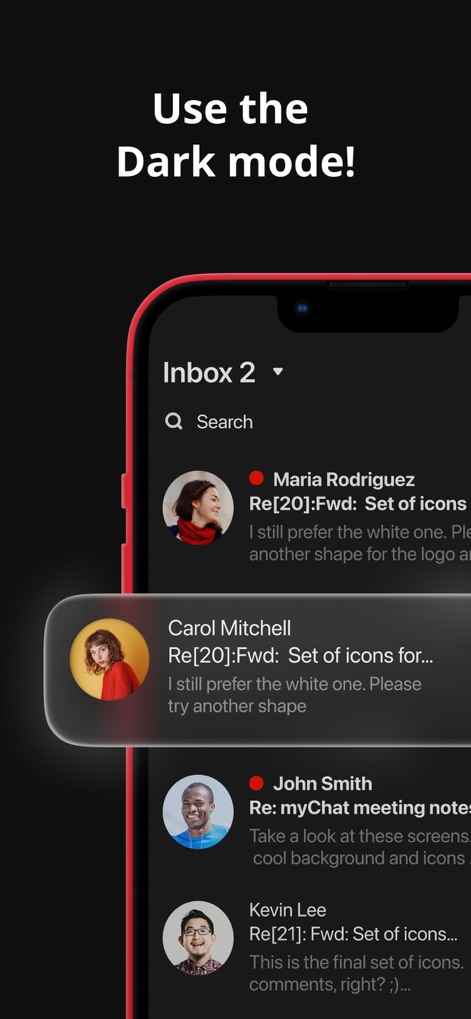
The app offers a sleek dark mode, enhancing readability with clear message previews and contact avatars for an optimized viewing experience.
Experience Dark Mode
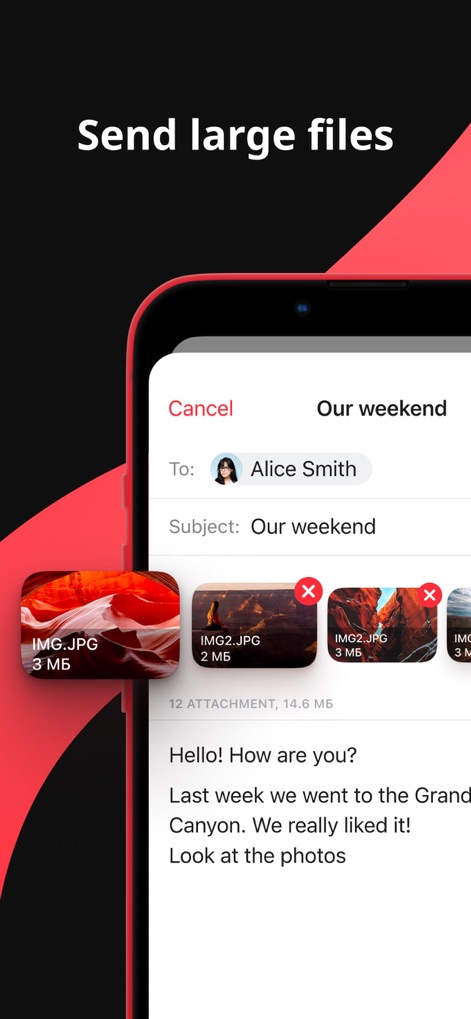
Users can easily attach multiple large files like 'IMG.JPG' directly from the compose screen, simplifying the process of sharing content.
Effortless File Sharing

This tool allows for precise email organization using filters like 'Flagged' and 'With Attachments', alongside customizable folder options.
Smart Email Filtering

The app empowers users to schedule messages for later delivery using an intuitive date/time picker, even when including multiple attachment previews.
Schedule Your Sends

Users can establish custom folders such as 'Work' and 'Documents' to meticulously sort emails, keeping their inbox organized and efficient.
Organized Inbox Structure

The app streamlines email management with convenient swipe actions for quick tasks like deleting messages or marking them with a red dot, visible alongside contact avatars.
Intuitive Swipe Actions
Description
Download
More Like This
Apps with similar features and user experience

Microsoft Outlook
Microsoft Corporation

Mail: Email, Cloud, Calendar
V Kontakte OOO

Yandex Mail: Email & Cloud
DIRECT CURSUS COMPUTER SYSTEMS TRADING LLC

Gmail - Email by Google
Google LLC

Yahoo Mail
Yahoo Inc.

Proton Mail - Encrypted Email
Proton AG

Email - Edison Mail
Edison Software Inc.

Zoho Mail - Email and Calendar
Zoho Corporation

GMX - Mail & Cloud
1&1 Mail & Media GmbH
This page is not an official page of the app or its developer, but an independent editorial publication created for informational and commentary purposes. Unless expressly stated otherwise, neither the app nor its developer is affiliated with, endorsed by, sponsored by, authorized by, or otherwise officially connected with MWM, Apple, Google Play, the app publisher, or the app's developer, and nothing on this page implies that the app was developed using MWM's services. Any trademarks, logos, screenshots, and other content remain the property of their respective owners.