NASDL Manager
NASDL Manager
Download on App Store

This page is not an official page of the app or its developer, but an independent editorial publication created for informational and commentary purposes. Unless expressly stated otherwise, neither the app nor its developer is affiliated with, endorsed by, sponsored by, authorized by, or otherwise officially connected with MWM, Apple, Google Play, the app publisher, or the app's developer, and nothing on this page implies that the app was developed using MWM's services. Any trademarks, logos, screenshots, and other content remain the property of their respective owners.

Logo of NASDL Manager
Download on App Store

NASDL Manager

Effortlessly manage Download Station tasks, monitor system health, and trigger downloads directly from Safari—all with the security and privacy your home server deserves.

Key Figures

Downloads

1K+

User Rating

4.9/5

Total Ratings

400

Publisher

Grigory Stolyarov

Category

Utilities

Locales

30

Latest Version

2.13.0

Size

61.7 MB

First Released

Jan 15, 2022
Features

Advanced Features for Power Users

A premium, privacy-focused experience designed for Synology enthusiasts who demand seamless control and deep system insights from their mobile devices.

Seamless Remote Downloads

Instantly add tasks from any mobile browser using the Safari Share menu extension and native magnet link support for a frictionless workflow.

Comprehensive System Insights

Monitor NAS health at a glance with real-time dashboards for disk space, VPN connection status, and detailed activity tracking via iOS widgets.

The following screenshots and description are sourced directly from the app's official store listing and are the property of the app developer.

App Store

Screenshots
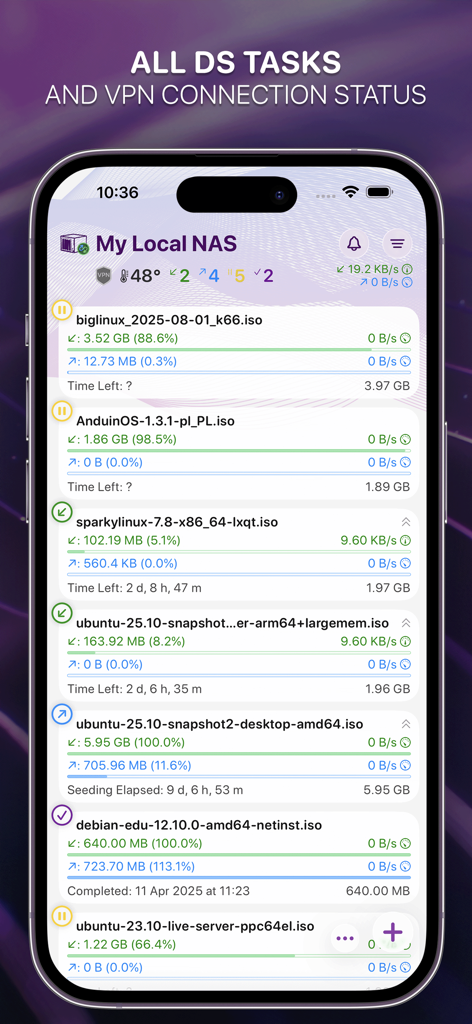
NASDL Manager - NASDL Manager app interface showing active download tasks and NAS system status on iPhone
NASDL Manager app interface showing active download tasks and NAS system status on iPhone

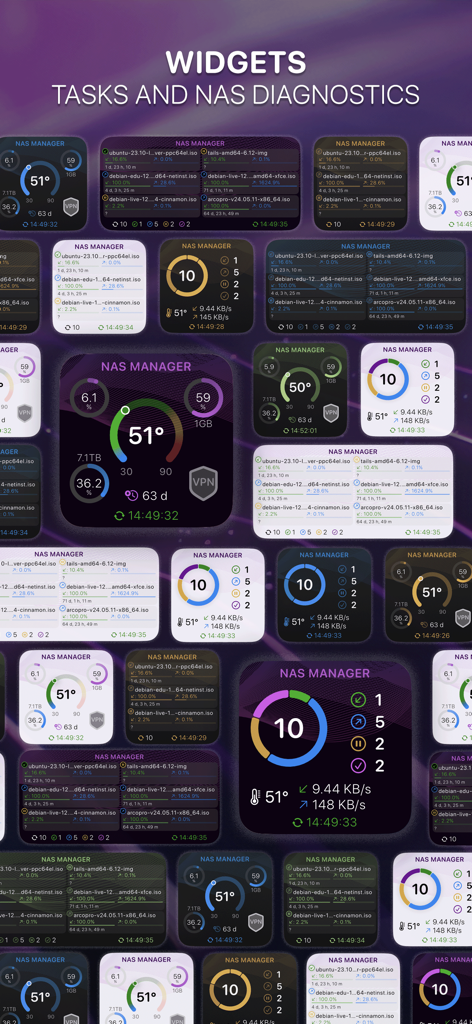
NASDL Manager - A variety of iOS widgets for NASDL Manager displaying NAS system diagnostics and download tasks.
A variety of iOS widgets for NASDL Manager displaying NAS system diagnostics and download tasks.

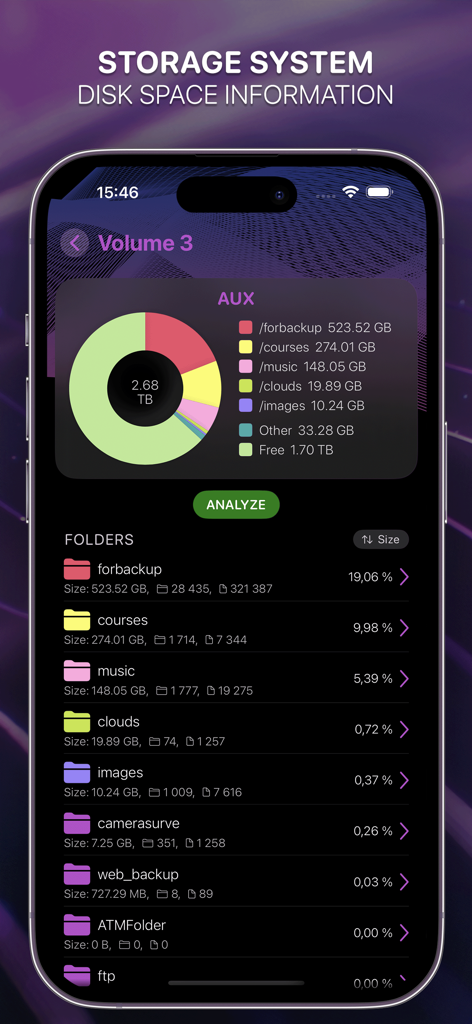
NASDL Manager - NASDL Manager storage system dashboard showing disk space usage and folder distribution for a Synology NAS
NASDL Manager storage system dashboard showing disk space usage and folder distribution for a Synology NAS

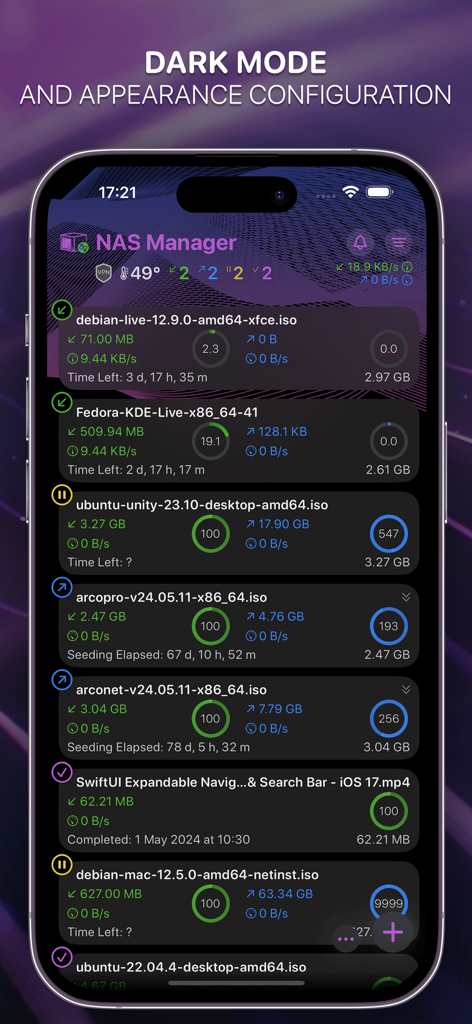
NASDL Manager - NASDL Manager app interface in dark mode showing active download tasks and system status on an iPhone
NASDL Manager app interface in dark mode showing active download tasks and system status on an iPhone

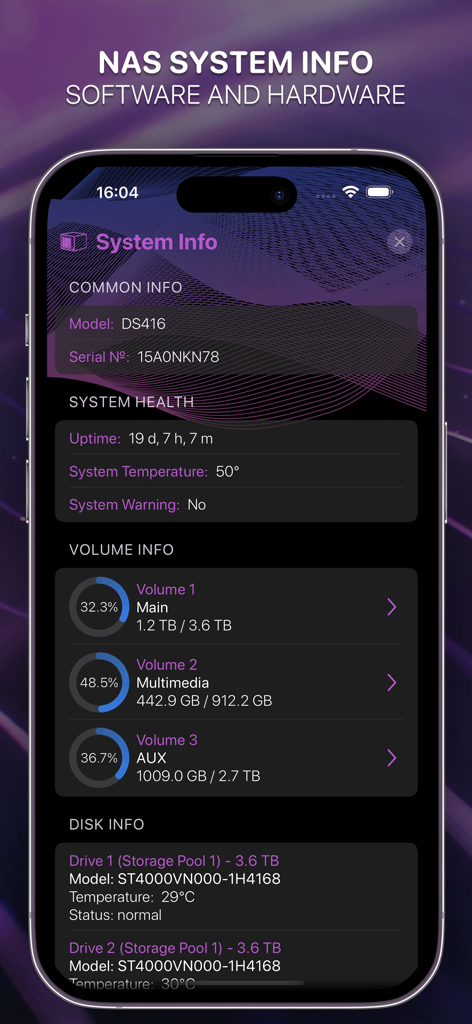
NASDL Manager - NASDL Manager app screen showing Synology NAS system health and storage volume status.
NASDL Manager app screen showing Synology NAS system health and storage volume status.

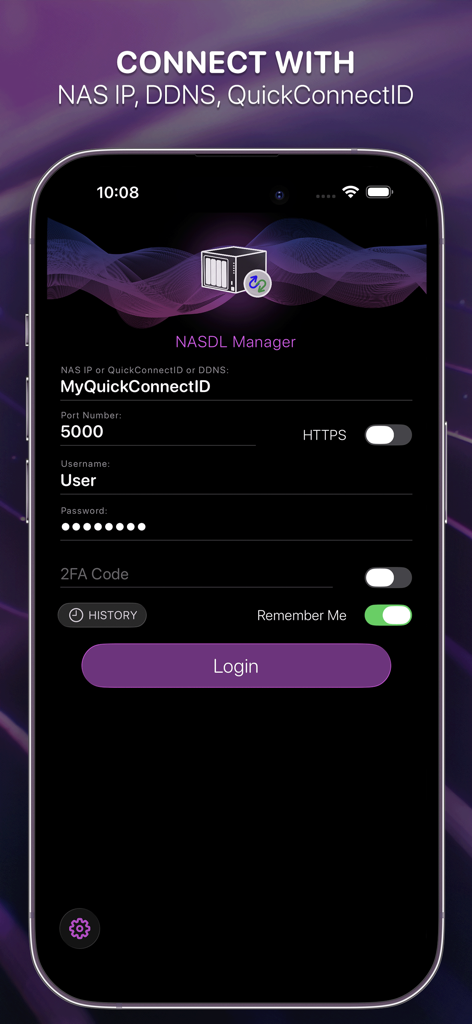
NASDL Manager - Login screen for NASDL Manager app showing connection settings for Synology NAS including QuickConnectID and two-factor authentication.
Login screen for NASDL Manager app showing connection settings for Synology NAS including QuickConnectID and two-factor authentication.

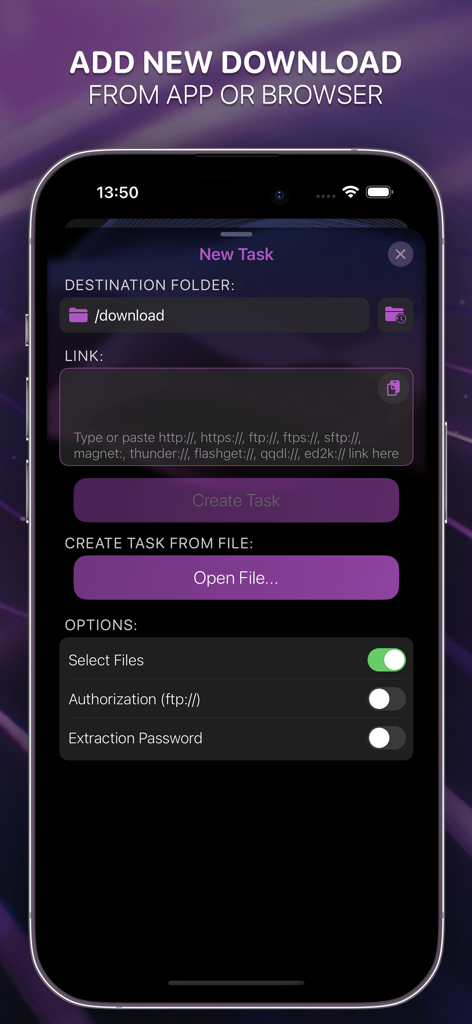
NASDL Manager - Interface of NASDL Manager on an iPhone showing the New Task screen to add downloads from a link or file to a Synology NAS.
Interface of NASDL Manager on an iPhone showing the New Task screen to add downloads from a link or file to a Synology NAS.

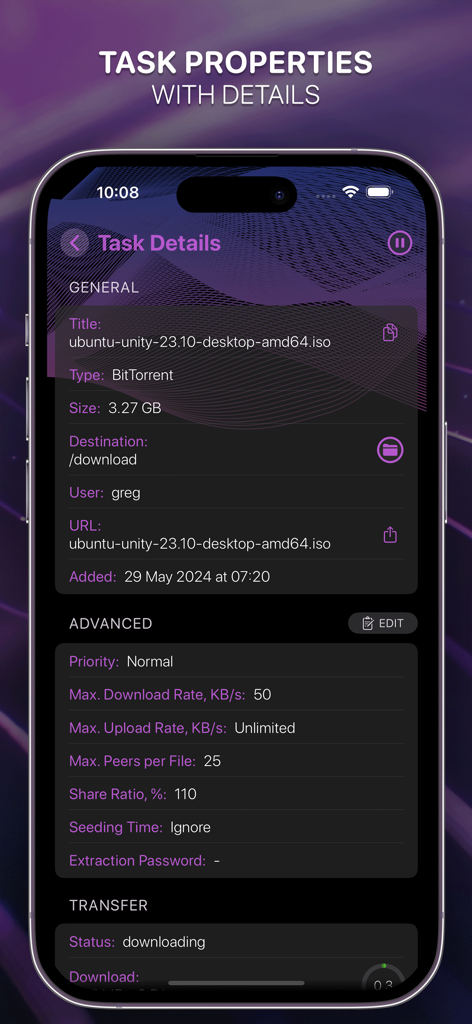
NASDL Manager - Screenshot of the task details screen in the NASDL Manager app showing download information and advanced settings
Screenshot of the task details screen in the NASDL Manager app showing download information and advanced settings

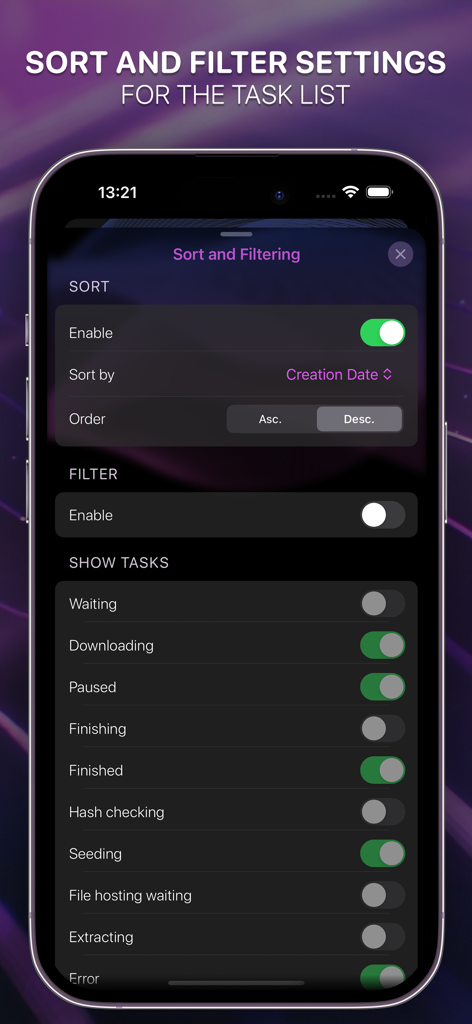
NASDL Manager - Sort and filter settings for download tasks in NASDL Manager

Sort and filter settings for download tasks in NASDL Manager

Description

This mobile application is designed by a long-time Synology user for fellow Synology enthusiasts, providing an efficient way to manage DS tasks and monitor activity on Synology NAS devices. This app is an independent third-party client and is not affiliated with Synology Inc. Key features are: • Presenting a list of NAS downloads • Display detailed information on each download process • Open links from Safari using Share menu • Open magnet links from any browser • Easy to add or remove downloads • Sort and filter downloads • Change downloads' properties • Display detailed system information for the NAS itself and VPN connection status (Admin rights for account required) • Display and change the key settings of Download Station application • Access to the NAS using the DDNS service (whitelisted IP-address required) • Access to the NAS using QuickConnect • Two-factor authentication supported • Search • RSS • Visual representation of the available disk space on your NAS (Admin and File Station access rights for the account required) • Connection history with the option of iCloud synchronization across all user devices • Widgets What user rights are required for use: • Access to Download Station – required • Access to File Station – optional, to select the download folder and get the info about storage system. Please note that the user must have the default download folder set, otherwise tasks will not be added. You can set the default folder from the application in the Download Station settings (if you have access to File Station), or through the web version of Download Station in the settings. • Administrator rights – optional. If the user has administrator rights, access to NAS system information such as VPN connection status, disk information, etc. will be available. In addition, a user without administrator rights can only see their own downloads. Downloads created by other users will not be displayed All personal data is securely stored in the Keychain (iPhone, iCloud). No data of any kind, including anonymized data, is collected. Synology NAS with DSM version 6.0+ and Download Station installed are required. Some features may only be available for Download Station version 4.0 or later. Please direct any comments or suggestions to support@joinersoft.app. We appreciate your support and cooperation in advance! Disclaimer: This application does not host, provide, or promote any downloadable content or links. Support for custom URL schemes and external connections is provided solely to allow users to manage their own systems, such as personal NAS devices. All use of the application must comply with applicable laws and remains the sole responsibility of the user. By downloading the application, you accept the Terms of Use (EULA): https://www.apple.com/legal/internet-services/itunes/dev/stdeula/

Download

Download on App Store

This page is not an official page of the app or its developer, but an independent editorial publication created for informational and commentary purposes. Unless expressly stated otherwise, neither the app nor its developer is affiliated with, endorsed by, sponsored by, authorized by, or otherwise officially connected with MWM, Apple, Google Play, the app publisher, or the app's developer, and nothing on this page implies that the app was developed using MWM's services. Any trademarks, logos, screenshots, and other content remain the property of their respective owners.








