NeoServer: SSH Client|Terminal
Download on App Store

This page is not an official page of the app or its developer, but an independent editorial publication created for informational and commentary purposes. Unless expressly stated otherwise, neither the app nor its developer is affiliated with, endorsed by, sponsored by, authorized by, or otherwise officially connected with MWM, Apple, Google Play, the app publisher, or the app's developer, and nothing on this page implies that the app was developed using MWM's services. Any trademarks, logos, screenshots, and other content remain the property of their respective owners.


Logo of NeoServer: SSH Client|Terminal
Download on App Store

NeoServer: SSH Client|Terminal

The ultimate SSH client and terminal for DevOps, NAS owners, and AI researchers. Manage Docker containers, monitor real-time GPU/CPU metrics, and sync securely via iCloud—all with zero data tracking.

Key Figures

Downloads

60K+

User Rating

4.9/5

Total Ratings

0

Publisher

Space-Time Transformation Technology Co., Ltd.

Category

Developer Tools

Locales

5

Latest Version

8.0.2

Size

60.2 MB

First Released

May 8, 2023
Features

Master Your Infrastructure from Anywhere

A powerful, privacy-first SSH client designed for DevOps, NAS enthusiasts, and AI researchers who demand desktop-class control on mobile.

Visual Docker Management

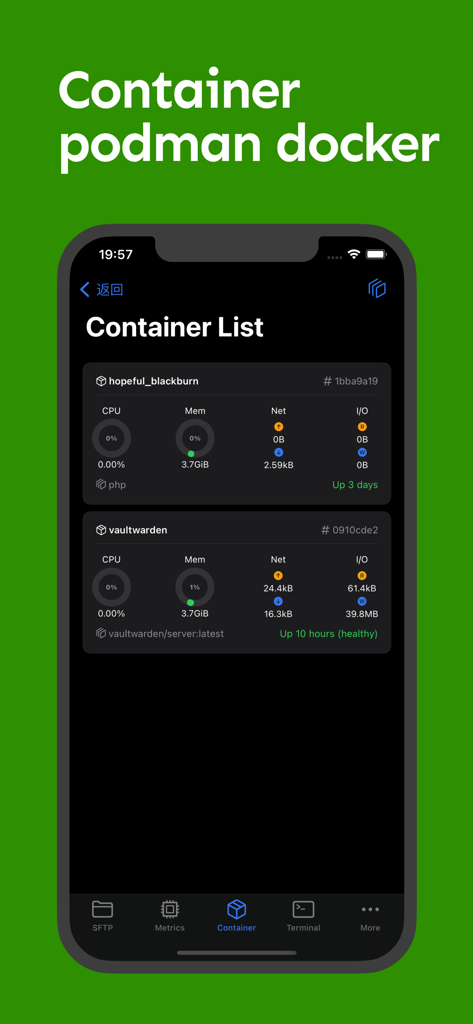
Monitor logs and manage containers with a single tap. Restart, pause, or delete Docker and Podman instances without typing a single line of code.

Real-Time Health Monitoring

Get a visual 'God-view' of your hardware. Track CPU, RAM, and specialized GPU usage in real-time—essential for monitoring AI training and server loads.

The following screenshots and description are sourced directly from the app's official store listing and are the property of the app developer.

App Store

Screenshots
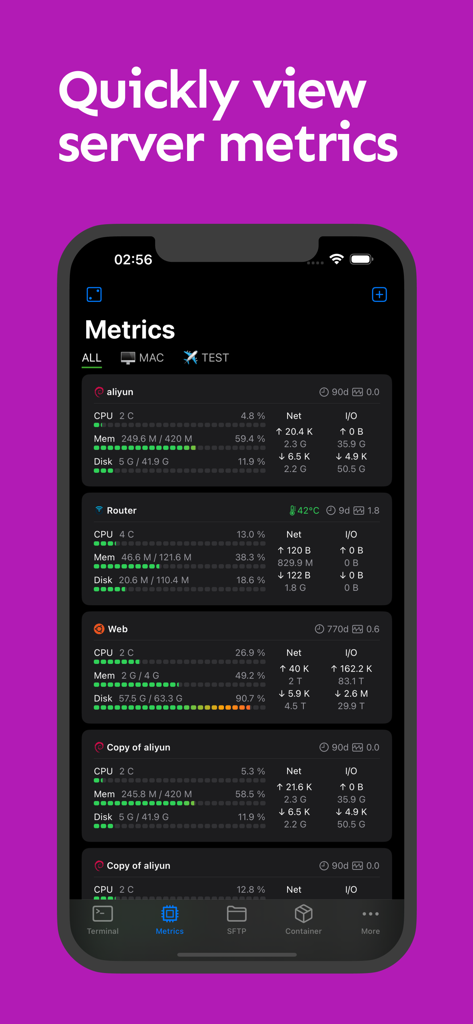
NeoServer: SSH Client|Terminal - NeoServer app screenshot showing a dashboard with real-time server metrics like CPU, memory, and disk usage on an iPhone.
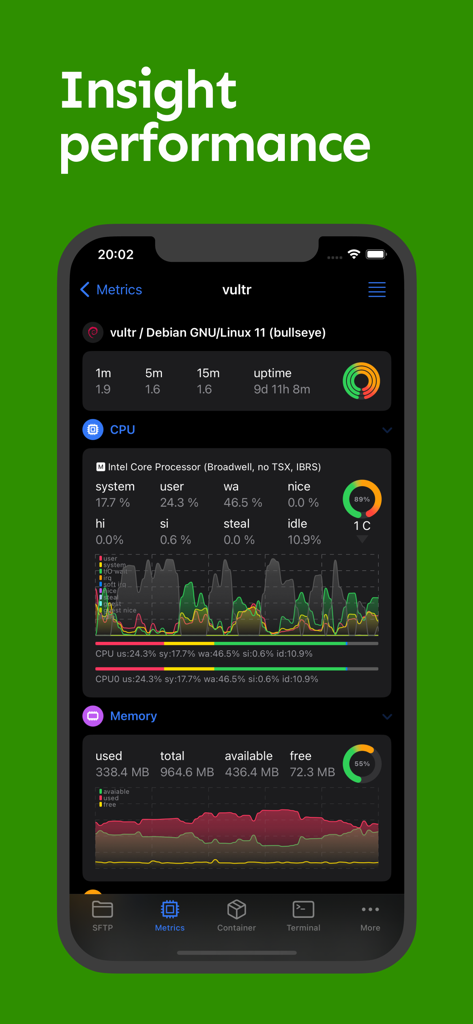
NeoServer app screenshot showing a dashboard with real-time server metrics like CPU, memory, and disk usage on an iPhone.

NeoServer: SSH Client|Terminal - NeoServer app dashboard showing server CPU and memory usage metrics
NeoServer app dashboard showing server CPU and memory usage metrics

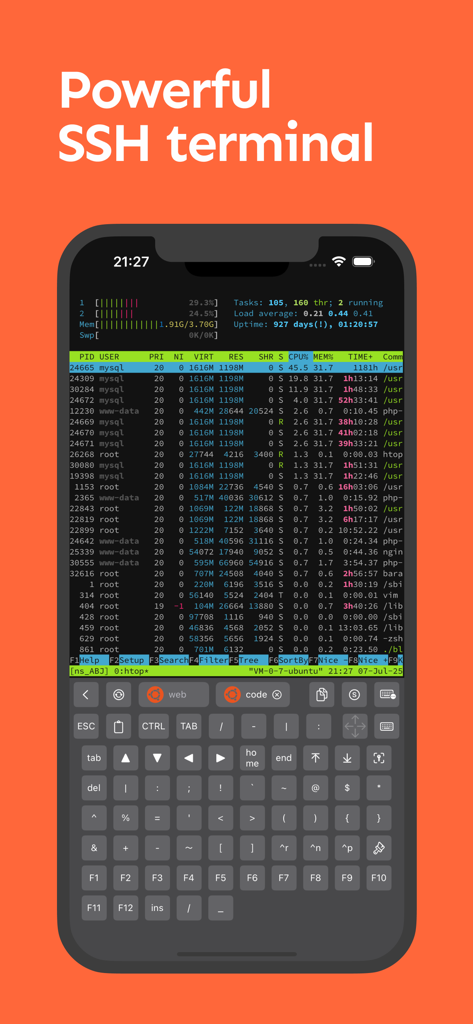
NeoServer: SSH Client|Terminal - NeoServer mobile SSH terminal displaying server process monitoring and a specialized developer keyboard.
NeoServer mobile SSH terminal displaying server process monitoring and a specialized developer keyboard.

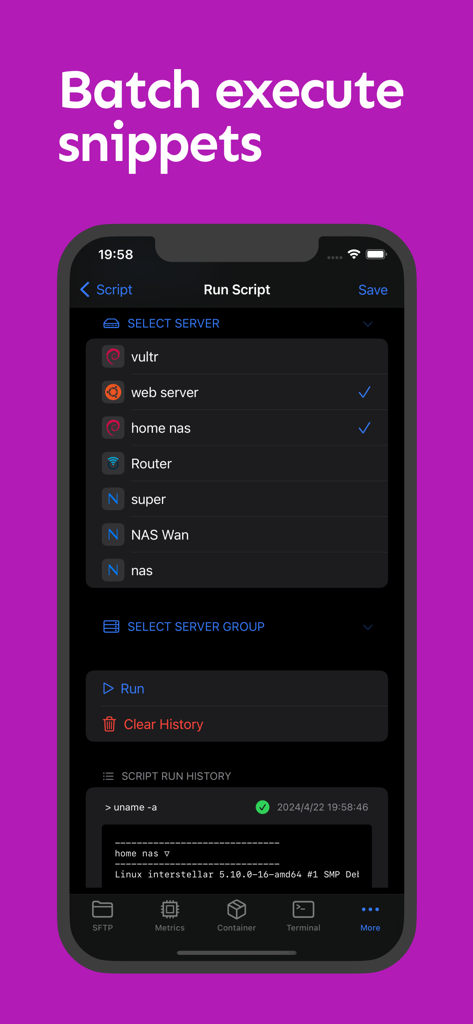
NeoServer: SSH Client|Terminal - NeoServer interface showing batch script execution on multiple selected servers
NeoServer interface showing batch script execution on multiple selected servers

NeoServer: SSH Client|Terminal - NeoServer mobile app showing a list of Docker and Podman containers with real-time monitoring of CPU, memory, and network usage.
NeoServer mobile app showing a list of Docker and Podman containers with real-time monitoring of CPU, memory, and network usage.

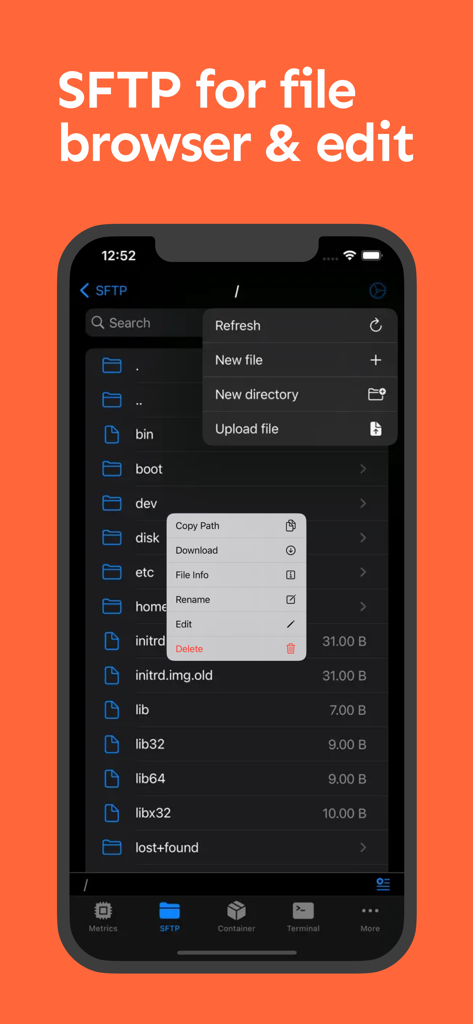
NeoServer: SSH Client|Terminal - NeoServer mobile app interface showing SFTP file browser and file management options on an iPhone screen
NeoServer mobile app interface showing SFTP file browser and file management options on an iPhone screen

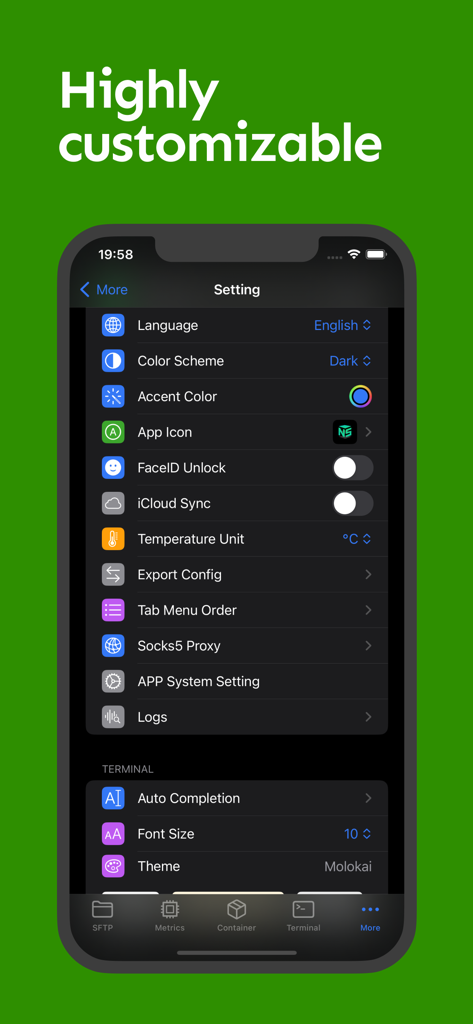
NeoServer: SSH Client|Terminal - NeoServer settings screen showing customization options for terminal themes, icloud sync, and faceid security
NeoServer settings screen showing customization options for terminal themes, icloud sync, and faceid security

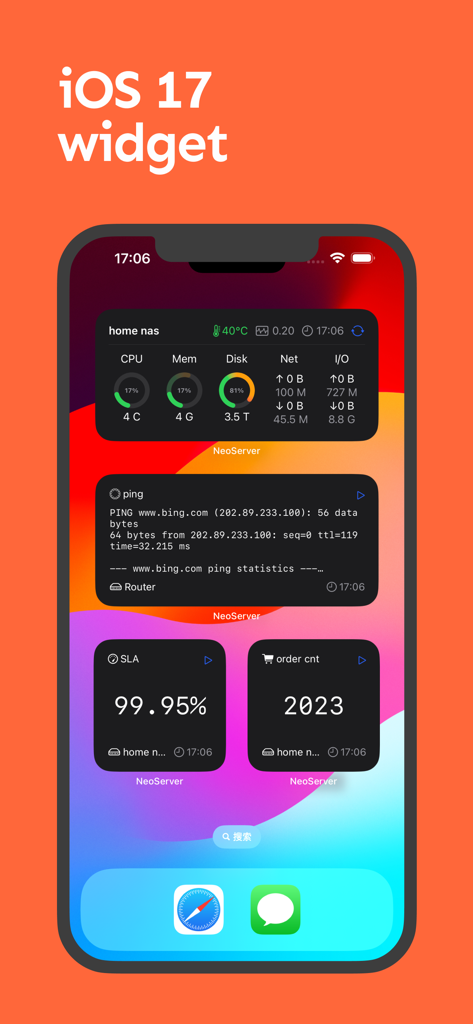
NeoServer: SSH Client|Terminal - iPhone home screen displaying iOS 17 widgets for NeoServer showing server performance metrics, ping statistics, and SLA uptime monitoring.
iPhone home screen displaying iOS 17 widgets for NeoServer showing server performance metrics, ping statistics, and SLA uptime monitoring.

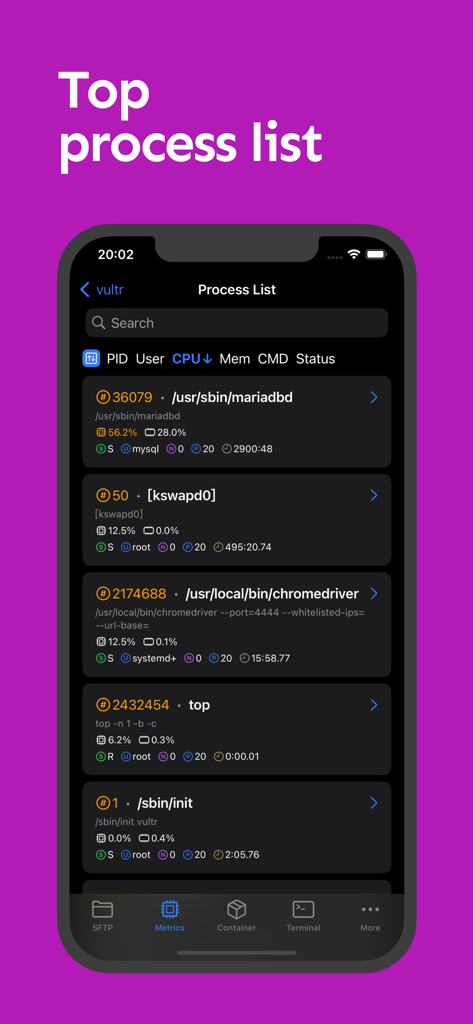
NeoServer: SSH Client|Terminal - Screenshot of the NeoServer app displaying a detailed list of active server processes including PID, CPU, and memory usage.
Screenshot of the NeoServer app displaying a detailed list of active server processes including PID, CPU, and memory usage.

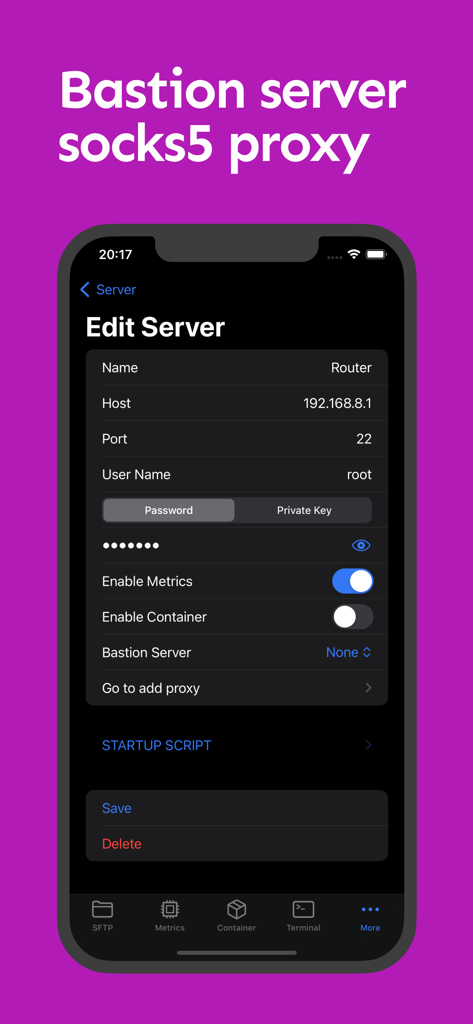
NeoServer: SSH Client|Terminal - NeoServer mobile app interface for configuring SSH server details with bastion and socks5 proxy options

NeoServer mobile app interface for configuring SSH server details with bastion and socks5 proxy options

Description

NeoServer offers a comprehensive management solution via SSH without additional software installation for your servers, NAS (Network Attached Storage), and Linux-based routers across iPhone, iPad, and Mac platforms. It supports terminal remote connections, multi-server script execution, container management, SFTP file management, and common performance data display. ◉ Free Features: ◦ Supports SFTP browsing of server files, allowing editing (with syntax highlighting for common languages), renaming, deletion, viewing file size and permissions, uploading and downloading files, etc. ◦ Supports running scripts and viewing historical records. It also allows batch execution on server groups or multiple servers. ◦ Displays server parameters and monitoring status, including CPU, memory, disk, and network metrics, with widgets for visualization. ◦ Uptime, system load over 1/5/15 minutes. ◦ CPU temperature, CPU model, CPU usage rate. ◦ GPU Usage & Task on the GPU ◦ Disk, IOPS, I/O Wait, read/write speed, total read/write size. ◦ Network, upload/download speed, total upload/download size. Click for network card details, IP binding, and network card UP/DOWN status. ◦ Supports SSH remote connection with copy, paste, special keyboard functionality in Terminal. It supports initializing shell scripts upon connection, tmux for session recovery, command line auto-completion, and double-click to trigger TAB. ◦ Displays the process list with PID, User, CPU Usage, Memory Usage, Command, and Status, with the ability to sort by header and send specified kill signals. ◦ Supports Docker/Podman container management, viewing container logs and inspection information, restarting, pausing, deleting containers, and managing container images. ◦ iOS 17 Widgets. ◦ Supports SSH server configuration, including password and key. Supports jump hosts/bastion servers, and SOCKS5 connections to corporate intranets. support Wake-on-LAN (WOL) ◦ Supports iCloud synchronization (using private iCloud space), FaceID to unlock the app. ◦ Apple multiplatform support: iOS/macOS, iPadOS. ◉ Premium Version ◦ Terminal Theme & Terminal Script Execution ◦ Container Operations: Create, Restart, Stop ◦ SFTP File Editing ◦ Socks Proxy & Jump Server ◦ Batch Server Script Execution ◉ NeoServer is popular among NAS (Synology, TrueNAS, QNAP, FreeNAS) players, self-hosting enthusiasts, website master, AI model researcher, and developers. ◉ Feedback and issues contact: h2eros.z@gmail.com. ◉ NeoServer is best iOS alternatives for putty,termux,juicessh ◉ Data Privacy: All data is stored on your device. NeoServer does not transmit data over the network to any servers outside of your configured servers, nor does it engage in any third-party statistics or advertising connections. Privacy Policy: https://www.playshare.cc/en/doc/neoserver-privacy.html Terms of Use: https://www.apple.com/legal/internet-services/itunes/dev/stdeula/

Download

Download on App Store

This page is not an official page of the app or its developer, but an independent editorial publication created for informational and commentary purposes. Unless expressly stated otherwise, neither the app nor its developer is affiliated with, endorsed by, sponsored by, authorized by, or otherwise officially connected with MWM, Apple, Google Play, the app publisher, or the app's developer, and nothing on this page implies that the app was developed using MWM's services. Any trademarks, logos, screenshots, and other content remain the property of their respective owners.








