NetSketch
NetSketch
Download on App Store

This page is not an official page of the app or its developer, but an independent editorial publication created for informational and commentary purposes. Unless expressly stated otherwise, neither the app nor its developer is affiliated with, endorsed by, sponsored by, authorized by, or otherwise officially connected with MWM, Apple, Google Play, the app publisher, or the app's developer, and nothing on this page implies that the app was developed using MWM's services. Any trademarks, logos, screenshots, and other content remain the property of their respective owners.


Logo of NetSketch
Download on App Store

NetSketch

Create clean, intelligent topologies in seconds with smart routing and touch-first precision. No subscriptions, no cloud accounts—just professional tools for IT experts on the go.

Key Figures

Downloads

0

User Rating

1.0/5

Total Ratings

0

Publisher

William Butler

Category

Productivity

Locales

1

Latest Version

1.2

Size

1.8 MB

First Released

Nov 17, 2025
Features

Built for the Modern Network Pro

NetSketch streamlines your workflow by bringing professional-grade network diagramming to your iPad with a touch-optimized, privacy-first interface.

Touch-First Mobility

Ditch the laptop. Use intuitive gestures and Apple Pencil to document complex topologies directly from the server room or client site.

Intelligent Connection Routing

Save hours of manual cleanup with automatic orthogonal routing and snap-to-grid alignment that keeps your diagrams professional and perfectly organized.

The following screenshots and description are sourced directly from the app's official store listing and are the property of the app developer.

App Store

Screenshots
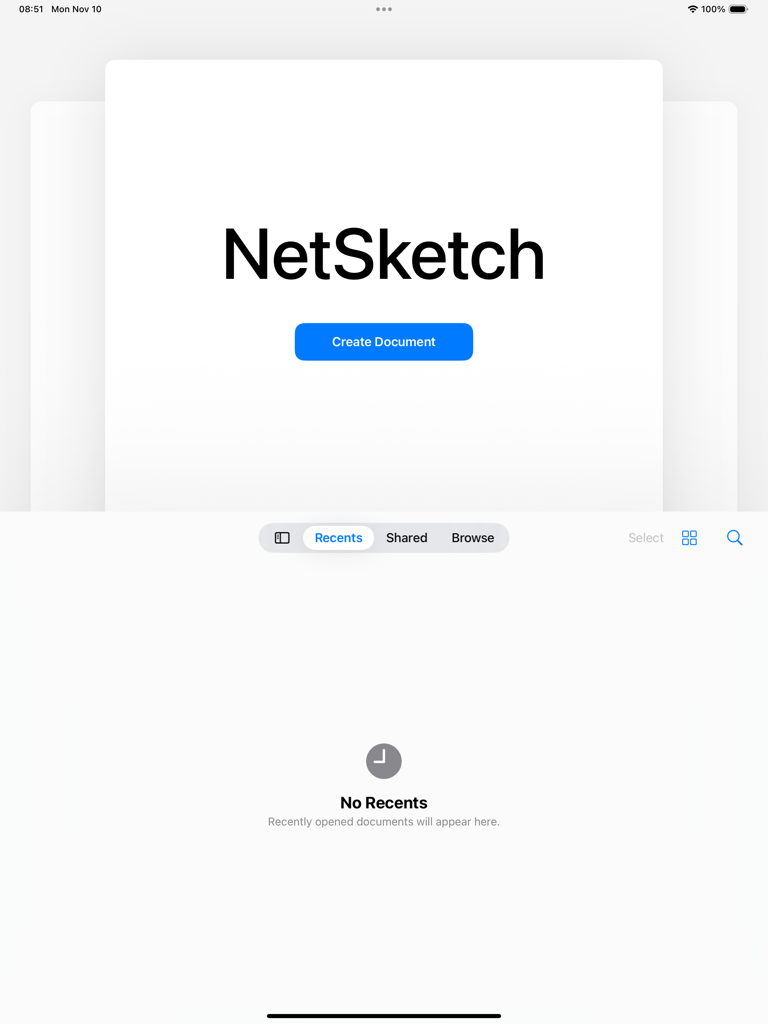
NetSketch - NetSketch network diagram app welcome screen on iPad featuring a Create Document button
NetSketch network diagram app welcome screen on iPad featuring a Create Document button

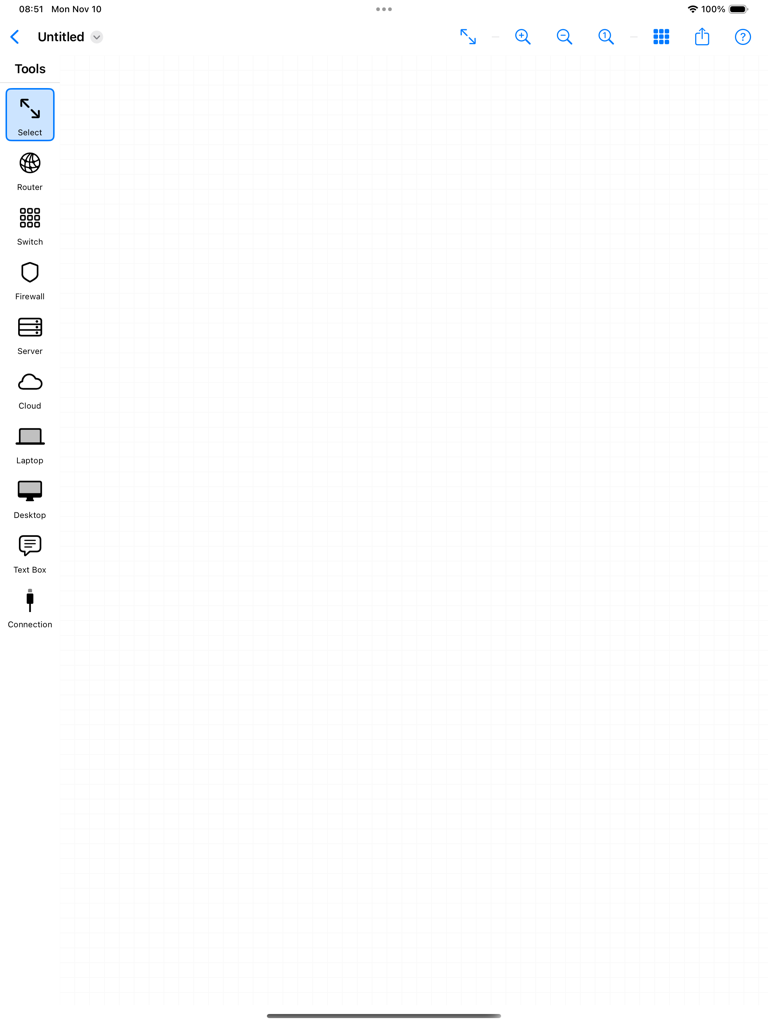
NetSketch - Blank network diagram canvas and tools sidebar in the NetSketch iPad app
Blank network diagram canvas and tools sidebar in the NetSketch iPad app

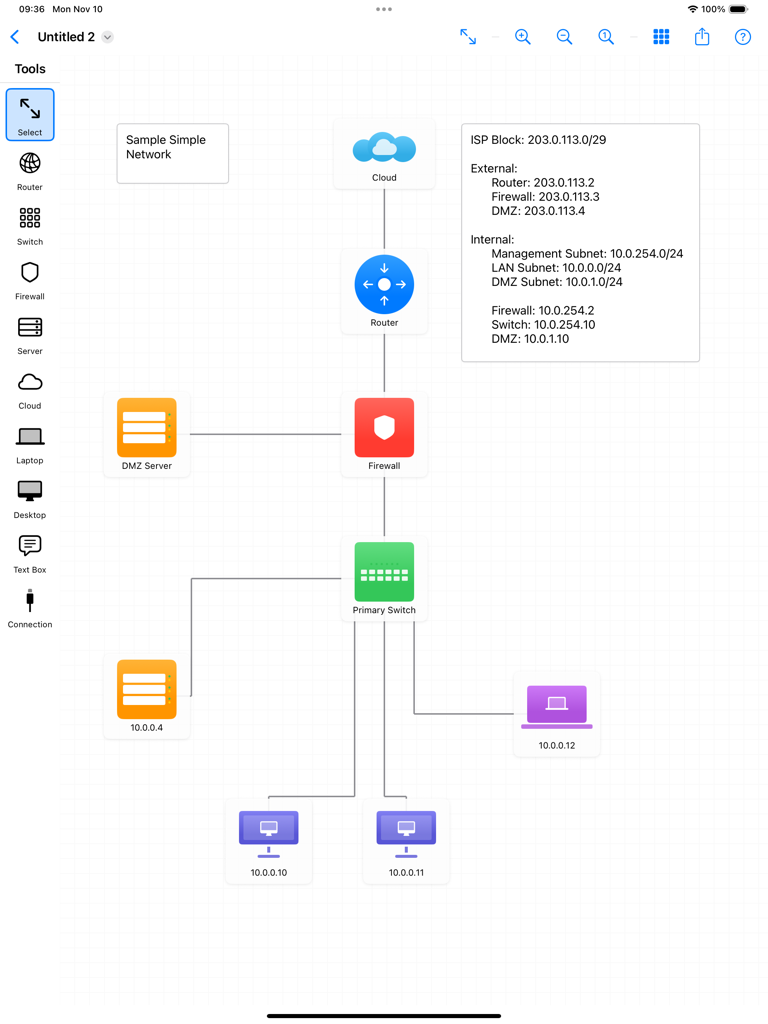
NetSketch - A network topology diagram created on an iPad using NetSketch, showing interconnected icons for cloud, router, firewall, switch, and end-user devices with IP address labels.
A network topology diagram created on an iPad using NetSketch, showing interconnected icons for cloud, router, firewall, switch, and end-user devices with IP address labels.

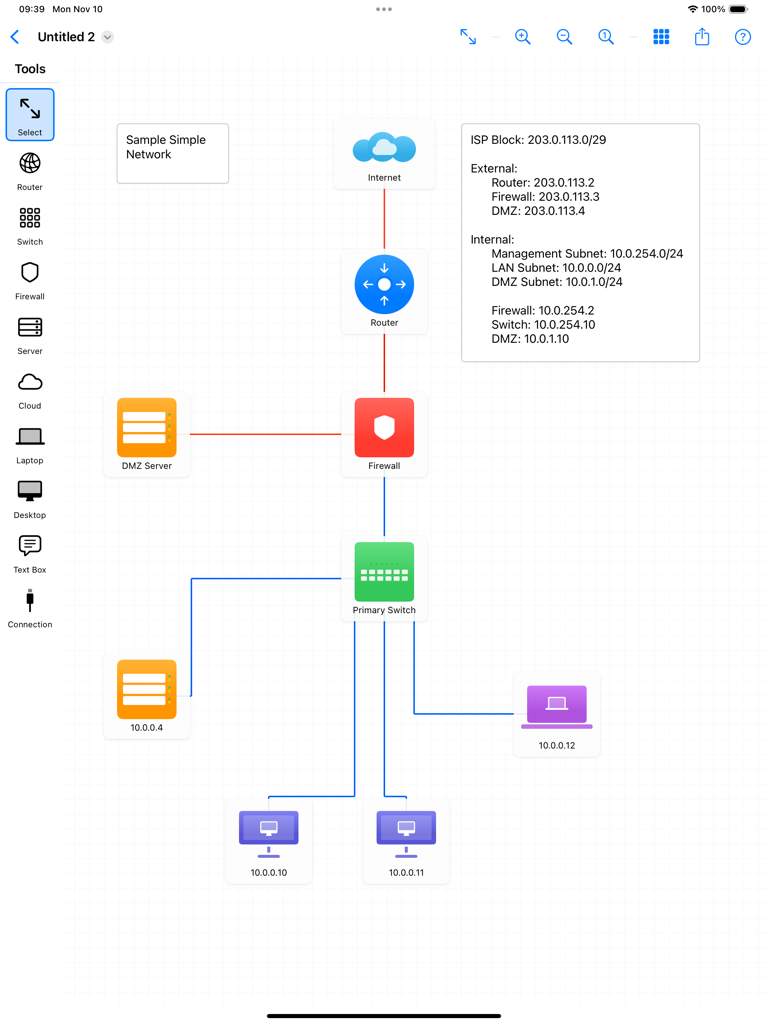
NetSketch - A network topology diagram created in the NetSketch iPad app showing routers firewalls and connected devices.
A network topology diagram created in the NetSketch iPad app showing routers firewalls and connected devices.

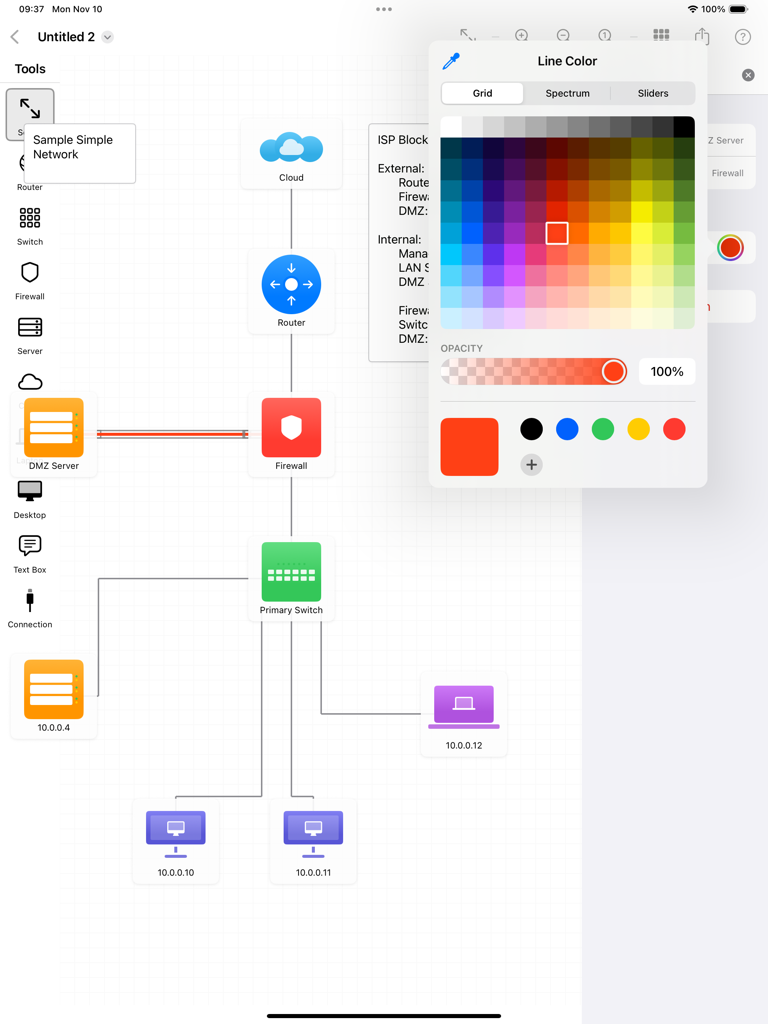
NetSketch - NetSketch iPad interface showing a network topology diagram and color picker tool
NetSketch iPad interface showing a network topology diagram and color picker tool

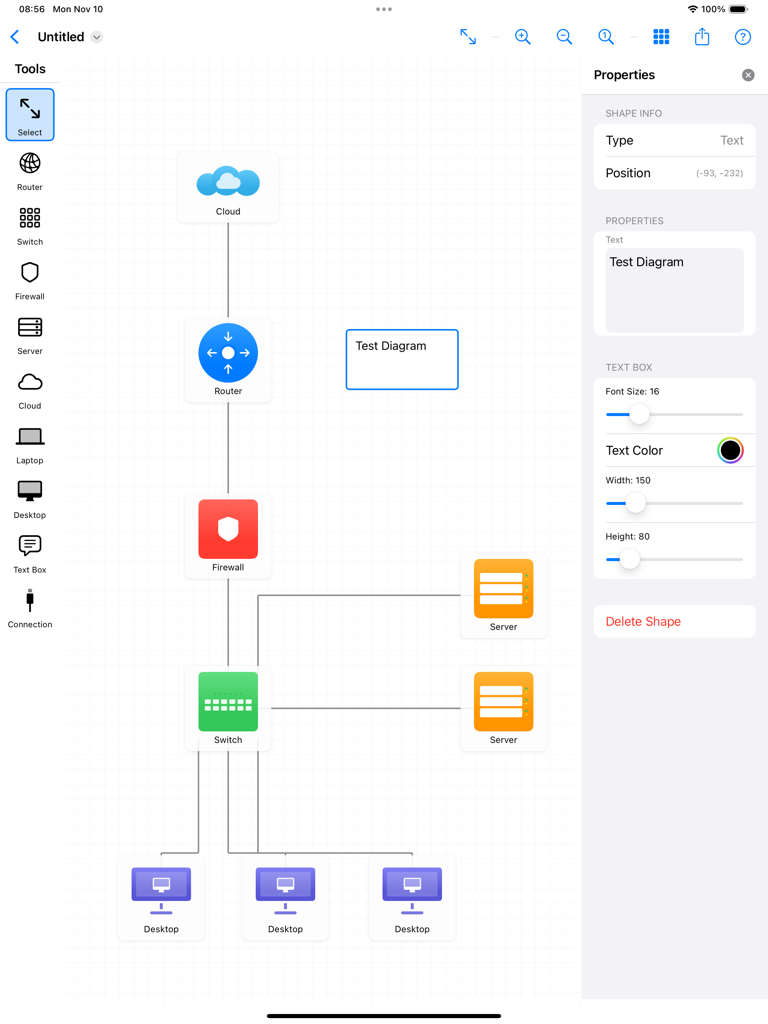
NetSketch - An iPad screen displaying the NetSketch app interface with a network topology diagram featuring cloud, router, firewall, switch, and desktop icons.
An iPad screen displaying the NetSketch app interface with a network topology diagram featuring cloud, router, firewall, switch, and desktop icons.

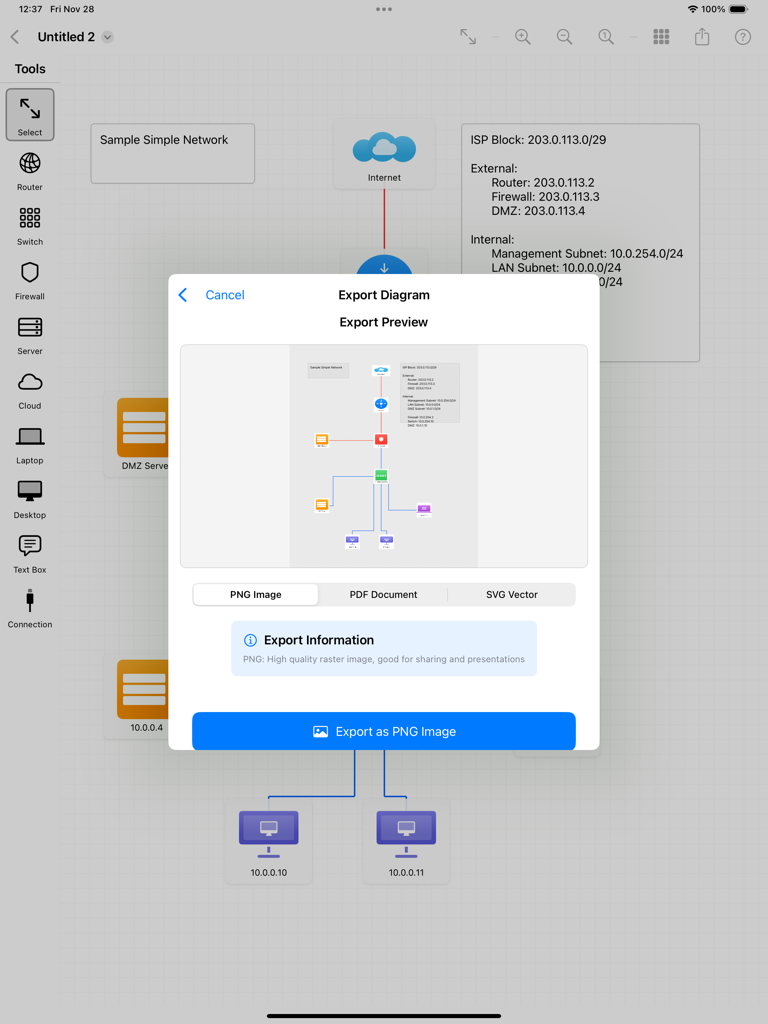
NetSketch - NetSketch app export menu on iPad showing options to export network diagrams as PNG, PDF, or SVG files.
NetSketch app export menu on iPad showing options to export network diagrams as PNG, PDF, or SVG files.

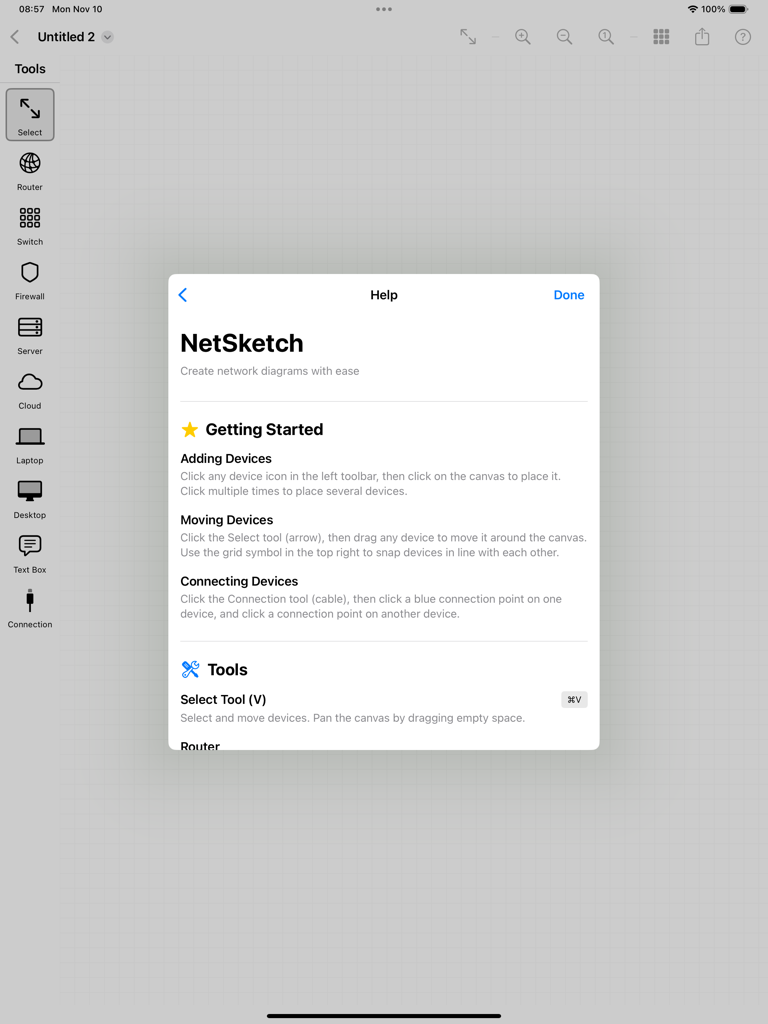
NetSketch - NetSketch app help window with instructions for creating network diagrams on iPad

NetSketch app help window with instructions for creating network diagrams on iPad

Description

Design Simple and Clean Network Diagrams on Your iPad NetSketch is a simple yet intuitive network diagram tool built specifically for iPad. Whether you're a network engineer, IT professional, system architect, or student, NetSketch helps you create simple, clear network topology diagrams without the need of cloud services or licenses. Perfect For: • Network engineers documenting infrastructure • IT professionals planning network upgrades • System architects designing new systems • Students learning network concepts • Consultants presenting network solutions • Anyone who needs to visualize network topology Key Features: Optimized for iPad Touch-optimized interface designed specifically for iPad. Enjoy the freedom of creating diagrams anywhere, without being tied to a desktop. Easy to Understand Network Symbols Simple network icons including routers, switches, firewalls, servers, cloud services, desktops, laptops, and more. Intelligent Connection Routing Automatic orthogonal (right-angle) line routing creates professional-looking diagrams. Lines intelligently avoid overlaps and route around obstacles. Choose from 8 connection points on each device for perfect alignment. Easy Editing • Move and arrange with simple gestures • Add labels and annotations with text boxes • Customize colors to organize by function or location • Adjust text size and formatting • Click to place symbols easily Snap-to-Align Grid Enable snap-to-align to automatically line up devices perfectly. Create clean, organized diagrams with consistent spacing. Full Document Support • Save unlimited network diagrams • Open and edit existing diagrams • iCloud sync across all your devices • Standard document-based app architecture Export & Share Export your diagrams as high-resolution PNG images or PDF documents. Perfect for presentations, documentation, or printing. Share via email, AirDrop, Messages, or save to Files. Zoom & Pan Zoom in for detailed work or zoom out to see the big picture. Smooth panning and pinch-to-zoom gestures make navigation effortless. Text Annotations Add detailed text boxes anywhere on your diagram. Perfect for labeling VLANs, IP subnets, network zones, or adding explanatory notes. Supports Apple Pencil. Color Customization Change device colors to create visual organization. Group by location, function, security zone, or any system that works for you. Why NetSketch? Unlike complex desktop diagramming tools, NetSketch is built from the ground up for touch interaction. No menus to dig through, no complicated toolbars—just natural, intuitive design that let you focus on your network design, not the software. NetSketch respects your privacy. All diagrams are stored locally on your device or in your personal iCloud storage. We don't collect, analyze, or store any of your data. Use Cases: • Document existing network infrastructure • Plan network upgrades and expansions • Create network diagrams quickly and easily • Design data center layouts • Visualize cloud architecture • Map security zones and firewall rules • Educational network topology diagrams • Quick whiteboard-style sketches No Subscription Required One-time purchase. Use forever. No monthly fees, no feature locks, no ads. Get Started in Seconds: 1. Select a device from the toolbar 2. Tap the canvas to place it 3. Add connections between devices 4. Customize labels and colors 5. Export and share

Download

Download on App Store

This page is not an official page of the app or its developer, but an independent editorial publication created for informational and commentary purposes. Unless expressly stated otherwise, neither the app nor its developer is affiliated with, endorsed by, sponsored by, authorized by, or otherwise officially connected with MWM, Apple, Google Play, the app publisher, or the app's developer, and nothing on this page implies that the app was developed using MWM's services. Any trademarks, logos, screenshots, and other content remain the property of their respective owners.








