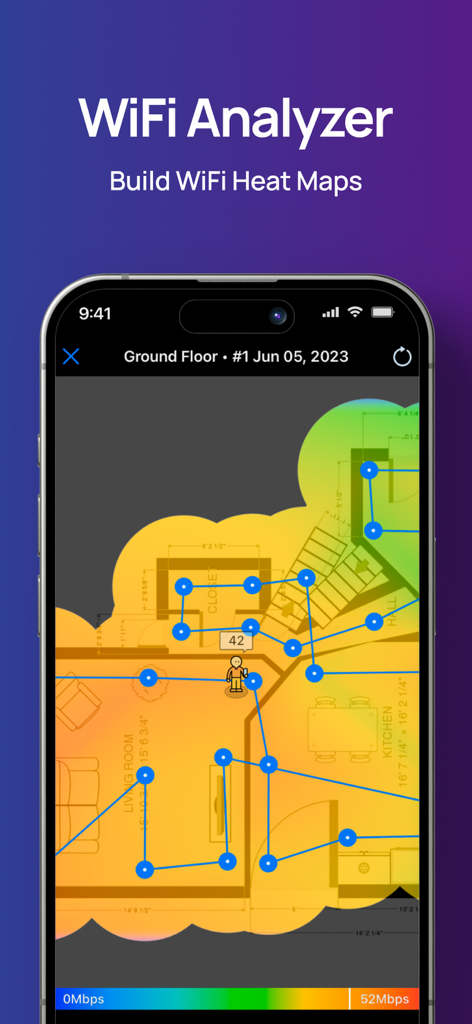
NetSpot WiFi Analyzer

NetSpot WiFi Analyzer

Download on App Store
Logo of NetSpot WiFi Analyzer

NetSpot WiFi Analyzer: Professional Heatmaps and Network Diagnostics at Your Fingertips

Stop guessing where your signal goes. Transform your iPhone or iPad into a powerful network scanner to visualize dead zones, optimize router placement, and ensure a flawless connection for your home office or smart home.

Publisher

Etwok Inc

Category

Utilities

Downloads

352K+

User Rating

2.1/5

Total Ratings

300

Locales

8

Your Network, Visualized

Discover the interface used by 352K+ users.

WiFi heatmap visualization on a home floor plan in the NetSpot app

WiFi heatmap visualization on a home floor plan in the NetSpot app

NetSpot app interface showing wifi upload and download speed test results

NetSpot app interface showing wifi upload and download speed test results

NetSpot app interface showing WiFi speed test results and market statistics like 50 million installs.
NetSpot app interface showing WiFi speed test results and market statistics like 50 million installs.

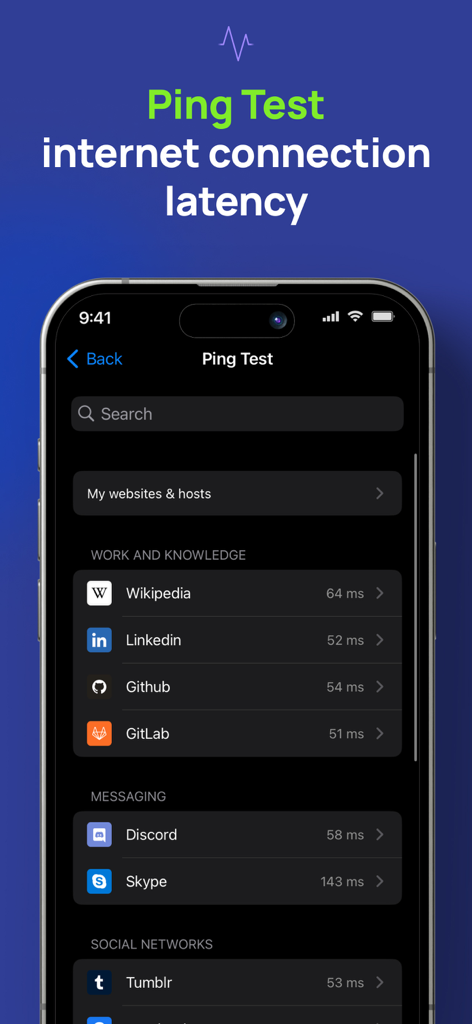
NetSpot WiFi Analyzer ping test screen showing internet connection latency
NetSpot WiFi Analyzer ping test screen showing internet connection latency

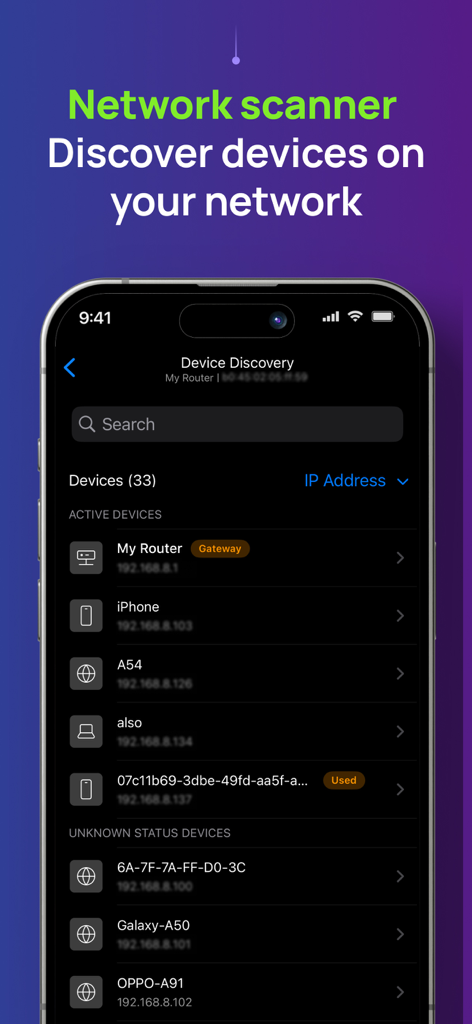
NetSpot WiFi Analyzer app screen showing a list of connected devices and their IP addresses in the network scanner tool.
NetSpot WiFi Analyzer app screen showing a list of connected devices and their IP addresses in the network scanner tool.

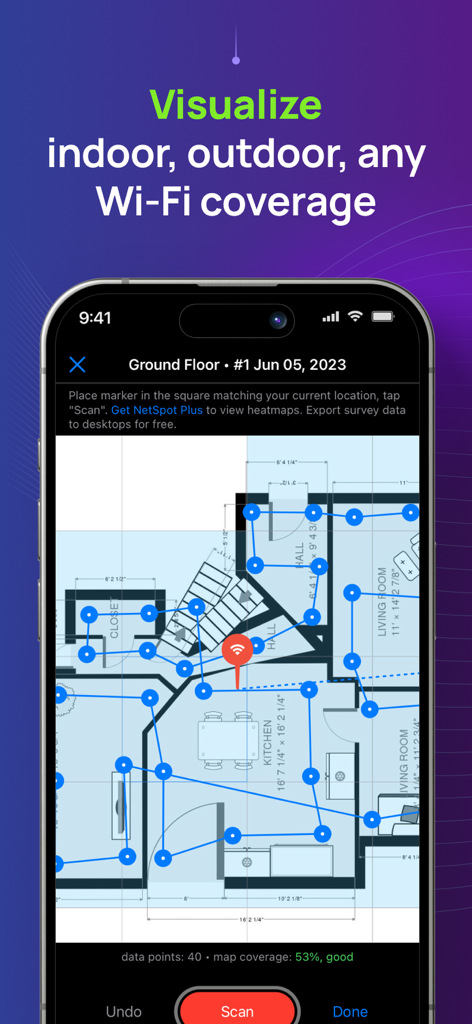
NetSpot app displaying a WiFi coverage survey on a house floor plan.
NetSpot app displaying a WiFi coverage survey on a house floor plan.

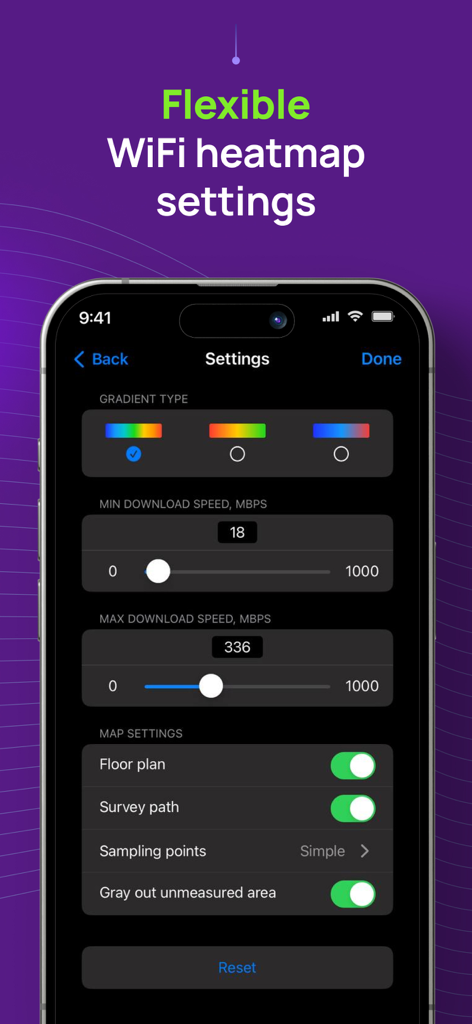
NetSpot app interface showing flexible WiFi heatmap settings including gradient types and download speed limits.
NetSpot app interface showing flexible WiFi heatmap settings including gradient types and download speed limits.

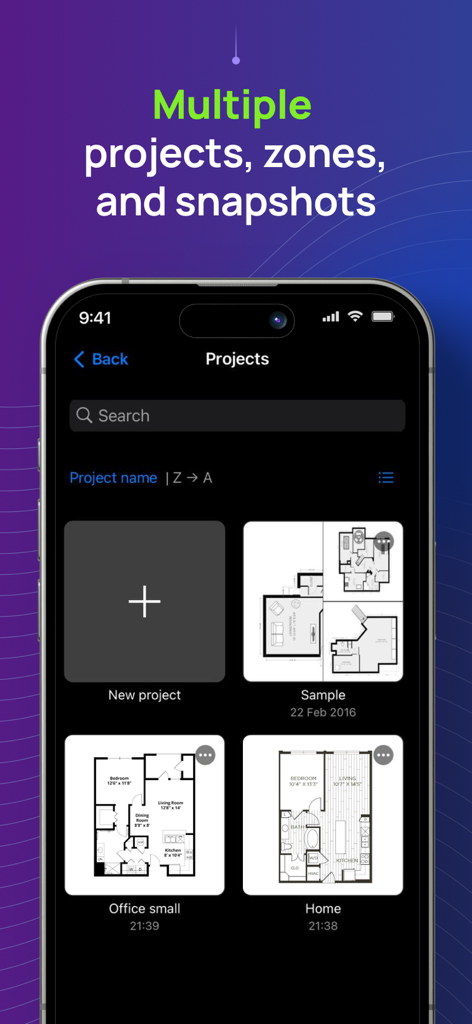
NetSpot app interface showing multiple WiFi survey projects with different floor plans for home and office.

NetSpot app interface showing multiple WiFi survey projects with different floor plans for home and office.

Master Your Home Network

The tools that make this app stand out, trusted by 352K+ users.

🗺️

Visual WiFi Heatmaps

Create interactive maps of your home or office to pinpoint dead zones and find the perfect spot for your router without expensive hardware.

Lag-Free Speed & Ping

Eliminate buffering and lag with precise tests that measure your real-world latency and bandwidth for smoother calls and gaming.

🔍

Instant Device Discovery

Scan your network to identify every connected device, helping you spot bandwidth hogs and keep unauthorized users out of your system.

Review Analysis

Insights from user reviews.

Sentiment Score

33%
Negative

Summary

The app receives mixed, but predominantly negative, feedback from users. Many appreciate its core functionality for basic WiFi analysis and speed measurement, with some highlighting its clear interface and fast data collection for certain heatmap types. However, a significant number of users express disappointment with the app's limited features on mobile devices compared to its desktop counterpart, particularly the absence of crucial signal strength heatmaps and advanced WiFi channel analysis. Users frequently criticize the app's pricing model, deeming it misleadingly advertised as 'free' when most useful features are locked behind paywalls or subscriptions, leading to feelings of wasted money and frustration with refund processes. Several reports also indicate stability issues, including crashing during scans, with one specific mention of general non-functionality on iPhone 11.

Common Themes

Core Functionality(20)
Speed Measurement(4)
User Interface Clarity(3)
Desktop App Quality(2)
Heatmap Data Collection(2)
Free Features Availability(1)
App Improvement/Updates(1)

About the app

Everything you need to know about NetSpot WiFi Analyzer.

Description

NetSpot 3 delivers powerful WiFi site surveys with internet speed, ping tests and device discovery to iPhone and iPad users. Build realistic WiFi heatmaps right on your iPhone or iPad in minutes, without additional expensive hardware! Analyze and troubleshoot your wireless networks with color-coded interactive heatmaps, very simple to create and interpret. NetSpot, famous for its versatile network tools with millions of business and home users across all platforms, is the only WiFi scanner app with heatmap visualizations on the App Store. Effortlessly manage your Wi-Fi survey projects by organizing them into multiple zones and snapshots for each surveyed area. Flexible configuration settings let you customize the look and feel of your WiFi map and choose the desired gradient to properly highlight areas with high WiFi speed and stable connection, as well as the areas with low WiFi signal that may need improvements. NetSpot’s WiFi speedtest is a great one-tap solution to verify and track performance of your wireless setups over time. NetSpot also offers Ping Tests. A ping test is a great way to check network connectivity for any underlying network issues and measure the latency. High latency may indicate slow or laggy internet, which affects gaming or video calls quality. NetSpot offers a handy Device Discovery mode, which basically turns the app into a network scanner collecting information on all devices connected to your network. It depends on devices, which information can be collected, but in general you can see such data as MAC address, IP address, device names, software and firmware versions, a class of device (e.g. smartphone, smart device or a laptop.), etc. The free version of NetSpot for iOS lets you use Device Discovery mode, as well as test the ping and Internet speed. WiFi Survey mode with heatmaps is available in NetSpot Plus - a one-time in-app purchase. USE NETSPOT AS... * WiFi analyzer - diagnose your wireless network connection speed and latency * WiFi scanner - collect and visualize your WiFi data * Speed tester - check your internet, WiFi or mobile download and upload speed, record historical results * WiFi mapper - conduct active WiFi site surveys for connected networks * Ping tester - verify your WiFi or mobile connection latency to major or custom websites * Network scanner – find and collect information about devices currently connected to your wireless network * WiFi troubleshooting app NetSpot WiFi heat mapper is fast, accurate and extremely simple. It helps you see the true coverage of your WiFi like never before, regardless of your mesh or no-mesh configuration, security settings, interfering networks or other factors. Every time you use NetSpot internet speed meter for WiFi site surveys, it delivers reliable interactive heatmaps that are easy to analyze. NETSPOT IS INCREDIBLY HELPFUL FOR... * WiFi network setup verification * WiFi signal, speed and ping test * Creating WiFi heat map to detect areas of weak signal (part of NetSpot Plus) * Find out who is on your Wi-Fi * Extending WiFi coverage and more

Latest Version

3.1.6

Size

51.2 MB

First Released

May 4, 2020

Stop Guessing. Start Mapping.

Join over 350,000 users who trust NetSpot to eliminate dead zones and optimize their connection. Turn your iPhone into a professional-grade WiFi analyzer today.

Download on App Store

App information, icons, screenshots, and descriptions displayed on this page are sourced from the Apple App Store and are the property of their respective developers. Download estimates and rankings are based on MWM's proprietary models and may not reflect actual figures. This page is provided for informational and analytical purposes only.

Believe this page infringes your intellectual property? File a dispute