
This page is not an official page of the app or its developer, but an independent editorial publication created for informational and commentary purposes. Unless expressly stated otherwise, neither the app nor its developer is affiliated with, endorsed by, sponsored by, authorized by, or otherwise officially connected with MWM, Apple, Google Play, the app publisher, or the app's developer, and nothing on this page implies that the app was developed using MWM's services. Any trademarks, logos, screenshots, and other content remain the property of their respective owners.

NFC Tools: Tag Reader,Writerㅤ
The professional's choice for creating custom NFC tags. Seamlessly share contacts, trigger smart home shortcuts, and streamline your daily routines with the most reliable reader and writer on iOS.
Downloads
78K+User Rating
Total Ratings
100Publisher
Category
UtilitiesLocales
1Latest Version
1.2.1Size
44.9 MBFirst Released
Sep 9, 2025Master Your Physical World with NFC
Transform your iPhone into a professional command center. From automating your smart home to instant digital networking, bridge the gap between your physical and digital life.
Create & Program Tags
Build custom digital business cards, share Wi-Fi credentials instantly, or set up automated shortcuts for your home and office with our intuitive writer tool.
Lightning-Fast Reading
Access URLs, contact info, and hidden data instantly across all major NFC formats. Experience a seamless, reliable scanner that works every single time.
Frequently Asked Questions
Everything you need to know about NFC Tools: Tag Reader,Writerㅤ
What is the "NFC Tools: Tag Reader,Writerㅤ" app?
The "NFC Tools: Tag Reader,Writerㅤ" app is an innovative NFC tool that enables users to read and create NFC tags in various formats, offering a user-friendly interface for managing NFC content.
Can "NFC Tools: Tag Reader,Writerㅤ" create new NFC tags?
Yes, "NFC Tools: Tag Reader,Writerㅤ" allows users to create custom NFC tags. This feature supports various data types, making it suitable for sharing contacts, URLs, and other information efficiently.
What types of data can "NFC Tools: Tag Reader,Writerㅤ" write to NFC tags?
"NFC Tools: Tag Reader,Writerㅤ" supports writing various data types including Text, Contact, Phone Number, Wi-Fi, Bluetooth, Location, SMS, and Email to NFC tags.
Does "NFC Tools: Tag Reader,Writerㅤ" support reading NFC tags?
Yes, "NFC Tools: Tag Reader,Writerㅤ" is specifically designed to read NFC tags. It allows users to scan tags and instantly access their stored content.
What are the subscription options for "NFC Tools: Tag Reader,Writerㅤ"?
Yes, "NFC Tools: Tag Reader,Writerㅤ" offers various auto-renewable subscriptions, including Weekly ($4.99), Monthly ($12.99), Yearly ($39.99), and a Lifetime purchase ($59.99).
Can I share NFC tag content using "NFC Tools: Tag Reader,Writerㅤ"?
Yes, "NFC Tools: Tag Reader,Writerㅤ" allows users to share NFC tag content. The app integrates sharing capabilities for URLs and other record types.
Can "NFC Tools: Tag Reader,Writerㅤ" erase the data on NFC tags?
Yes, the "NFC Tools: Tag Reader,Writerㅤ" app provides dedicated tools to erase all data stored on an NFC tag.
Does "NFC Tools: Tag Reader,Writerㅤ" offer password protection for NFC tags?
Yes, "NFC Tools: Tag Reader,Writerㅤ" includes tools to set and remove password protection for NFC tags. It supports NTAG, MIFARE, ICODE, and Topaz tags for this feature.
Where can I find the Privacy Policy for "NFC Tools: Tag Reader,Writerㅤ"?
The official Privacy Policy for "NFC Tools: Tag Reader,Writerㅤ" is accessible via the link provided in the app's store description.
The following screenshots and description are sourced directly from the app's official store listing and are the property of the app developer.
App Store
Screenshots
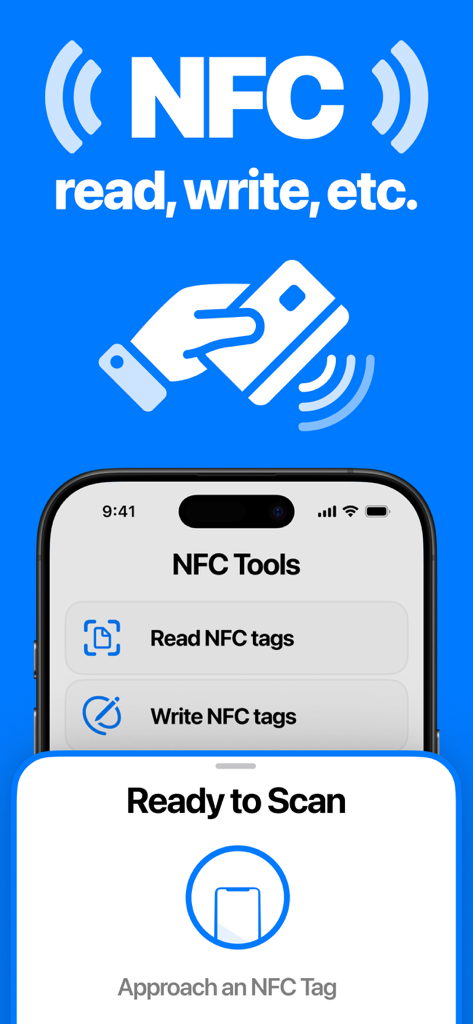
NFC Tools app interface on iPhone showing buttons to read and write tags with a ready to scan modal
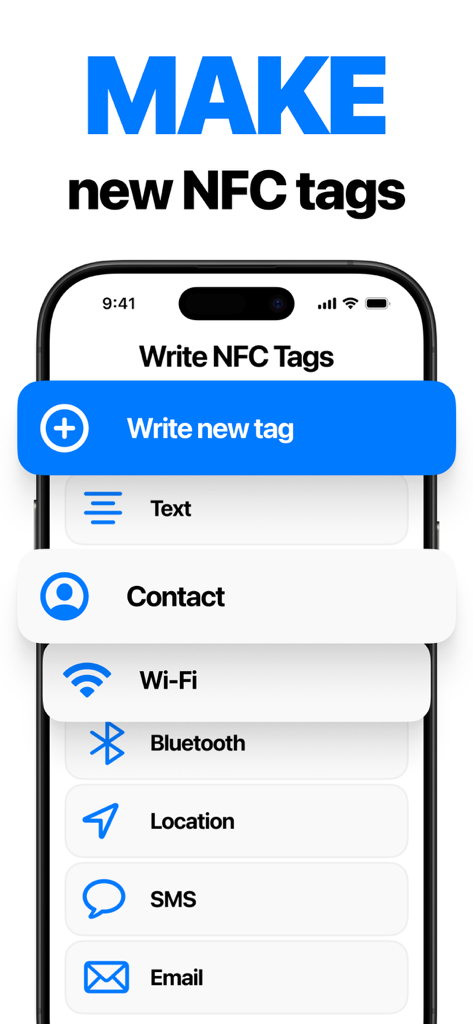
Interface of NFC Tools app showing options to write new NFC tags for contacts, Wi-Fi, and location
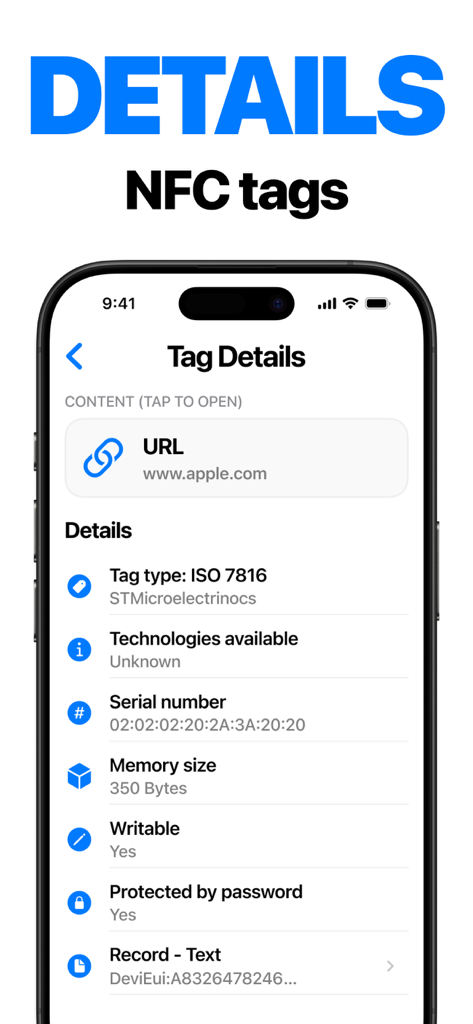
A mobile interface displaying technical NFC tag details including type serial number memory size and scanned content
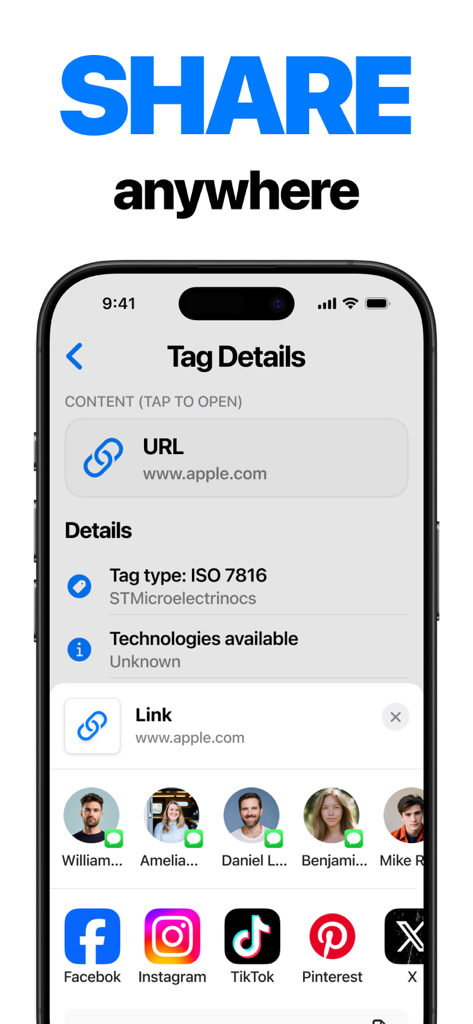
iPhone screen showing NFC tag details for a URL with social media sharing options
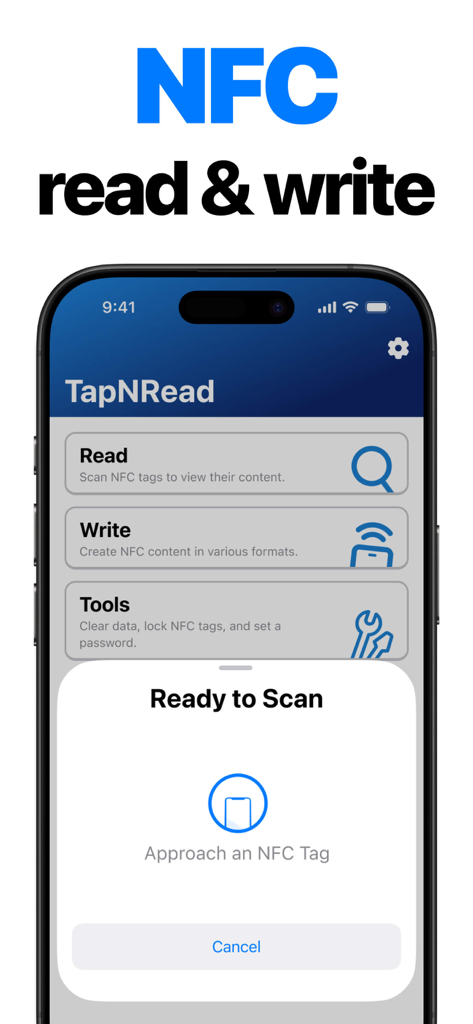
iPhone app screen showing options to read and write NFC tags with a ready to scan prompt
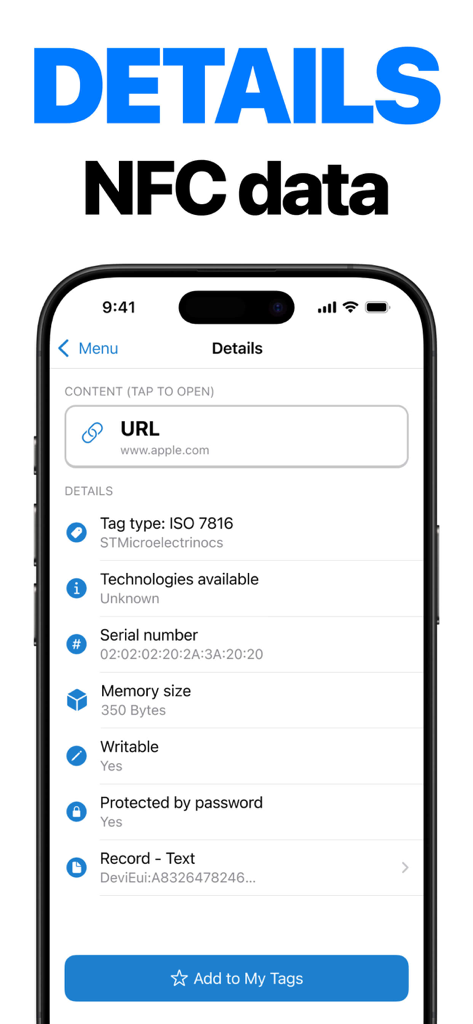
Smartphone screen showing detailed NFC tag data including tag type and serial number
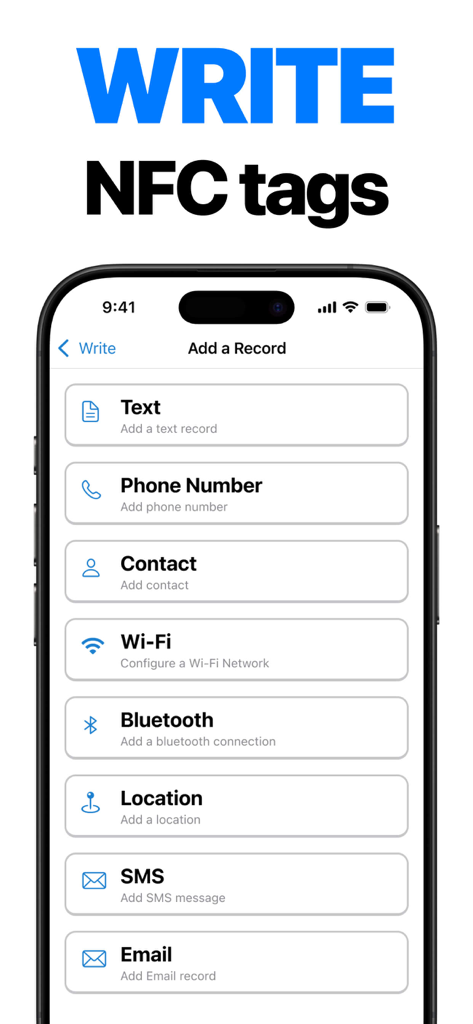
iPhone screenshot of NFC Tools app showing a list of record types to write on tags including Text, Phone Number, Contact, Wi-Fi, and Bluetooth
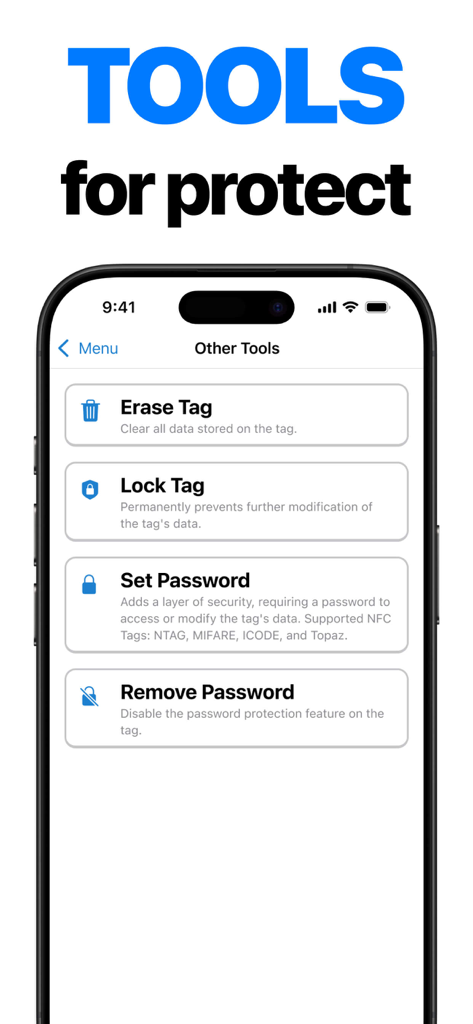
iPhone screen showing NFC security tools for erasing, locking, and password protecting tags
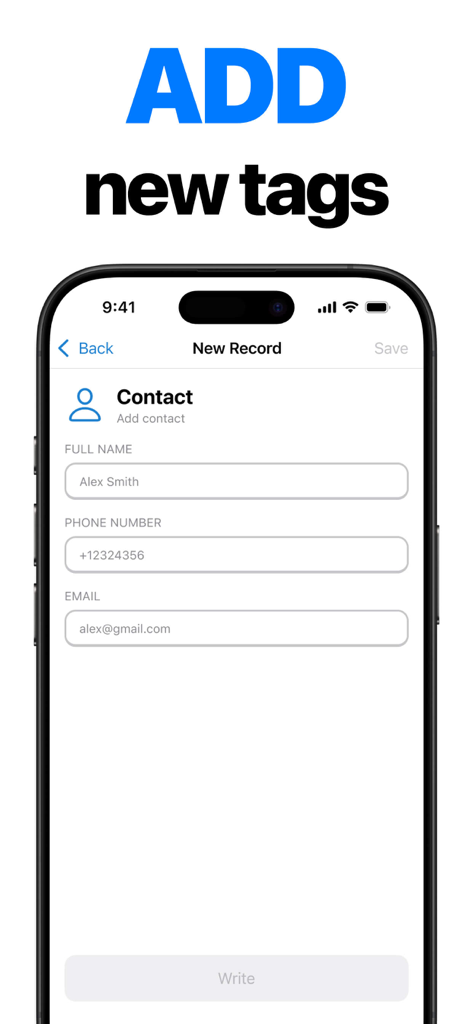
NFC Tools app screen showing the creation of a contact record to write onto an NFC tag
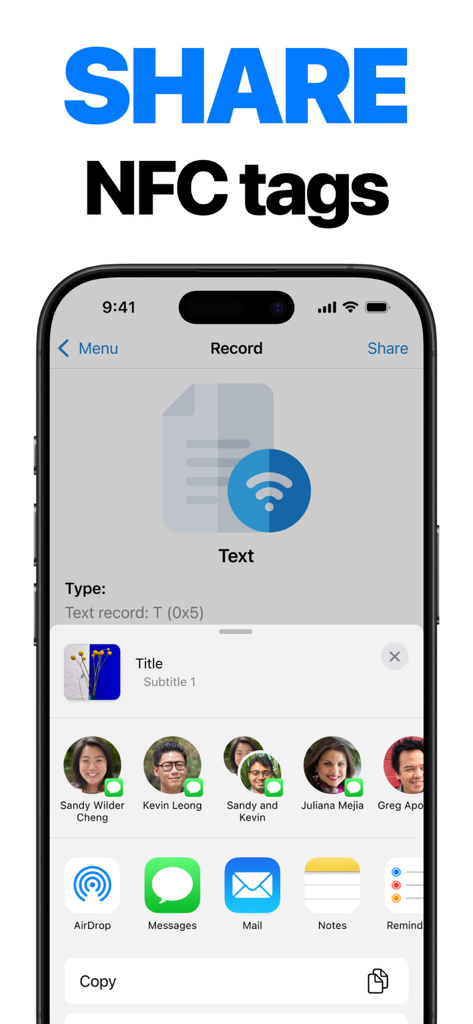
NFC Tools app interface showing the share menu for an NFC tag record on iPhone
Description
Download
More Like This
Apps with similar features and user experience
NFC Tools: Card Reader & Write
SMART WIDGET LABS COMPANY LIMITED

Tagmiibo: Write NFC Tags
Actowise LLC
NFC门禁管家-NFC门禁卡tools
艳惠 常
NFC Tools
WAKDEV
NFC Reader & Scannerㅤ
Brad Garcia
手机NFC
Shanghai Rainbow Forest Intelligent Technology Co., Ltd
NFC Tools-手机门禁卡复制
Bulb Network Technology Co., Limited
NFC TagInfo by NXP
NXP Semiconductors
NFC Read & Scan
1104 13th STREET, LLC
This page is not an official page of the app or its developer, but an independent editorial publication created for informational and commentary purposes. Unless expressly stated otherwise, neither the app nor its developer is affiliated with, endorsed by, sponsored by, authorized by, or otherwise officially connected with MWM, Apple, Google Play, the app publisher, or the app's developer, and nothing on this page implies that the app was developed using MWM's services. Any trademarks, logos, screenshots, and other content remain the property of their respective owners.