
This page is not an official page of the app or its developer, but an independent editorial publication created for informational and commentary purposes. Unless expressly stated otherwise, neither the app nor its developer is affiliated with, endorsed by, sponsored by, authorized by, or otherwise officially connected with MWM, Apple, Google Play, the app publisher, or the app's developer, and nothing on this page implies that the app was developed using MWM's services. Any trademarks, logos, screenshots, and other content remain the property of their respective owners.

Nightcam Camera: Night Mode
Join 1M+ users capturing stunning, noise-free photos of starry skies, cityscapes, and the Northern Lights. From AI-powered simplicity to full manual control, transform your iPhone into a pro-grade night camera.
Downloads
694K+User Rating
Total Ratings
2K+Publisher
Category
Photo & VideoLocales
15Latest Version
1.3.8Size
219.2 MBFirst Released
Feb 18, 2020Elevate Your After-Dark Photography
Transform your iPhone into a professional low-light camera. From neon cityscapes to starry wilderness, capture every detail with clarity and precision.
Noise-Free AI Clarity
Eliminate the grain and blur of standard night shots with intelligent algorithms that preserve natural colors and sharp details in the dimmest settings.
Master the Night Sky
Dedicated modes for Stars, Moon, and Auroras allow you to capture breathtaking celestial scenes with zero technical setup or bulky equipment.
Frequently Asked Questions
Everything you need to know about Nightcam Camera: Night Mode
What is Nightcam Camera: Night Mode?
Nightcam Camera: Night Mode is a manual camera app for iPhone, optimized for capturing high-quality day and night photos. It offers advanced algorithms for low-light photography and a user-friendly experience.
Does Nightcam Camera offer modes for different night scenes?
Yes, Nightcam Camera offers specialized night modes including Northern Lights, Moon, Night Auto, Night HDR, Night RAW, Stars Mode, and Long Exposure up to 30 seconds for various low-light conditions.
How does Nightcam Camera improve low-light photos?
Nightcam Camera employs advanced computational photography algorithms and AI-based low-light image enhancement to produce vivid, noise-free images. It enhances clarity in dim conditions even after capture.
Can I manually control settings in Nightcam Camera?
Yes, Nightcam Camera features a Manual Mode. Users can refine exposure duration, ISO, and white balance, alongside tools like focus peaking, histograms, grids, and a stability visualizer for professional compositions.
What are the adaptive tools available in Nightcam Camera for compositions?
Nightcam Camera includes adaptive tools such as Focus Peaking & Focus Loupe, Adaptive Exposure, Grid & Level Tool, Tripod Mode, Wide Angle Support, Night AI Enhancer, and a Built-in Metadata Viewer.
Does Nightcam Camera support RAW image capture?
Yes, Nightcam Camera supports RAW mode with advanced controls. It offers Night RAW mode to preserve every detail in uncompressed form for ultimate editing flexibility.
How does Nightcam Camera handle long exposure photography?
Nightcam Camera includes a Long Exposure mode, allowing exposures up to 30 seconds. This feature helps create dramatic light trails and capture scenes impossible to see with the naked eye.
How can I access all features in Nightcam Camera: Night Mode?
You can access all features of Nightcam Camera: Night Mode by subscribing to Nightcam Pro. Subscriptions are billed monthly or annually at the rate selected.
Where can I find the terms of use and privacy policy for Nightcam Camera?
The terms of use for Nightcam Camera are available at https://www.rayinformatics.com/terms. The privacy policy is at https://www.rayinformatics.com/privacy.
Can Nightcam Camera enhance existing images?
Yes, Nightcam Camera includes a Night AI Enhancer which improves clarity in dim conditions, even post-capture. It also features intelligent post-processing for true-to-life colors.
The following screenshots and description are sourced directly from the app's official store listing and are the property of the app developer.
App Store
Screenshots
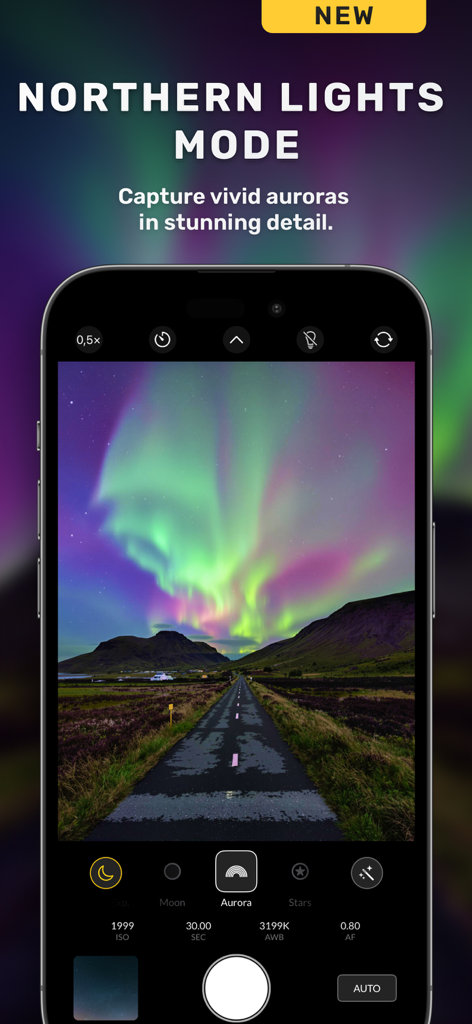
Nightcam app interface showing the Northern Lights Mode with a vivid aurora photo on a smartphone screen.
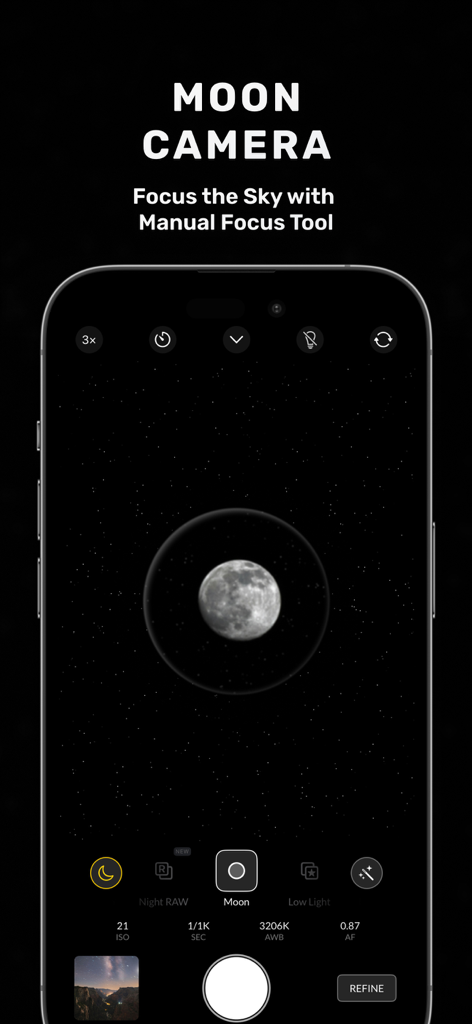
Nightcam app interface showing the Moon Mode with manual focus settings for night photography.
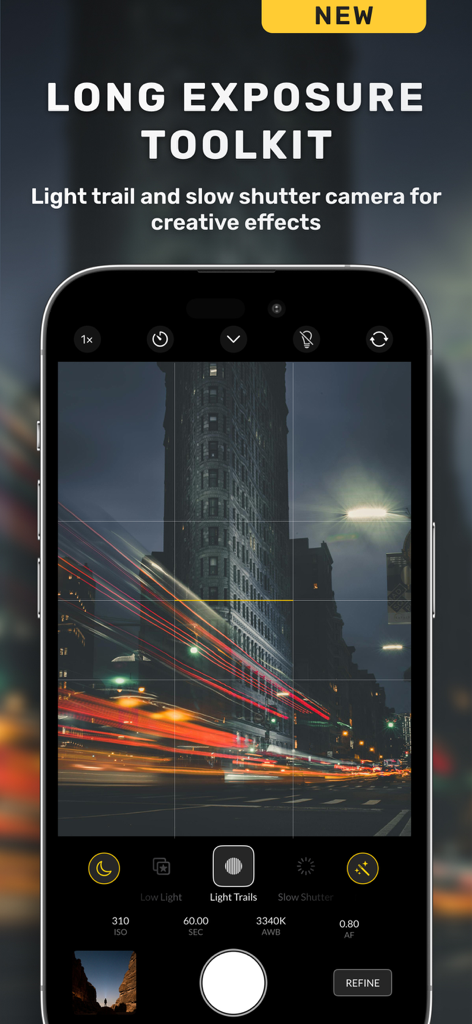
Nightcam app interface showcasing the long exposure toolkit with city light trails
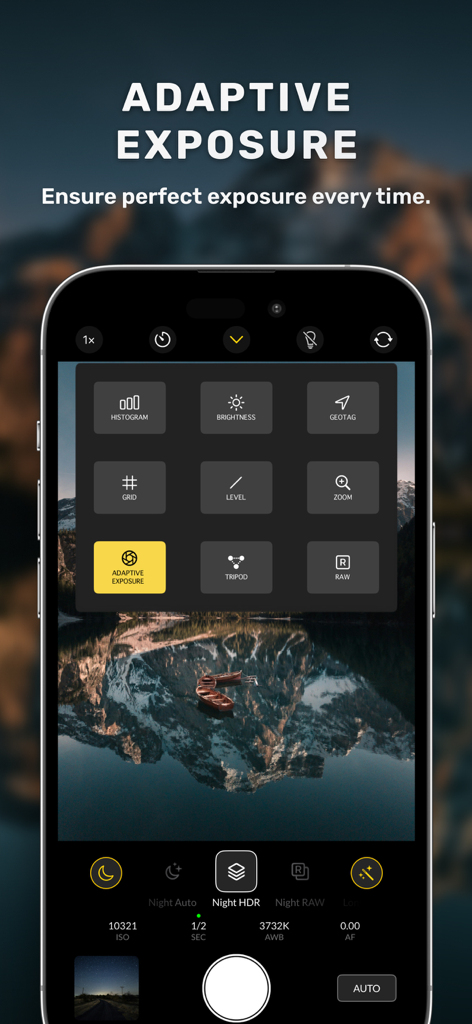
Nightcam app interface showing adaptive exposure and manual camera controls for night photography
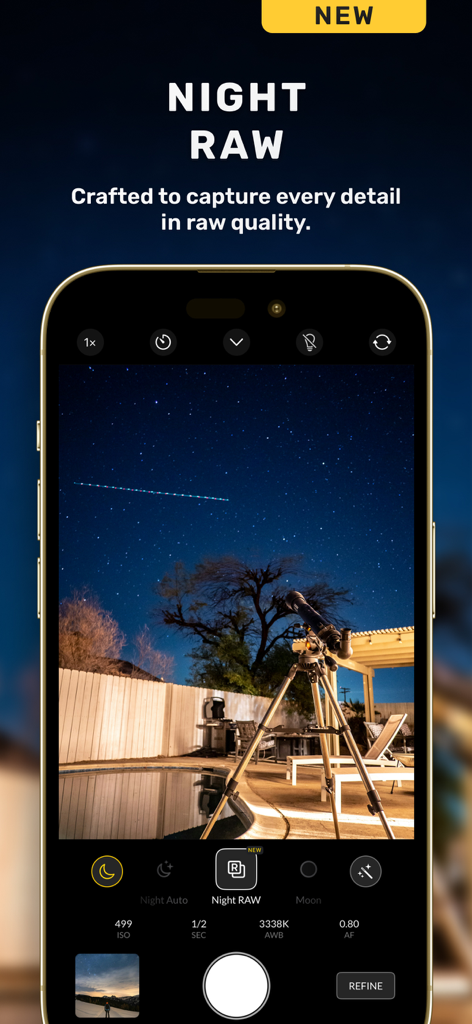
Smartphone screen showing Nightcam app in Night RAW mode with manual camera controls and a starry sky
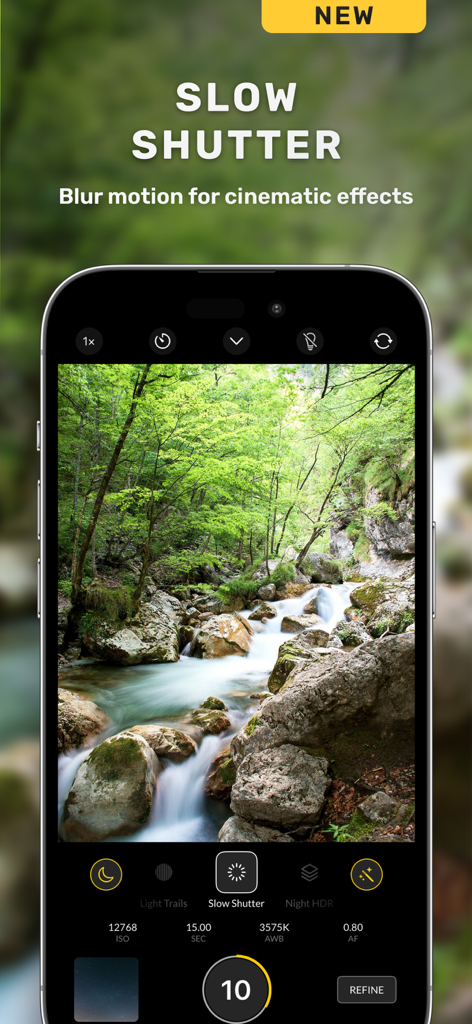
iPhone screen displaying Nightcam app featuring slow shutter mode to capture a cinematic motion blur on a forest waterfall.
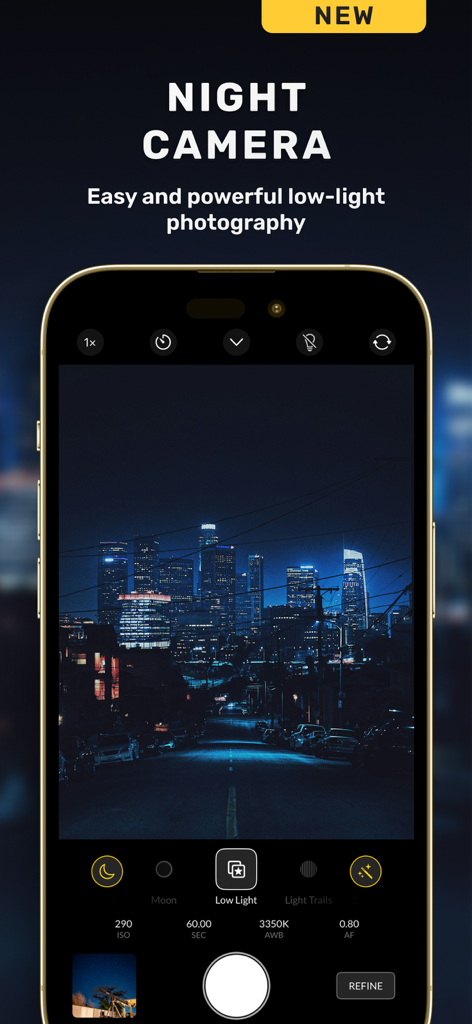
Nightcam app interface displaying a night city skyline with manual camera settings like ISO and exposure
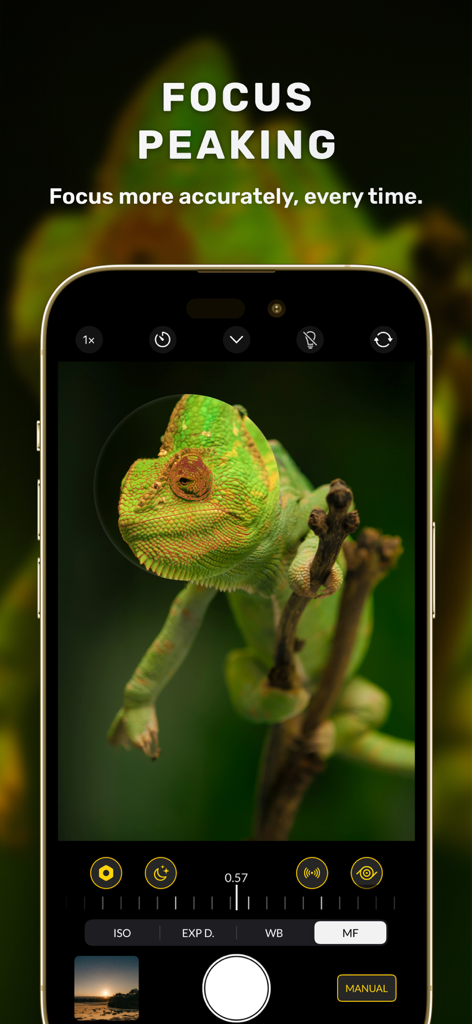
Nightcam app interface showing manual focus peaking on a green chameleon
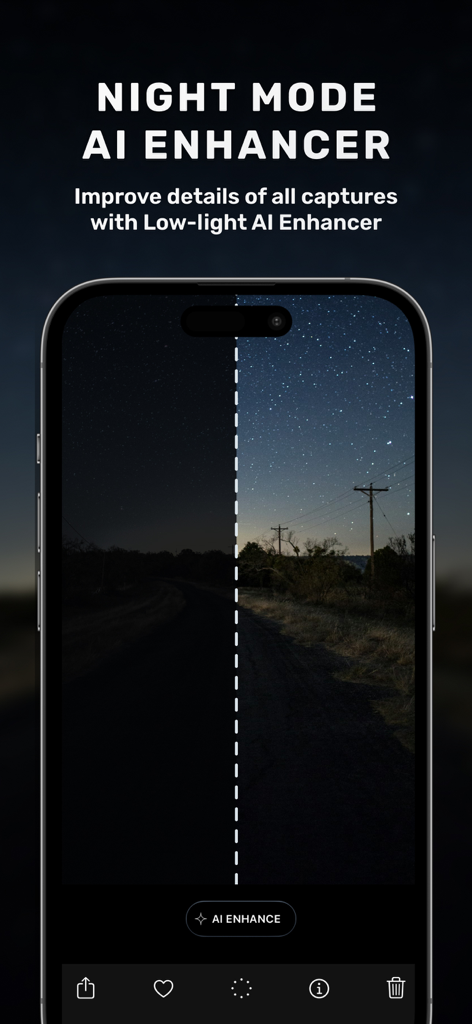
A split screen comparison on a smartphone showing a dark night photo versus a bright AI enhanced version with clear stars.
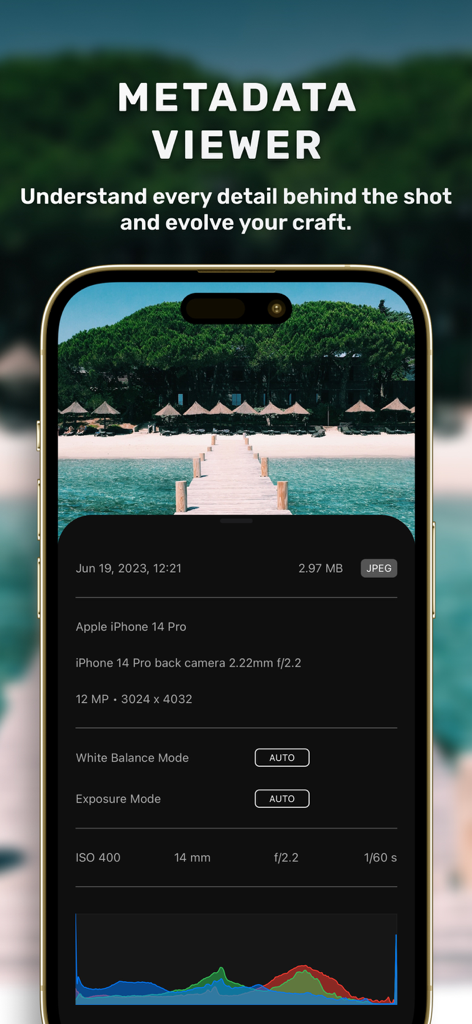
The Nightcam app metadata viewer interface showing detailed photo specifications like ISO aperture and RGB histogram
Description
Download
More Like This
Apps with similar features and user experience

Blackmagic Camera
Blackmagic Design Inc

飓风相机
Hangzhou Ostar Media Co.,Ltd.

ProMovie Recorder
Panda Apps Limited

ReLens Camera-DSLR Portrait
Pixl Concerto Technology Limited

Leica LUX - Pro Manual Camera
Leica Camera AG

FotorGear - Camera in Pocket
Shenzhen Fotorgear Technology Co., Ltd.

Unsharp
北北 宋

ProCam:Professional RAW Camera
BRAND CELLAR HOLDINGS PTE LTD

Vibe Cam - Moments Never Fade
森 林
This page is not an official page of the app or its developer, but an independent editorial publication created for informational and commentary purposes. Unless expressly stated otherwise, neither the app nor its developer is affiliated with, endorsed by, sponsored by, authorized by, or otherwise officially connected with MWM, Apple, Google Play, the app publisher, or the app's developer, and nothing on this page implies that the app was developed using MWM's services. Any trademarks, logos, screenshots, and other content remain the property of their respective owners.