Norton Family Companion App
Download on App Store

This page is not an official page of the app or its developer, but an independent editorial publication created for informational and commentary purposes. Unless expressly stated otherwise, neither the app nor its developer is affiliated with, endorsed by, sponsored by, authorized by, or otherwise officially connected with MWM, Apple, Google Play, the app publisher, or the app's developer, and nothing on this page implies that the app was developed using MWM's services. Any trademarks, logos, screenshots, and other content remain the property of their respective owners.


Logo of Norton Family Companion App
Download on App Store

Norton Family Companion App

Manage screen time, block unsuitable content, and keep your children focused on schoolwork with the professional-grade tools you need for total peace of mind.

Key Figures

Downloads

46K+

User Rating

1.4/5

Total Ratings

600

Publisher

Gen Digital Inc.

Category

Utilities

Locales

23

Latest Version

1.16.0

Size

31.9 MB

First Released

Nov 23, 2015
Features

Empower Your Parenting in the Digital Age

Balance screen time and safety with professional-grade tools designed to help your kids explore, learn, and grow safely in a connected world.

Maximize School Focus

Enable 'School Time' to block digital distractions like social media and games while keeping essential educational resources accessible for remote learning.

Advanced Web Supervision

Allow your kids to explore the web freely while our industry-leading filters block unsuitable content and provide you with detailed search insights.

The following screenshots and description are sourced directly from the app's official store listing and are the property of the app developer.

App Store

Screenshots
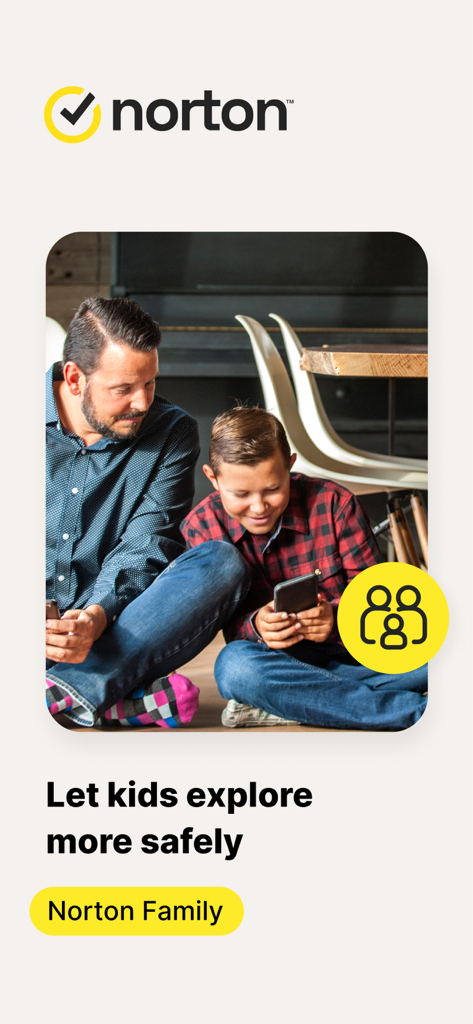
Norton Family Companion App - Father and son using a smartphone together with Norton Family app logo and safety message
Father and son using a smartphone together with Norton Family app logo and safety message

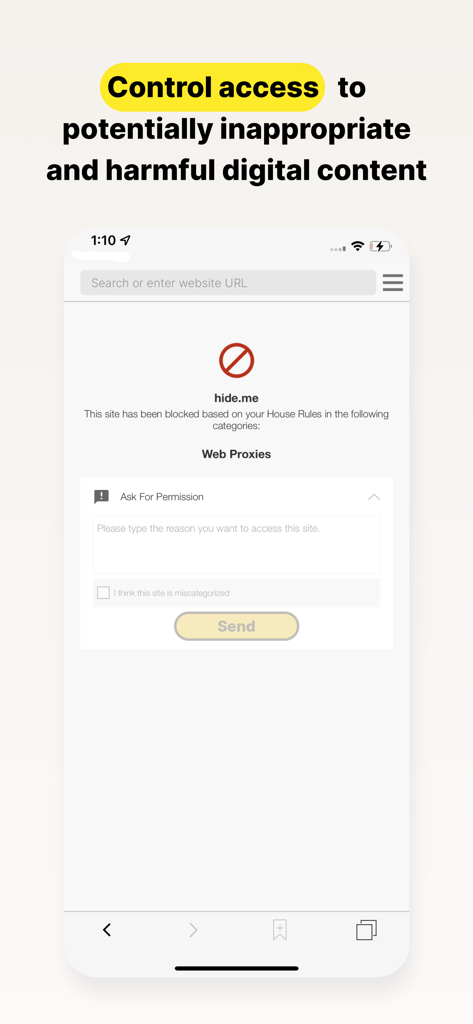
Norton Family Companion App - Norton Family app screenshot showing a blocked website screen with an option for the child to ask for permission to access the content.
Norton Family app screenshot showing a blocked website screen with an option for the child to ask for permission to access the content.

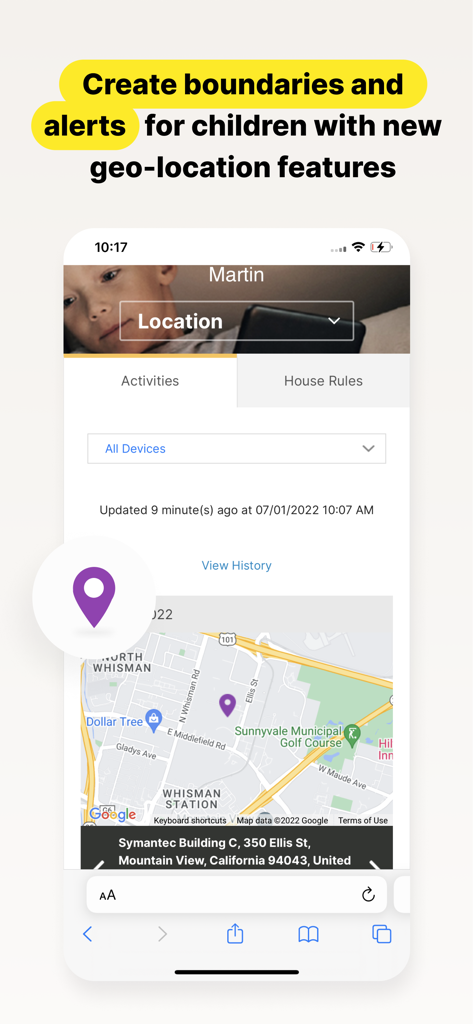
Norton Family Companion App - Norton Family app interface showing a map with a child's location and geo-location alert features for parents.
Norton Family app interface showing a map with a child's location and geo-location alert features for parents.

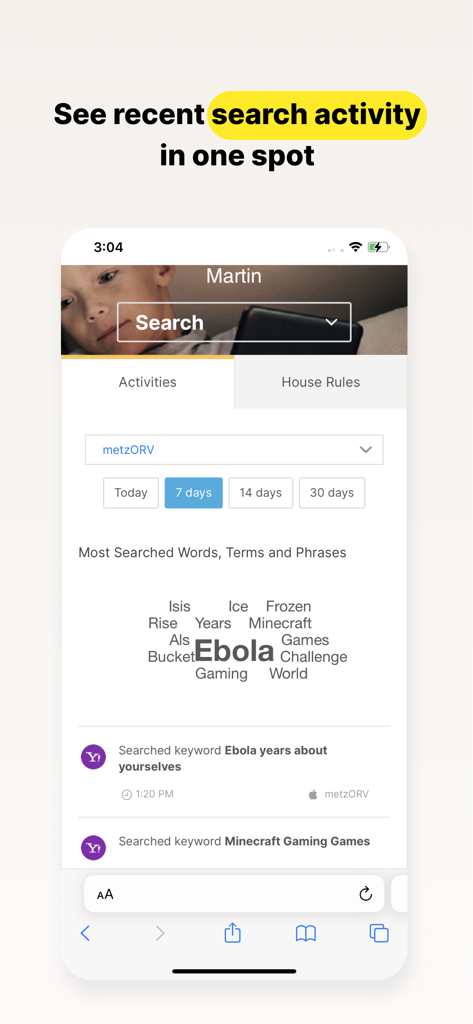
Norton Family Companion App - Norton Family app dashboard displaying a word cloud and list of a childs recent search activity
Norton Family app dashboard displaying a word cloud and list of a childs recent search activity

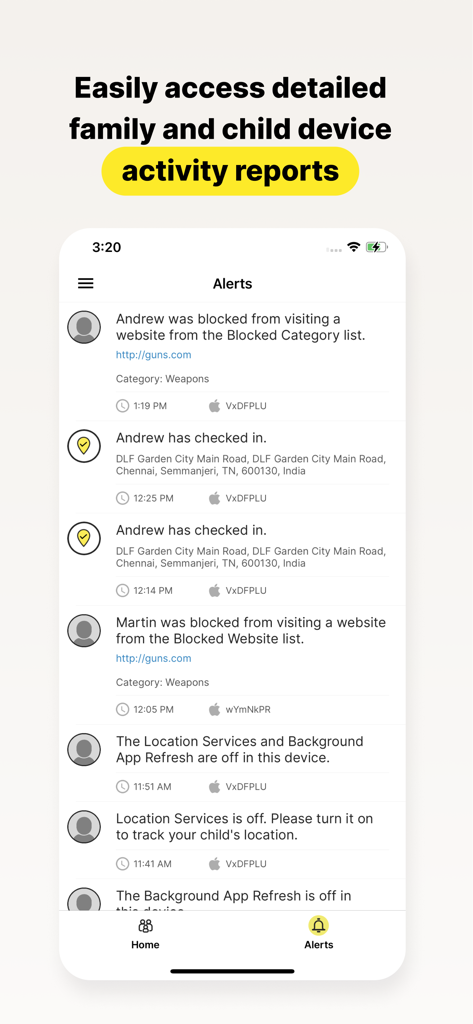
Norton Family Companion App - Norton Family app screen displaying detailed activity reports and alerts for child devices

Norton Family app screen displaying detailed activity reports and alerts for child devices

Description

This app should be installed on the child’s iOS device(s). Keeping your kids safer online requires more than managing screen time. Norton Family helps you supervise and manage your kids’ online activities. • Helps you manage your child’s remote learning environment, so you can keep your child focused on schoolwork during the school day. • It helps block unsuitable sites while your kids are surfing the Internet • Let’s you see what websites they’re visiting • Let’s you see what they’re searching for, and so much more… And while Norton Family lets you set online time limits, it also helps you start open and ongoing conversations about how to build safe and smart online habits. As a parent, it’s important to have insight into what your kids are doing. Our helpful tools allow you to monitor kids’ online activities at a glance or be notified by email alerts, so you know when it’s time to talk. IMPORTANT NOTICE: To use the features of Norton Family on your family’s iOS devices, this Norton Family app should first be installed on your child’s iOS device. Parents can configure household policies, manage alerts and reports from family.norton.com. To do this on iOS devices, please download the Norton Family for Parents app. Help your kids explore, learn, and enjoy their connected world more safely with the following features: School Time: Remote learning requires the internet, so pausing the internet on your child’s device is not an option. Norton Family School Time is a feature to help parents manage their child’s remote learning environment, so you can keep your child focused on schoolwork and avoid other internet distractions during the school day. Web Supervision: Let your kids explore the Web freely, with tools that help you block unsuitable websites while keeping you in the know about which sites they’re visiting. Time Supervision: Stay on top of how much time your kids spend on their devices. Search Supervision: See words, terms, and phrases your kids are searching for to gain insights into their interests and help protect them from inappropriate content. Video Supervision*: See a list of the YouTube videos your kids watch on their PCs or iOS devices and even view a snippet of each video, so you know when you need to talk. Instant Lock: Parents can help kids take a break by locking the device so they can re-focus, or join the family at dinner. Individual devices can be unlocked with a PIN. Parents and children can still contact each other while the device is in lock mode. Email Alerts: Receive an email when your kids attempt to visit a blocked site so that you can start a conversation about appropriate content. Access Request: Open the lines of communication by enabling your kids to send you a note from within Norton Family if they disagree with a blocked site or a house rule. Monthly/Weekly Reports: Opt to receive detailed reports of what your kids are doing online, right in your email in-box. Any questions? Send us an email nortonfamily.support@gendigital.com *Video Supervision monitors videos that your kids view on YouTube.com. It does not monitor or track YouTube videos that have been embedded in other websites or blogs. Mobile app must be downloaded separately. An account is required to use the Norton Family app. To set up, review, manage and customize your House Rules and Settings for each child you’ve added, sign in to your account at my.norton.com using the credentials you created.

Download

Download on App Store

This page is not an official page of the app or its developer, but an independent editorial publication created for informational and commentary purposes. Unless expressly stated otherwise, neither the app nor its developer is affiliated with, endorsed by, sponsored by, authorized by, or otherwise officially connected with MWM, Apple, Google Play, the app publisher, or the app's developer, and nothing on this page implies that the app was developed using MWM's services. Any trademarks, logos, screenshots, and other content remain the property of their respective owners.








