
This page is not an official page of the app or its developer, but an independent editorial publication created for informational and commentary purposes. Unless expressly stated otherwise, neither the app nor its developer is affiliated with, endorsed by, sponsored by, authorized by, or otherwise officially connected with MWM, Apple, Google Play, the app publisher, or the app's developer, and nothing on this page implies that the app was developed using MWM's services. Any trademarks, logos, screenshots, and other content remain the property of their respective owners.


Nota - Player for Files
Finally, total command over your audio files, wherever they live. This app liberates your sound.
Downloads
5M+User Rating
Total Ratings
122.9KPublisher
Category
EntertainmentLocales
4Latest Version
1.12Size
66.1 MBFirst Released
Dec 29, 2018An in-depth evaluation of Nota's core functionalities for power users and audio enthusiasts.
Key Features Analysis: Nota - Player for Files
Seamless File Provider Integration
The app provides direct in-place playback from the system Files app and its connected File Providers, eliminating the need to copy files from various cloud services or other applications, thus streamlining access to diverse audio libraries.
Advanced File Management Suite
This tool features a comprehensive suite for managing audio files, enabling users to import, export, copy, move, rename, reorder, and transfer content, providing granular control over their digital audio library.
Variable Playback Speed
The app provides flexible control over playback speed, ranging from 0.5x to 2x, which is highly beneficial for students, professionals, and anyone needing to adjust the pace of audiobooks, lectures, or podcasts.
Dynamic Playback Queue Organization
This tool features robust capabilities for organizing the playback queue, enabling users to curate their listening order for continuous and structured audio consumption, particularly useful for extensive playlists or series.
10-Band Audio Equalizer
It allows users to fine-tune audio output with a 10-band equalizer, applicable to both local and remotely stored files, ensuring an optimized listening experience for various content and preferences.
Stable & Battery-Efficient Playback
It ensures uninterrupted audio playback by delicately handling system events and features a battery-safe mode, confirmed by 24-hour playback tests, making it reliable for extended listening sessions.
Frequently Asked Questions
Everything you need to know about Nota - Player for Files
What is Nota - Player for Files?
Nota is the first full-featured file-based audio player. It enables in-place playback from your system Files app and its File Providers, allowing access to other apps and cloud sources without copying files.
Does Nota - Player for Files support background playback?
Yes, Nota - Player for Files supports background playback. It also offers AirPlay compatibility, ensuring continuous audio even when the app is not actively displayed.
Can Nota - Player for Files adjust sound quality?
Yes, Nota - Player for Files includes a 10-band equalizer. This feature allows users to fine-tune sound for both local and remote audio files.
Does Nota - Player for Files have a sleep timer?
Yes, Nota - Player for Files features a sleep timer. Users can set a specific duration for playback, after which the audio automatically stops.
What file management features does Nota offer?
Nota - Player for Files provides extensive file management capabilities. Users can import, export, manage, copy, move, rename, reorder, and transfer files within the app.
Is Nota - Player for Files battery efficient?
Yes, Nota - Player for Files is battery-safe. It successfully passed 24-hour playback tests without draining the battery or causing termination.
Can Nota - Player for Files play files from cloud storage?
Yes, Nota - Player for Files plays files directly from various cloud storage services. It supports File Providers such as iCloud Drive, Dropbox, Google Drive, Box, OneDrive, Yandex.Disk, and Amazon Drive.
Can Nota - Player for Files control playback speed?
Yes, Nota - Player for Files allows control over playback speed. Users can adjust the speed from 0.5x to 2x for their audio files.
How does Nota - Player for Files handle system events during playback?
Nota - Player for Files handles system events delicately. This design ensures that audio playback never stops, providing an uninterrupted listening experience for the user.
The following screenshots and description are sourced directly from the app's official store listing and are the property of the app developer.
App Store
Screenshots
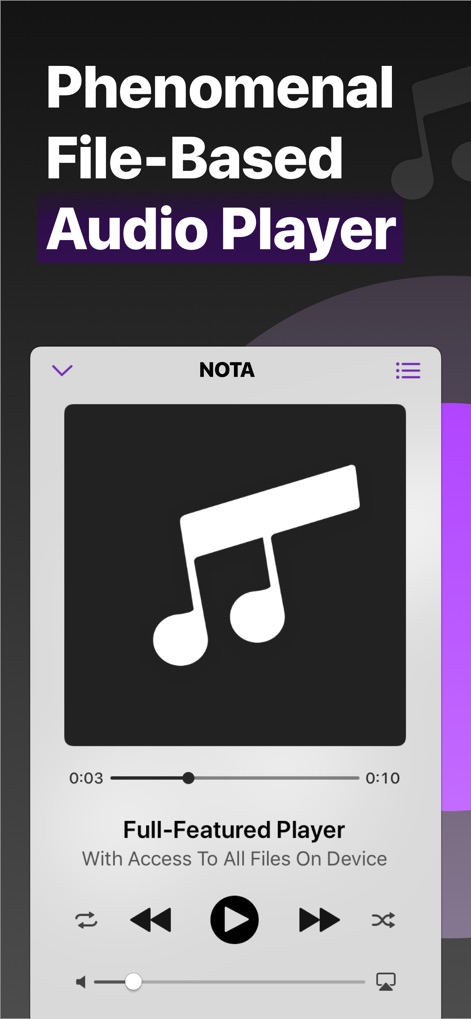
Witness the app's streamlined playback interface, featuring essential play controls and a clear progress bar for precise audio navigation.
Intuitive Playback Controls
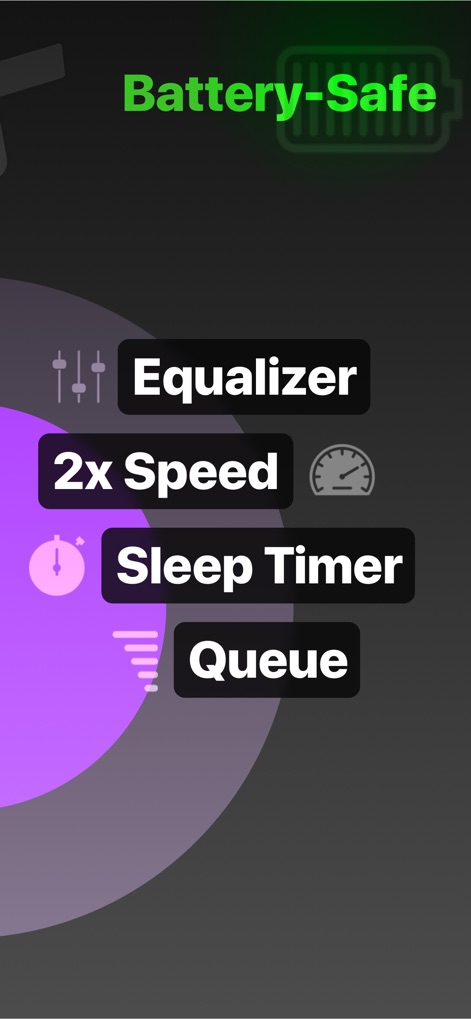
Explore Nota's powerful audio customization tools, including the robust 10-band equalizer and convenient sleep timer for tailored listening experiences.
Advanced Audio Toolkit
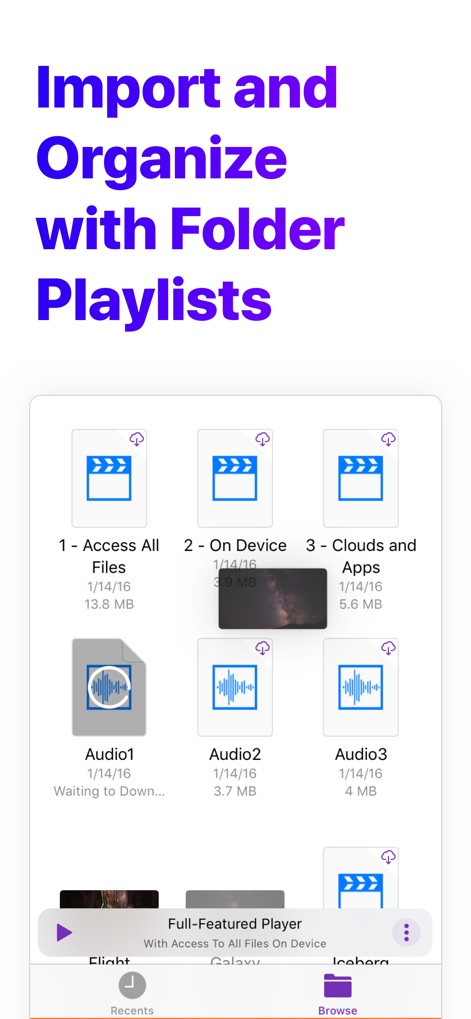
Observe how the app facilitates robust file management through visually intuitive folder playlists and clear indicators for local and cloud-stored audio files.
Seamless File Organization

Discover the app's unparalleled integration with numerous file providers, allowing users to browse and play audio directly from iCloud Drive and various third-party cloud services.
Universal File Access
Description
Download
More Like This
Apps with similar features and user experience

网易爆米花-智能媒体库,全能云盘网盘播放器
Guangzhou NetEase Computer System Co.Ltd

Immich
Hau Tran

飞牛
Guangzhou TR Intelligent Manufacturing Technology Co., Ltd.
nPlayer
Newin Inc.

MiraPlay
悦 刘

NipaPlay
荣广 梁

VidHub -Video Library & Player
Nanjing Oumi Software Development Co., Ltd.

Fast Player - video player
化媚 席

zFuse - Media Player
s-joys Technology Co., Ltd.
This page is not an official page of the app or its developer, but an independent editorial publication created for informational and commentary purposes. Unless expressly stated otherwise, neither the app nor its developer is affiliated with, endorsed by, sponsored by, authorized by, or otherwise officially connected with MWM, Apple, Google Play, the app publisher, or the app's developer, and nothing on this page implies that the app was developed using MWM's services. Any trademarks, logos, screenshots, and other content remain the property of their respective owners.