
This page is not an official page of the app or its developer, but an independent editorial publication created for informational and commentary purposes. Unless expressly stated otherwise, neither the app nor its developer is affiliated with, endorsed by, sponsored by, authorized by, or otherwise officially connected with MWM, Apple, Google Play, the app publisher, or the app's developer, and nothing on this page implies that the app was developed using MWM's services. Any trademarks, logos, screenshots, and other content remain the property of their respective owners.


NotanIzer
The essential utility for painters and illustrators to simplify complex scenes into strong light and dark structures. Stop guessing and start seeing the underlying bones of your next masterpiece.
Downloads
66K+User Rating
Total Ratings
100Publisher
Category
Photo & VideoLocales
1Latest Version
3.1Size
1.7 MBFirst Released
Nov 11, 2016Master the Foundation of Your Art
NotanIzer is the essential digital utility for serious creators, helping you simplify complex scenes into powerful value studies that ensure a strong composition before you ever touch the canvas.
Instant Nōtan Mapping
Instantly strip away distracting colors and details to reveal the underlying black-and-white structure, the most critical element of any successful painting.
Multi-Level Value Studies
Break your subject down into 3, 4, or up to 10 grayscale levels to perfectly map out your light, mid-tones, and shadows with professional precision.
Frequently Asked Questions
Everything you need to know about NotanIzer
What is NotanIzer?
NotanIzer is an app designed for artists to apply the Japanese Nōtan concept to their images. It provides various filters like Notan, Levels, and Slice to analyze the light and dark structure of an image, enhancing artistic composition.
How does NotanIzer help artists?
NotanIzer helps artists by applying Nōtan design principles to their work. It enables users to identify the light and dark structure of an image, assisting in composition and bringing out details through various analytical filters.
What is the primary function of the Notan filter in NotanIzer?
The Notan filter in NotanIzer divides an image into black and white based on a set value. Colors above the value become white, and those below become black. A slider adjusts this division to enhance obscured details.
Can users invert the display of filters in NotanIzer?
Yes, NotanIzer allows users to invert the display of each filter as of version 3.1. Lighter values, typically displayed in white, can be inverted to appear in black, which helps to reveal additional detail.
How do the different "Levels" functions operate in NotanIzer?
NotanIzer offers 3, 4, and up to 10 Levels functions. The 3 and 4 Levels have sliders to adjust their positions. The "Levels" function evenly divides the image by the selected number of levels, using black, gray, and white palettes.
What is the "Slice" function used for in NotanIzer?
The Slice function in NotanIzer allows users to select a specific small range of values within an image. It highlights these selected values in black, while everything outside of that range is displayed in white.
Can NotanIzer display images in grayscale or color modes?
Yes, NotanIzer includes functions to display images in either grayscale or full color. This feature allows artists to concentrate on the image's structural elements and overall design without color distractions.
Does NotanIzer support managing multiple artistic projects?
Yes, NotanIzer supports multiple projects. Users can create and manage various artistic endeavors within the app, as indicated by the "Projects" screen, allowing for organized work on different images.
How can users adjust filter parameters within NotanIzer?
Users adjust filter parameters in NotanIzer using sliders for functions like Notan, 3 Levels, 4 Levels, and Slice. The "Levels" function features "Decrease" and "Increase" buttons to change the number of levels.
The following screenshots and description are sourced directly from the app's official store listing and are the property of the app developer.
App Store
Screenshots
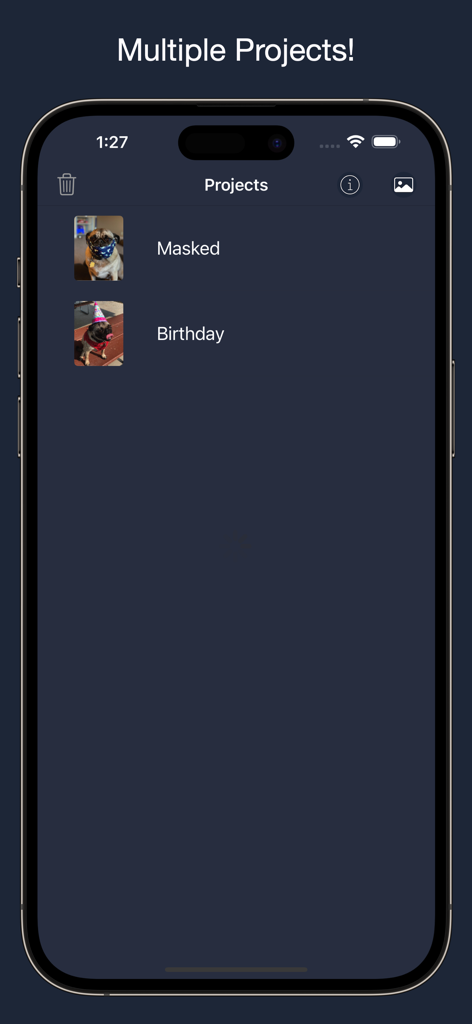
A screenshot of the NotanIzer app showing a list of multiple saved art projects with thumbnails.
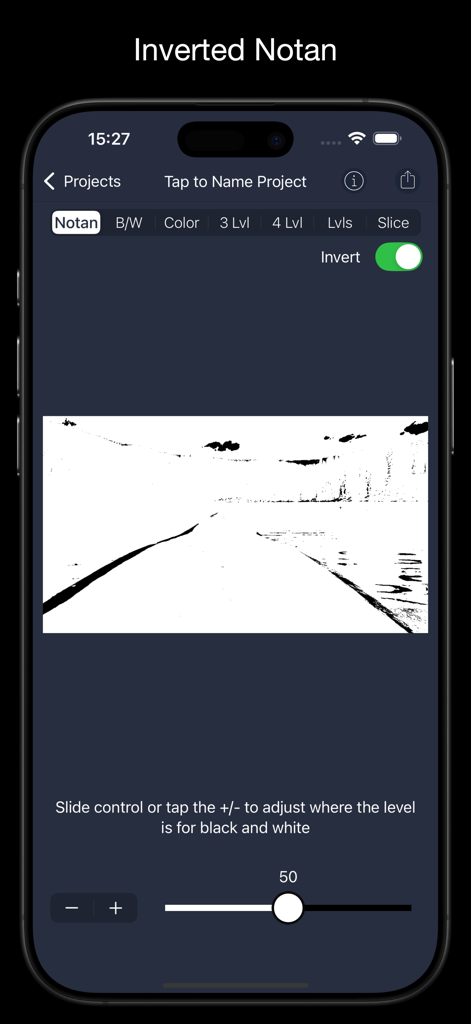
Smartphone screen showing the NotanIzer app with the Inverted Notan filter applied to a landscape image.
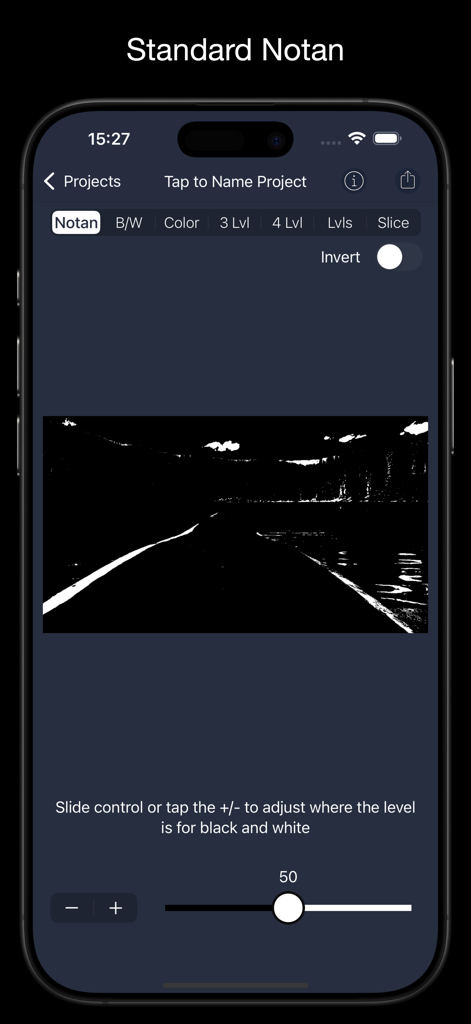
NotanIzer app interface on a smartphone showing the standard black and white notan filter with an adjustment slider.
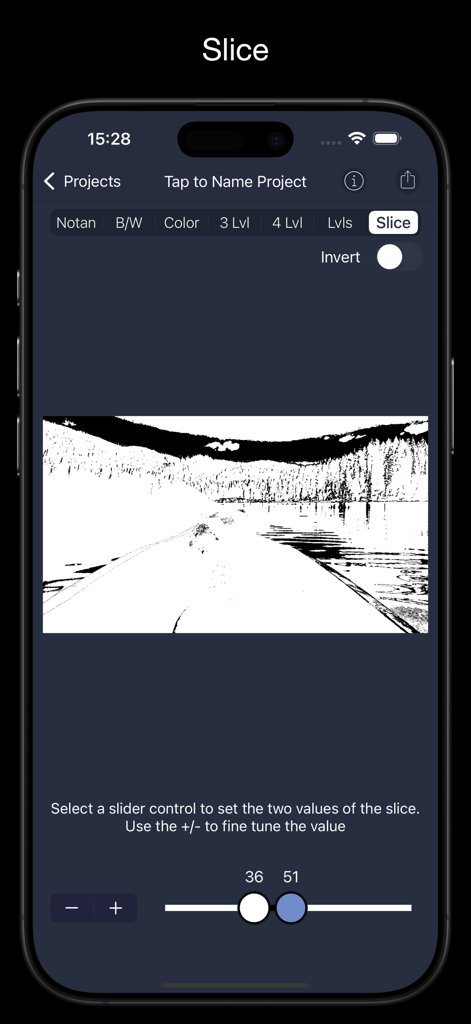
A screenshot of the NotanIzer app interface showing the Slice feature which isolates specific tonal values in a landscape image using dual sliders.
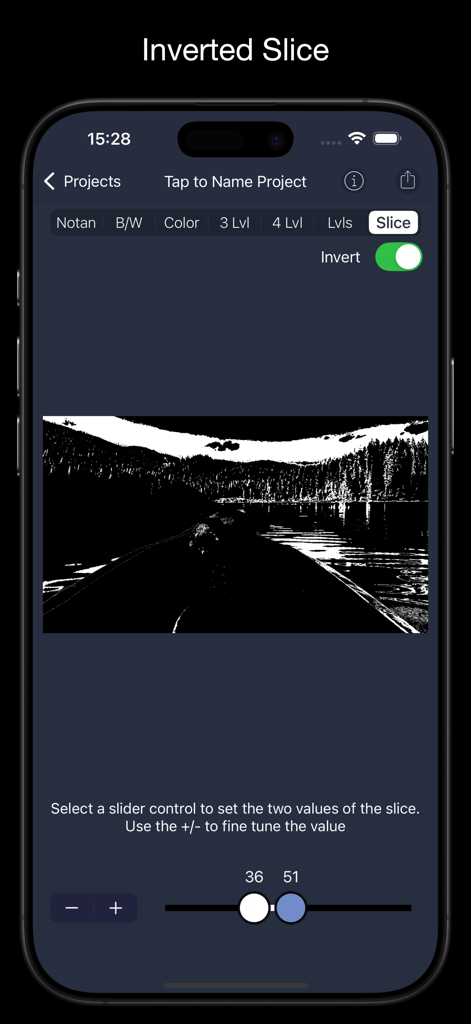
NotanIzer app interface showing the inverted slice feature being used to isolate specific light values on a landscape image
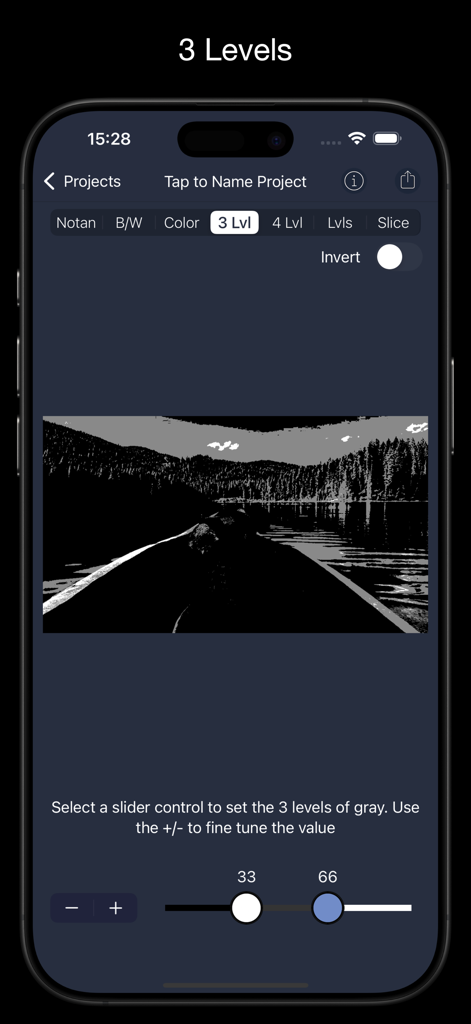
iPhone interface of NotanIzer app showing a landscape image processed with the 3 levels of gray filter and adjustable value sliders.
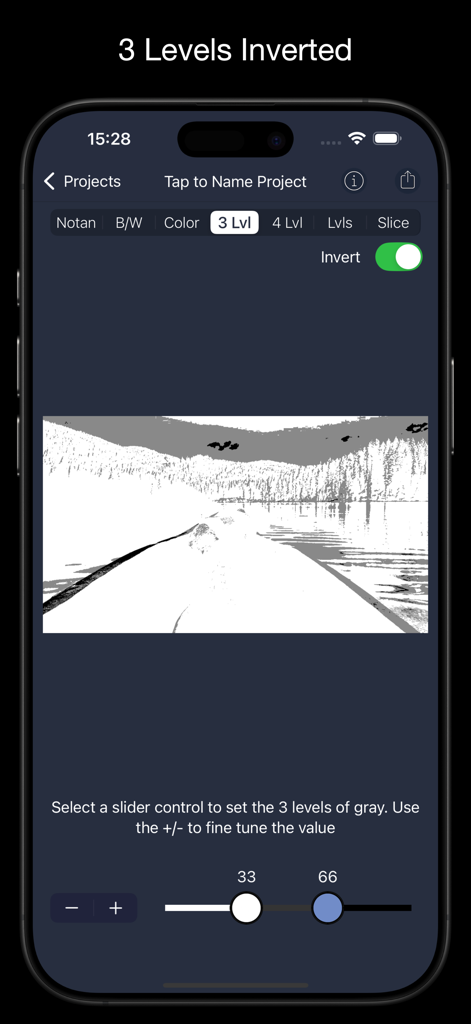
NotanIzer app interface showing a landscape photo processed with the three levels inverted filter and value sliders
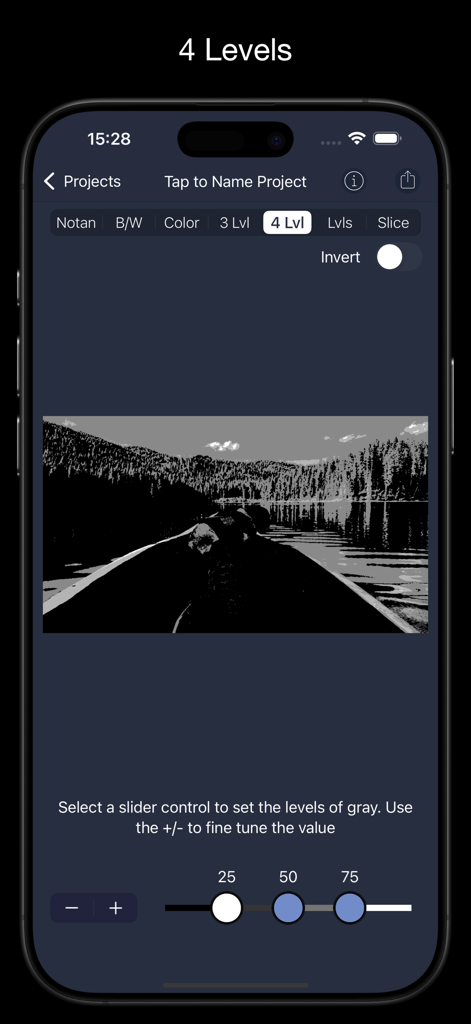
NotanIzer app interface displaying a landscape photo converted into four grayscale levels with adjustment sliders for value composition.
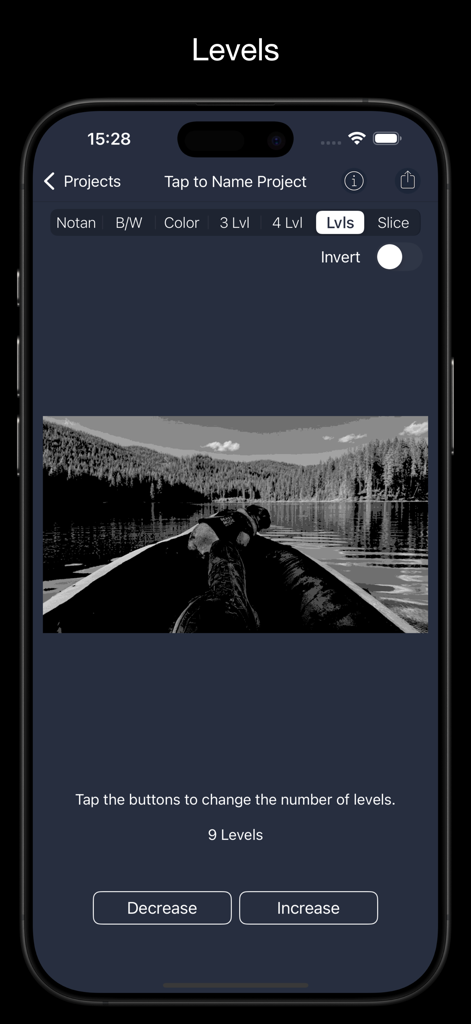
NotanIzer app showing a black and white lake landscape processed into 9 levels of grayscale
Description
Download
More Like This
Top-ranked apps in the same category

CapCut: Photo & Video Editor
BYTEDANCE PTE. LTD.

Instagram, Inc.

YouTube
Google LLC

Canva: AI Photo & Video Editor
Canva Pty Ltd

Snapchat
Snap, Inc.

快手
Beijing Kwai Technology Co., Ltd.

Edits: Video Editor
Instagram, Inc.

Meitu- AI Photo & Video Editor
Xiamen Meitu Technology Co., Ltd.

Google Photos: Backup & Edit
Google LLC
This page is not an official page of the app or its developer, but an independent editorial publication created for informational and commentary purposes. Unless expressly stated otherwise, neither the app nor its developer is affiliated with, endorsed by, sponsored by, authorized by, or otherwise officially connected with MWM, Apple, Google Play, the app publisher, or the app's developer, and nothing on this page implies that the app was developed using MWM's services. Any trademarks, logos, screenshots, and other content remain the property of their respective owners.