This page is not an official page of the app or its developer, but an independent editorial publication created for informational and commentary purposes. Unless expressly stated otherwise, neither the app nor its developer is affiliated with, endorsed by, sponsored by, authorized by, or otherwise officially connected with MWM, Apple, Google Play, the app publisher, or the app's developer, and nothing on this page implies that the app was developed using MWM's services. Any trademarks, logos, screenshots, and other content remain the property of their respective owners.

Note.s Taking App - NotesU
Ditch the complexity with a minimalist notepad designed for speed. No sign-up required—just clean, color-coded notes, smart checklists, and easy PDF exports at your fingertips.
Key Figures
Downloads
1K+
User Rating
4.6/5
Total Ratings
0
Publisher
Atharva System
Category
Productivity
Locales
1
Latest Version
1.0.23
Size
50.2 MB
First Released
Feb 28, 2025
Features
Built for Speed, Designed for Clarity
Experience the fastest way to capture ideas, manage tasks, and organize your life—with zero friction and no account required.
Instant, Account-Free Capture
Start writing the second you open the app. No sign-ups or passwords standing between you and your ideas—just pure, immediate productivity.
Visual Color-Coded Logic
Ditch the complex folders. Use vibrant color-coding to categorize work, personal thoughts, and shopping lists for instant recognition at a glance.
The following screenshots and description are sourced directly from the app's official store listing and are the property of the app developer.
App Store
Screenshots
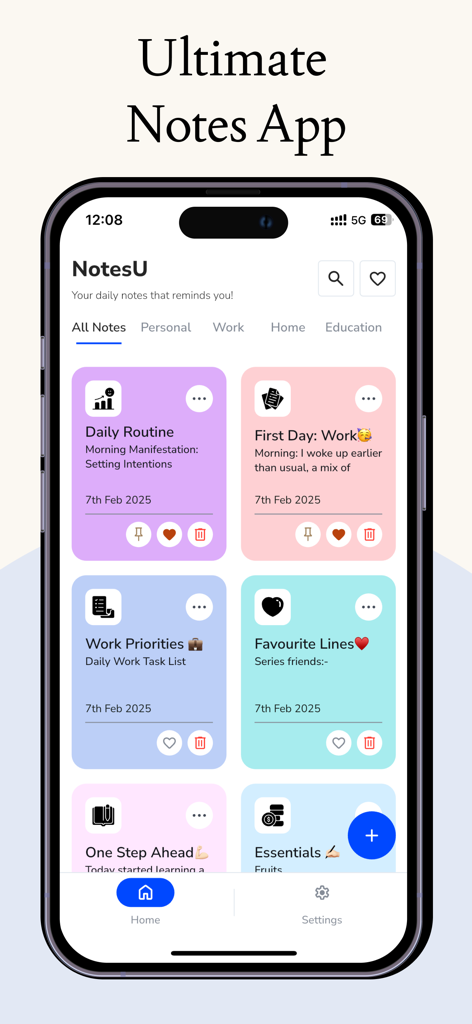
iPhone screen displaying the NotesU app with colorful organized notes for daily routine and work tasks
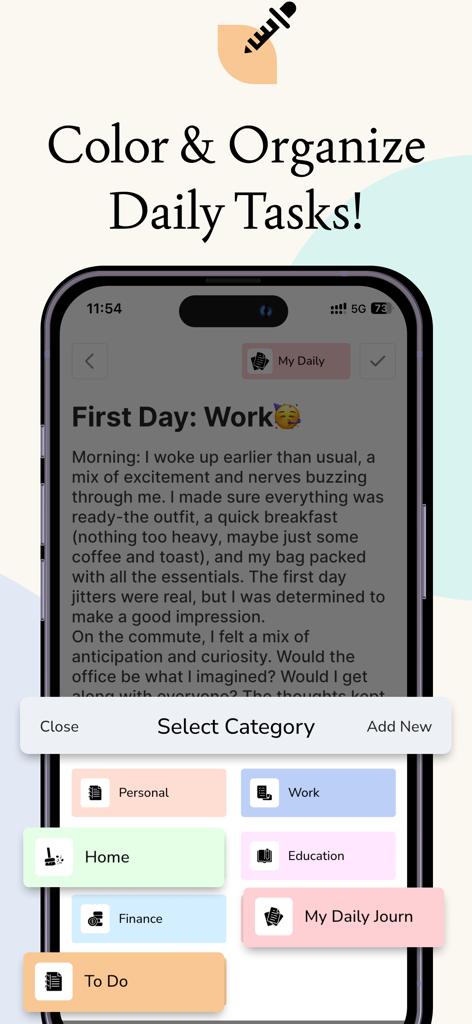
A smartphone showing the NotesU app interface with a category selection menu featuring color-coded buttons for Personal, Work, Home, and Education categories.
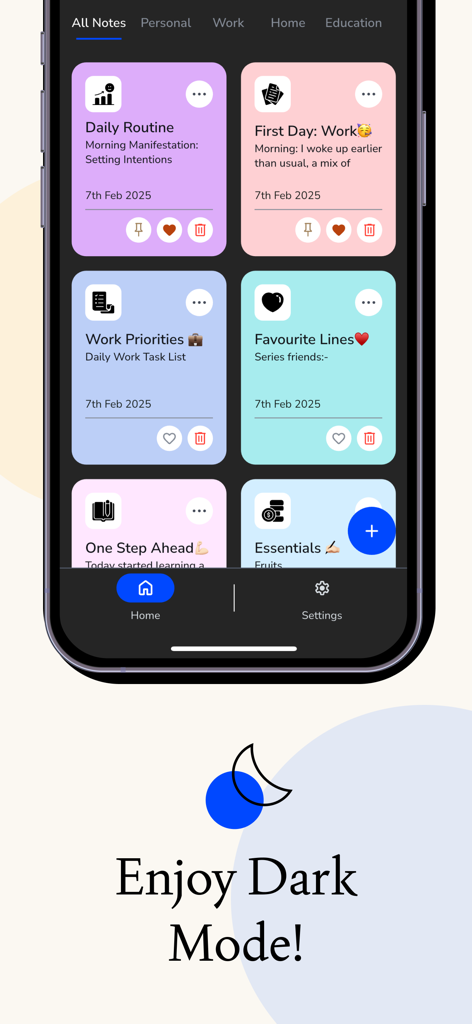
NotesU app interface in dark mode featuring colorful note cards for tasks and routines
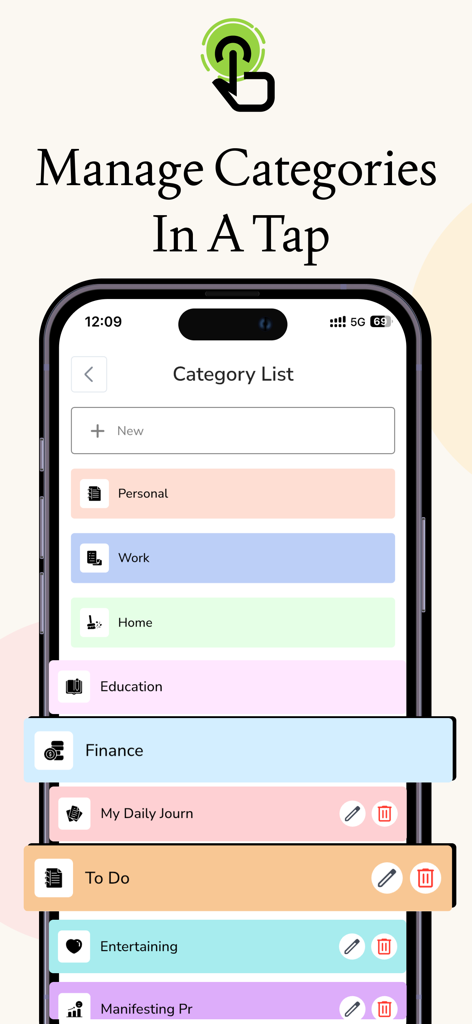
NotesU app screen displaying a list of color coded categories for organized note taking
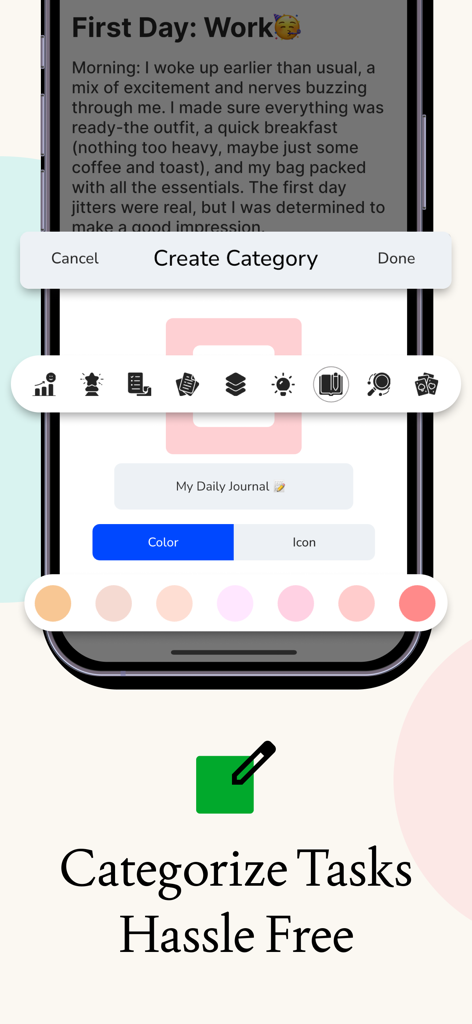
Interface of the NotesU app showing the create category screen with custom colors and icon selection.
Description
The Ultimate Note-Taking App for Productivity & Organization
Looking for a fast, simple, and feature-packed note-taking app? Meet NotesU, your all-in-one notepad app designed for quick notes, to-do lists, shopping lists, and task management. Whether you need to jot down ideas, create reminders, or track daily tasks, this notebook app keeps everything organized in one place.
Why Choose This Notes App?
- Easy & Fast Note-Taking – Write down ideas, lists, and reminders effortlessly.
- Color-Coded Notes – Assign colors for easy note organization.
- Shopping List & To-Do List Manager – Create, edit, and track tasks efficiently.
- Custom Categories – Organize notes into personalized category.
- Pin & Favorite Notes – Keep important notes always visible.
- Dark Mode & Light Mode – Switch themes for better readability.
- PDF Export – Save and share notes with ease.
- Minimalist & User-Friendly Design – A clean, distraction-free interface.
- Fast & Lightweight – Works smoothly on all devices.
---> Key Features of the Notes App:
• Color-Coded Notes for Easy Organization
Organize your notebook app like never before! Assign different colors to each note to quickly distinguish work tasks, personal notes, to-do lists, and shopping lists.
• Shopping List & To-Do List Manager – Stay Organized
Easily create and manage your shopping list or to-do list. Whether you need a grocery list, a daily planner, or a task manager, this feature keeps everything structured and accessible.
• Custom Categories – Organize Notes Your Way
Unlike basic notepad apps, this app allows you to create, rename, and manage categories to store notes efficiently. Whether you need a task manager, a journal, or a personal planner, you can categorize and find notes easily.
• Pin & Favorite Notes – Instant Access to Important Notes
Never lose track of essential information! Pin your most important notes at the top or mark them as favorites for quick access anytime.
• Dark Mode & Light Mode – Work Comfortably Anytime
Switch between dark mode and light mode to reduce eye strain and enhance readability, ensuring a smooth note-taking experience at any time of the day.
• PDF Export – Save & Share Notes Effortlessly
Need to share your notepad app content? With one-tap PDF export, you can save notes in PDF format and share them easily with friends, colleagues, or clients.
• Quick & Efficient Note-Taking
This notepad app is built for speed and efficiency. Create, edit, and manage notes without unnecessary distractions. Perfect for students, professionals, and everyday users who need an organized notebook app.
---> Who Needs This Note-Taking App?
• Students – Take lecture notes, create study lists, and track assignments.
• Professionals – Use it as a notepad app for meeting notes, brainstorming, and work projects.
• Busy Individuals – Use it as a to-do list manager or shopping list app to track daily tasks.
• Shoppers – Quickly create and update your grocery list for easy shopping.
Whether you're looking for a notepad app, a shopping list organizer, a task manager, or a to-do list manager, this free note-taking app is perfect for you!
---> What Makes This Notes App Stand Out?
Unlike other note-taking apps, our notepad app offers intuitive organization, smooth performance, and feature-rich note management without unnecessary complexity.
• Optimized for All Devices – Works perfectly on smartphones & tablets.
• No Sign-Up Required – Start taking notes instantly without account creation.
• Completely Free – Enjoy all features without hidden costs.
---> Download now and start organizing your thoughts today!
Privacy Policies: https://atharva-system.github.io/notesu.github.io/privacy_policy.html
Terms & Conditions: https://atharva-system.github.io/notesu.github.io/terms_and_conditions.html
This page is not an official page of the app or its developer, but an independent editorial publication created for informational and commentary purposes. Unless expressly stated otherwise, neither the app nor its developer is affiliated with, endorsed by, sponsored by, authorized by, or otherwise officially connected with MWM, Apple, Google Play, the app publisher, or the app's developer, and nothing on this page implies that the app was developed using MWM's services. Any trademarks, logos, screenshots, and other content remain the property of their respective owners.









