Notepad ++
Notepad ++
Download on App Store

This page is not an official page of the app or its developer, but an independent editorial publication created for informational and commentary purposes. Unless expressly stated otherwise, neither the app nor its developer is affiliated with, endorsed by, sponsored by, authorized by, or otherwise officially connected with MWM, Apple, Google Play, the app publisher, or the app's developer, and nothing on this page implies that the app was developed using MWM's services. Any trademarks, logos, screenshots, and other content remain the property of their respective owners.

Logo of Notepad ++
Download on App Store

Notepad ++

Go beyond the basics with rich text formatting, aesthetic color-coding, and PIN-protected vaults. The all-in-one digital notebook designed to fit your unique creative workflow.

Key Figures

Downloads

7K+

User Rating

1.2/5

Total Ratings

0

Publisher

Gaurav Kokne

Category

Productivity

Locales

21

Latest Version

1.4

Size

34.8 MB

First Released

Dec 18, 2024
Features

Stay Organized, Styled, and Secure

Go beyond basic text with a professional-grade notepad designed for aesthetic organization, total privacy, and effortless task management.

Aesthetic Personalization

Express your style with custom fonts, text alignment, and color-coded categories that make your digital workspace feel like home.

Private Security Vault

Protect your sensitive data, journals, and business secrets with dedicated password or PIN-protected private notes.

The following screenshots and description are sourced directly from the app's official store listing and are the property of the app developer.

App Store

Screenshots
Notepad ++ - A smiling young woman posing next to a smartphone showing color coded notes in the Notepad plus plus app
A smiling young woman posing next to a smartphone showing color coded notes in the Notepad plus plus app

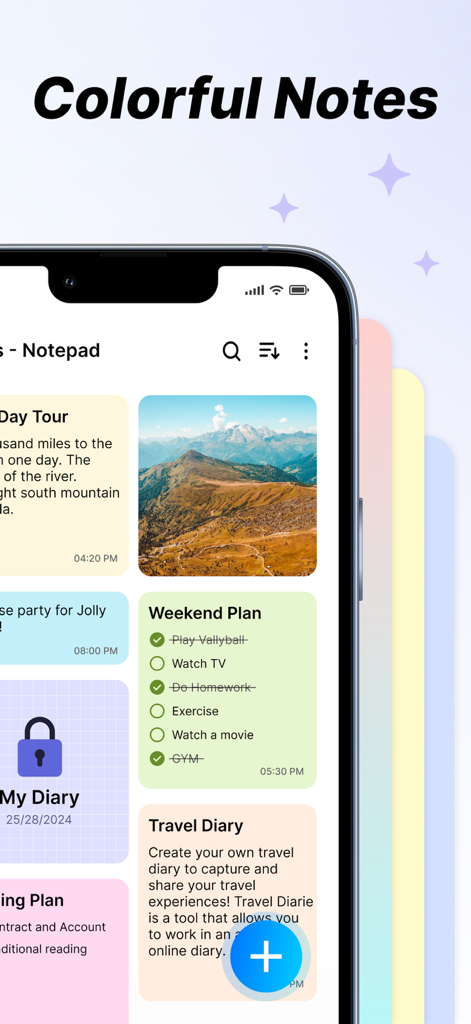
Notepad ++ - Notepad plus plus app interface featuring colorful organized notes checklists and a private vault

Notepad plus plus app interface featuring colorful organized notes checklists and a private vault
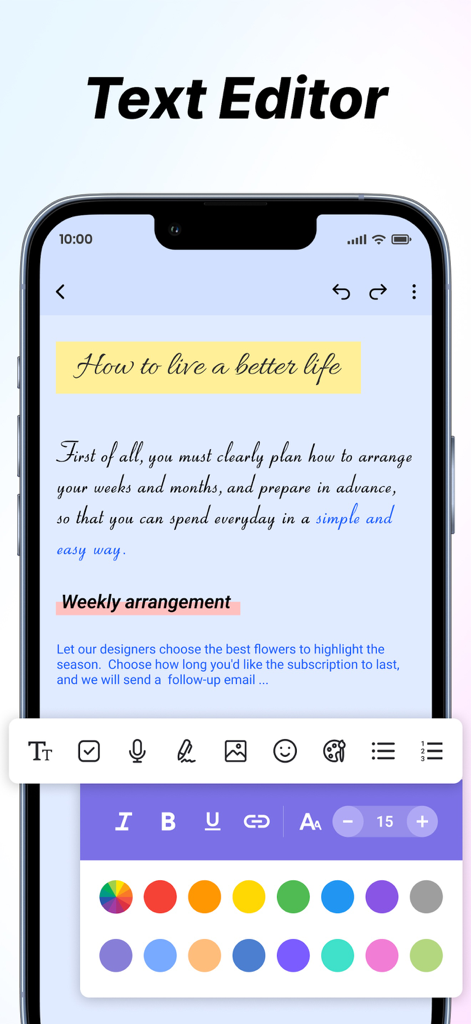
Notepad ++ - Notepad plus plus app screenshot showing various text formatting tools and a color picker for aesthetic note organization
Notepad plus plus app screenshot showing various text formatting tools and a color picker for aesthetic note organization

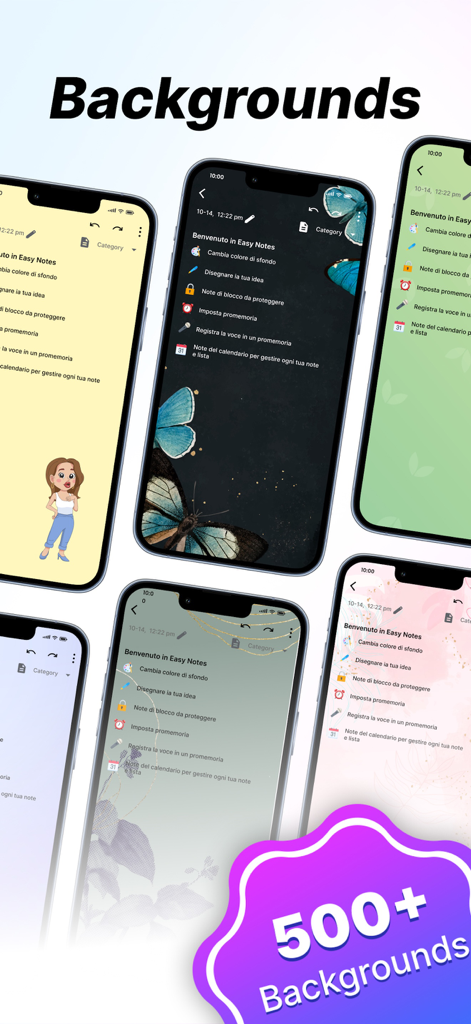
Notepad ++ - Collection of iPhones displaying various colorful and artistic note backgrounds in the Notepad plus plus app
Collection of iPhones displaying various colorful and artistic note backgrounds in the Notepad plus plus app

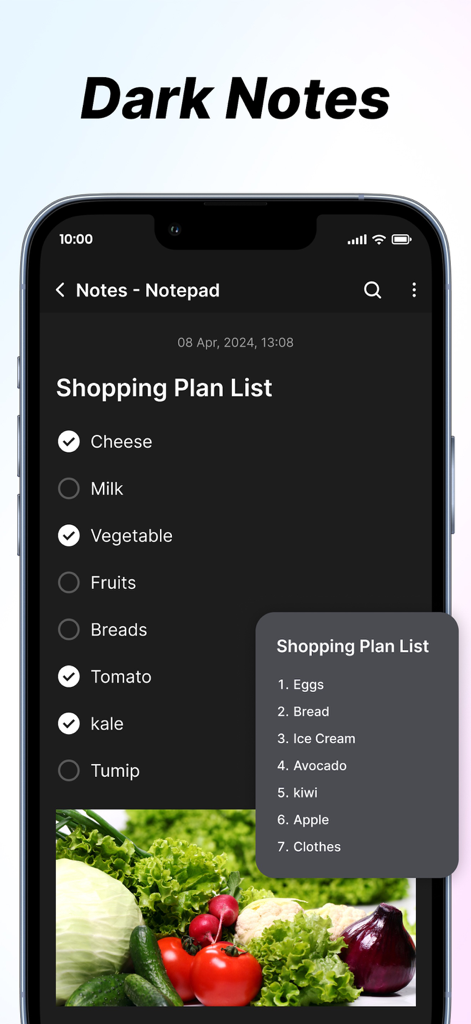
Notepad ++ - Notepad plus plus app interface showing a shopping plan list in dark mode with checkboxes and an image of vegetables

Notepad plus plus app interface showing a shopping plan list in dark mode with checkboxes and an image of vegetables

Description

The Notes App is a handy and easy-to-use tool for taking notes, planning tasks, and organising information. It offers flexible features and customisation to fit your needs. Key Features 1. Create Notes: * Effortlessly create new notes with a clean and intuitive interface, perfect for jotting down thoughts, to-dos, or key information. * Enjoy unlimited note creation with advanced formatting options, including: * Bold, italic, and underlined text for emphasis. * Bullet points and numbered lists for structured content. * Easy editing tools to refine and update your notes anytime. 2. Add Images: * Enhance your notes by attaching images directly from your device. Perfect for adding visual context, storing memorable moments, or including reference materials. 3. Font Customisation: * Personalise your notes with adjustable text sizes and a variety of font styles. Whether you need a professional look or a casual vibe, there’s a style for every need. 4. Text Alignment: * Organise your notes with precision by aligning text to the left, center, or right. Ideal for creating lists, structuring titles, or highlighting key sections. 5. Insert Clickable Links: * Integrate hyperlinks within your notes for seamless navigation to websites, documents, or other online resources. Simplify accessing external content with just a tap. 6. Reminders and Notifications: * Never miss a deadline or important task. Set reminders for specific notes and receive timely notifications to keep you on track. 7. Favourite Notes: * Pin your most critical or frequently accessed notes as favourites. Access them instantly without scrolling through your entire collection. 8. Sorting Notes: Keep your notes neatly organised with these sorting features: * By Colour: Use customisable note colours to visually categorise and group related information. * By Date: Sort notes by creation or last modification dates in ascending or descending order for chronological clarity. 9. Private Notes: * Safeguard sensitive or personal information by marking notes as private. Secure them with a password or PIN for added peace of mind. 10. Search Functionality: * Locate notes quickly with a robust search feature. Use keywords, tags, or filters to narrow down your search and save time. Subscription Details:- - Payment will be charged to iTunes Account at confirmation of purchase. - Subscription automatically renews unless auto-renew is turned off at least 24 hours before the end of the current period. - Account will be charged for renewal within 24 hours prior to the end of the current period, and identify the cost of the renewal. - No cancellation of the current subscription is allowed during the active subscription period. - Any unused portion of a free trial period, if offered, will be forfeited when the user purchases a subscription to that publication, where applicable For Further Information: Terms of Use : https://www.privacypolicycenter.com/view_custom.php?v=aW9zS3hmSzhiQ2hwNDlOSnBUUUpRUT09&n=Terms-Of-Use Privacy Policy : https://www.privacypolicycenter.com/view_custom.php?v=aXFKcDR1OWVqcVMvbisxN1FFUm02UT09&n=Privacy-Policy

Download

Download on App Store

This page is not an official page of the app or its developer, but an independent editorial publication created for informational and commentary purposes. Unless expressly stated otherwise, neither the app nor its developer is affiliated with, endorsed by, sponsored by, authorized by, or otherwise officially connected with MWM, Apple, Google Play, the app publisher, or the app's developer, and nothing on this page implies that the app was developed using MWM's services. Any trademarks, logos, screenshots, and other content remain the property of their respective owners.








