NotePlan - To-Do List & Notes
Download on App Store

This page is not an official page of the app or its developer, but an independent editorial publication created for informational and commentary purposes. Unless expressly stated otherwise, neither the app nor its developer is affiliated with, endorsed by, sponsored by, authorized by, or otherwise officially connected with MWM, Apple, Google Play, the app publisher, or the app's developer, and nothing on this page implies that the app was developed using MWM's services. Any trademarks, logos, screenshots, and other content remain the property of their respective owners.

Logo of NotePlan - To-Do List & Notes
Download on App Store

NotePlan - To-Do List & Notes

Stop switching between apps. Use Markdown to plan your day, build a network of notes, and master your schedule with a lightning-fast, native experience built specifically for the Apple ecosystem.

Key Figures

Downloads

46K+

User Rating

4.8/5

Total Ratings

1K+

Publisher

NotePlan LLC

Category

Productivity

Locales

10

Latest Version

3.20

Size

166.5 MB

First Released

Nov 23, 2020
Features

Master Your Day with a Single System

NotePlan unites your calendar, tasks, and notes into one lightning-fast workspace, giving you the clarity to focus on deep work and complex projects.

Unified Daily Planning

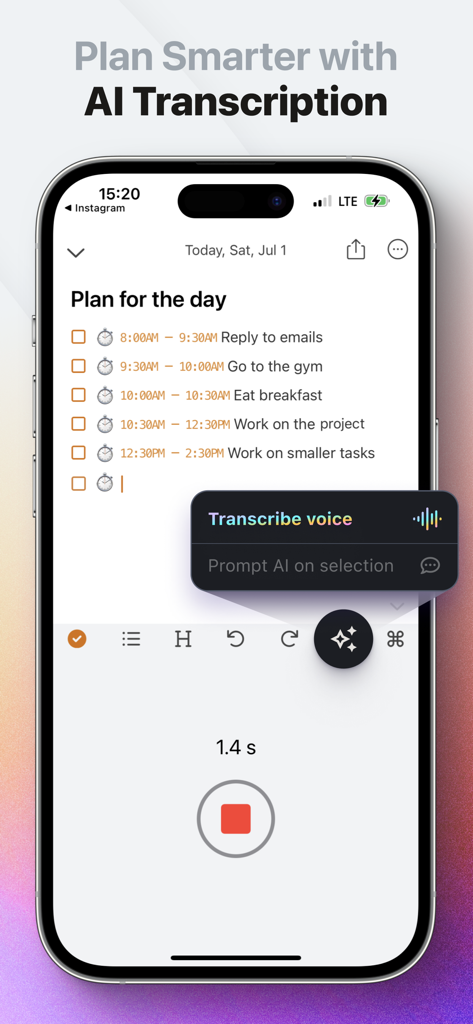
See your calendar events and tasks side-by-side. Plan your day with Markdown and time-block your schedule in seconds.

Networked Note-Taking

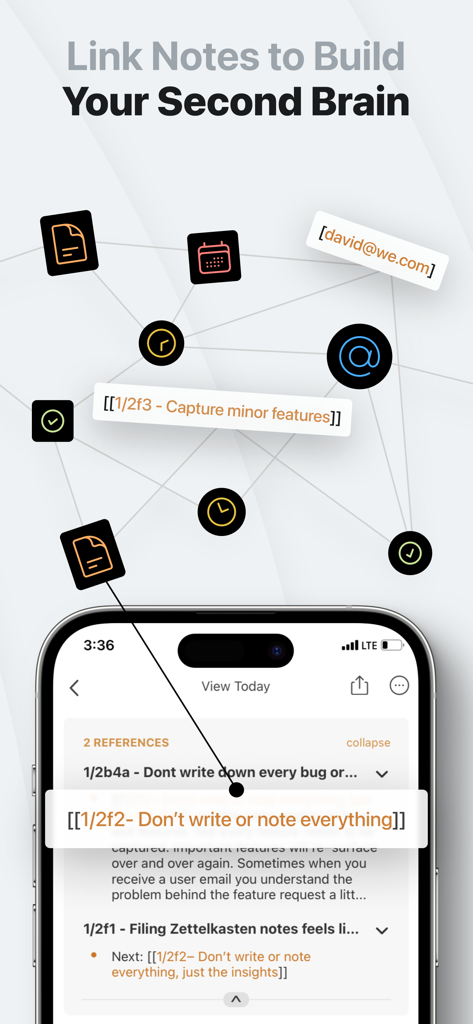
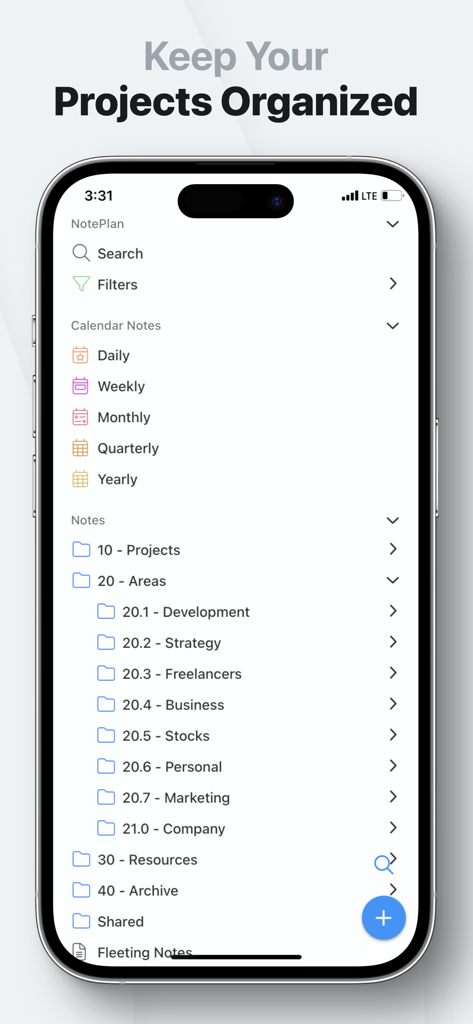
Connect your thoughts with bi-directional links. Whether you use P.A.R.A. or Zettelkasten, NotePlan adapts to your brain's architecture.

The following screenshots and description are sourced directly from the app's official store listing and are the property of the app developer.

App Store

Screenshots
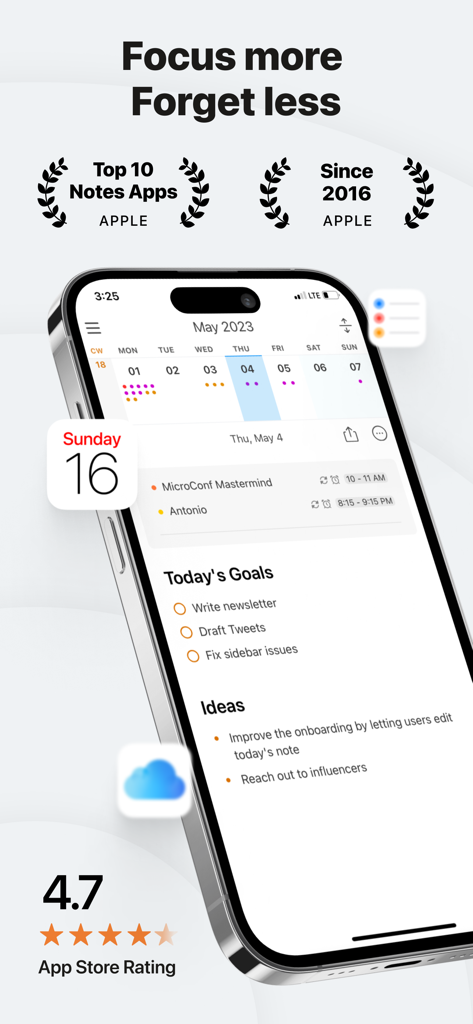
NotePlan - To-Do List & Notes - NotePlan app interface on iPhone showing integrated calendar tasks and notes with a high App Store rating
NotePlan app interface on iPhone showing integrated calendar tasks and notes with a high App Store rating

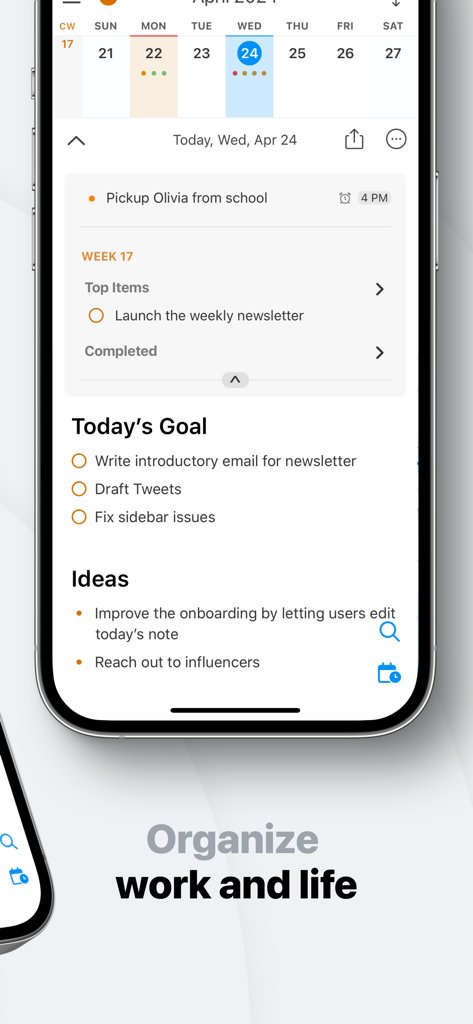
NotePlan - To-Do List & Notes - NotePlan mobile app interface displaying a daily schedule with tasks, goals, and calendar view.
NotePlan mobile app interface displaying a daily schedule with tasks, goals, and calendar view.

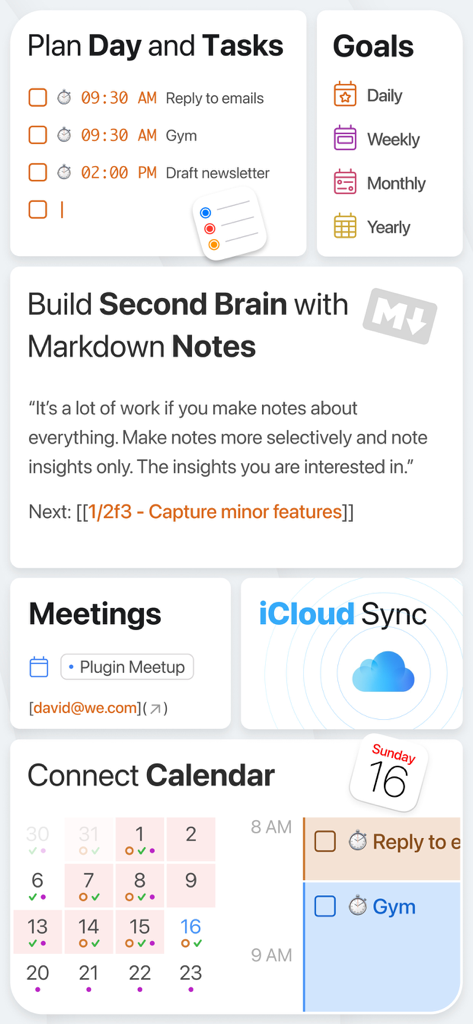
NotePlan - To-Do List & Notes - A collage showing NotePlan app features including task planning, second brain markdown notes, calendar integration, and iCloud sync
A collage showing NotePlan app features including task planning, second brain markdown notes, calendar integration, and iCloud sync

NotePlan - To-Do List & Notes - NotePlan app interface showcasing the AI voice transcription feature for daily planning and task management on iPhone
NotePlan app interface showcasing the AI voice transcription feature for daily planning and task management on iPhone

NotePlan - To-Do List & Notes - NotePlan app interface showing linked notes and a networked second brain concept with Markdown support
NotePlan app interface showing linked notes and a networked second brain concept with Markdown support

NotePlan - To-Do List & Notes - NotePlan app on iPhone showing organized folders and calendar notes using the PARA system.
NotePlan app on iPhone showing organized folders and calendar notes using the PARA system.

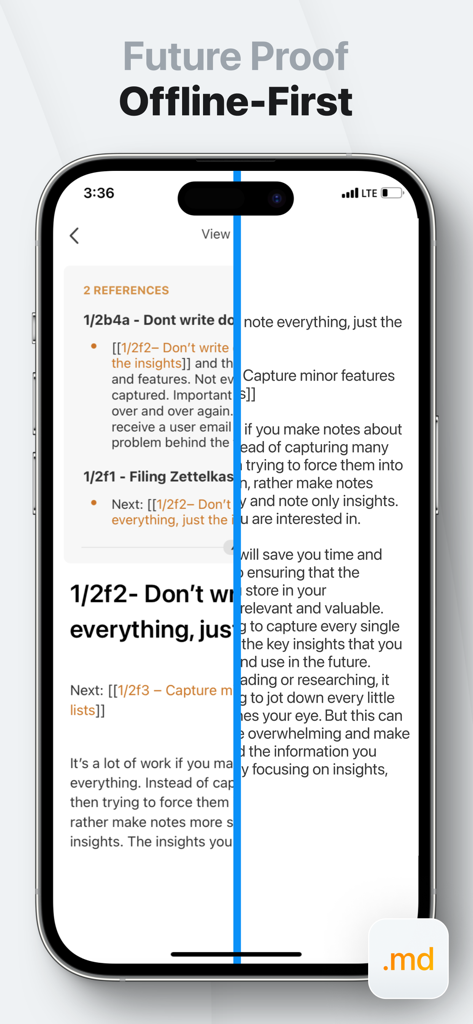
NotePlan - To-Do List & Notes - NotePlan app interface displaying offline first notes with markdown formatting
NotePlan app interface displaying offline first notes with markdown formatting

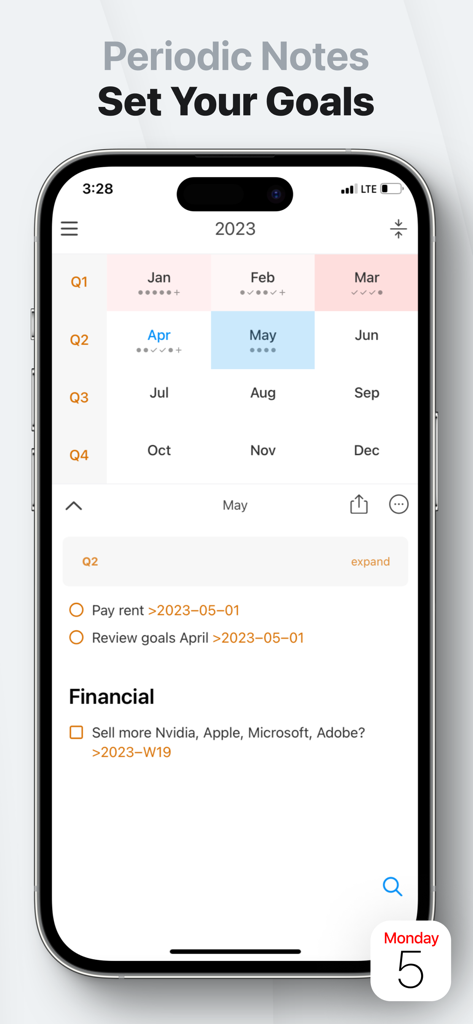
NotePlan - To-Do List & Notes - NotePlan app showing periodic notes goal setting and a yearly calendar interface
NotePlan app showing periodic notes goal setting and a yearly calendar interface

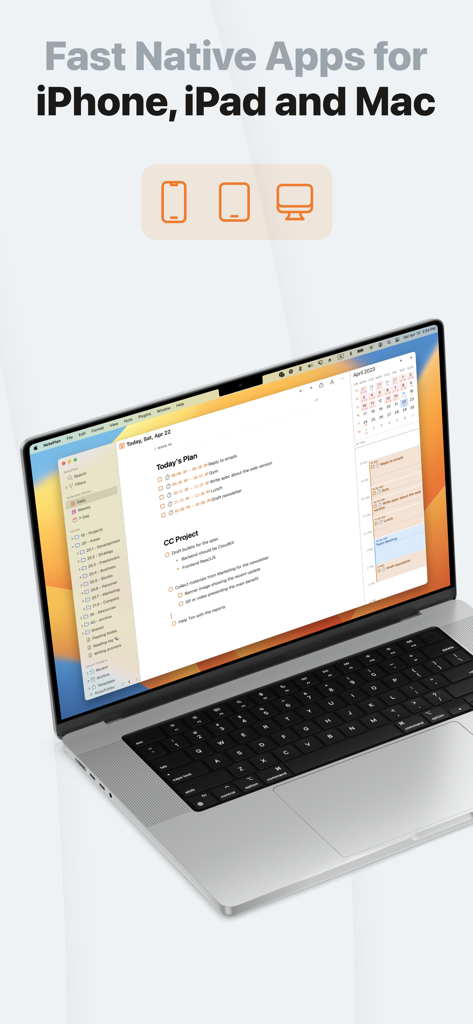
NotePlan - To-Do List & Notes - NotePlan app interface on a MacBook Pro showing calendar and task management
NotePlan app interface on a MacBook Pro showing calendar and task management

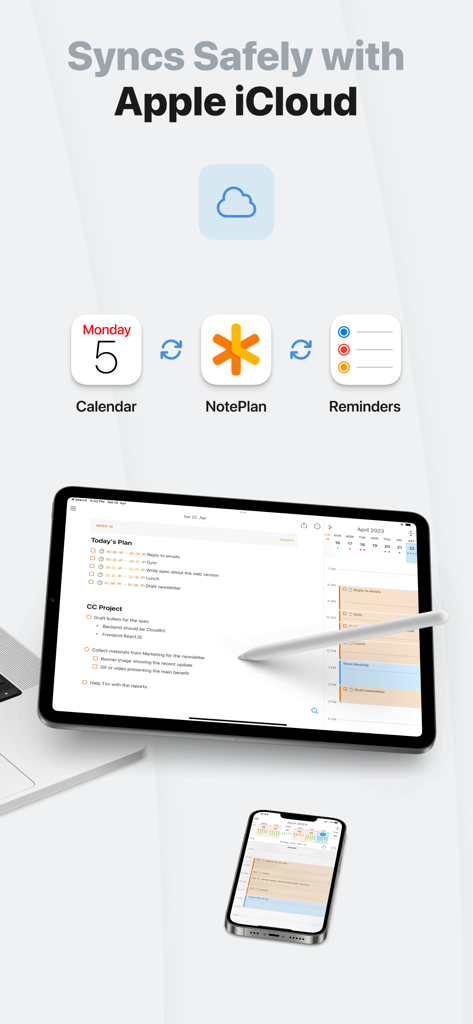
NotePlan - To-Do List & Notes - NotePlan app interface showing safe synchronization with Apple iCloud across iPhone and iPad with calendar and reminders integration.

NotePlan app interface showing safe synchronization with Apple iCloud across iPhone and iPad with calendar and reminders integration.

Description

Having trouble planning your day, managing your to-do list, and organizing your notes? Always jumping between apps and losing track of what to do and where you put things? Say hello to NotePlan! NotePlan lets you manage everything in one place: your tasks, notes, and calendar. Perfect for project managers, designers, researchers, writers, students, or anyone who wants to be organized and efficient. QUICKLY PLAN YOUR DAY WITH MARKDOWN • Plan your day by seeing your calendar, notes, and tasks in a single view • Create tasks and notes quickly with Markdown • Add #tags to organize tasks and notes • Use @mentions to find people • Reschedule to-do items easily • Create flexible recurring tasks • Work faster with autocomplete BUILD YOUR NETWORK OF NOTES • Create your own network of notes • Organize any way you want to: from simple folders over P.A.R.A. to a Zettelkasten system • Bi-directional notes: link your calendar and your notes in any direction, automatically • Cross-reference and link notes easily STAY ON TOP OF THINGS WITH REVIEW • Search all tasks and notes, instantly • See all open tasks with the click of a button • Get a list of overdue to-do items • See upcoming tasks at a glance • Create custom filters with your own queries using status, #tags, @mentions, or even text SEAMLESS INTEGRATION WITH YOUR CALENDAR • Create events and reminders right in NotePlan • Support for iCloud, Google, and Exchange calendars • Time-block tasks on your calendar simply by typing AVAILABLE ON MAC, IPHONE & IPAD • Sync everything between your Apple devices • Use any sync method you like: CloudKit or iCloud Drive • A single subscription for all your devices OPEN, PRIVATE & FAST • All your notes are stored in plaintext so you're never locked in • Your information is private and cannot be accessed • Enjoy lightning speed thanks to local files and native apps ANY THEME YOU WANT • Choose from a variety of built-in themes • Work with light or dark versions • Create your own custom theme SHORTCUTS FOR MAXIMUM SPEED • Extended Markdown syntax support with customization options • Move around without ever leaving the keyboard • Find everything with the Global Command Bar NotePlan is developed independently and prioritizes user features and requests. We have long-term roadmaps and listen to customers to improve the apps. - - - - - Price may vary by location. Subscriptions will be charged to your credit card through your iTunes account. Your subscription will automatically renew unless canceled at least 24 hours before the end of the current period. After purchase, manage your subscriptions in App Store Account Settings. - - - - - Email: hello@noteplan.co Web: noteplan.co Discord: https://discord.gg/D4268MT Twitter: NotePlanApp Reddit: reddit.com/r/NotePlanApp Learn NotePlan course: https://noteplan.eo.page/newsletter Terms of use: http://noteplan.co/tos/ Privacy policy: https://noteplan.co/privacy/

Download

Download on App Store

This page is not an official page of the app or its developer, but an independent editorial publication created for informational and commentary purposes. Unless expressly stated otherwise, neither the app nor its developer is affiliated with, endorsed by, sponsored by, authorized by, or otherwise officially connected with MWM, Apple, Google Play, the app publisher, or the app's developer, and nothing on this page implies that the app was developed using MWM's services. Any trademarks, logos, screenshots, and other content remain the property of their respective owners.








