
This page is not an official page of the app or its developer, but an independent editorial publication created for informational and commentary purposes. Unless expressly stated otherwise, neither the app nor its developer is affiliated with, endorsed by, sponsored by, authorized by, or otherwise officially connected with MWM, Apple, Google Play, the app publisher, or the app's developer, and nothing on this page implies that the app was developed using MWM's services. Any trademarks, logos, screenshots, and other content remain the property of their respective owners.

Notes
The most powerful way to record ideas, scan documents, and link thoughts. Secure, private, and perfectly synced across all your Apple devices.
Downloads
87K+User Rating
Total Ratings
1M+Publisher
Category
ProductivityLocales
33Latest Version
2.0Size
2.6 MBFirst Released
May 23, 2016Your Second Brain, Built-In
From quick captures to complex projects, Apple Notes is the most powerful tool you already own. Designed for speed, security, and seamless organization across your entire life.
Connect Your Thoughts
Use the ">>" shortcut to link notes together, creating a personal knowledge web. Perfect for students and professionals building a structured digital library.
Search Beyond Text
Our advanced OCR technology lets you search for keywords inside scanned receipts, whiteboard photos, and even your own handwriting for instant retrieval.
Frequently Asked Questions
Everything you need to know about Notes
Can I add attachments to notes in the Notes app?
Yes, Notes allows users to add various attachments such as PDFs, photos, maps, and web links directly into notes.
Does the Notes app support audio recording and transcription?
Yes, the Notes app supports recording and transcribing audio directly into a note. Users can play back these recordings.
Can I scan documents using the Notes app?
Yes, the Notes app includes a built-in document scanner. Users can scan paper documents directly into a note for easy storage and access.
How do I secure sensitive information in the Notes app?
The Notes app allows users to secure sensitive or personal data by locking individual notes. This feature protects private information within the app.
Can I create and manage checklists in the Notes app?
Yes, users can create checklists in the Notes app for various purposes, including grocery lists or to-do lists. Items can be checked off as completed.
Does the Notes app support drawing and sketching features?
Yes, the Notes app supports drawing and sketching directly in notes or inline PDFs using a finger or Apple Pencil on compatible iPads. It offers various brush styles and colors.
How can I quickly create a note in the Notes app without opening it?
Users can take a Quick Note without opening the app by adding Quick Note to Control Center, swiping up from the bottom right with an Apple Pencil on iPad, or using Fn-Q on a keyboard.
Can I search for specific text within my notes in the Notes app?
Yes, the Notes app allows users to search for text within notes, handwriting, and even inside scanned documents and photos like receipts or bills.
How do I link notes together in the Notes app?
Users can link one note to another within the Notes app to connect ideas. A shortcut for adding links while writing is to type ">>" within the note.
Can I organize my notes with folders and tags in the Notes app?
Yes, the Notes app provides organization options including folders, subfolders, and tags. Users can type or handwrite tags like #cooking or #expenses directly in their notes.
Does the Notes app allow collaboration on shared notes and folders?
Yes, the Notes app enables collaboration on entire shared folders or specific shared notes. Users can mention friends to notify them of important updates.
Can I view collaborator activity in shared notes in the Notes app?
Yes, the Notes app provides an Activity view. This feature offers a day-to-day summary of activity from each collaborator within a shared note.
Is the Notes app available on Apple Watch?
Yes, the Notes app is available for Apple Watch. Users can view all iCloud notes, pin notes, complete checklist items, and create new notes using dictation or Siri directly from their wrist.
Does Notes support rich text formatting options?
Yes, the Notes app allows users to apply different text styles. These include headings, body text, bulleted lists, and highlighting, to enhance note presentation.
Can I collapse text sections within my notes in the Notes app?
Yes, users can collapse text in the Notes app by tapping next to section headers. This reveals a chevron, allowing for condensed viewing of note content.
The following screenshots and description are sourced directly from the app's official store listing and are the property of the app developer.
App Store
Screenshots
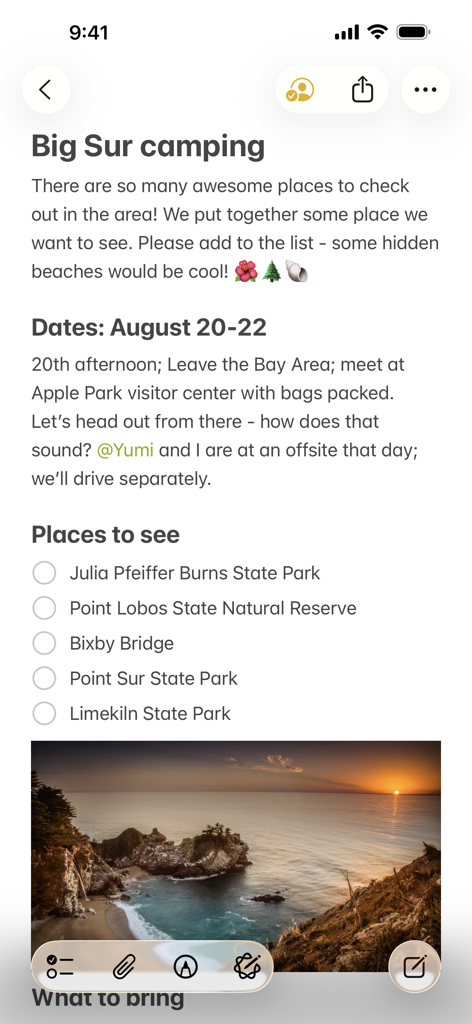
A shared note in Apple Notes titled Big Sur camping featuring a checklist of locations and a sunset landscape photo
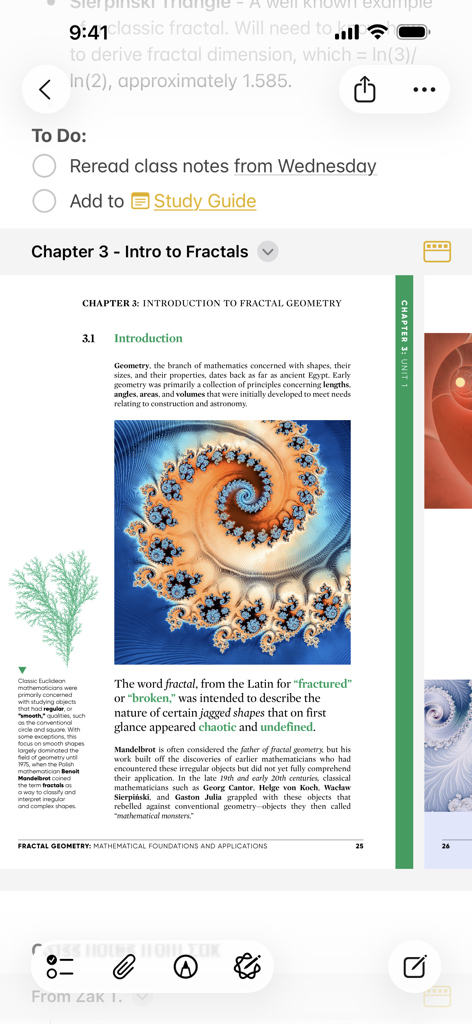
Apple Notes app displaying a study to-do list alongside an attached PDF document about fractal geometry.
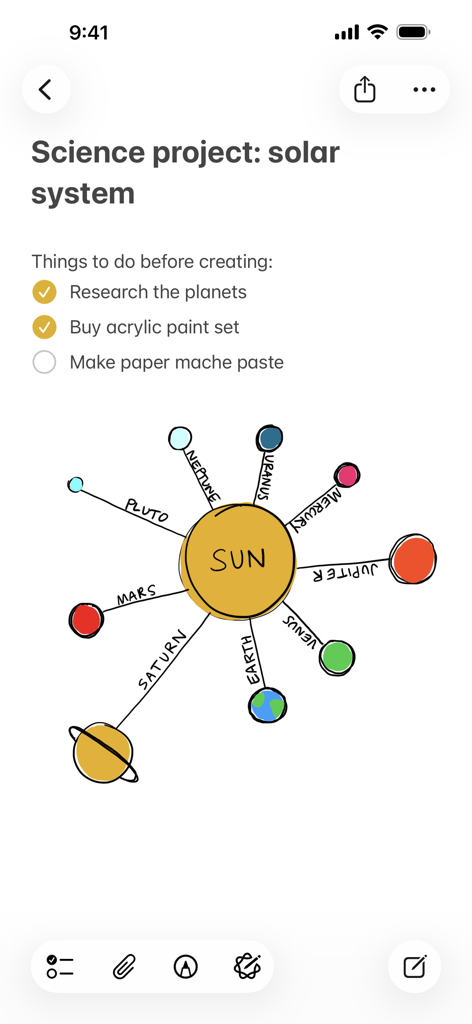
A science project note in Apple Notes featuring a checklist and a colorful hand-drawn diagram of the solar system
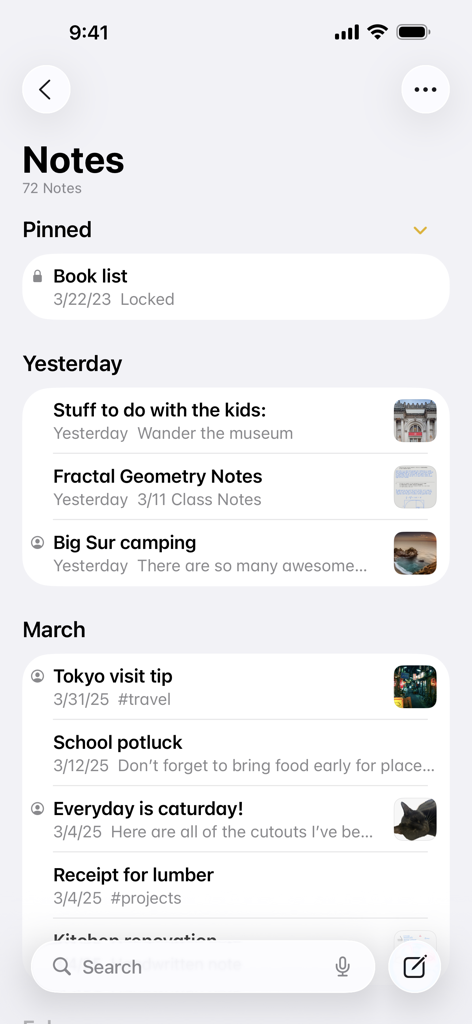
Main interface of Apple Notes app displaying a list of pinned and chronological notes with preview thumbnails
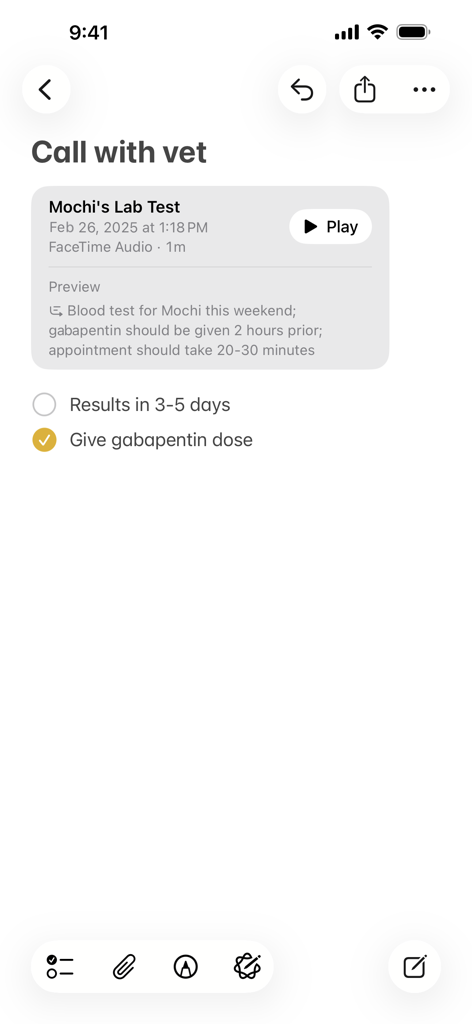
A note in Apple Notes showing an audio recording with a text preview and a checked task list for a vet visit.
Description
Download
More Like This
Apps with similar features and user experience

Notion: Notes, Tasks, AI
Notion Labs, Incorporated

Freenotes®: AI Notes Taking
Hangzhou Free Notes Technology Co., Ltd

Structured - Daily Planner
unorderly GmbH

Google Tasks: Get Things Done
Google LLC

TickTick:To-Do List & Calendar
Appest Limited

Noteful: Notes & PDF Markup
Noteful Technologies Ltd

Todoist: To Do List & Calendar
Doist Inc.

To do list MinimaList & Widget
Inner Grow Limited

monday.com - Work Platform
monday.com Ltd.
This page is not an official page of the app or its developer, but an independent editorial publication created for informational and commentary purposes. Unless expressly stated otherwise, neither the app nor its developer is affiliated with, endorsed by, sponsored by, authorized by, or otherwise officially connected with MWM, Apple, Google Play, the app publisher, or the app's developer, and nothing on this page implies that the app was developed using MWM's services. Any trademarks, logos, screenshots, and other content remain the property of their respective owners.