Notica - AI Meeting Notes
Download on App Store

This page is not an official page of the app or its developer, but an independent editorial publication created for informational and commentary purposes. Unless expressly stated otherwise, neither the app nor its developer is affiliated with, endorsed by, sponsored by, authorized by, or otherwise officially connected with MWM, Apple, Google Play, the app publisher, or the app's developer, and nothing on this page implies that the app was developed using MWM's services. Any trademarks, logos, screenshots, and other content remain the property of their respective owners.

Logo of Notica - AI Meeting Notes
Download on App Store

Notica - AI Meeting Notes

Stop multitasking and start leading. Notica automatically captures, transcribes, and summarizes your meetings—online or in-person—so you never miss an action item or a key decision again.

Key Figures

Downloads

21K+

User Rating

4.8/5

Total Ratings

0

Publisher

APERO TECHNOLOGIES GROUP PTE. LTD.

Category

Productivity

Locales

1

Latest Version

2.5.1

Size

226.3 MB

First Released

Jul 6, 2025
Features

Focus on the Conversation, We’ll Handle the Rest

Notica transforms your meetings, interviews, and recordings into organized, actionable insights with enterprise-grade AI designed for high-performance professionals.

Autonomous Meeting Assistant

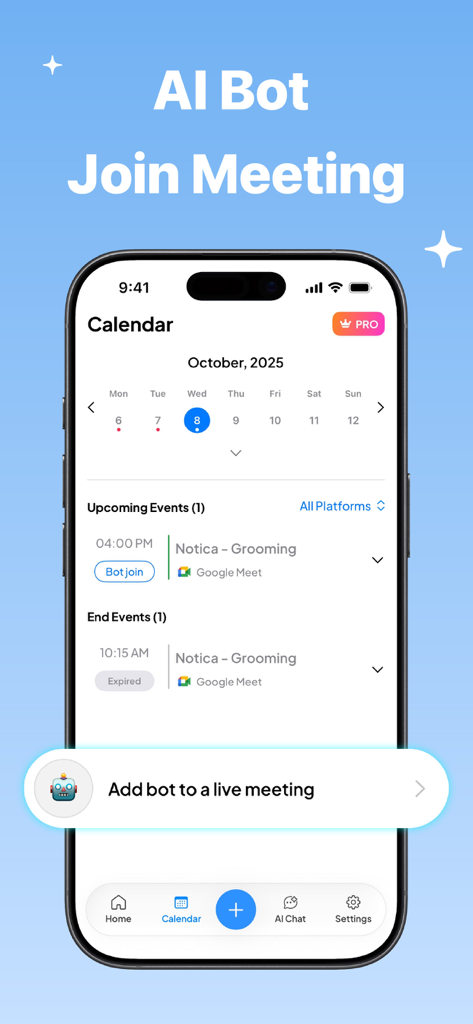
Let Notica automatically join your Zoom, Teams, or Google Meet calls. It captures every detail in the background so you can stop being the scribe and start being the leader.

Smart Action-Oriented Summaries

Eliminate 'meeting amnesia' with AI-generated highlights. Get structured outlines of key decisions and delegated tasks delivered immediately after your discussion ends.

The following screenshots and description are sourced directly from the app's official store listing and are the property of the app developer.

App Store

Screenshots
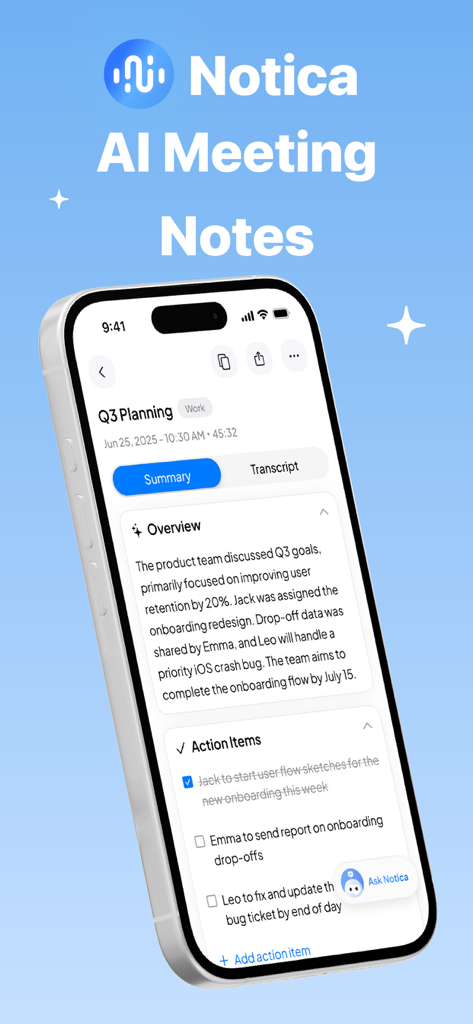
Notica - AI Meeting Notes - Notica app interface showing an AI generated meeting summary and action items list on an iPhone
Notica app interface showing an AI generated meeting summary and action items list on an iPhone

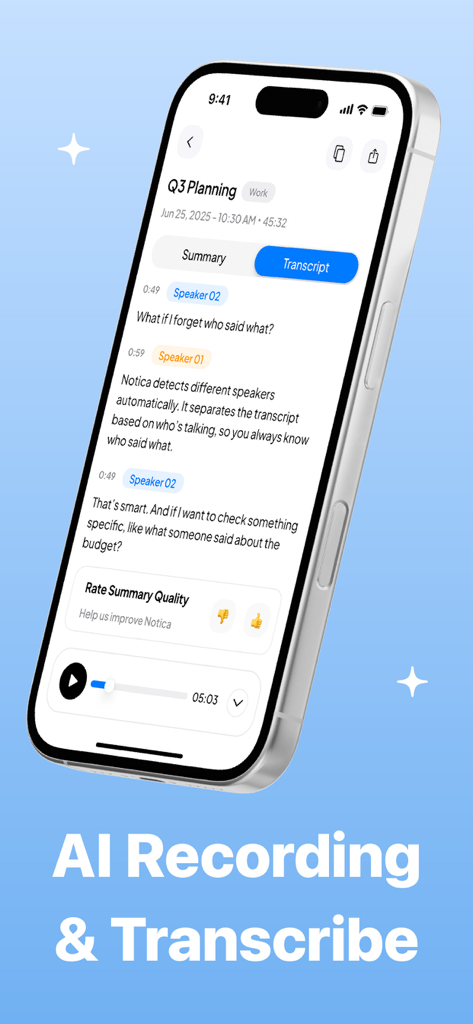
Notica - AI Meeting Notes - Notica app interface displaying a meeting transcript with speaker identification
Notica app interface displaying a meeting transcript with speaker identification

Notica - AI Meeting Notes - Notica app interface showing the calendar view and AI bot join meeting feature.
Notica app interface showing the calendar view and AI bot join meeting feature.

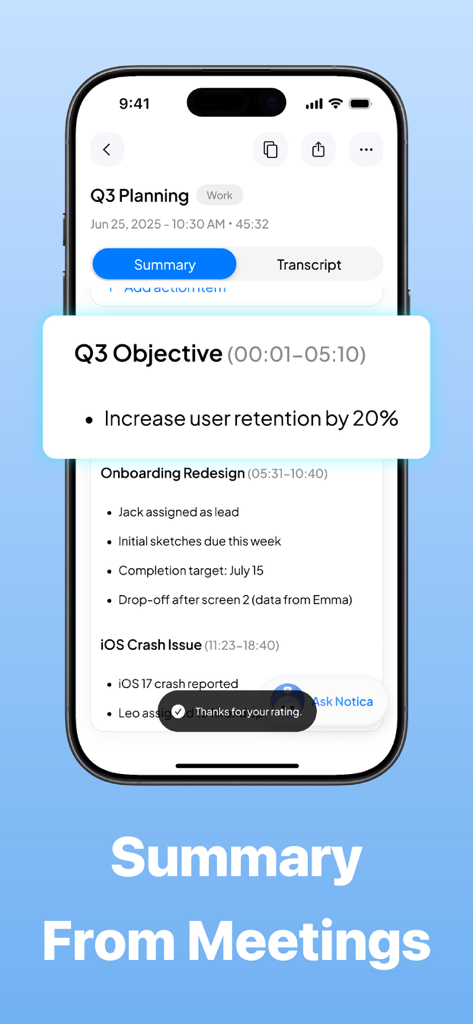
Notica - AI Meeting Notes - Smartphone screen showing an AI meeting summary with key objectives and action items in the Notica app
Smartphone screen showing an AI meeting summary with key objectives and action items in the Notica app

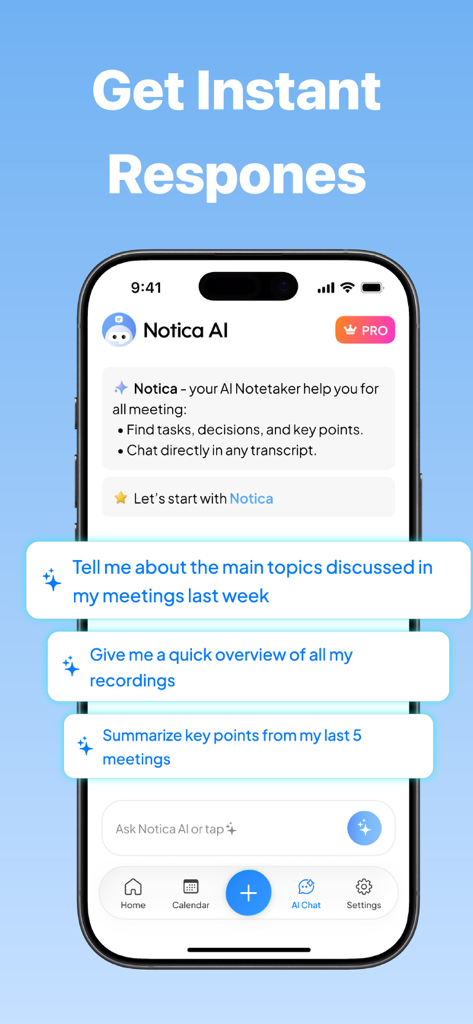
Notica - AI Meeting Notes - Notica AI mobile app interface showing the AI chat assistant with suggested prompts for summarizing and searching through past meeting notes
Notica AI mobile app interface showing the AI chat assistant with suggested prompts for summarizing and searching through past meeting notes

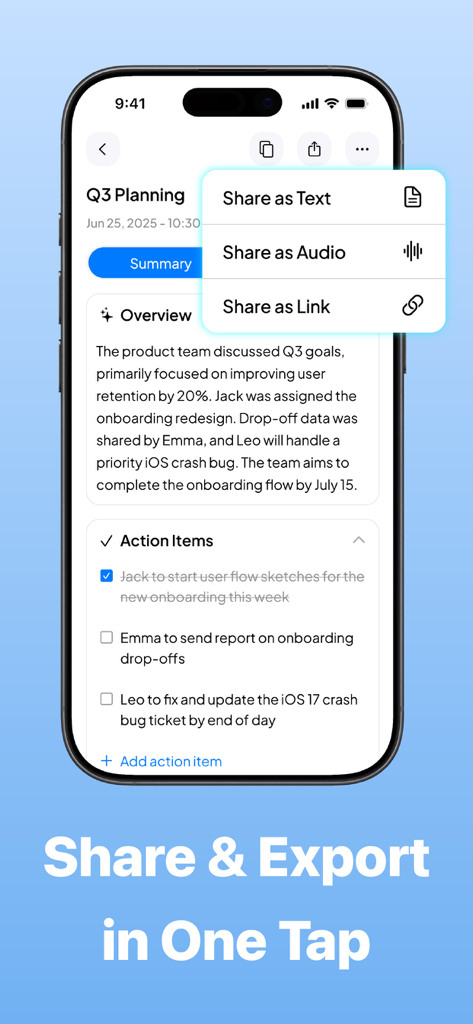
Notica - AI Meeting Notes - Notica AI meeting notes app interface showing the export menu to share meeting summaries and action items as text audio or links
Notica AI meeting notes app interface showing the export menu to share meeting summaries and action items as text audio or links

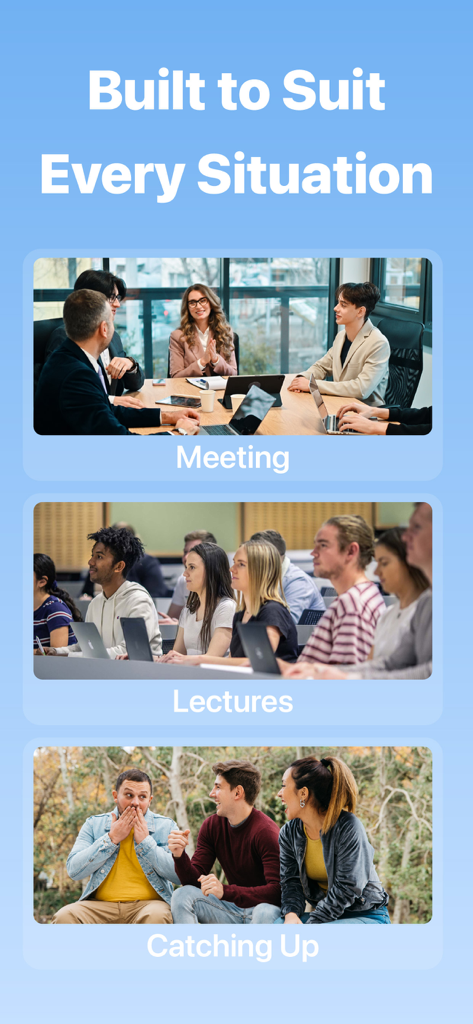
Notica - AI Meeting Notes - Notica AI app used for recording professional meetings academic lectures and casual conversations

Notica AI app used for recording professional meetings academic lectures and casual conversations
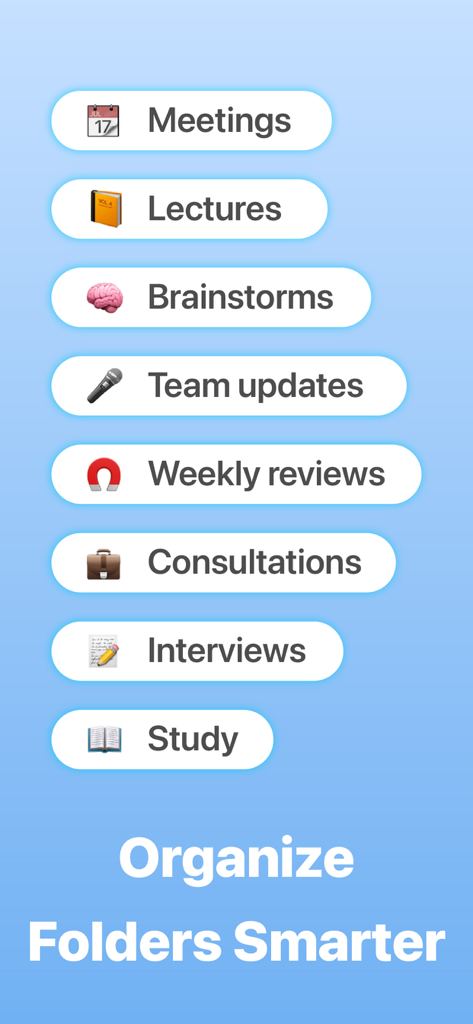
Notica - AI Meeting Notes - A list of meeting categories like lectures, brainstorms, and interviews illustrating the smart folder organization feature in Notica.

A list of meeting categories like lectures, brainstorms, and interviews illustrating the smart folder organization feature in Notica.

Description

Your Meetings, Captured. Your Focus, Uninterrupted. Tired of juggling notes while trying to lead a conversation? Meet Notica - your AI-powered meeting sidekick that listens, understands, and turns every discussion into clean, structured notes. Whether you're in an online meeting, in-person conversation, or reviewing old audio files, Notica captures everything and organizes it automatically. Stop wrestling with messy notes - Notica transforms chaos into clarity with accurate transcripts, smart summaries, and effortless organization. 5 Reasons Why Professionals Choose Notica • Non real-time transcripts that turn chaos into clear, structured notes • Smart summaries capturing decisions, next steps & action items • Google Calendar sync so every prep step happens automatically • Ask AI anything about your past meetings with Notica AI assistant • Your conversations stay private with enterprise-grade security • Auto bot joins meetings and takes notes for you—hands-free Key Features of Notica – Your AI Meeting Assistant • Auto Bot Join Meeting Let Notica join your Zoom, Google Meet, or Teams meetings automatically - even if you're busy or away. The bot listens, captures the conversation, generates transcripts, and produces summaries so you never miss important information again. • Upload Audio Files → Instant Transcript & Summary Already have recordings? Simply upload your audio and let Notica generate: – Full transcript – Key highlights – Action items – Structured meeting summary Perfect for interviews, lectures, brainstorming sessions, podcasts, and offline meetings. • Smart Recording Record in-person meetings with high-quality audio - professionally captured, clean, and ready for AI analysis. • Non Real-Time Transcription (NEW) Notica processes your recordings after the meeting to deliver accurate transcripts without requiring live connection or real-time processing. • AI-Powered Summarization Save hours of manual work. Notica automatically highlights main ideas, decisions, follow-ups, and structured outlines. • Notica AI Chat Assistant Ask anything: “Show me all tasks from last week’s meetings.” “What decisions were made in Client A call?” “Summarize all conversations about Q1 goals.” Notica understands your meetings and gives instant answers. • Google Calendar Integration Your meetings auto-sync so Notica always knows what’s next. Prep notes, join links, and reminders—everything is ready before the call begins. • Export & Share Export transcripts, audio, or summaries in multiple formats for easy sharing with teams or clients. • Smart Note Management Organize transcripts using folders. Quickly search for keywords across all past conversations. • Privacy First Your data stays yours. Notica uses end-to-end encryption and never shares, sells, or uses your recordings for any external purpose. You control what to export, share, or delete—anytime. • Hands-Free & Distraction-Free Stay fully present in conversations. Let Notica document everything in the background so you can participate naturally and confidently. The Smarter Way to Stay Engaged No more splitting attention between listening and note-taking. Notica gives you clarity, accuracy, and peace of mind—all effortlessly. Elevate your productivity and transform your meetings with Notica today! Subscription Information Unlock unlimited access to premium features by subscribing. • Subscription options: monthly and yearly • Payment is charged at purchase confirmation • Manage or cancel anytime in Account Settings • Auto-renews unless turned off 24 hours before renewal • No refunds for unused subscription time • Unused free trial periods are forfeited upon subscription Privacy Policy: https://sites.google.com/view/noticaprivacypolicy/home Terms of Service: https://sites.google.com/view/notica-term-of-service/home

Download

Download on App Store

This page is not an official page of the app or its developer, but an independent editorial publication created for informational and commentary purposes. Unless expressly stated otherwise, neither the app nor its developer is affiliated with, endorsed by, sponsored by, authorized by, or otherwise officially connected with MWM, Apple, Google Play, the app publisher, or the app's developer, and nothing on this page implies that the app was developed using MWM's services. Any trademarks, logos, screenshots, and other content remain the property of their respective owners.








