
This page is not an official page of the app or its developer, but an independent editorial publication created for informational and commentary purposes. Unless expressly stated otherwise, neither the app nor its developer is affiliated with, endorsed by, sponsored by, authorized by, or otherwise officially connected with MWM, Apple, Google Play, the app publisher, or the app's developer, and nothing on this page implies that the app was developed using MWM's services. Any trademarks, logos, screenshots, and other content remain the property of their respective owners.


Object Remover by Touch Up
Instantly remove photobombers, recolor your favorite outfits, and add stunning overlays. Join over 5 million creators using the power of Touch Up to perfect every memory in HD quality.
Downloads
5M+User Rating
Total Ratings
98K+Publisher
Category
Photo & VideoLocales
9Latest Version
1.8.3Size
148.6 MBFirst Released
Aug 22, 2019Master Your Social Media Aesthetic
Transform every shot into a masterpiece with a suite of professional tools designed for the modern creator. No complex software, just pure creative freedom.
Seamless Object Removal
Wipe away photobombers and clutter with one tap. Keep your shots clean, focused, and distraction-free.
Instant Wardrobe Recolor
Change the color of your outfits or surroundings. Perfect your personal brand without buying a whole new closet.
Frequently Asked Questions
Everything you need to know about Object Remover by Touch Up
How does Object Remover by Touch Up remove objects from photos?
Object Remover by Touch Up utilizes an Eraser tool. Users select the object they want to remove, and the app processes the photo to eliminate it, as demonstrated in the app's visuals.
What photo editing tools are included in Object Remover by Touch Up?
Object Remover by Touch Up includes tools such as Eraser, Filters, Border Tool, Recolor Tool, Overlays Tool, and Background Eraser for comprehensive photo editing.
How many filters does Object Remover by Touch Up offer?
Object Remover by Touch Up provides 25 well-designed filters. The app description states that more filters are coming in the future.
How much does the "Photo Editor Pro" subscription for Object Remover by Touch Up cost annually?
The annual "Photo Editor Pro" subscription for Object Remover by Touch Up costs $19.99 for United States customers. Pricing may vary in other countries.
What features are included with the Photo Editor Pro subscription in Object Remover by Touch Up?
The Photo Editor Pro subscription provides unlimited access to all tools, filters, overlays, and borders. It also offers an ad-free editing experience.
Does the Photo Editor Pro subscription for Object Remover by Touch Up automatically renew?
Yes, the Photo Editor Pro subscription automatically renews. Auto-renewal turns off in iTunes Account settings at least 24 hours before the current period ends.
Can Object Remover by Touch Up automatically erase photo backgrounds?
Yes, Object Remover by Touch Up features a Background Eraser tool. This tool automatically erases the background and allows users to add a new one.
Can I change colors of objects in photos using Object Remover by Touch Up?
Yes, Object Remover by Touch Up includes a Recolor Tool. This feature allows users to change the color of clothes or other objects within their photos.
What kind of overlays can I add using Object Remover by Touch Up?
Object Remover by Touch Up's Overlays Tool allows users to add layers of bokeh and sparkles to their photos.
Does Object Remover by Touch Up save photos in high quality?
Yes, Object Remover by Touch Up saves edited photos in HD quality. Users can then share their creations.
The following screenshots and description are sourced directly from the app's official store listing and are the property of the app developer.
App Store
Screenshots
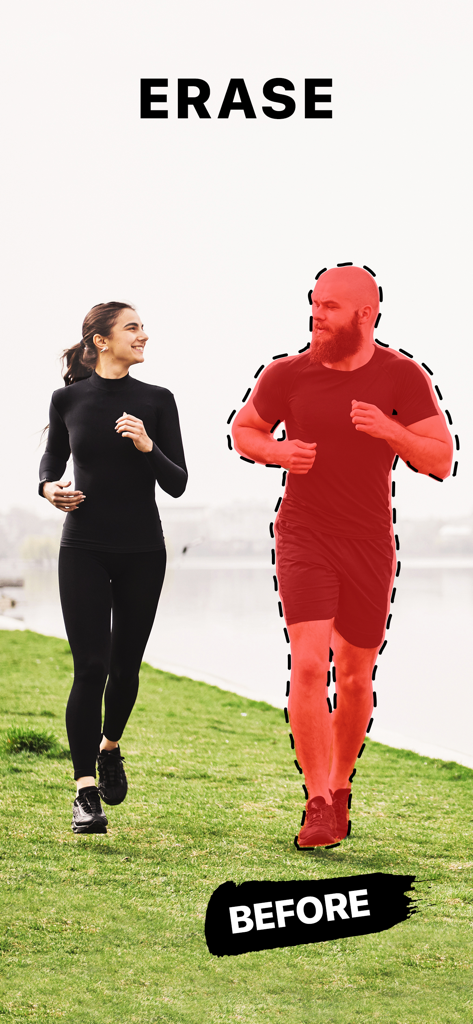
A person selected with a red highlight to be erased from a photo in the Object Remover app

A woman jogging in a park with a clean background after removing distracting objects
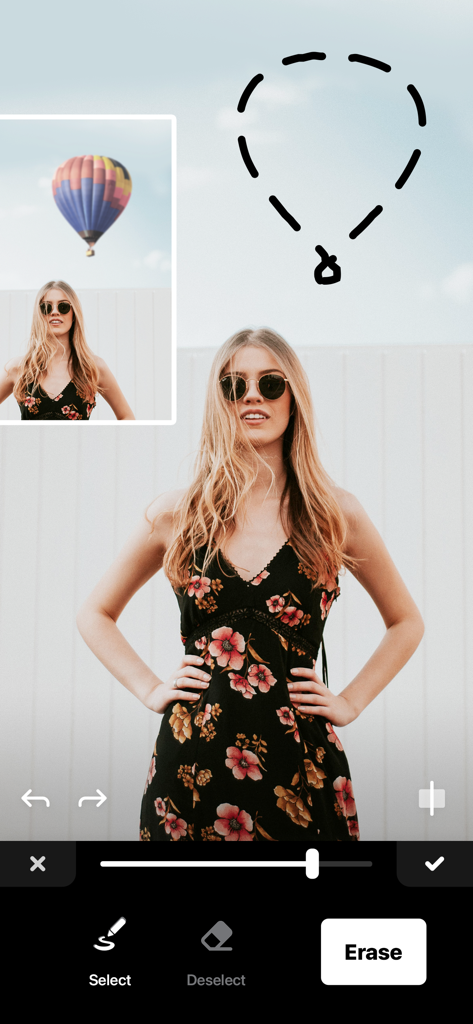
Object Remover app interface showing a hot air balloon being selected for removal from a photo of a woman in a floral dress.
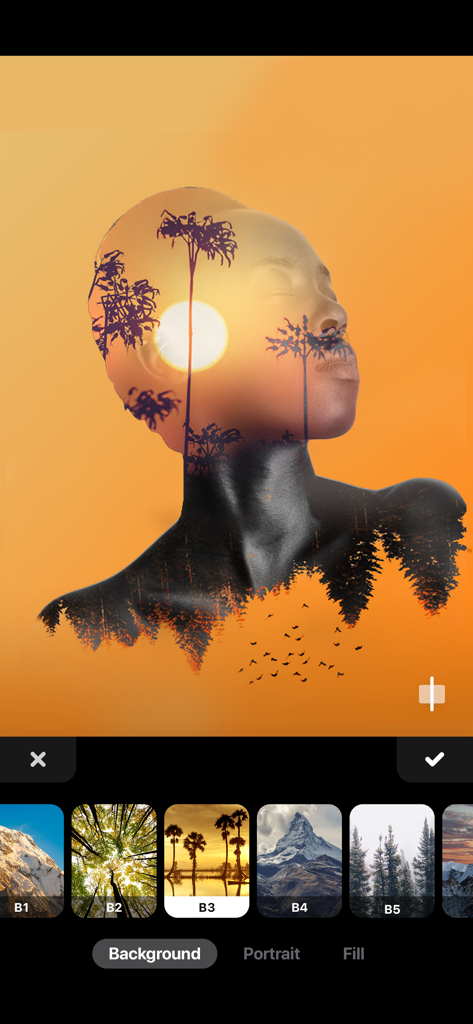
Double exposure photo editing interface showing a sunset landscape overlay on a woman profile.

A photo editing interface showing different filter options applied to a picture of a woman in a field.

Applying a colorful bokeh light overlay to a portrait in the Object Remover app interface.

A photo editing interface showing a portrait of a woman framed by a colorful floral background pattern

A woman using the recolor tool to edit the color of her sweatshirt in the Object Remover app
Description
Download
More Like This
Apps with similar features and user experience

EPIK - AI Photo & Video Editor
SNOW Corporation

Citrus: AI 1 Tap Perfect Photo
Wemagine.ai LLP

SnapEdit: Photo Editor AI
SilverAI Joint Stock Company

Background Eraser 〜 Stickers
handyCloset Inc.

PhotoScan by Google Photos
Google LLC

Magic Eraser - Remove Object
Creatix Technology Global Limited

Magic Eraser Background Editor
Honk Honk Punch Pty Ltd

ProKnockOut-Cut Paste Photos
Shenzhen Qianhai Happy Tour Network Technology Co., Ltd.

Background Eraser - Remove BG*
SHANTANU PTE. LTD.
This page is not an official page of the app or its developer, but an independent editorial publication created for informational and commentary purposes. Unless expressly stated otherwise, neither the app nor its developer is affiliated with, endorsed by, sponsored by, authorized by, or otherwise officially connected with MWM, Apple, Google Play, the app publisher, or the app's developer, and nothing on this page implies that the app was developed using MWM's services. Any trademarks, logos, screenshots, and other content remain the property of their respective owners.