Open Note - Ghi Chú Nhanh
Download on App Store

This page is not an official page of the app or its developer, but an independent editorial publication created for informational and commentary purposes. Unless expressly stated otherwise, neither the app nor its developer is affiliated with, endorsed by, sponsored by, authorized by, or otherwise officially connected with MWM, Apple, Google Play, the app publisher, or the app's developer, and nothing on this page implies that the app was developed using MWM's services. Any trademarks, logos, screenshots, and other content remain the property of their respective owners.

Logo of Open Note - Ghi Chú Nhanh
Download on App Store

Open Note - Ghi Chú Nhanh

The ultimate workspace for multi-modal thinkers. Capture ideas through voice, text, or sketches, scan documents with OCR, and keep your data protected with advanced encryption.

Key Figures

Downloads

0

User Rating

1.0/5

Total Ratings

0

Publisher

Cao Hoang

Category

Productivity

Locales

2

Latest Version

1.1

Size

95.1 MB

First Released

Jan 19, 2024
Features

Elevate Your Digital Organization

Empower your productivity with a versatile toolkit designed to capture, secure, and sync every detail of your personal and professional life.

Intelligent OCR & Media

Instantly scan text from images, record audio memos, or attach files to create rich, multi-modal notes that go beyond simple text.

Bank-Grade Security

Safeguard your private thoughts, account lists, and sensitive information with powerful passcode protection and encrypted storage.

The following screenshots and description are sourced directly from the app's official store listing and are the property of the app developer.

App Store

Screenshots
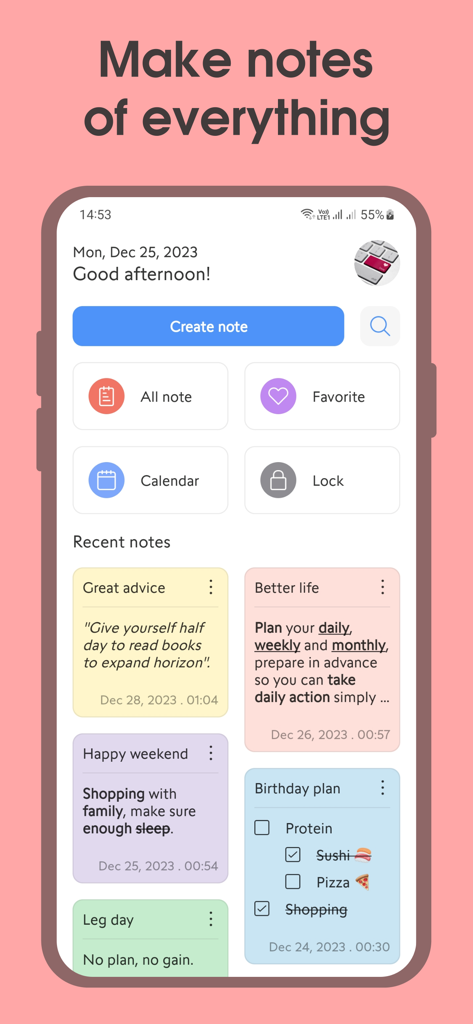
Open Note - Ghi Chú Nhanh - Open Note app dashboard interface with colorful digital note cards and productivity categories
Open Note app dashboard interface with colorful digital note cards and productivity categories

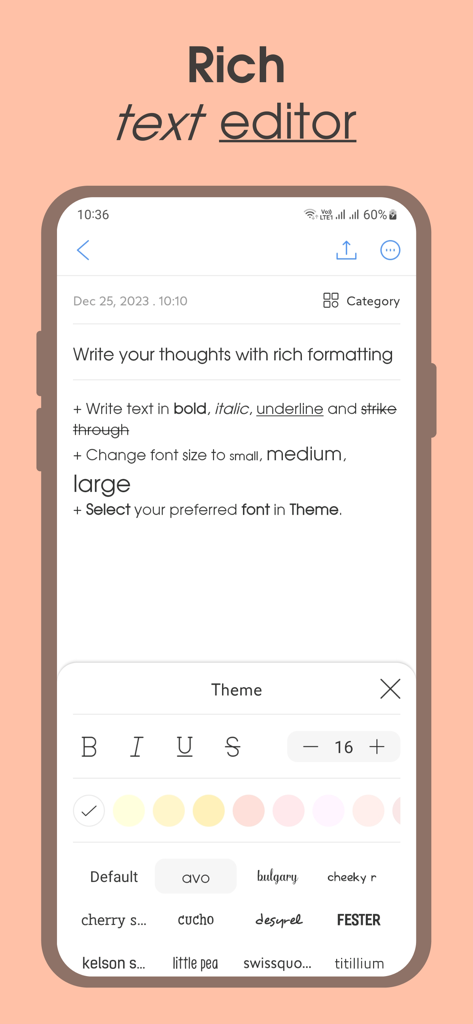
Open Note - Ghi Chú Nhanh - Interface of the Open Note app showing rich text editing features including font styles and text formatting
Interface of the Open Note app showing rich text editing features including font styles and text formatting

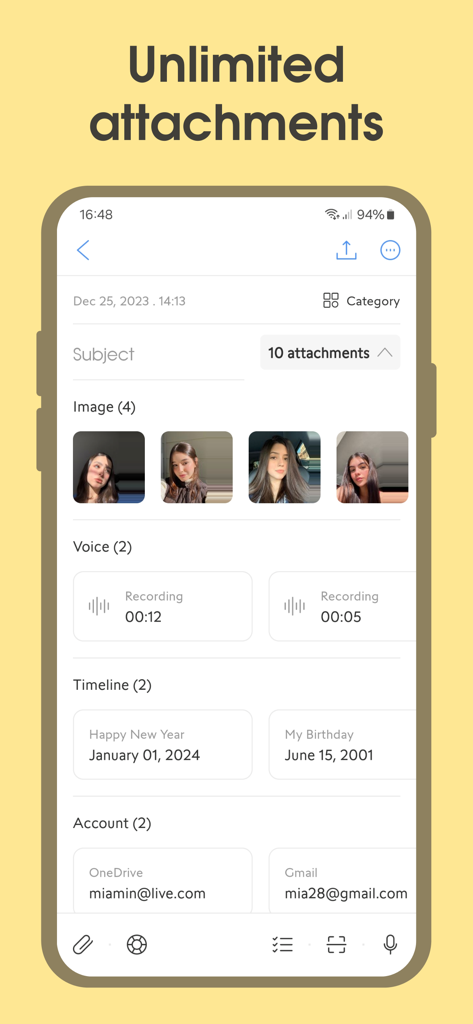
Open Note - Ghi Chú Nhanh - Open Note mobile app interface displaying various attachments including photos voice recordings dates and accounts
Open Note mobile app interface displaying various attachments including photos voice recordings dates and accounts

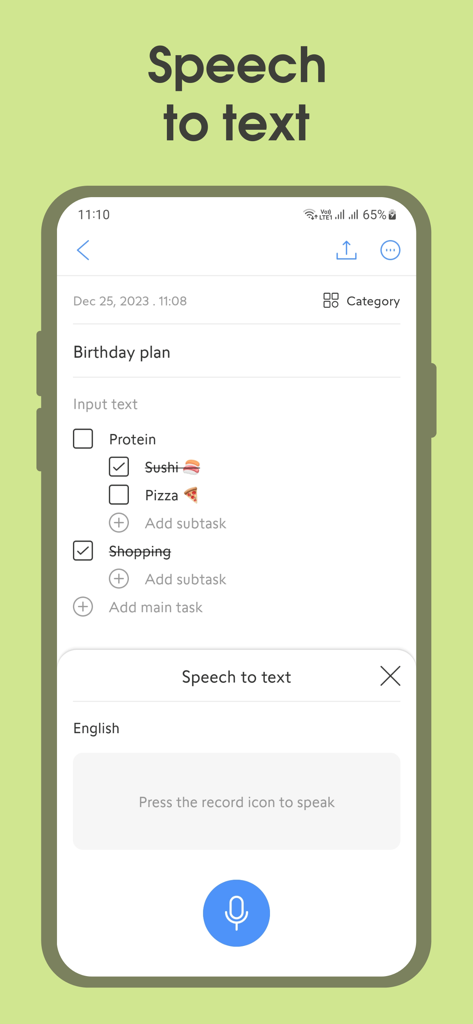
Open Note - Ghi Chú Nhanh - Open Note app speech to text interface with a birthday checklist
Open Note app speech to text interface with a birthday checklist

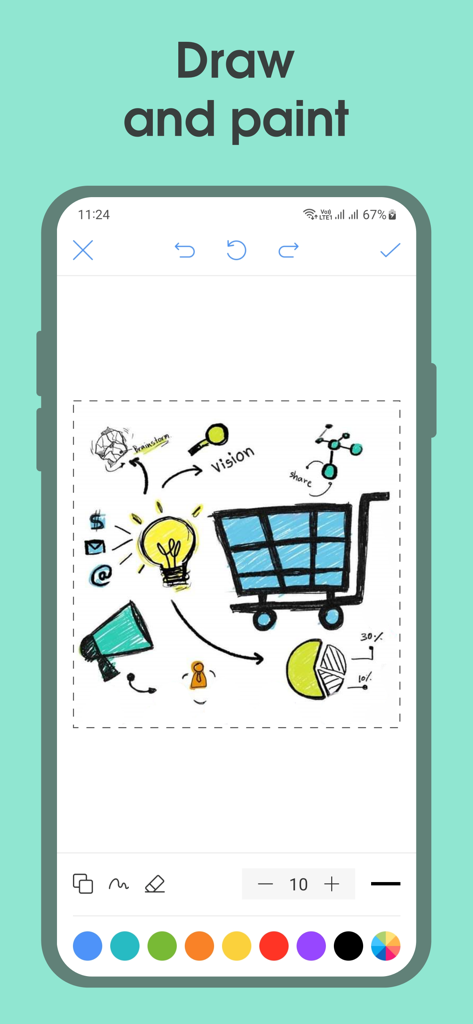
Open Note - Ghi Chú Nhanh - Open Note app drawing and painting interface with a brainstorm sketch
Open Note app drawing and painting interface with a brainstorm sketch

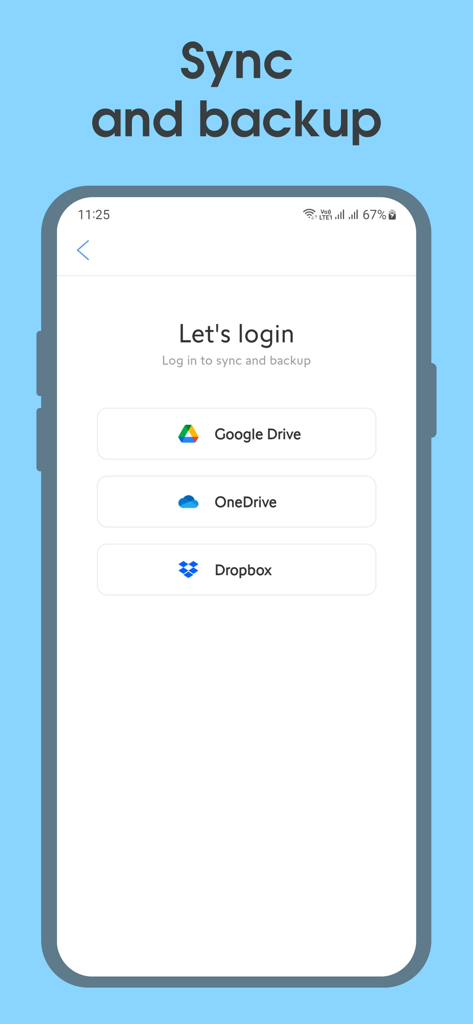
Open Note - Ghi Chú Nhanh - Open Note login screen for syncing and backing up notes via Google Drive, OneDrive, and Dropbox
Open Note login screen for syncing and backing up notes via Google Drive, OneDrive, and Dropbox

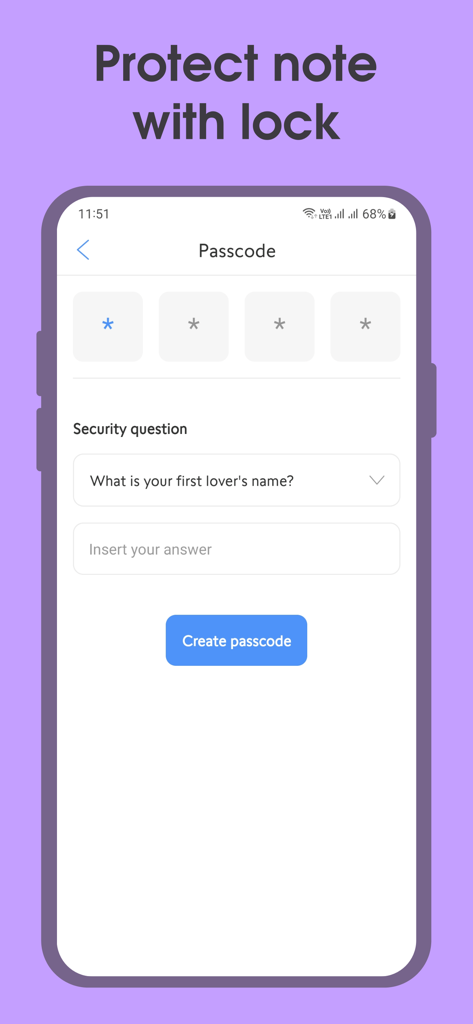
Open Note - Ghi Chú Nhanh - Interface of the Open Note app showing the setup screen for a secure passcode and security question to protect private notes.

Interface of the Open Note app showing the setup screen for a secure passcode and security question to protect private notes.

Description

Open Note is an all-in-one note-taking tool with a scientific design that will satisfy your needs! You can write down to-do lists with reminders and make colorful notes. You may attach anything to your notes, including drawings, photos, audio, timelines, account lists, and more, using the attachment function. Let's explore what makes Open Note the perfect note-taking app! Make Notes Of Everything The Open Note app allows you create notes with all the information you need, from brief notes to detailed notes, quickly and simply. This prevents you from forgetting or missing critical information. Quick And Easy Access The Open Note app makes it easy to access your notes whenever and wherever. You can use variety of gadgets to get to your notes, such as your phone or tablet. Flexible Usage Open Note is a multi-purpose app that can be used for everything from storing personal info to team collaboration and project management. Its flexibility lets you to adjust it to your own necessities and goals. High Security The Open Note app offers powerful security features to protect your notes. With encryption and passcode settings, you can rest assured that your information is always safely guarded. Sync And Backup With cross-device syncing, the Open Note app lets you keep your notes up to date on whatever device you're using. This guarantees you can work and access information efficiently, even on the go. Significant Features: - Create notes easily and quickly. - Create to-do lists. - Create note categories. - Attach images to your notes. - Draw and handwrite in your notes. - Record voice and attach to notes. - Add important occasions in your notes, such as birthdays and anniversaries. - Secure storage of account information. - Attach files to your notes. - Optical character recognition (OCR): Scan text from images and the camera. - Speech to text: Convert voice to text so you don't have to write by hand. - Customize notes with a variety of fonts, typography, and font sizes. - Adjust note creation time. - Automatically save notes while you're taking them. - Set note reminders to ensure you don't miss anything. Reminders are repeatable weekly, annually, and advanced customizable. - Lock notes to safeguard them with a passcode. - Duplicate notes, creating copies of the ones you've made. - Export and share notes as pictures, PDFs, or text. - Search for notes by title and content. - Notes can be filtered by color, time, category, or attribute. - Sort notes by date and alphabetically. - View notes in calendar mode. - Display notes in list or grid mode. - Detailed statistics on the data of the created notes. - Dark mode makes your eyes feel more relaxed at night. - Sync and backup notes to Google Drive, OneDrive, or Dropbox for safekeeping; you'll never lose any. If you use the Open Note app frequently, upgrade to the Premium version for the best experience. Please contact us at support@desa.mobi if you have any thoughts or concerns. If Open Note app is really useful to you, please share Open Note app with your friends! Thank you for using the Open Note app!

Download

Download on App Store

This page is not an official page of the app or its developer, but an independent editorial publication created for informational and commentary purposes. Unless expressly stated otherwise, neither the app nor its developer is affiliated with, endorsed by, sponsored by, authorized by, or otherwise officially connected with MWM, Apple, Google Play, the app publisher, or the app's developer, and nothing on this page implies that the app was developed using MWM's services. Any trademarks, logos, screenshots, and other content remain the property of their respective owners.