
This page is not an official page of the app or its developer, but an independent editorial publication created for informational and commentary purposes. Unless expressly stated otherwise, neither the app nor its developer is affiliated with, endorsed by, sponsored by, authorized by, or otherwise officially connected with MWM, Apple, Google Play, the app publisher, or the app's developer, and nothing on this page implies that the app was developed using MWM's services. Any trademarks, logos, screenshots, and other content remain the property of their respective owners.

Opus One: Digital Planner
The sophisticated digital planner designed for the Apple ecosystem. Align your daily tasks with your long-term goals using a structured workspace that combines classic paper-style organization with modern productivity tools.
Downloads
100K+User Rating
Total Ratings
900Publisher
Category
ProductivityLocales
4Latest Version
2.8.4Size
231.3 MBFirst Released
Sep 14, 2016Master Your Life, Not Just Your Tasks
Opus One bridges the gap between classic paper planning and modern digital efficiency, providing a professional command center for high-achievers dedicated to their mission.
Value-Driven Productivity
Go beyond simple to-do lists. Align your daily schedule with your core values and long-term goals to ensure every action supports your life's mission.
Seamless Apple Integration
Experience a unified workflow across your iPhone, iPad, Mac, and Watch. Stay in control with powerful widgets and Siri integration designed for the power user.
The following screenshots and description are sourced directly from the app's official store listing and are the property of the app developer.
App Store
Screenshots
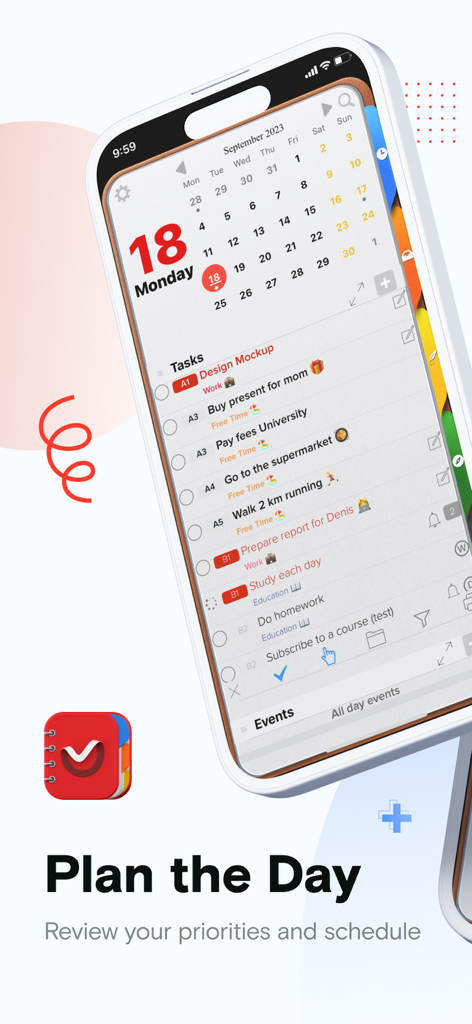
Interface of Opus One digital planner app showing a daily task list and calendar on an iPhone
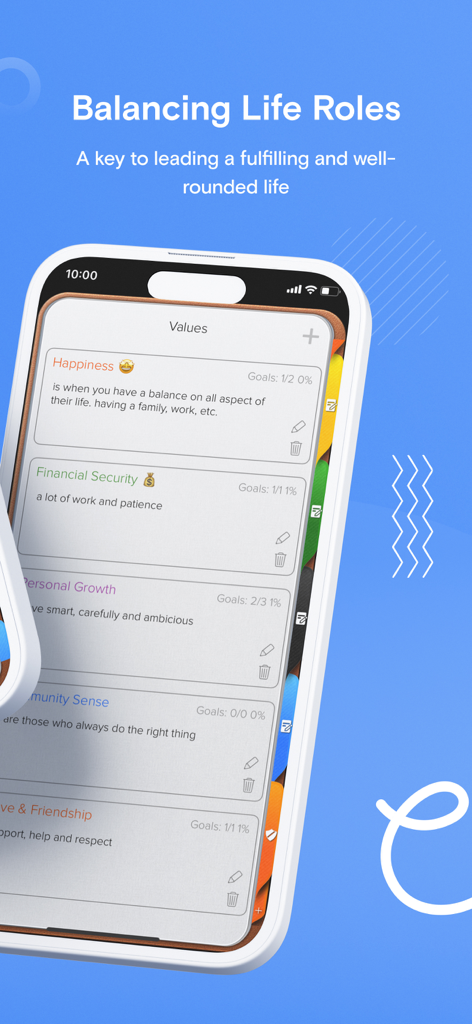
Interface of Opus One digital planner displaying personal values and life balance categories
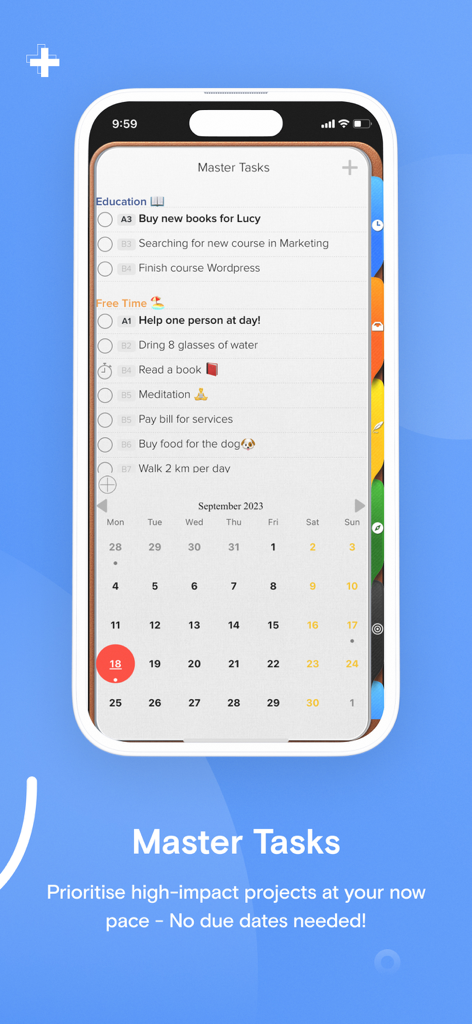
Opus One Digital Planner interface showing the Master Tasks list and monthly calendar view on iPhone
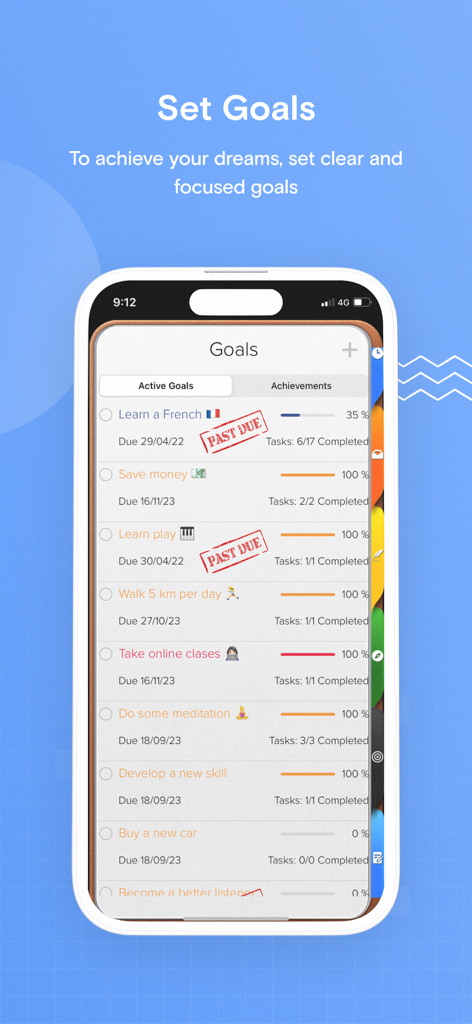
Screenshot of the Opus One digital planner app showing a goal tracking list with progress bars on an iPhone.
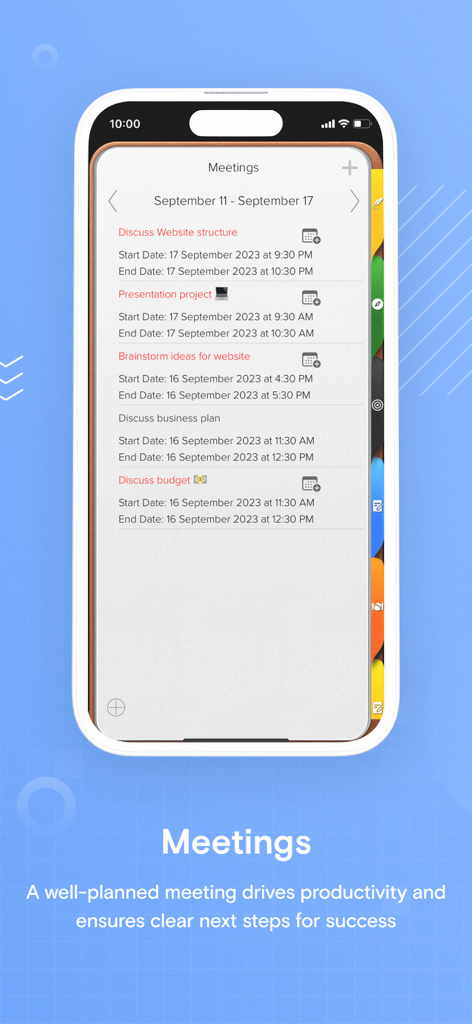
Opus One app interface showing a list of scheduled professional meetings with dates and times.
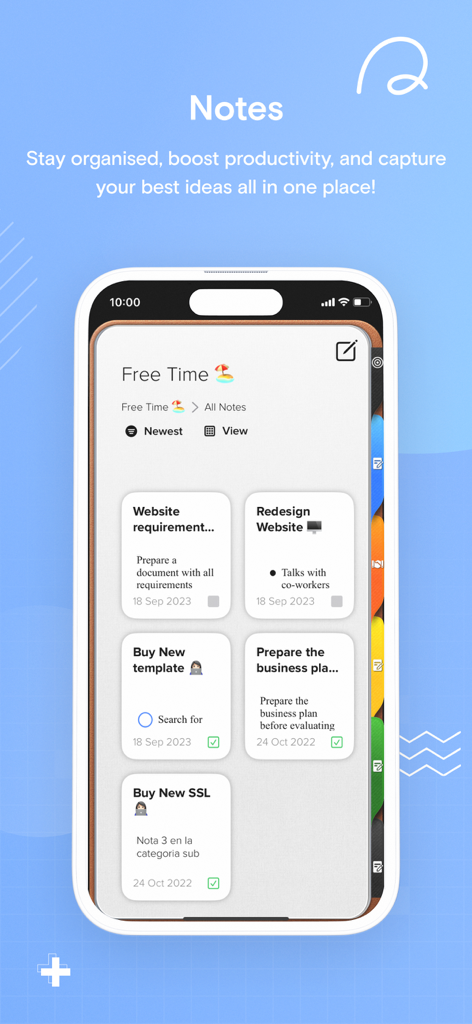
The notes section of the Opus One digital planner app displaying task cards for project management on an iPhone.
Description
Download
More Like This
Apps with similar features and user experience

Notion: Notes, Tasks, AI
Notion Labs, Incorporated

Freenotes®: AI Notes Taking
Hangzhou Free Notes Technology Co., Ltd

Structured - Daily Planner
unorderly GmbH

Google Tasks: Get Things Done
Google LLC

TickTick:To-Do List & Calendar
Appest Limited

Noteful: Notes & PDF Markup
Noteful Technologies Ltd

Todoist: To Do List & Calendar
Doist Inc.

To do list MinimaList & Widget
Inner Grow Limited

monday.com - Work Platform
monday.com Ltd.
This page is not an official page of the app or its developer, but an independent editorial publication created for informational and commentary purposes. Unless expressly stated otherwise, neither the app nor its developer is affiliated with, endorsed by, sponsored by, authorized by, or otherwise officially connected with MWM, Apple, Google Play, the app publisher, or the app's developer, and nothing on this page implies that the app was developed using MWM's services. Any trademarks, logos, screenshots, and other content remain the property of their respective owners.