
This page is not an official page of the app or its developer, but an independent editorial publication created for informational and commentary purposes. Unless expressly stated otherwise, neither the app nor its developer is affiliated with, endorsed by, sponsored by, authorized by, or otherwise officially connected with MWM, Apple, Google Play, the app publisher, or the app's developer, and nothing on this page implies that the app was developed using MWM's services. Any trademarks, logos, screenshots, and other content remain the property of their respective owners.

OrigNotes
Transform your iPad into a powerful handwritten workspace. Create beautiful notes, annotate PDFs, and organize your digital life with seamless cloud sync and total customization.
Downloads
261K+User Rating
Total Ratings
7K+Publisher
Category
ProductivityLocales
32Latest Version
1.8.0Size
77.5 MBFirst Released
Apr 10, 2023Your Ideas, Beautifully Organized
Empower your academic and professional journey with a powerful, free, and fully customizable handwritten note experience designed for iPad.
Natural Writing Precision
Write fluently with advanced ink algorithms and smart palm rejection that makes your Apple Pencil feel like a real pen on paper.
Personalized Notebook Aesthetics
Design your perfect workspace with custom covers, diverse paper styles, and unlimited pen boxes tailored to your unique study vibe.
Frequently Asked Questions
Everything you need to know about OrigNotes
What is OrigNotes?
OrigNotes is a professional digital handwritten note software for iPads and iPhones. It enables users to create, organize, and manage high-quality handwritten notes, drawings, images, and PDF annotations efficiently on mobile devices.
Can OrigNotes customize writing tools?
Yes, OrigNotes allows users to customize writing tools. They can preset favorite brushes, adjust color, width, and opacity, and save them into multiple pen boxes for quick access, enhancing productivity.
Does OrigNotes support cloud synchronization?
Yes, OrigNotes supports cloud disk synchronization. This feature ensures seamless data access across multiple devices and facilitates collaboration. It integrates with various cloud services like iCloud Drive, Dropbox, and Google Drive.
How does OrigNotes handle anti-touch settings?
OrigNotes provides unique anti-touch settings. Users can configure input behavior, allowing fingers and Apple Pencil to perform distinct functions like writing/sketching versus scrolling/flipping, effectively preventing unintended actions during note-taking.
Can I customize the appearance of the OrigNotes app?
Yes, users can customize the OrigNotes app's appearance through theme settings. Options include Dark Mode, Purple, Caramel, and Blush. Users can also personalize specific colors to create a unique user experience.
What types of files can OrigNotes import?
OrigNotes supports importing files from various sources. Users can import from local files, photos, and major cloud drives like iCloud Drive, Baidu Netdisk, Aliyun Drive, Dropbox, and Google Drive.
Does OrigNotes support audio and video recording?
Yes, OrigNotes includes audio and video recording capabilities. Users can integrate these media types into their notes, manage audio and video lists, and adjust playback speed for comprehensive learning or review.
Can OrigNotes organize and search documents?
Yes, OrigNotes enables efficient document organization and search. Users can customize document arrangements, create folders, and utilize search functions to quickly locate required notes and maintain a structured workflow.
Is OrigNotes a free application?
Yes, OrigNotes is a free application. It provides comprehensive features for creating, managing, and organizing digital handwritten notes on mobile devices without any upfront cost, aiming to improve productivity.
Does OrigNotes have a bookmarking feature?
Yes, OrigNotes features a bookmarking function. Users can add bookmarks to important pages within their notes, allowing for rapid navigation and quick access to key information, streamlining content review.
The following screenshots and description are sourced directly from the app's official store listing and are the property of the app developer.
App Store
Screenshots
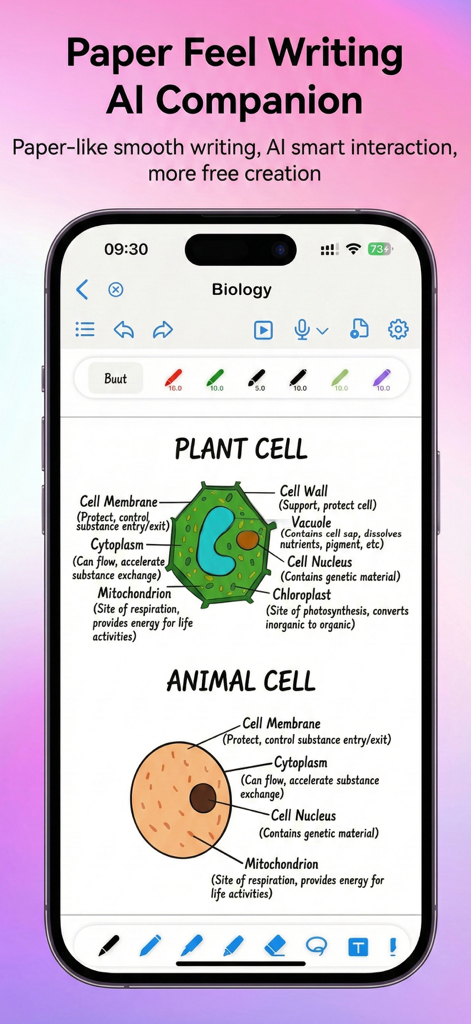
A digital notebook in OrigNotes showing handwritten biology study notes with diagrams of plant and animal cells
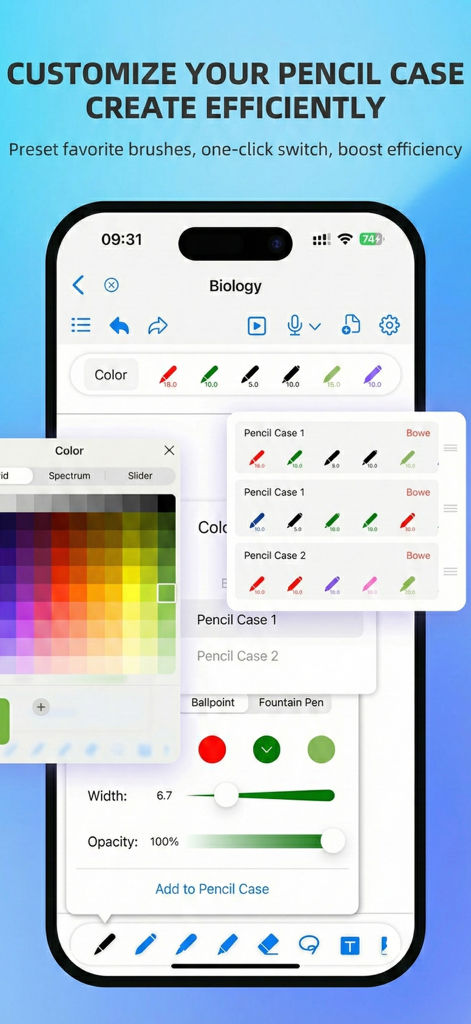
OrigNotes app interface showing customizable pencil cases and color palette for digital note taking
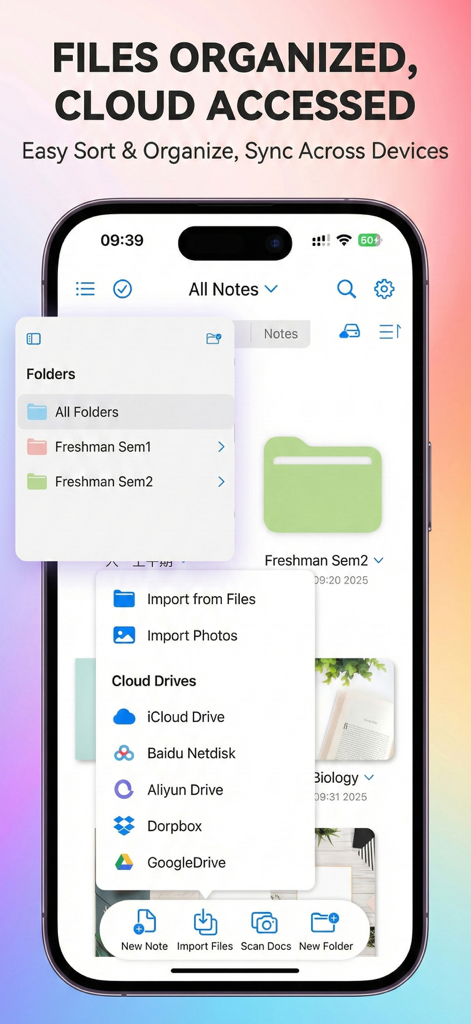
OrigNotes app interface showing organized academic folders and cloud synchronization options for students.
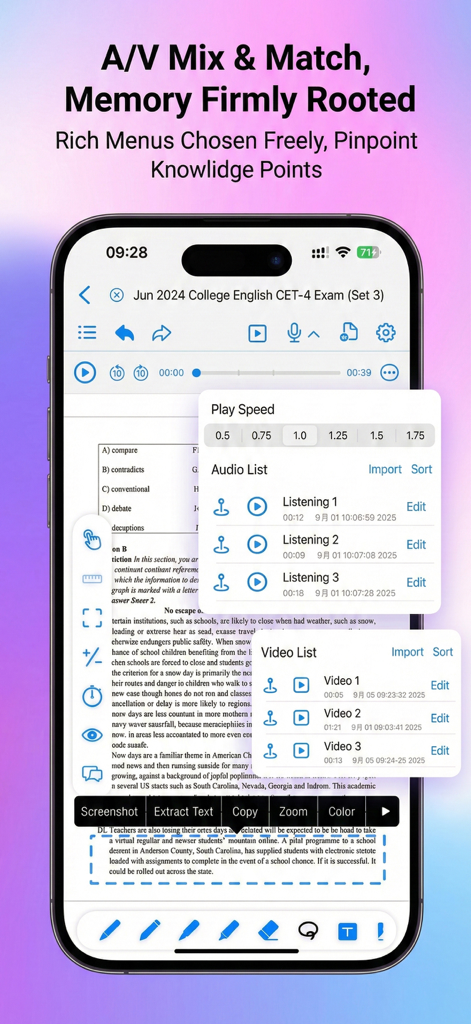
OrigNotes app interface showing audio and video playback integration on a study PDF document.
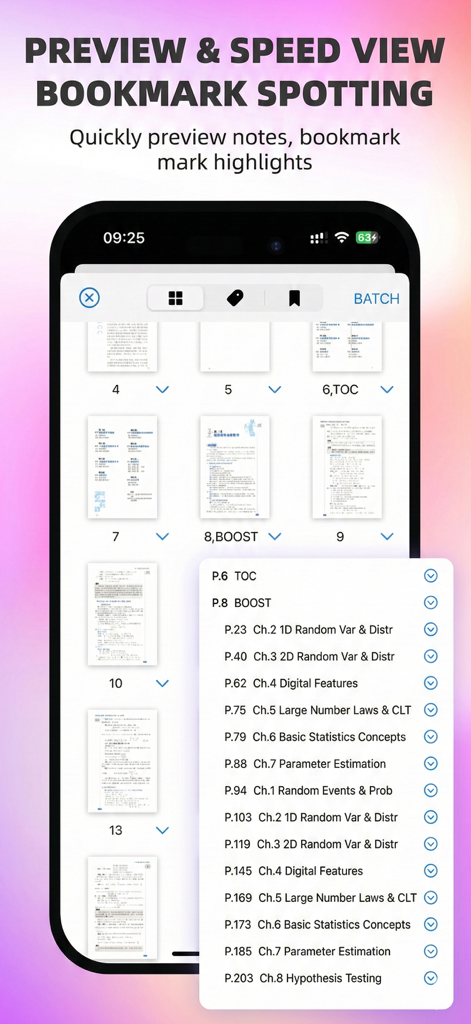
OrigNotes app interface displaying note page previews and a navigation list with bookmarks
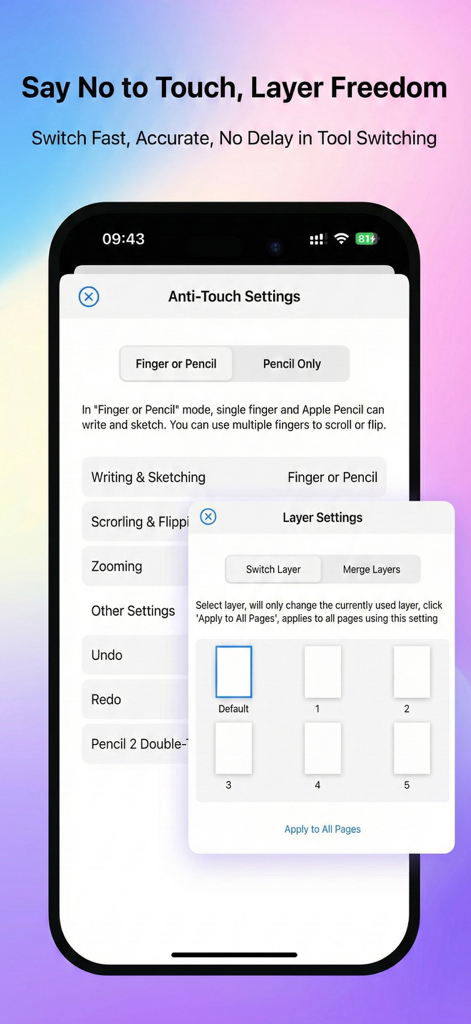
OrigNotes app interface displaying anti-touch and layer settings for digital handwriting
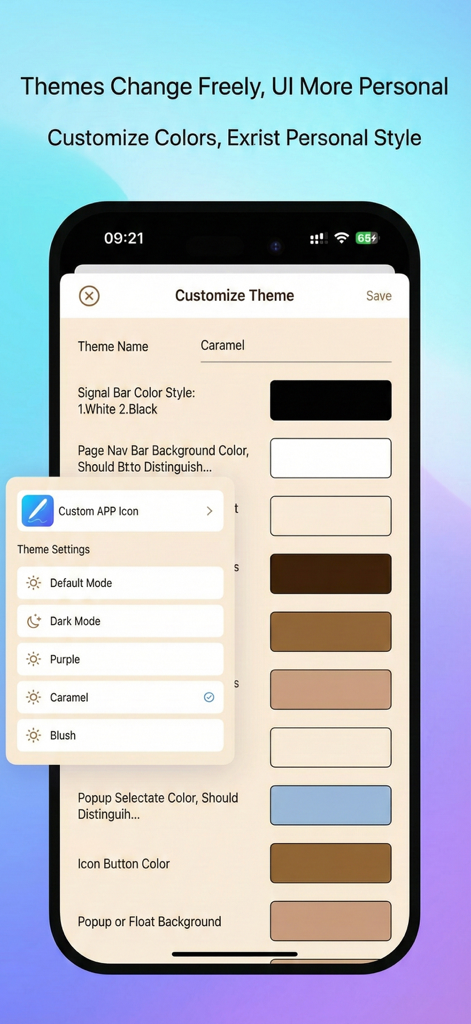
Customizable theme settings in the OrigNotes app showing various color and UI options
Description
Download
More Like This
Top-ranked apps in the same category

ChatGPT
OpenAI OpCo, LLC

Google Gemini
Google LLC

Grok
X.AI Corporation

Gmail - Email by Google
Google LLC

千问 - 阿里最强大模型官方AI助手
Shanghai Zhixin Puhui Technology Co., Ltd.

Google Drive
Google LLC

Microsoft Authenticator
Microsoft Corporation

Google Sheets
Google LLC

Google Docs
Google LLC
This page is not an official page of the app or its developer, but an independent editorial publication created for informational and commentary purposes. Unless expressly stated otherwise, neither the app nor its developer is affiliated with, endorsed by, sponsored by, authorized by, or otherwise officially connected with MWM, Apple, Google Play, the app publisher, or the app's developer, and nothing on this page implies that the app was developed using MWM's services. Any trademarks, logos, screenshots, and other content remain the property of their respective owners.