
This page is not an official page of the app or its developer, but an independent editorial publication created for informational and commentary purposes. Unless expressly stated otherwise, neither the app nor its developer is affiliated with, endorsed by, sponsored by, authorized by, or otherwise officially connected with MWM, Apple, Google Play, the app publisher, or the app's developer, and nothing on this page implies that the app was developed using MWM's services. Any trademarks, logos, screenshots, and other content remain the property of their respective owners.

OT Advanced Authentication
Go beyond passwords with enterprise-grade multi-factor authentication. Secure your corporate access and streamline your workflow with one-tap approvals designed for the high-stakes hybrid workforce.
Downloads
918K+User Rating
Total Ratings
200Publisher
Category
BusinessLocales
17Latest Version
3.1.24Size
109.4 MBFirst Released
Aug 8, 2014Enterprise-Grade Security Made Simple
Protect your organization’s most sensitive data while streamlining your daily workflow with seamless, multi-factor authentication designed for the modern workforce.
One-Tap Approval
Say goodbye to manual codes. Approve login requests instantly via secure push notifications to stay productive throughout your business day.
Robust Identity Protection
Move beyond passwords with multi-factor authentication that meets the highest regulatory standards for finance, healthcare, and government sectors.
Frequently Asked Questions
Everything you need to know about OT Advanced Authentication
What is OT Advanced Authentication?
OT Advanced Authentication is a multifactor authentication application that protects sensitive information by moving beyond traditional username and password security.
How does OT Advanced Authentication protect user data?
OT Advanced Authentication protects sensitive information by employing multifactor authentication, adding extra layers of security beyond standard username and password combinations.
Does OT Advanced Authentication support Touch ID?
Yes, OT Advanced Authentication supports Touch ID for unlocking and authentication, enhancing security and user convenience.
What kind of authenticators does OT Advanced Authentication manage?
OT Advanced Authentication manages smartphone authenticators which generate time-based one-time passwords (TOTP) for secure application access.
How does a user enroll an authenticator in OT Advanced Authentication?
Users can enroll an authenticator in OT Advanced Authentication by scanning a QR code, which facilitates an out-of-band authentication process.
Does OT Advanced Authentication show pending authentication requests?
Yes, OT Advanced Authentication displays pending authentication requests, allowing users to accept or decline them directly within the app.
Can I see my authentication request history in OT Advanced Authentication?
Yes, users can view a detailed history of their authentication requests, including accepted and declined actions, in OT Advanced Authentication.
The following screenshots and description are sourced directly from the app's official store listing and are the property of the app developer.
App Store
Screenshots
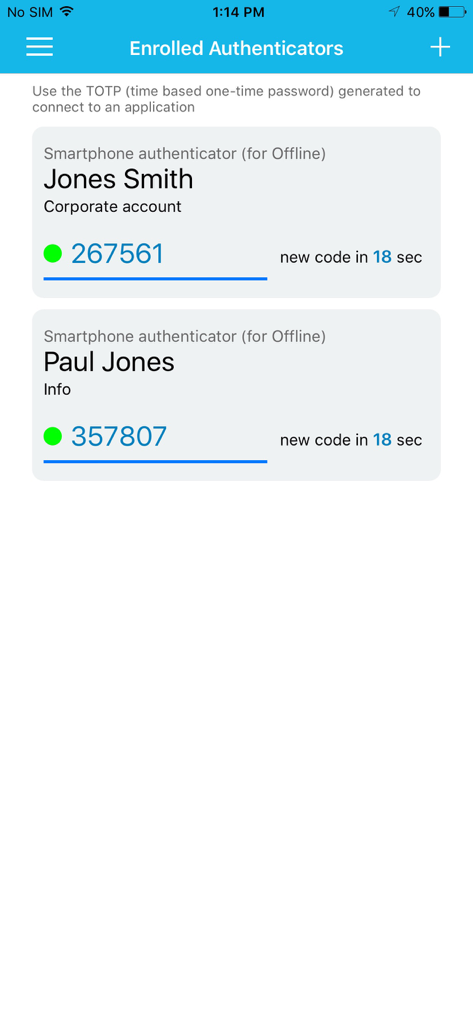
OT Advanced Authentication screen displaying time based one time password codes for multiple accounts
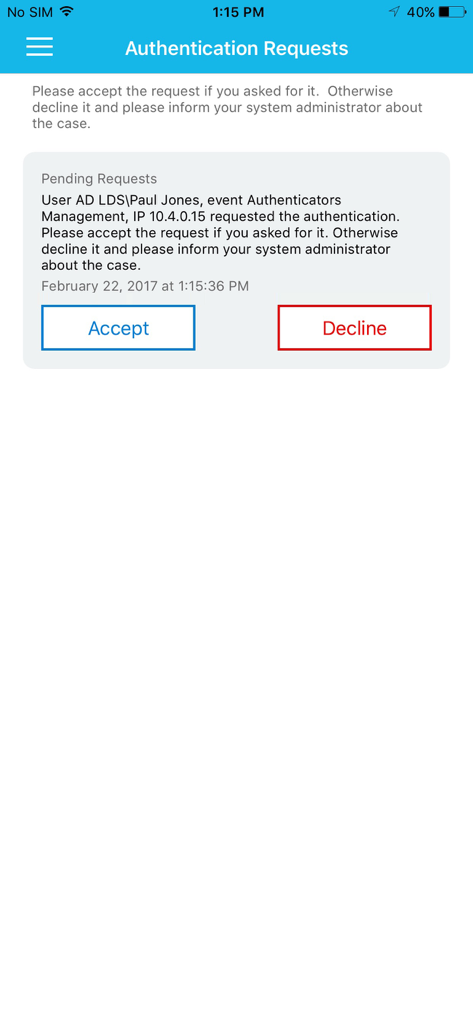
Authentication request screen in the OT Advanced Authentication app showing accept and decline buttons for a pending login
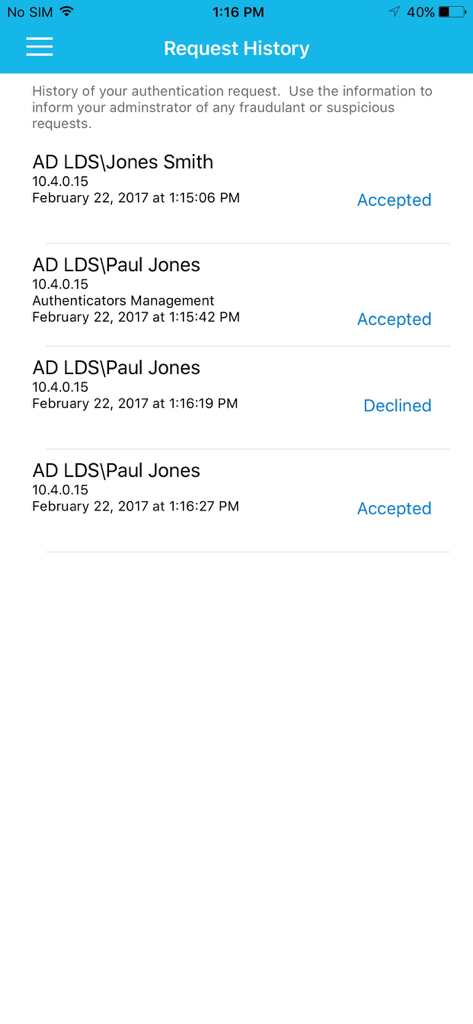
Request history log in OT Advanced Authentication app displaying accepted and declined logins
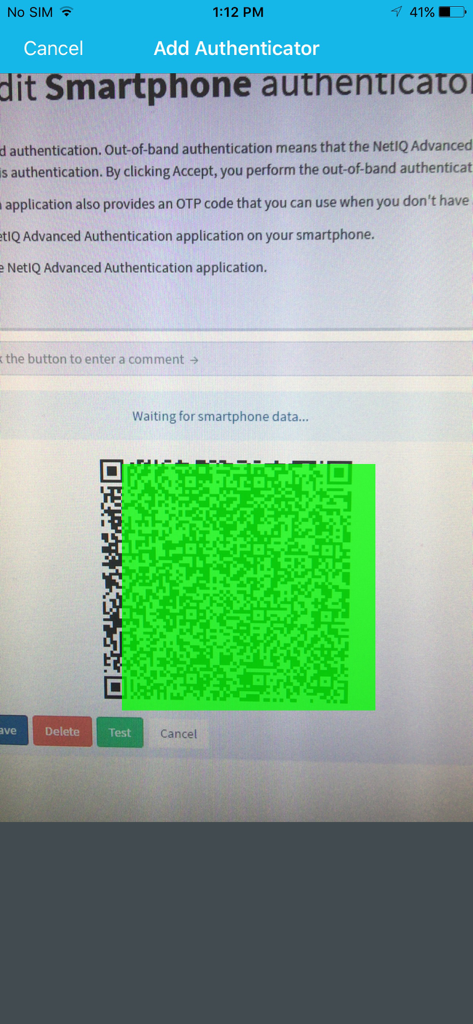
Setup screen showing a QR code to add a smartphone authenticator in OT Advanced Authentication
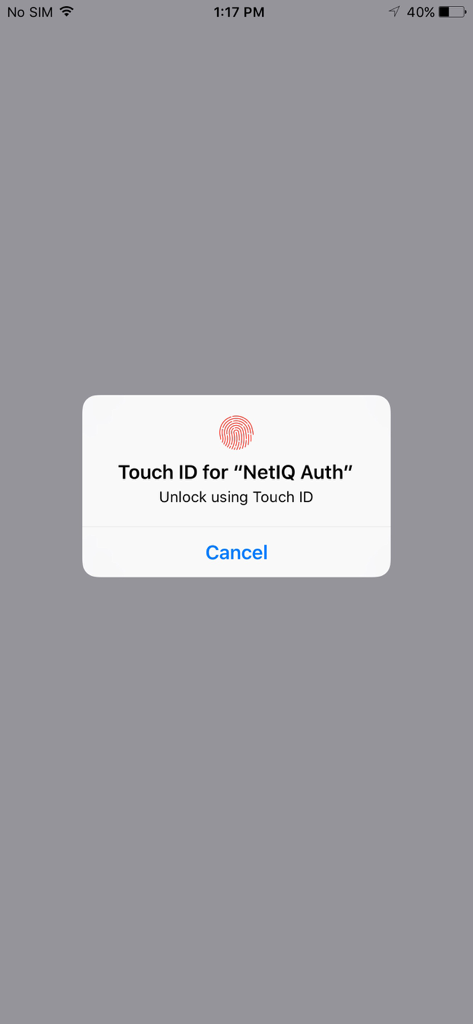
An iPhone system prompt requesting Touch ID authentication to unlock the NetIQ Auth app.
Description
Download
More Like This
Apps with similar features and user experience

WatchGuard AuthPoint
WatchGuard Technologies Inc.

Multifactor
MULTIFAKTOR, OOO

Smart Log On
Acceptto Corporation

Kavach Authentication
Tirender Wig

Aladdin 2FA
Aladdin R.D. ZAO

RSA Authenticator (SecurID)
RSA Security

Google Smart Lock
Google LLC

FortiToken Mobile
Fortinet, Inc

X5 Ключ
Closed Joint Stock Company"Trade House"Perekrestok
This page is not an official page of the app or its developer, but an independent editorial publication created for informational and commentary purposes. Unless expressly stated otherwise, neither the app nor its developer is affiliated with, endorsed by, sponsored by, authorized by, or otherwise officially connected with MWM, Apple, Google Play, the app publisher, or the app's developer, and nothing on this page implies that the app was developed using MWM's services. Any trademarks, logos, screenshots, and other content remain the property of their respective owners.