Packet Capture Pro: HTTPS
Download on App Store

This page is not an official page of the app or its developer, but an independent editorial publication created for informational and commentary purposes. Unless expressly stated otherwise, neither the app nor its developer is affiliated with, endorsed by, sponsored by, authorized by, or otherwise officially connected with MWM, Apple, Google Play, the app publisher, or the app's developer, and nothing on this page implies that the app was developed using MWM's services. Any trademarks, logos, screenshots, and other content remain the property of their respective owners.


Logo of Packet Capture Pro: HTTPS
Download on App Store

Packet Capture Pro: HTTPS

Capture, rewrite, and analyze HTTPS traffic directly on your device. A privacy-first, local VPN solution for developers and QA engineers who need to debug anywhere without a desktop proxy.

Key Figures

Downloads

2K+

User Rating

4.6/5

Total Ratings

0

Publisher

REALSIGNAL PTE. LTD.

Category

Developer Tools

Locales

2

Latest Version

3.0.0

Size

42.6 MB

First Released

Apr 17, 2025
Features

Professional-Grade Network Debugging

The ultimate mobile toolkit to capture, inspect, and modify HTTPS traffic in real-time. Debug APIs and simulate edge cases directly on your device without the need for tethering.

Tether-Free Packet Sniffing

Capture HTTP, HTTPS, and WebSocket traffic anywhere using local VPN technology. Inspect full request and response bodies in JSON, XML, or raw data without a desktop proxy.

Advanced Rewrite & Mocking

Modify network responses on the fly to simulate server errors, redirections, or custom payloads. Perfect for testing edge cases and app stability without touching your backend.

The following screenshots and description are sourced directly from the app's official store listing and are the property of the app developer.

App Store

Screenshots
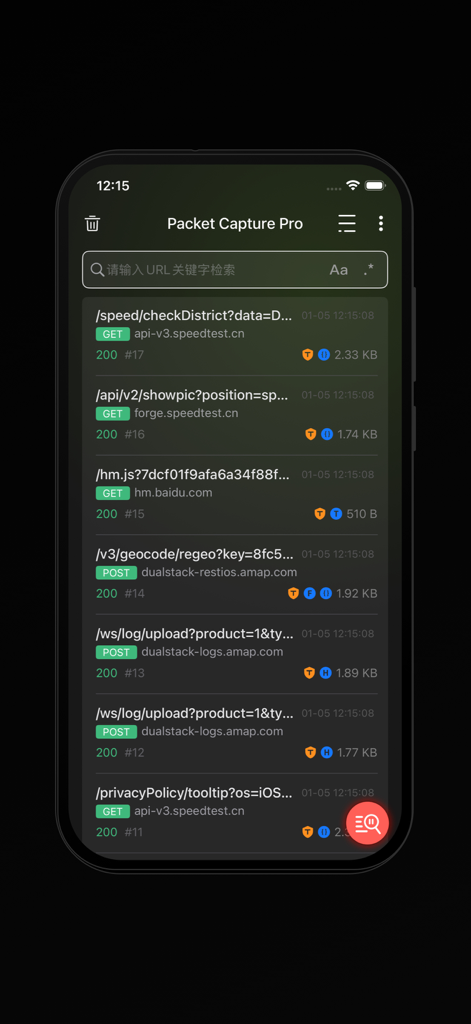
Packet Capture Pro: HTTPS - A list of real-time HTTP and HTTPS network requests captured in the Packet Capture Pro app.
A list of real-time HTTP and HTTPS network requests captured in the Packet Capture Pro app.

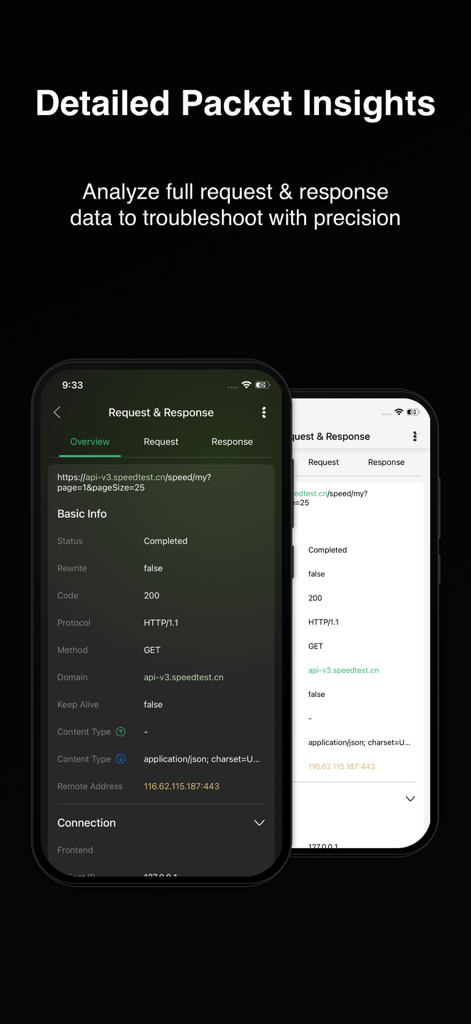
Packet Capture Pro: HTTPS - Detailed request and response insights in Packet Capture Pro mobile app interface
Detailed request and response insights in Packet Capture Pro mobile app interface

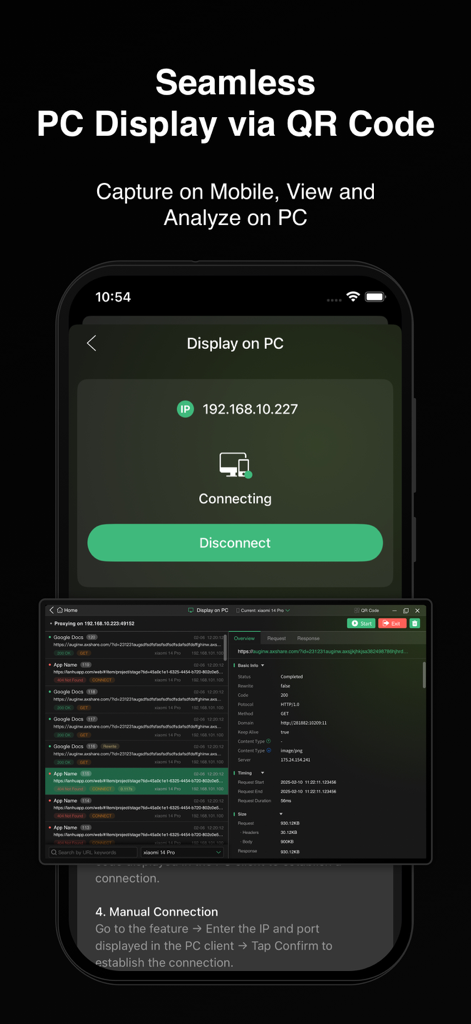
Packet Capture Pro: HTTPS - Packet Capture Pro interface showing mobile network traffic analysis synced to a PC screen
Packet Capture Pro interface showing mobile network traffic analysis synced to a PC screen

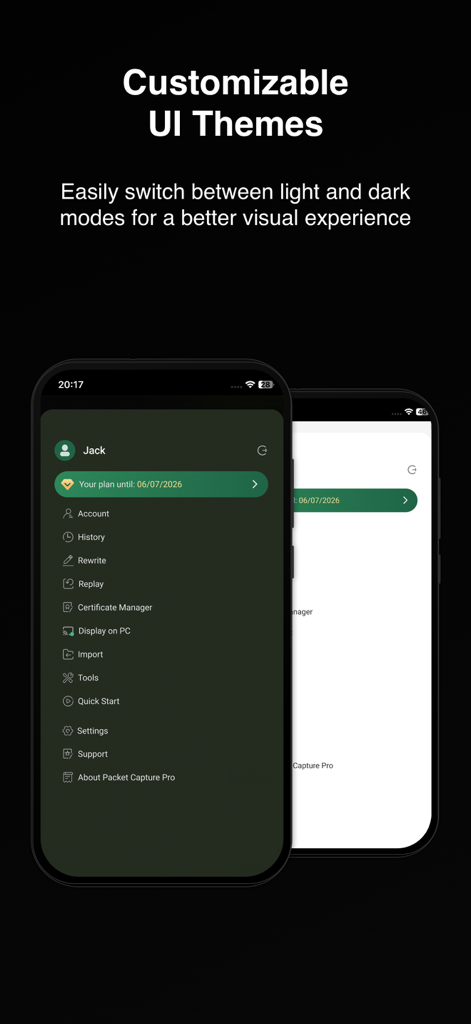
Packet Capture Pro: HTTPS - Packet Capture Pro customizable light and dark UI themes
Packet Capture Pro customizable light and dark UI themes

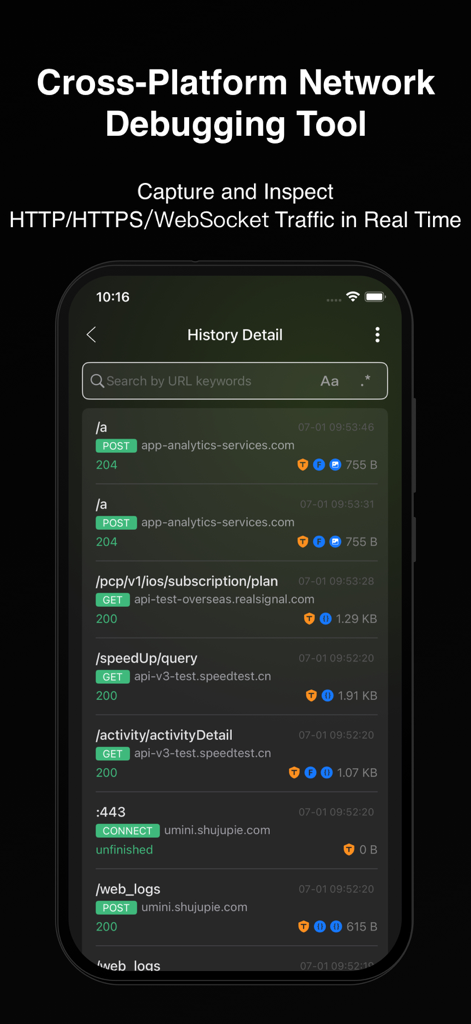
Packet Capture Pro: HTTPS - Mobile app interface showing a list of captured HTTP and HTTPS network requests with status codes

Mobile app interface showing a list of captured HTTP and HTTPS network requests with status codes
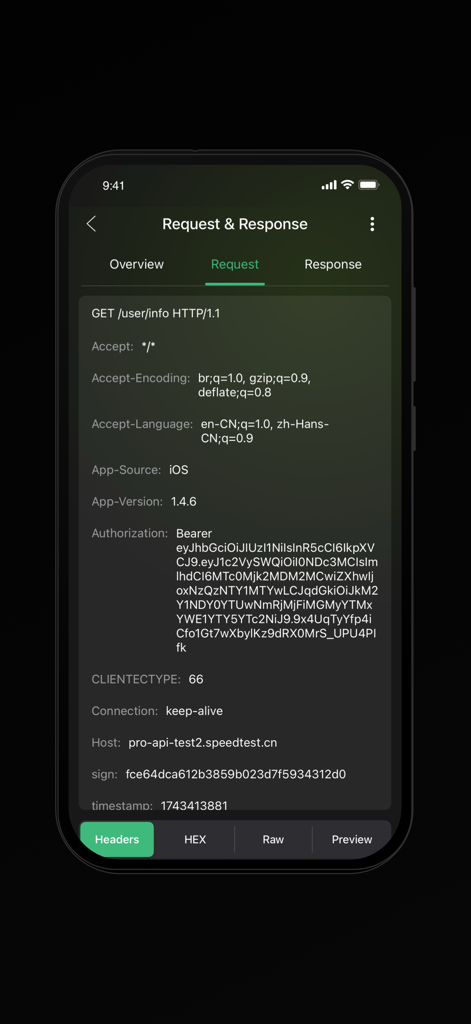
Packet Capture Pro: HTTPS - Interface of Packet Capture Pro showing HTTP request headers including authorization and host details
Interface of Packet Capture Pro showing HTTP request headers including authorization and host details

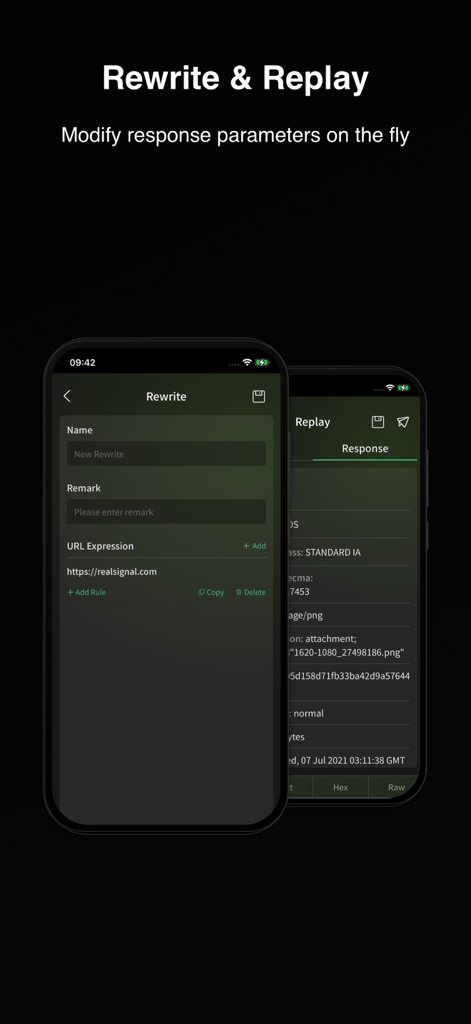
Packet Capture Pro: HTTPS - Packet Capture Pro interface showing the Rewrite and Replay feature to modify network response parameters on the fly

Packet Capture Pro interface showing the Rewrite and Replay feature to modify network response parameters on the fly

Description

Features Packet Capture & Packet Sniffer Capture HTTP/HTTPS/WebSocket traffic using local VPN technology and view full request and response details in real time, including status codes, headers, and body data. Choose from multiple view modes, such as raw data, JSON, XML, HTML, images, or videos, for seamless debugging. Packet Capture Pro works as a powerful packet sniffer and analysis tool on your device. Quick Filtering Filter by URL keywords to pinpoint issues quickly and save debugging time. These filters help you focus on the requests that matter most during network debug sessions. Rewrite & Replay Rewrite is one of PCP’s core debugging features. It allows automatic modification of network responses based on preset rules. Five modes are supported: request replacement, response replacement, request modification, response modification, and redirection. Multiple rewrite rules can run simultaneously, making it easy to simulate and debug complex network behaviors efficiently. Replay captured requests using custom parameters to reproduce and debug specific scenarios with precision. Cross-Device Collaboration Stream mobile app traffic to a PC client for real-time analysis on a larger screen. Connect easily via QR code or IP/port input for seamless teamwork. Visit our website to get Packet Capture Pro for other operating systems (macOS, Windows). Packet Import & Export Supports HAR file export for captured data, compatible with third-party analysis tools. This makes long-term data capture and sharing much easier. History list supports swipe actions for Export and Delete, and session details page also supports direct export. Also supports HAR file import, with imported entries listed in a separate view for easy access. Supports HAR file sharing. Quick Actions Easily copy any field content or decrypt data directly from the packet details view — faster and more efficient network debug and analysis. Tools Packet Capture Pro’s Tools module offers everything you need to streamline packet analysis and troubleshooting. It supports text encryption/decryption and multiple encoding/decoding formats including URL, Base64, Unicode, and MD5. You’ll also find practical utilities such as timestamp conversion, certificate hash conversion, regex testing, and QR code generation/ scanning. All tools are built to match the actual needs of packet capture and network debugging—making your workflow faster, smoother, and far more efficient. How it works Packet Capture Pro iOS creates a local VPN on your device, routing all traffic through a local proxy server. When the VPN is active, it captures all Wi-Fi and cellular data traffic for comprehensive on-device data capture and inspection. How about my sensitive data? Packet Capture Pro uses a self-signed root certificate generated on your device. All captured request and response data stays on your device and is never sent to remote servers, ensuring your data privacy during every data capture and network debug session. Privacy Policy and Terms of Service Privacy Policy: https://pcp.realsignal.com/privacy Terms of Service: https://pcp.realsignal.com/terms Our Website Download macOS, Windows, and other versions, or learn more about the app by visiting the official Packet Capture Pro website: https://pcp.realsignal.com To explore other products by RealSignal, welcome to the company’s official website: https://www.realsignal.com

Download

Download on App Store

This page is not an official page of the app or its developer, but an independent editorial publication created for informational and commentary purposes. Unless expressly stated otherwise, neither the app nor its developer is affiliated with, endorsed by, sponsored by, authorized by, or otherwise officially connected with MWM, Apple, Google Play, the app publisher, or the app's developer, and nothing on this page implies that the app was developed using MWM's services. Any trademarks, logos, screenshots, and other content remain the property of their respective owners.








