
This page is not an official page of the app or its developer, but an independent editorial publication created for informational and commentary purposes. Unless expressly stated otherwise, neither the app nor its developer is affiliated with, endorsed by, sponsored by, authorized by, or otherwise officially connected with MWM, Apple, Google Play, the app publisher, or the app's developer, and nothing on this page implies that the app was developed using MWM's services. Any trademarks, logos, screenshots, and other content remain the property of their respective owners.

Paletteer Colors
Stop wasting time on manual .xcassets. Generate professional, adaptive color palettes and dark mode variants that export directly to your SwiftUI or UIKit projects.
Downloads
200User Rating
Total Ratings
0Publisher
Category
Developer ToolsLocales
1Latest Version
1.2.1Size
2.1 MBFirst Released
Jan 9, 2025Design Faster, Code Smarter
Paletteer Colors streamlines your UI development by bridging the gap between design vision and Xcode implementation with automated color management.
One-Click Xcode Export
Instantly generate .xcassets files to eliminate manual hex entry and keep your development workflow moving at peak speed.
Automatic Dark Mode
Create high-contrast, adaptive color variants effortlessly to ensure your app meets Apple’s accessibility standards in every theme.
Frequently Asked Questions
Everything you need to know about Paletteer Colors
How does Paleteer Colors help developers with Xcode projects?
Paleteer Colors generates .xcassets files to streamline custom color palette integration into Xcode projects. This ensures consistency and efficiency in your development workflow.
Does Paleteer Colors generate color variants for dark themes?
Yes, Paleteer Colors automatically generates dark theme variants for every hue. This enhances user experience and accessibility for applications.
Is Paleteer Colors compatible with multiple Apple devices?
Yes, Paleteer Colors supports multi-device usage. Users can utilize the app on iPhone, iPad, or Mac to design and view color palettes across different screens.
Does Paleteer Colors offer iCloud synchronization for color palettes?
Yes, Paleteer Colors includes iCloud Sync. This feature ensures your color palettes are seamlessly synced across all your Apple devices for consistent access and convenience.
What are the key features of Paleteer Colors?
Paleteer Colors' key features include effortless .xcassets creation, flexible color variants, dark theme compatibility, and an organized workflow for managing color palettes efficiently.
Can Paleteer Colors generate multiple shades for colors?
Yes, Paleteer Colors generates multiple shades for flexible color variants. This facilitates smooth gradients and cohesive design elements within your projects.
How do I share color palettes from Paleteer Colors?
Paleteer Colors allows seamless sharing of palettes between devices. Users can also export directly to Xcode or copy and paste the color scheme for backup or team collaboration.
The following screenshots and description are sourced directly from the app's official store listing and are the property of the app developer.
App Store
Screenshots
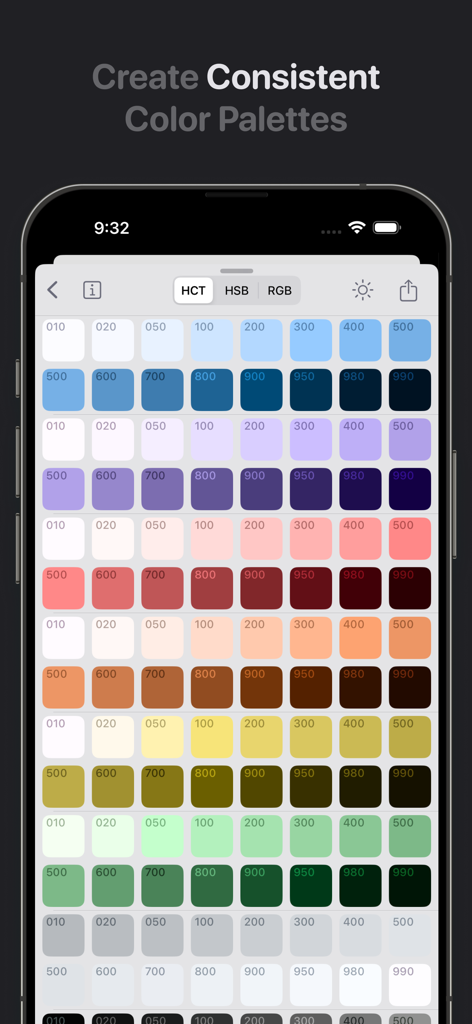
Paletteer Colors app interface showing a grid of consistent color palettes with different shades
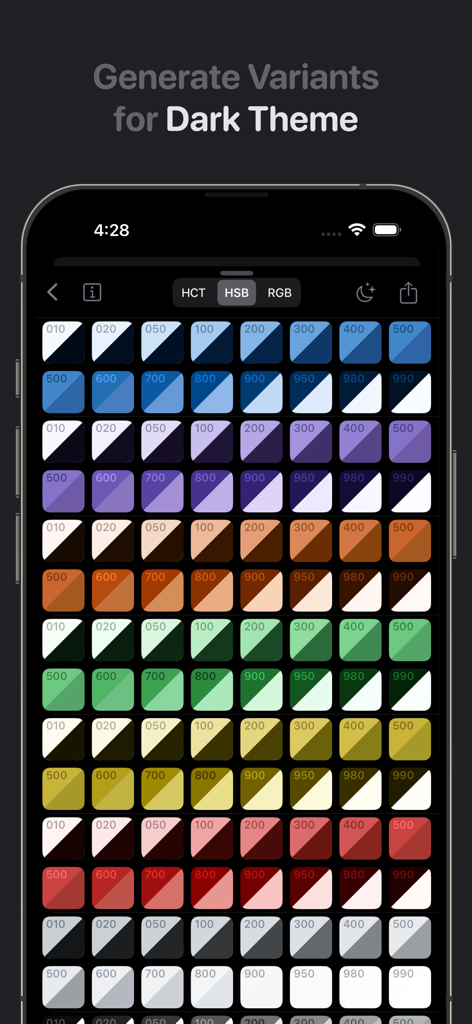
A mobile interface displaying a grid of different color shades with dark theme variants in the Paletteer Colors app
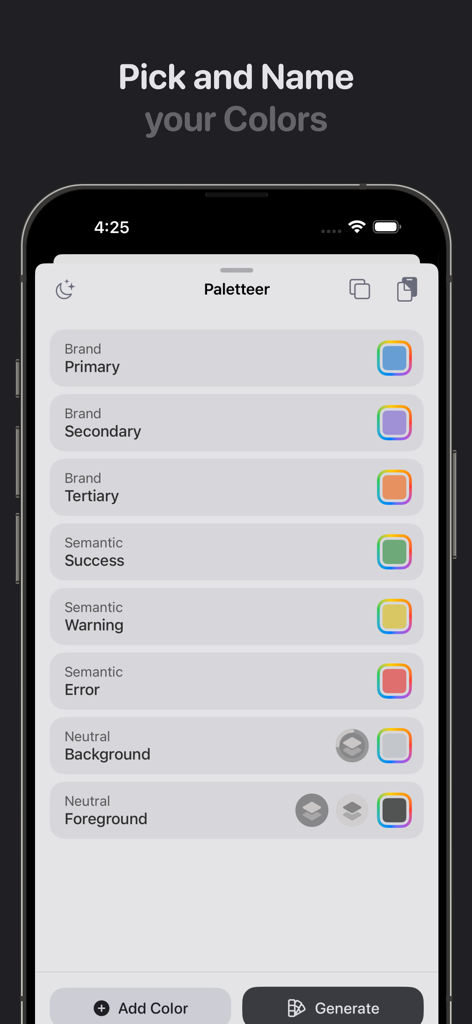
Paletteer Colors app interface for naming brand and semantic UI colors on iPhone
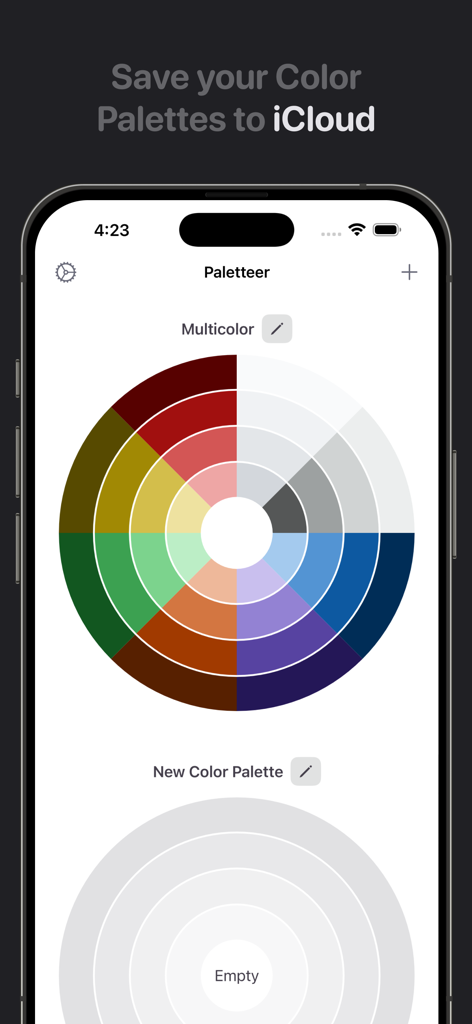
Paletteer Colors app interface showing a multicolor palette wheel and iCloud sync feature on an iPhone
Description
Download
More Like This
Top-ranked apps in the same category

TestFlight
Apple Inc.

Replit: Vibe Code Apps
Replit, Inc

GitHub
GitHub

O-KAM Pro
Shenzhen VeePai IoT Intelligent Technology LLC

Apple Developer
Apple Inc.

Expo Go
650 Industries, Inc.

Scriptable
Simon Stovring

Stream - Network Debug Tool
Stream Lab Inc.

App Store Connect
Apple Inc.
This page is not an official page of the app or its developer, but an independent editorial publication created for informational and commentary purposes. Unless expressly stated otherwise, neither the app nor its developer is affiliated with, endorsed by, sponsored by, authorized by, or otherwise officially connected with MWM, Apple, Google Play, the app publisher, or the app's developer, and nothing on this page implies that the app was developed using MWM's services. Any trademarks, logos, screenshots, and other content remain the property of their respective owners.