
This page is not an official page of the app or its developer, but an independent editorial publication created for informational and commentary purposes. Unless expressly stated otherwise, neither the app nor its developer is affiliated with, endorsed by, sponsored by, authorized by, or otherwise officially connected with MWM, Apple, Google Play, the app publisher, or the app's developer, and nothing on this page implies that the app was developed using MWM's services. Any trademarks, logos, screenshots, and other content remain the property of their respective owners.


Panasonic LUMIX Sync
Unleash camera mastery from your pocket. The app turns your smartphone into a remote control and swift media conduit.
Downloads
500k+User Rating
Total Ratings
3.1KPublisher
Category
Photo & VideoLocales
11Latest Version
2.0.16Size
153.7 MBFirst Released
Mar 11, 2019Evaluating core functionalities for advanced LUMIX camera users
Key Features Analysis: Panasonic LUMIX Sync
Advanced Remote Live View Shooting
The app provides comprehensive remote control capabilities, enabling users to compose, adjust settings, and trigger their LUMIX camera from a smartphone with a live view feed. This significantly enhances creative flexibility for challenging shooting scenarios.
High-Speed Wireless Content Transfer
This tool features support for 802.11ac Wi-Fi, allowing for significantly faster transfer of large RAW image files and high-resolution video clips from the LUMIX camera to a smartphone. It streamlines the workflow for discerning professionals handling substantial data volumes.
Automatic Geotagging for Images
It automatically records the photographic location into image metadata, simplifying the organization and cataloging of photos based on where they were taken. This is invaluable for travel and event photographers.
Wireless Image and Video Copy
The app allows users to wirelessly copy photos and videos from their LUMIX camera to a connected smartphone. This is a fundamental feature for quick review, backup, and sharing of high-quality content.
Bluetooth-Assisted Wi-Fi Connection
It facilitates an easier and quicker Wi-Fi connection setup between the LUMIX camera and the smartphone by leveraging Bluetooth for the initial pairing process. This reduces friction and speeds up workflow initiation.
Guided Camera Pairing Process
The app guides users through the camera registration and pairing process, making initial setup intuitive and straightforward. This contributes to a smoother onboarding experience.
Frequently Asked Questions
Everything you need to know about Panasonic LUMIX Sync
What is Panasonic LUMIX Sync?
Panasonic LUMIX Sync is an application that allows users to control a Panasonic digital camera with Wi-Fi functionality via their smartphone. It enables image transfer, remote shooting, and camera pairing.
Which Panasonic camera models are compatible with LUMIX Sync?
Panasonic LUMIX Sync is compatible with S series cameras (e.g., DC-S1, S5M2) and G series cameras (e.g., DC-G100, GH6). Specific models like GH5/GH5S/G9 have limited functions, requiring Panasonic Image App for full features.
Can Panasonic LUMIX Sync transfer images to a smartphone?
Yes, Panasonic LUMIX Sync allows users to copy pictures and videos directly from their digital camera to their smartphone. This function is available in the app's main interface.
Does LUMIX Sync offer remote control shooting?
Yes, LUMIX Sync allows users to take pictures by remote control. It provides a live view from the digital camera on the smartphone screen for convenient shooting.
How does Panasonic LUMIX Sync connect to a camera?
Panasonic LUMIX Sync connects to a camera using Wi-Fi or Bluetooth. The app simplifies the connection process through guided camera pairing, facilitating easy setup.
Does Panasonic LUMIX Sync record location information for photos?
Yes, LUMIX Sync automatically records the photographic location (location information) to pictures. This feature aids in sorting and organizing images later.
Can LUMIX Sync transfer images quickly?
Yes, Panasonic LUMIX Sync supports 802.11ac Wi-Fi. This allows for higher-speed image copying from the digital camera when both the Wi-Fi router and smartphone also support 802.11ac.
What operating systems are compatible with Panasonic LUMIX Sync?
Panasonic LUMIX Sync is compatible with iOS operating systems. Specifically, it supports iOS versions 15 through 18.
Does using LUMIX Sync affect smartphone battery life?
Yes, continued use of GPS and Bluetooth functions running in the background with LUMIX Sync can dramatically decrease smartphone battery life, especially on iPhones or iPads with GPS sensors.
Does Panasonic LUMIX Sync allow copying of camera settings?
Yes, Panasonic LUMIX Sync includes a "Camera settings copy" function. This feature allows users to transfer camera settings to another device.
The following screenshots and description are sourced directly from the app's official store listing and are the property of the app developer.
App Store
Screenshots
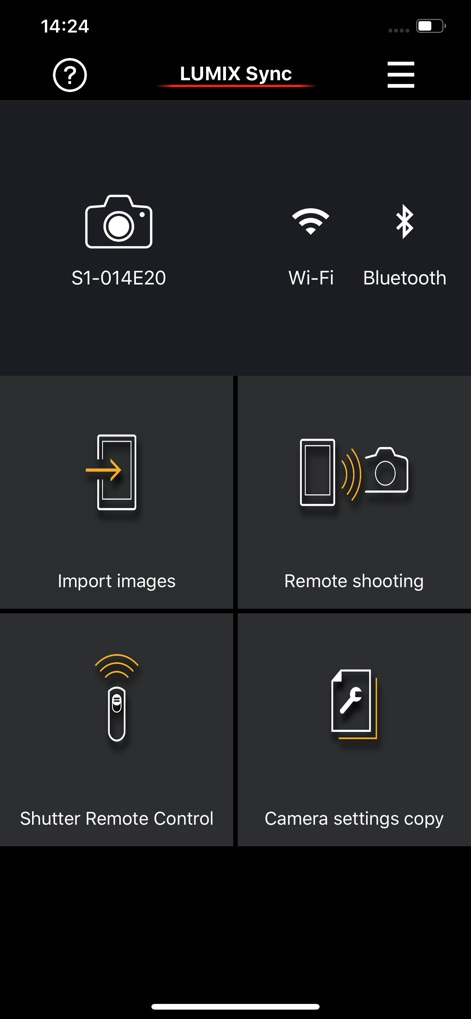
The app provides a streamlined dashboard, offering quick access to core functionalities like 'Import images' and 'Remote shooting', alongside clear indications of Wi-Fi and Bluetooth connectivity.
Intuitive Main Menu
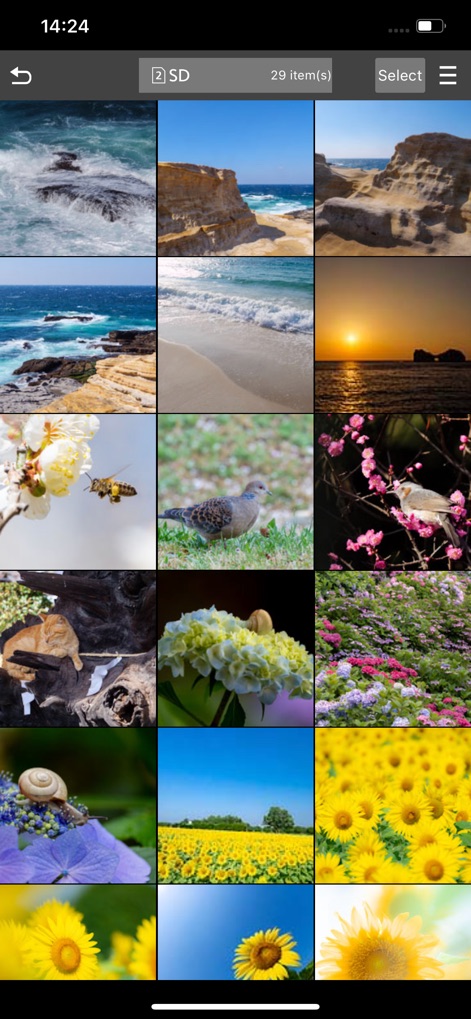
Users can efficiently browse a comprehensive grid of captured media, with a clear '29 item(s)' counter and a 'Select' option for easy content management directly from the SD card.
Effortless Image Management
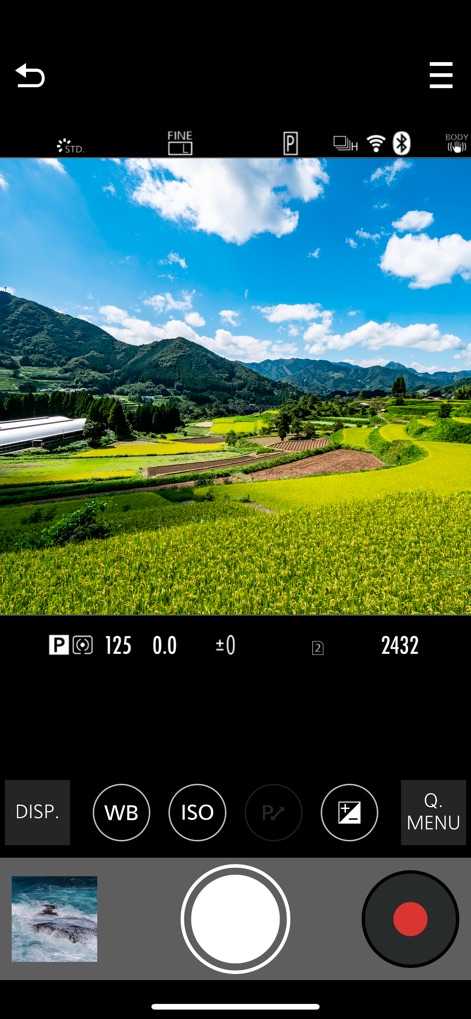
This interface offers a dynamic live view of the camera's perspective, allowing users to fine-tune essential settings such as 'ISO' and 'WB' (White Balance) before capture.
Real-time Camera Control
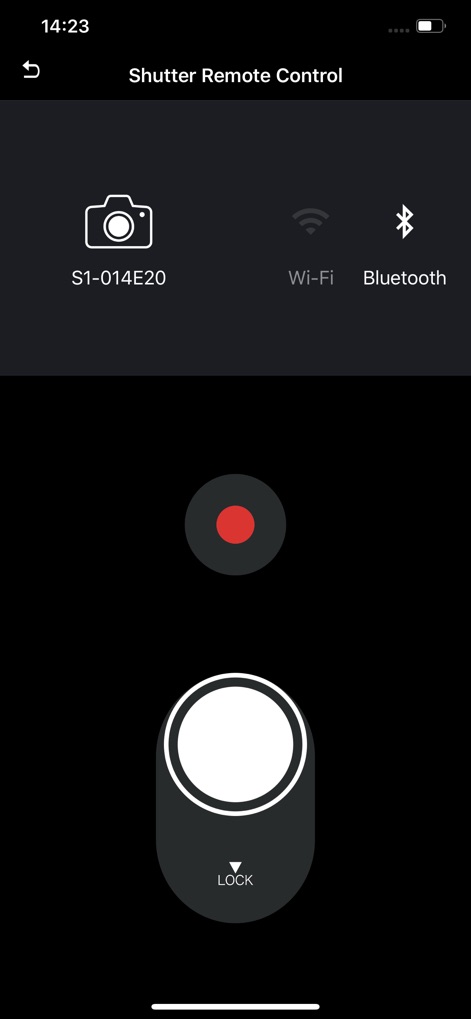
The dedicated 'Shutter Remote Control' screen features a prominent shutter button for precise capture and includes a 'LOCK' toggle to prevent accidental activation, ensuring full creative command.
Dedicated Shutter Release
Description
Download
More Like This
Apps with similar features and user experience

喔图 - Photo Live Streaming
Oying network & technology Co., Ltd
Shutter - Canon Camera Remote
Camera Control Apps sp. z o.o.

AirShutter Camera
masaki matsushita

Cam Linker - Camera Transfer
恒茂 刘

Leica FOTOS
Leica Camera AG

ShutterSnitch
Brian Gerfort

Camera Connect & Control
Rupert Kurka

Panasonic LUMIX Lab
PANASONIC ENTERTAINMENT & COMMUNICATION CO., LTD.

LMECHN
焯婵 徐
This page is not an official page of the app or its developer, but an independent editorial publication created for informational and commentary purposes. Unless expressly stated otherwise, neither the app nor its developer is affiliated with, endorsed by, sponsored by, authorized by, or otherwise officially connected with MWM, Apple, Google Play, the app publisher, or the app's developer, and nothing on this page implies that the app was developed using MWM's services. Any trademarks, logos, screenshots, and other content remain the property of their respective owners.