
This page is not an official page of the app or its developer, but an independent editorial publication created for informational and commentary purposes. Unless expressly stated otherwise, neither the app nor its developer is affiliated with, endorsed by, sponsored by, authorized by, or otherwise officially connected with MWM, Apple, Google Play, the app publisher, or the app's developer, and nothing on this page implies that the app was developed using MWM's services. Any trademarks, logos, screenshots, and other content remain the property of their respective owners.

Shutter - Canon Camera Remote
The reliable, feature-packed alternative for Canon EOS and PowerShot users. Master solo shoots, capture stunning time-lapses, and download high-res photos instantly with the professional tools your camera deserves.
Downloads
237K+User Rating
Total Ratings
800Publisher
Category
Photo & VideoLocales
9Latest Version
3.32Size
75.8 MBFirst Released
May 4, 2021Take Total Control of Your Canon Camera
Elevate your photography with a seamless wireless connection and professional monitoring tools designed for solo creators and pros.
Reliable Wireless Freedom
Skip the frustration of clunky manufacturer apps. Connect instantly via Wi-Fi or USB for a rock-solid remote control experience.
Pro-Grade Exposure Tools
Nail every shot with RGB histograms, zebras, and false color monitoring. See exactly what your sensor sees on a high-res mobile screen.
Frequently Asked Questions
Everything you need to know about Shutter - Canon Camera Remote
What is Shutter - Canon Camera Remote?
Shutter is an application for remote control of Canon EOS and PowerShot cameras. It enables users to capture diverse photos, including self-portraits, travel shots, and time-lapses, using advanced photographic tools.
Which Canon camera models are supported by Shutter?
Shutter supports Canon EOS R-series, M-series, Rebel, DSLR, Kiss, and PowerShot cameras. A detailed list of supported models is available in the app's description and screenshots.
How does Shutter connect to Canon cameras?
Shutter connects to Canon cameras wirelessly or via a USB cable. This flexibility allows users to choose the most convenient connection method for their photography setup.
Can I import and manage photos with the Shutter app?
Yes, Shutter allows users to easily browse, filter, and download photos directly from their connected camera. This feature simplifies photo management on the go.
Does Shutter offer tools for shot composition?
Yes, Shutter provides composition tools including aspect ratios and grid overlays. These features help users compose perfect shots for various photographic scenarios.
What exposure tools does Shutter provide for photographers?
Shutter provides advanced exposure tools such as RGB, histogram, zebras, and false color. These features help photographers nail down exposure for optimal image quality.
Can Shutter control BULB mode and exposure bracketing?
Yes, Shutter offers support for exposure bracketing and BULB mode. This functionality is ideal for advanced techniques like HDR photography and long exposures.
Does Shutter include an intervalometer for repeated capture?
Yes, Shutter includes a configurable intervalometer for repeated capture. This feature is useful for self-portraits or time-lapses, with options for delay and interval.
Does Shutter have an Apple Watch app?
Yes, Shutter has a dedicated Apple Watch app. It allows users to control focus, exposure, self-timer, and trigger photos and videos directly from their wrist.
Can I capture RAW photos with Shutter?
Yes, Shutter allows users to capture RAW photos. It also offers advanced features like combining BULB with an Intervalometer and bracketing exposures for HDR.
What kind of customer support does Shutter offer?
Shutter guarantees satisfaction with customer support. All support requests are handled directly by engineers within 24 hours.
The following screenshots and description are sourced directly from the app's official store listing and are the property of the app developer.
App Store
Screenshots
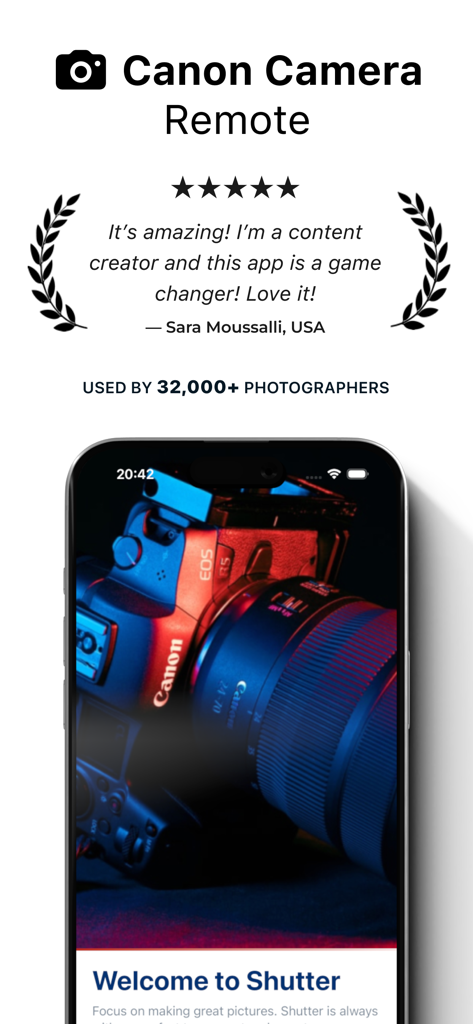
Five star review and testimonial for the Shutter Canon Camera Remote app with a smartphone showing the camera connection
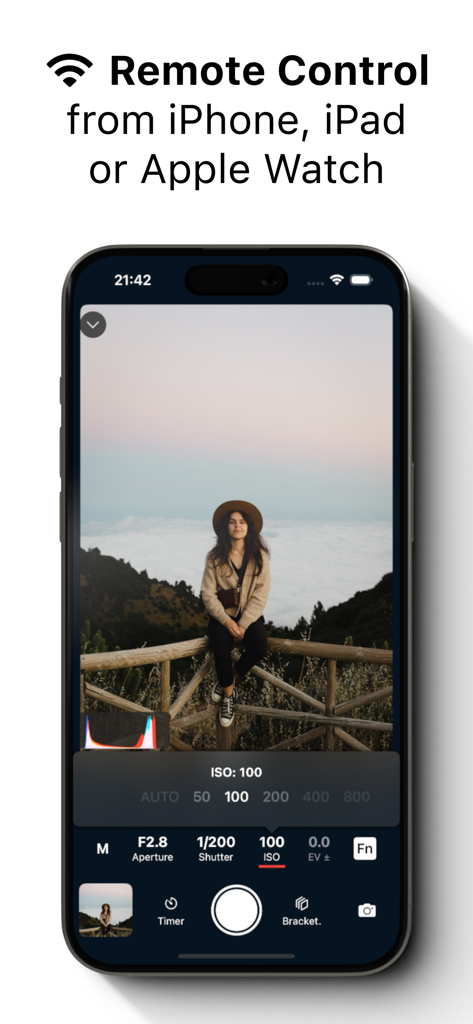
Shutter app on an iPhone showing remote Canon camera control interface with live view and exposure settings
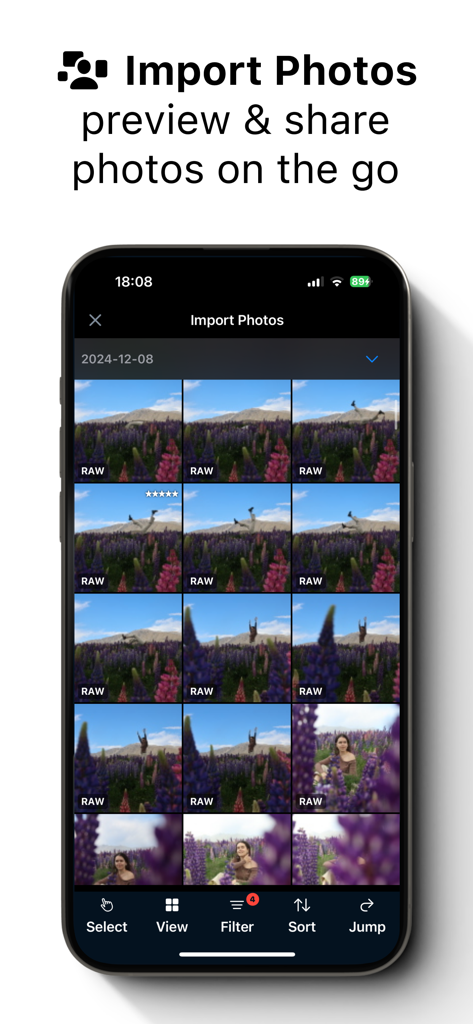
A smartphone displaying a grid of RAW photos for import and preview in the Shutter Canon camera remote app
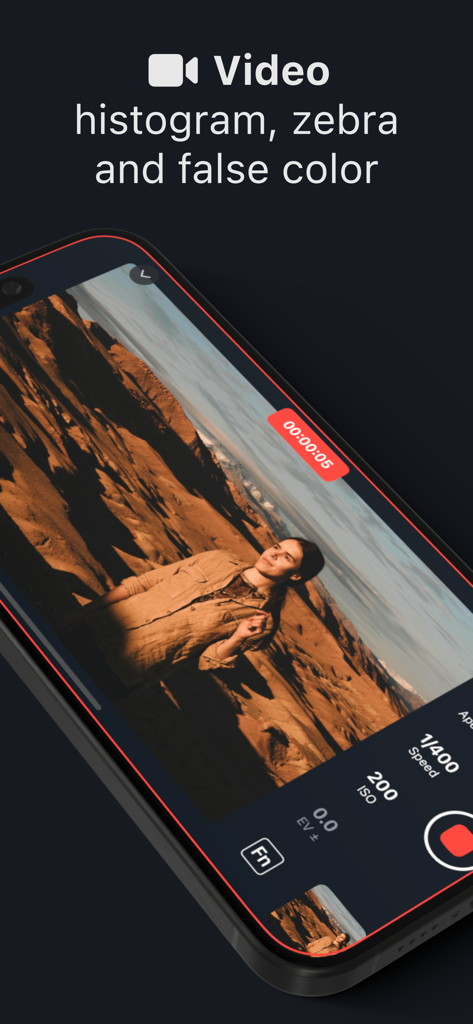
Shutter app video recording interface on iPhone showing exposure tools including histogram and zebras
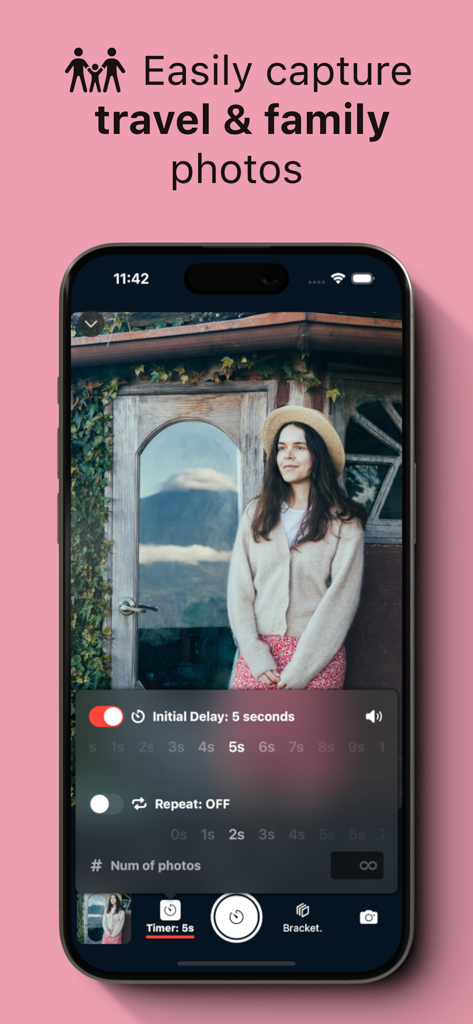
Shutter app interface showing remote timer settings for capturing travel photos with a Canon camera.
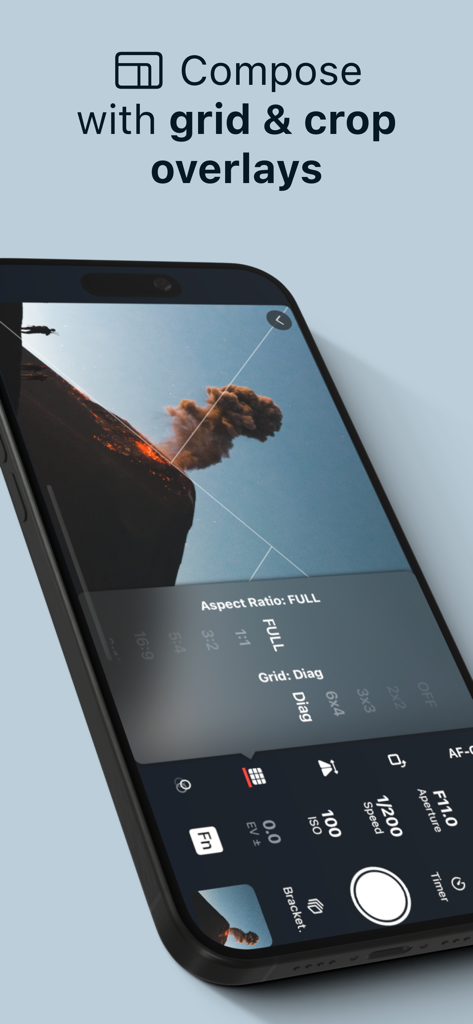
Interface of Shutter app showing composition tools like grid and crop overlays for Canon cameras
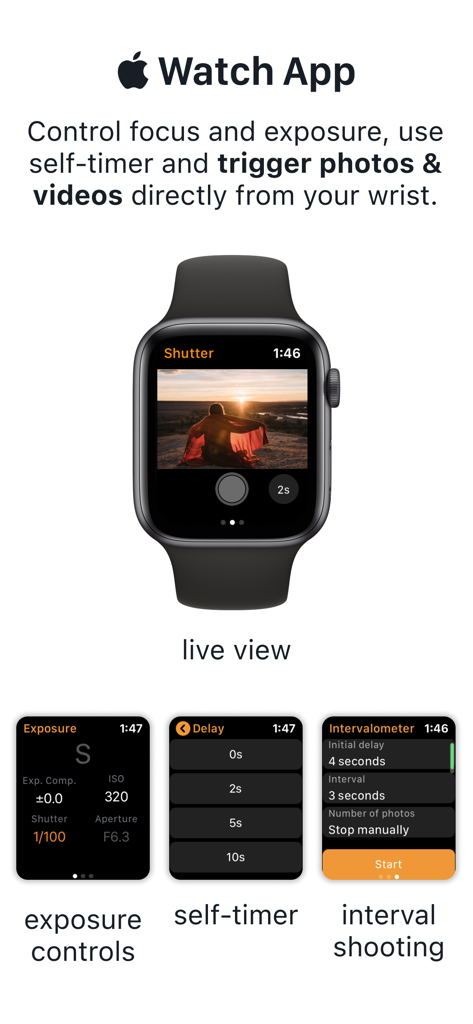
Apple Watch app interface for Shutter remote control showing live view and exposure settings
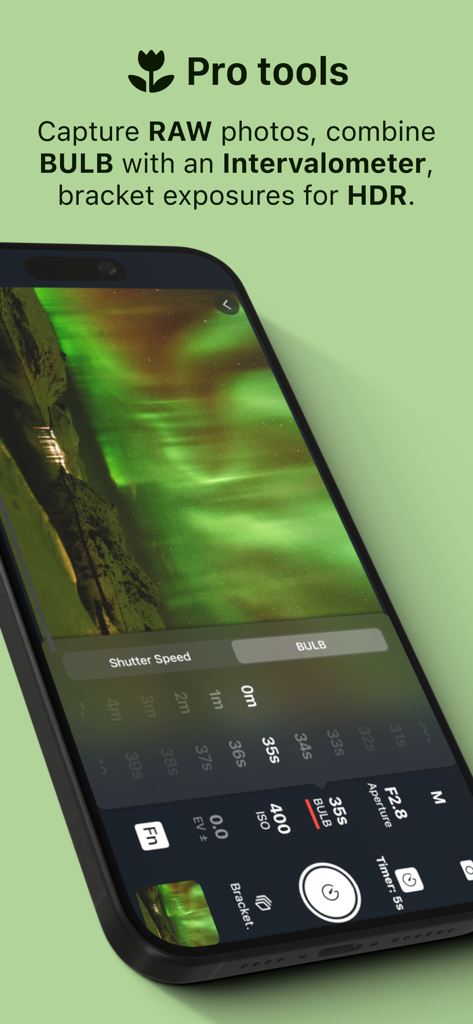
Shutter app interface showing professional long exposure and BULB mode controls for Canon cameras.
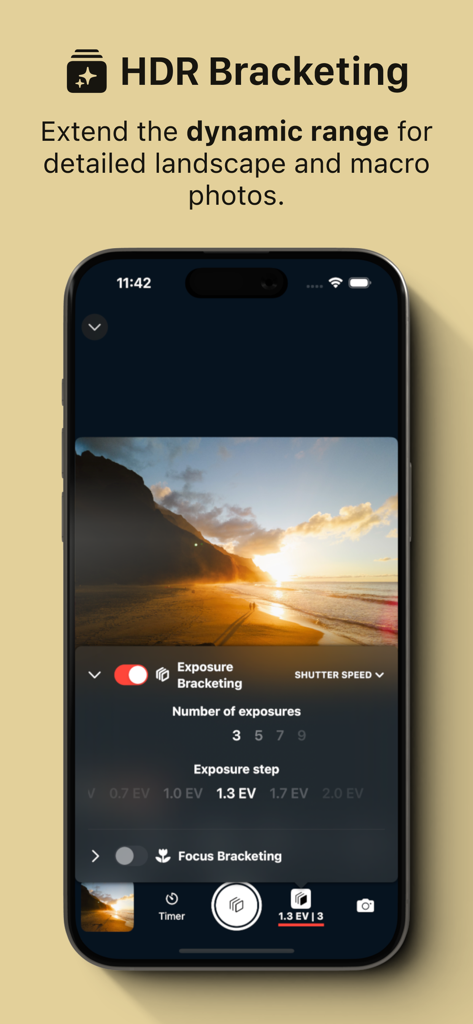
iPhone displaying the HDR Bracketing feature of the Shutter Canon Remote app for a sunset landscape photo
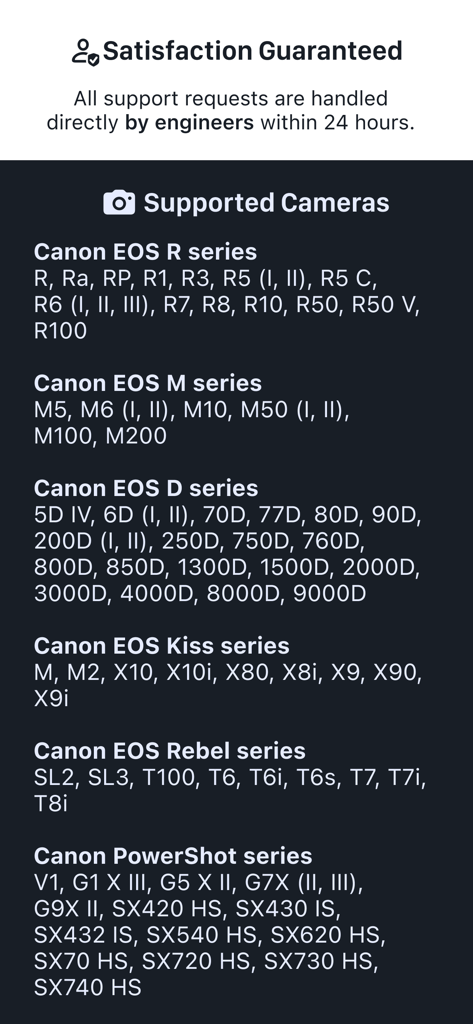
List of supported Canon EOS and PowerShot camera models for the Shutter app
Description
Download
More Like This
Apps with similar features and user experience

喔图 - Photo Live Streaming
Oying network & technology Co., Ltd
AirShutter Camera
masaki matsushita

Cam Linker - Camera Transfer
恒茂 刘

Panasonic LUMIX Sync
Panasonic Holdings Corporation

Leica FOTOS
Leica Camera AG

ShutterSnitch
Brian Gerfort
Camera Connect & Control
Rupert Kurka

Panasonic LUMIX Lab
PANASONIC ENTERTAINMENT & COMMUNICATION CO., LTD.

LMECHN
焯婵 徐
This page is not an official page of the app or its developer, but an independent editorial publication created for informational and commentary purposes. Unless expressly stated otherwise, neither the app nor its developer is affiliated with, endorsed by, sponsored by, authorized by, or otherwise officially connected with MWM, Apple, Google Play, the app publisher, or the app's developer, and nothing on this page implies that the app was developed using MWM's services. Any trademarks, logos, screenshots, and other content remain the property of their respective owners.