
This page is not an official page of the app or its developer, but an independent editorial publication created for informational and commentary purposes. Unless expressly stated otherwise, neither the app nor its developer is affiliated with, endorsed by, sponsored by, authorized by, or otherwise officially connected with MWM, Apple, Google Play, the app publisher, or the app's developer, and nothing on this page implies that the app was developed using MWM's services. Any trademarks, logos, screenshots, and other content remain the property of their respective owners.


Parallel Accounts・Dual Space
Seamlessly clone and manage your social, work, and gaming accounts on a single device. Experience the ultimate privacy and productivity by separating your digital life with secure, fast-switching technology.
Downloads
67K+User Rating
Total Ratings
1K+Publisher
Category
ProductivityLocales
1Latest Version
1.4Size
42.0 MBFirst Released
Jan 9, 2024Master Your Digital Multitasking
Stop wasting time logging in and out. Parallel Accounts gives you the power to clone apps and manage multiple profiles seamlessly on one iPhone, keeping your work and personal life perfectly separated.
Dual Identities, One Device
Run two versions of any app simultaneously. Perfect for social media managers and freelancers who need to separate client profiles from personal accounts without the friction.
Your Private Digital Vault
Protect sensitive data with an extra layer of security. Use biometric or passcode locks to keep your cloned apps and private information hidden and secure from others.
Frequently Asked Questions
Everything you need to know about Parallel Accounts・Dual Space
What is Parallel Accounts・Dual Space?
Parallel Accounts・Dual Space is a utility app that allows users to clone and manage multiple accounts of the same app on one device, ideal for separating profiles.
Can Parallel Accounts・Dual Space separate work and personal accounts?
Yes, Parallel Accounts・Dual Space is perfect for separating work and personal profiles, social media, messaging, or game accounts on a single device.
What are the main features of Parallel Accounts・Dual Space?
Key features include app cloning, a private space, fast switching between accounts, notifications management, a clean interface, and secure access options.
Does Parallel Accounts・Dual Space support app cloning?
Yes, Parallel Accounts・Dual Space offers app cloning, enabling users to operate two accounts of the same application simultaneously on one device.
How does Parallel Accounts・Dual Space ensure user privacy?
Parallel Accounts・Dual Space provides a private space for secondary apps and data, along with secure access features like optional passcode or biometric locks for enhanced privacy.
Can users quickly switch between accounts in Parallel Accounts・Dual Space?
Yes, Parallel Accounts・Dual Space allows instant switching between multiple accounts with just a single tap, ensuring a smooth and efficient user experience.
How do subscriptions work for Parallel Accounts・Dual Space?
Payment is charged to your iTunes Account upon the initial subscription purchase. Subscriptions automatically renew unless auto-renew is turned off 24 hours prior to the current period's end.
Does Parallel Accounts・Dual Space automatically renew subscriptions?
Yes, subscriptions for Parallel Accounts・Dual Space automatically renew unless the auto-renew feature is disabled at least 24 hours before the current subscription period concludes.
How can I manage my Parallel Accounts・Dual Space subscription?
Users can manage their Parallel Accounts・Dual Space subscription and disable auto-renewal by going to their Account Settings after the purchase is made.
Can I clone Messenger accounts using Parallel Accounts・Dual Space?
Yes, Parallel Accounts・Dual Space supports cloning Messenger accounts, enabling users to manage separate personal and professional Messenger profiles on one device.
What apps are compatible with Parallel Accounts・Dual Space?
Parallel Accounts・Dual Space supports popular applications like Facebook, Instagram, WhatsApp, TikTok, Messenger, YouTube, and many other social and messaging apps.
How does Parallel Accounts・Dual Space handle notifications?
Parallel Accounts・Dual Space includes notifications management, ensuring users receive alerts from all accounts without conflicts or missed messages.
The following screenshots and description are sourced directly from the app's official store listing and are the property of the app developer.
App Store
Screenshots
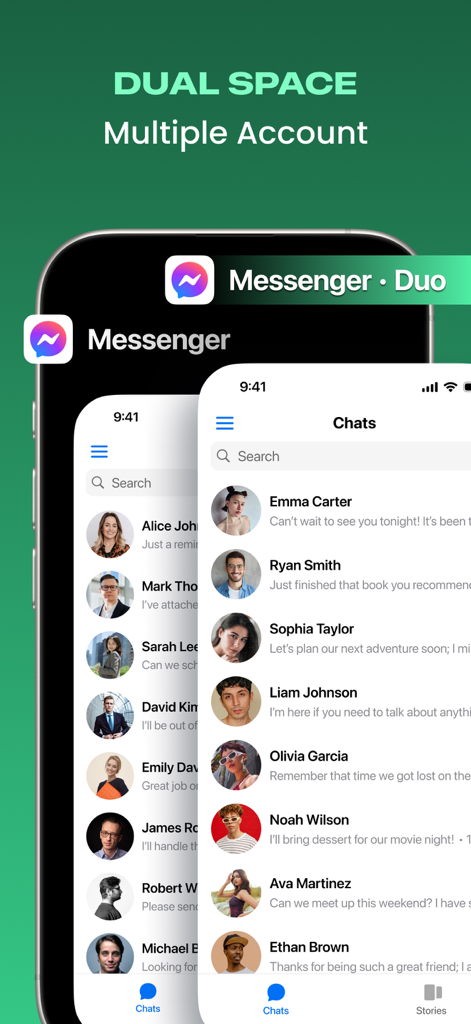
A smartphone showing two separate Messenger accounts open simultaneously using the Parallel Accounts Dual Space app.
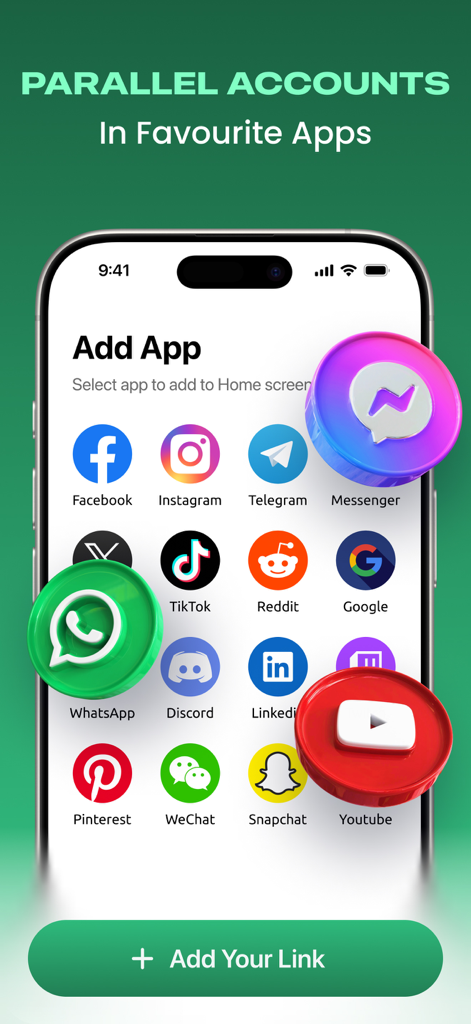
Interface of Parallel Accounts app showing a selection of social media icons like Facebook, Instagram, and WhatsApp available for cloning on an iPhone.
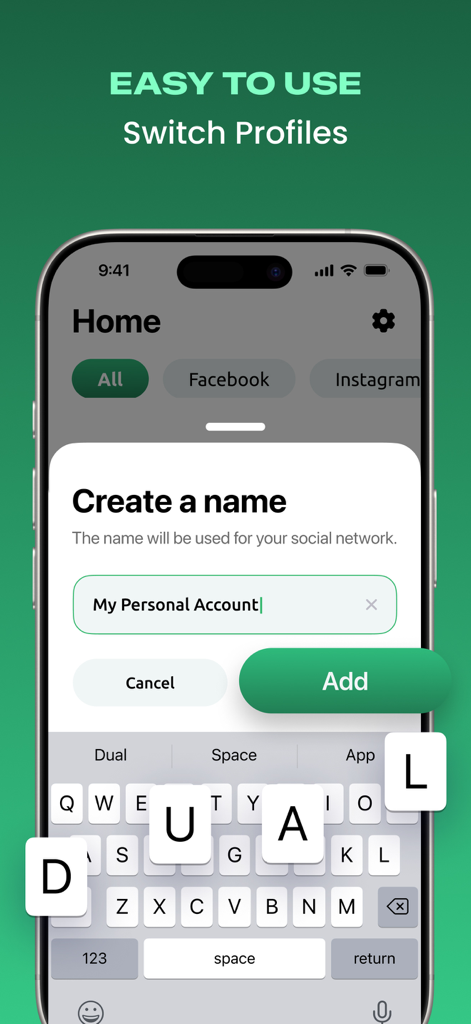
Smartphone screen showing the process of naming a new personal account in the Parallel Accounts app interface
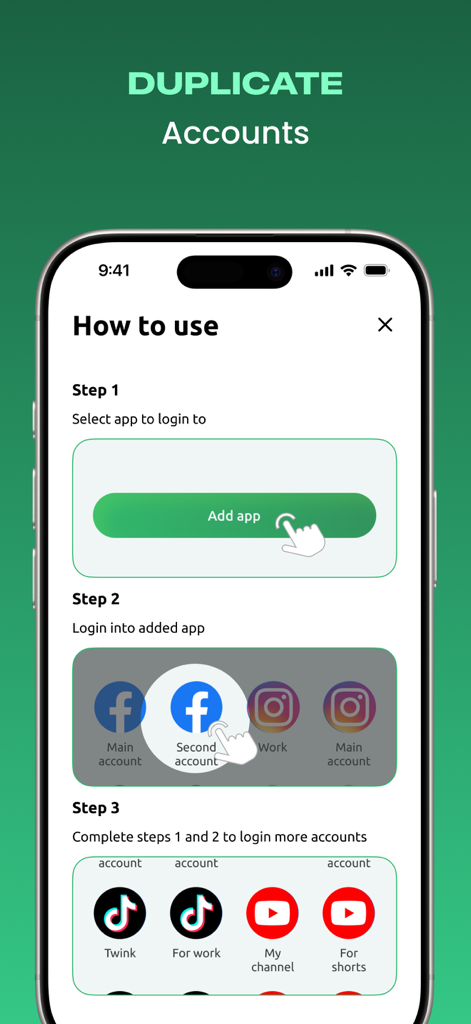
How to use the Parallel Accounts app to clone social media and video apps
Description
Download
More Like This
Top-ranked apps in the same category

ChatGPT
OpenAI OpCo, LLC

Google Gemini
Google LLC

Grok
X.AI Corporation

Gmail - Email by Google
Google LLC

千问 - 阿里最强大模型官方AI助手
Shanghai Zhixin Puhui Technology Co., Ltd.

Google Drive
Google LLC

Microsoft Authenticator
Microsoft Corporation

Google Sheets
Google LLC

Google Docs
Google LLC
This page is not an official page of the app or its developer, but an independent editorial publication created for informational and commentary purposes. Unless expressly stated otherwise, neither the app nor its developer is affiliated with, endorsed by, sponsored by, authorized by, or otherwise officially connected with MWM, Apple, Google Play, the app publisher, or the app's developer, and nothing on this page implies that the app was developed using MWM's services. Any trademarks, logos, screenshots, and other content remain the property of their respective owners.