Passport Photo ID Visa Maker
Download on App Store

This page is not an official page of the app or its developer, but an independent editorial publication created for informational and commentary purposes. Unless expressly stated otherwise, neither the app nor its developer is affiliated with, endorsed by, sponsored by, authorized by, or otherwise officially connected with MWM, Apple, Google Play, the app publisher, or the app's developer, and nothing on this page implies that the app was developed using MWM's services. Any trademarks, logos, screenshots, and other content remain the property of their respective owners.

Logo of Passport Photo ID Visa Maker
Download on App Store

Passport Photo ID Visa Maker

Skip the $15 pharmacy trip and create perfect, AI-powered passport, visa, and ID photos in seconds. Trusted for 190+ countries and guaranteed to meet official standards for your next application.

Key Figures

Downloads

35K+

User Rating

4.6/5

Total Ratings

800

Publisher

Mehroz Sheikh

Category

Photo & Video

Locales

1

Latest Version

1.1.1

Size

78.2 MB

First Released

Oct 7, 2024
Features

Professional Document Photos in Seconds

Skip the expensive photo booth. Use AI-powered tools to create, crop, and print compliant passport and ID photos for 190+ countries directly from your home.

Look Great for the Next 10 Years

Stop settling for a bad pharmacy photo. Take unlimited retakes in your own lighting until you have a passport photo you're actually proud to show.

Guaranteed AI Compliance

Avoid government rejections. Our AI automatically handles professional background removal and precise cropping to meet strict official standards for any country.

The following screenshots and description are sourced directly from the app's official store listing and are the property of the app developer.

App Store

Screenshots
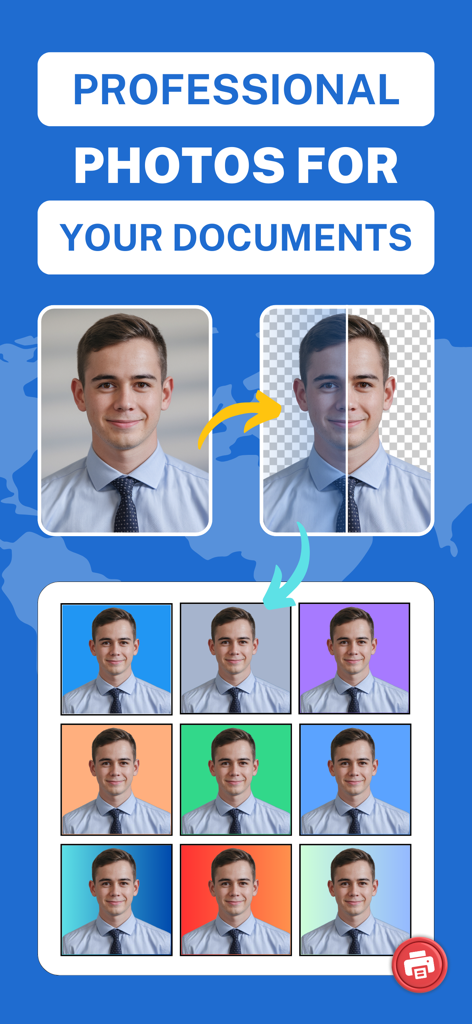
Passport Photo ID Visa Maker - App screen showing background removal and multiple color options for professional document photos.

App screen showing background removal and multiple color options for professional document photos.
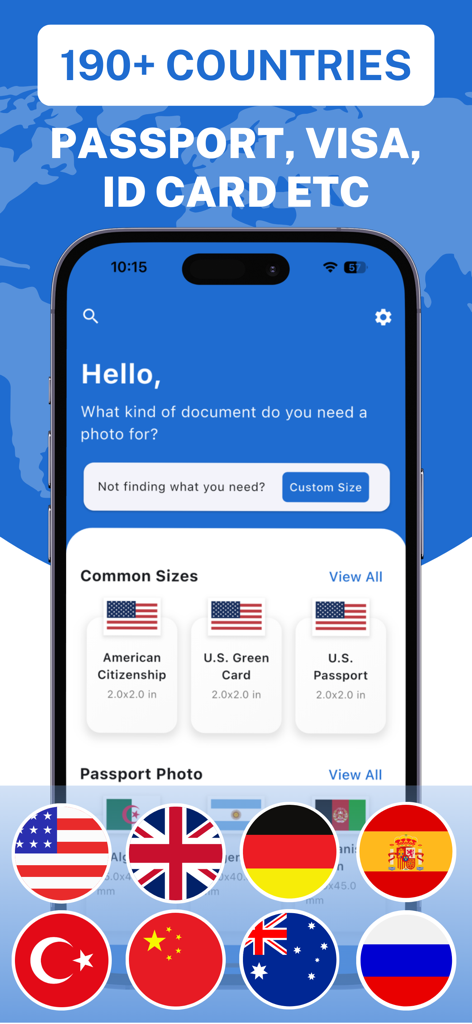
Passport Photo ID Visa Maker - Interface of the Passport Photo ID Visa Maker app showing photo options for US passports and green cards across 190 countries
Interface of the Passport Photo ID Visa Maker app showing photo options for US passports and green cards across 190 countries

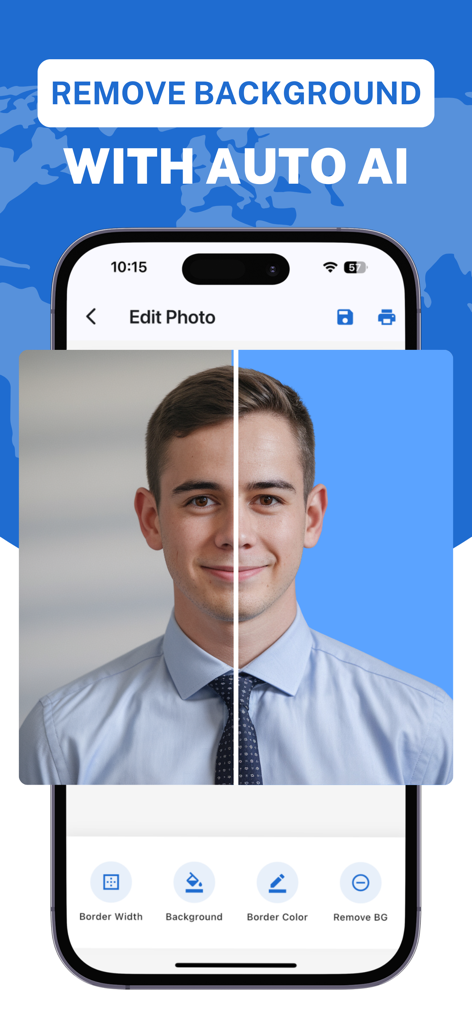
Passport Photo ID Visa Maker - Split screen demonstration of an AI tool removing a photo background for a passport ID
Split screen demonstration of an AI tool removing a photo background for a passport ID

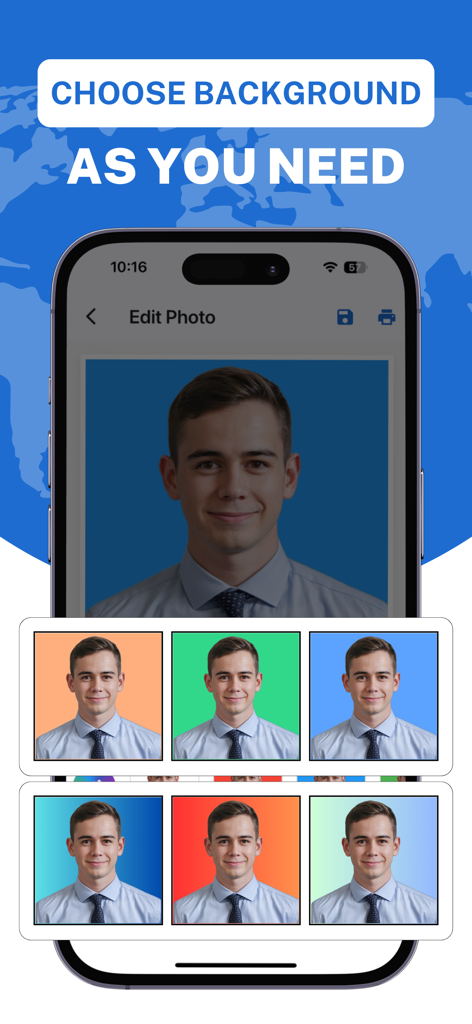
Passport Photo ID Visa Maker - Smartphone screen showing different background color options for a professional passport photo
Smartphone screen showing different background color options for a professional passport photo

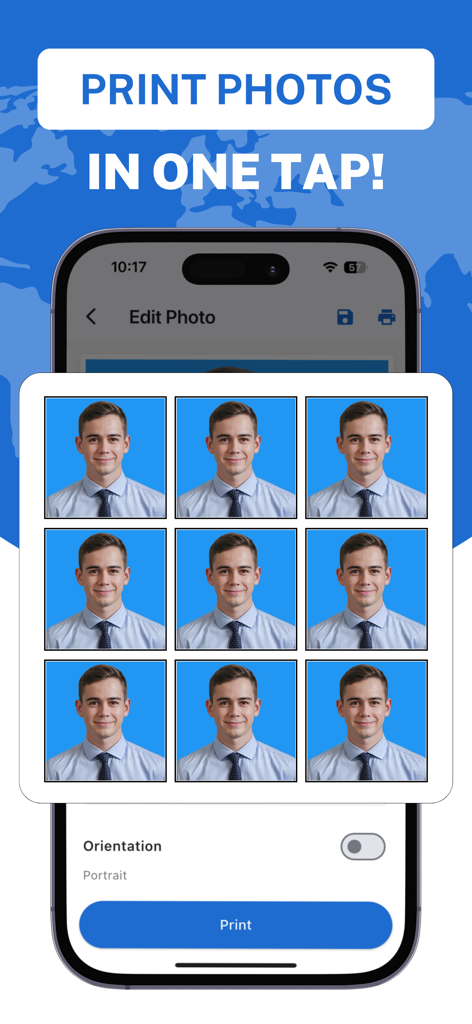
Passport Photo ID Visa Maker - Mobile app screen showing a grid of nine passport photos ready for one-tap printing.
Mobile app screen showing a grid of nine passport photos ready for one-tap printing.

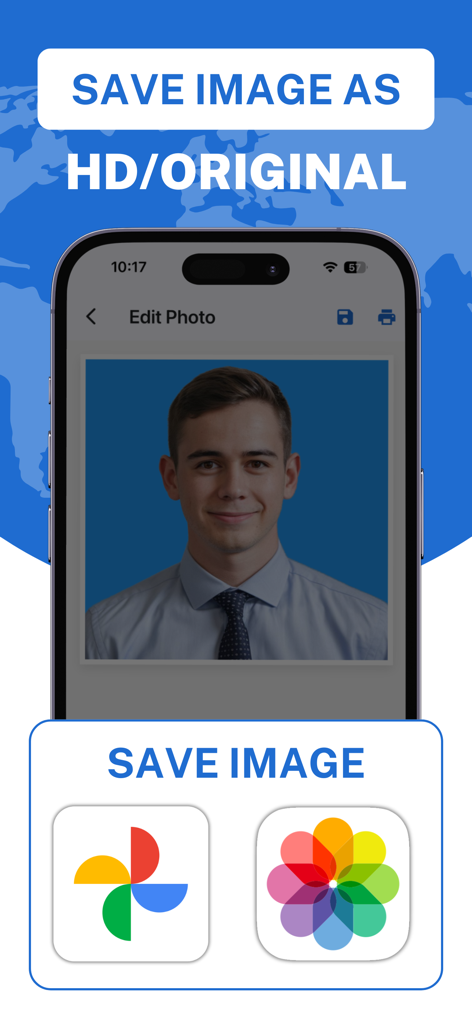
Passport Photo ID Visa Maker - Interface showing options to save high definition passport and ID photos to mobile storage and cloud services.

Interface showing options to save high definition passport and ID photos to mobile storage and cloud services.

Description

Create Professional Passport, ID, Visa, and Document Photos for 190+ Countries in Just a Few Steps! Get perfect, high-quality photos for your passport, ID card, visa, or any official document with ease. Passport Photo: ID & Visa Maker simplifies the process with AI-powered tools for background removal, photo cropping, and custom adjustments. No need to visit a studio—create and print your official document photos right from your phone! Key Features: - Passport & ID Photos: Create passport-size photos, visa photos, ID card photos, and more with preset dimensions for 190+ countries worldwide. - AI Background Removal: Automatically remove backgrounds with precision, or replace them with solid colors, gradients, or custom backgrounds. - Customizable Borders: Adjust border width and colors to fit document requirements. - Photo Cropping Tool: Easily crop photos to the exact dimensions you need for your document. - One-Tap Printing: Print multiple photos in different sizes with just one tap, or save them directly to your device. - Multi-Country Support: Supports passport and ID photo dimensions for 190+ countries, including the USA, UK, Canada, Australia, and more. - High-Quality Output: Download or print photos in high resolution to meet all official standards. How It Works: 1. Select your photo type – passport, visa, ID, or custom. 2. Upload or take a new photo. 3. Auto-crop and adjust with our easy cropping tool. 4. Remove or change backgrounds instantly using AI technology. 5. Customize with borders, colors, and dimensions. 6. Save or print your photo in any required size. Perfect for: - Passport photos - Visa photos - ID card photos - Driver’s license photos - Any official document photo requirements Why Choose Passport Photo: ID & Visa Maker? - Fast and Easy: Create professional-quality photos in just a few steps, without needing expert knowledge. - AI-Powered Accuracy: The app’s AI-powered background removal ensures perfect results every time. - Compliant with Requirements: Choose from various country-specific dimensions to ensure your photos meet official standards. - Convenient Printing: Print photos directly from the app or save them for later use. No need to pay for expensive professional services. With Passport Photo: ID & Visa Maker, you can create, edit, and print your own document photos in minutes! Subscriptions: Premium Access (Weekly, Monthly, Lifetime ) Length of subscription: 1 week, 1 month, or Lifetime, depending on your selection Price of subscription: USD 1.49/week, USD 4.99/month, or USD 17.99/lifetime In App Purchases: One Time Photo: USD 0.99 Terms of use: https://www.apple.com/legal/internet-services/itunes/dev/stdeula Privacy Policy: https://techrozsolutions.netlify.app/passport_photo/privacy_policy

Download

Download on App Store

This page is not an official page of the app or its developer, but an independent editorial publication created for informational and commentary purposes. Unless expressly stated otherwise, neither the app nor its developer is affiliated with, endorsed by, sponsored by, authorized by, or otherwise officially connected with MWM, Apple, Google Play, the app publisher, or the app's developer, and nothing on this page implies that the app was developed using MWM's services. Any trademarks, logos, screenshots, and other content remain the property of their respective owners.








