Paving Estimator
Paving Estimator
Download on App Store

This page is not an official page of the app or its developer, but an independent editorial publication created for informational and commentary purposes. Unless expressly stated otherwise, neither the app nor its developer is affiliated with, endorsed by, sponsored by, authorized by, or otherwise officially connected with MWM, Apple, Google Play, the app publisher, or the app's developer, and nothing on this page implies that the app was developed using MWM's services. Any trademarks, logos, screenshots, and other content remain the property of their respective owners.


Logo of Paving Estimator
Download on App Store

Paving Estimator

The ultimate tool for contractors to eliminate math errors, generate branded PDF estimates on-site, and sync jobs across all your iOS devices instantly.

Key Figures

Downloads

0

User Rating

1.0/5

Total Ratings

0

Publisher

John Lein

Category

Productivity

Locales

1

Latest Version

3.0

Size

3.9 MB

First Released

Mar 23, 2014
Features

Professional Tools for Precision Estimating

Stop guessing and start winning more bids. The Paving Estimator helps you eliminate calculation errors and deliver professional quotes directly from the job site.

Advanced 6-Layer Calculator

Calculate excavation, gravel, sand, and materials in one step. Never forget a line item or eat into your profit margins again.

Instant Branded PDF Quotes

Generate and email professional, branded estimates before you even leave the driveway. Close more deals by being the first to quote.

The following screenshots and description are sourced directly from the app's official store listing and are the property of the app developer.

App Store

Screenshots

Paving Estimator - The main menu of the Paving Estimator app showing options for jobs settings templates and invoice design

The main menu of the Paving Estimator app showing options for jobs settings templates and invoice design

Paving Estimator - The Paving Estimator app interface displaying a list of active landscaping jobs with project photos and estimate totals.
The Paving Estimator app interface displaying a list of active landscaping jobs with project photos and estimate totals.

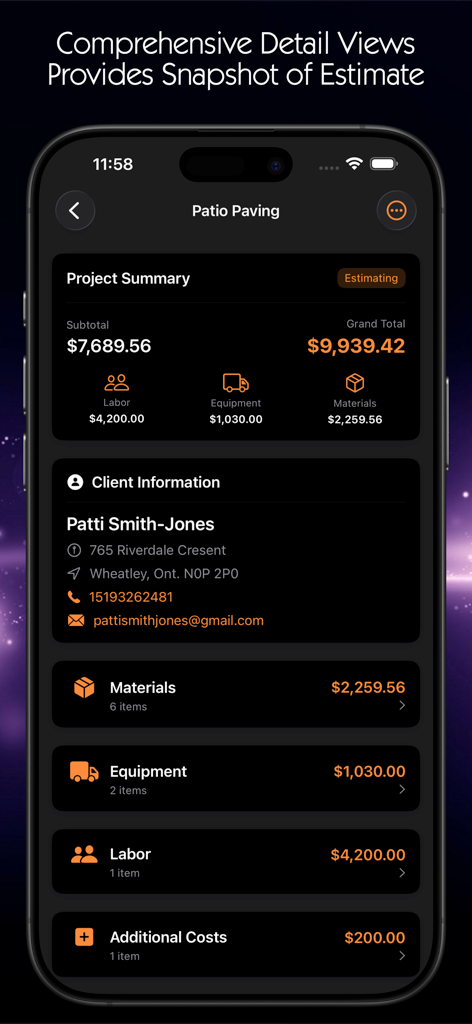
Paving Estimator - Project summary screen of the Paving Estimator app displaying a breakdown of labor equipment and material costs
Project summary screen of the Paving Estimator app displaying a breakdown of labor equipment and material costs

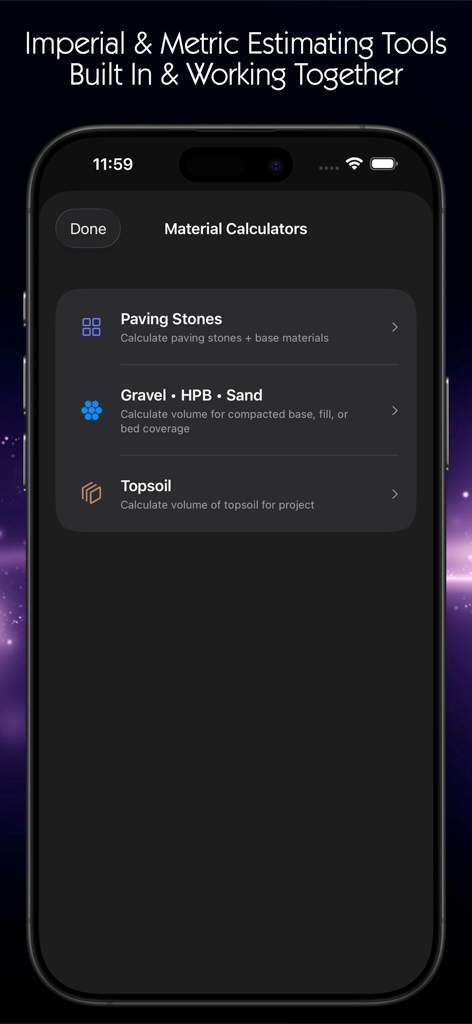
Paving Estimator - Paving Estimator app interface showing material calculators for paving stones gravel and topsoil.

Paving Estimator app interface showing material calculators for paving stones gravel and topsoil.
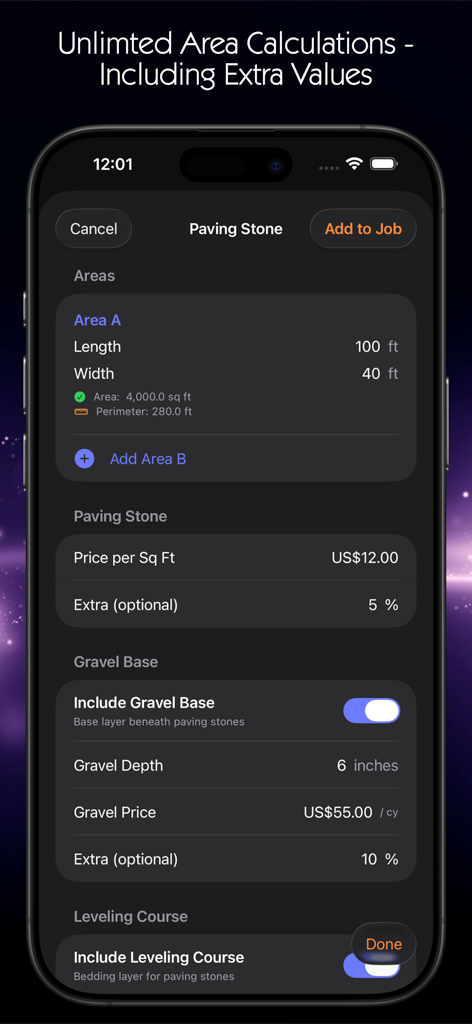
Paving Estimator - iPhone interface of Paving Estimator app showing area dimensions, price per square foot, and gravel base calculation settings in dark mode.
iPhone interface of Paving Estimator app showing area dimensions, price per square foot, and gravel base calculation settings in dark mode.

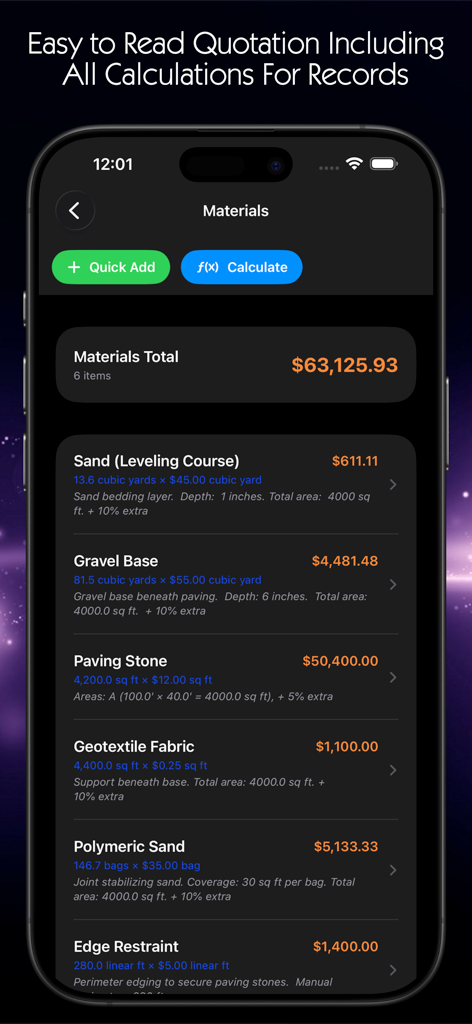
Paving Estimator - Paving Estimator app screen showing a detailed list of project materials and total costs
Paving Estimator app screen showing a detailed list of project materials and total costs

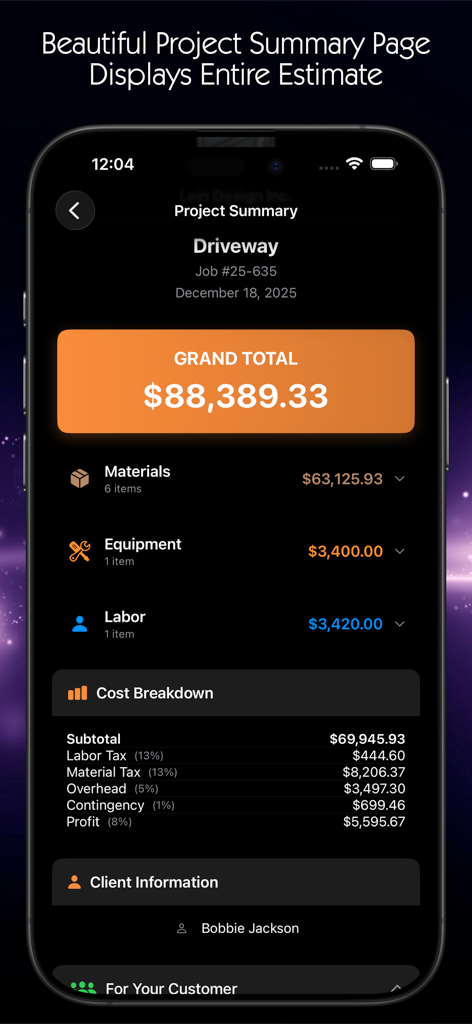
Paving Estimator - Paving Estimator app project summary screen showing detailed cost breakdown for a driveway job
Paving Estimator app project summary screen showing detailed cost breakdown for a driveway job

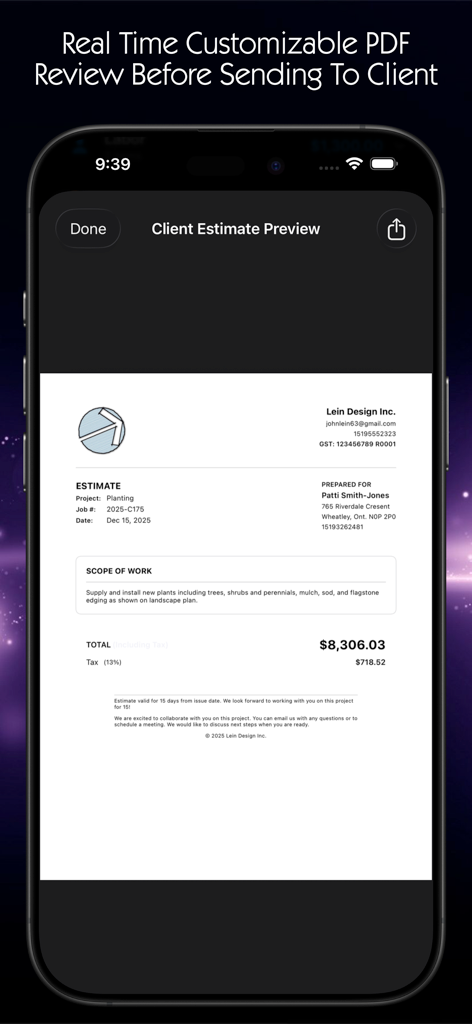
Paving Estimator - A professional PDF estimate preview on a mobile device showing project costs and company branding.

A professional PDF estimate preview on a mobile device showing project costs and company branding.
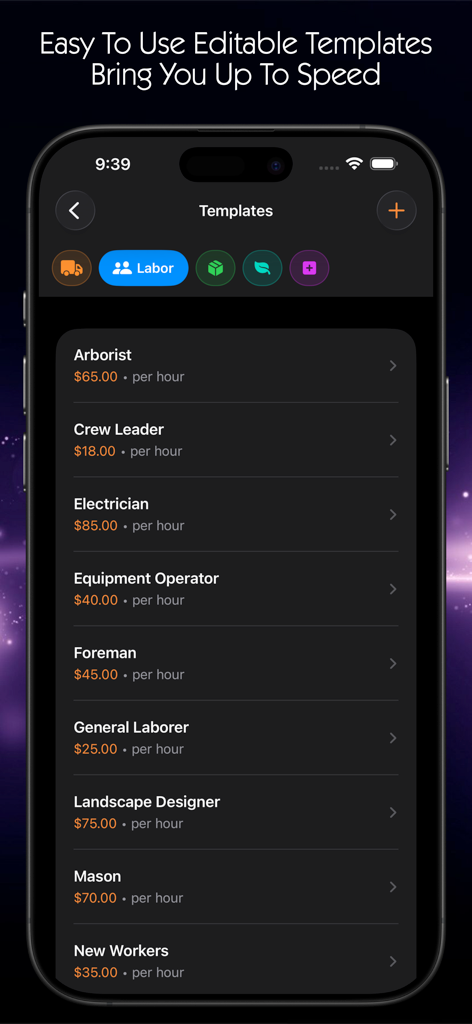
Paving Estimator - Paving Estimator app screen showing customizable labor rate templates for various construction roles
Paving Estimator app screen showing customizable labor rate templates for various construction roles

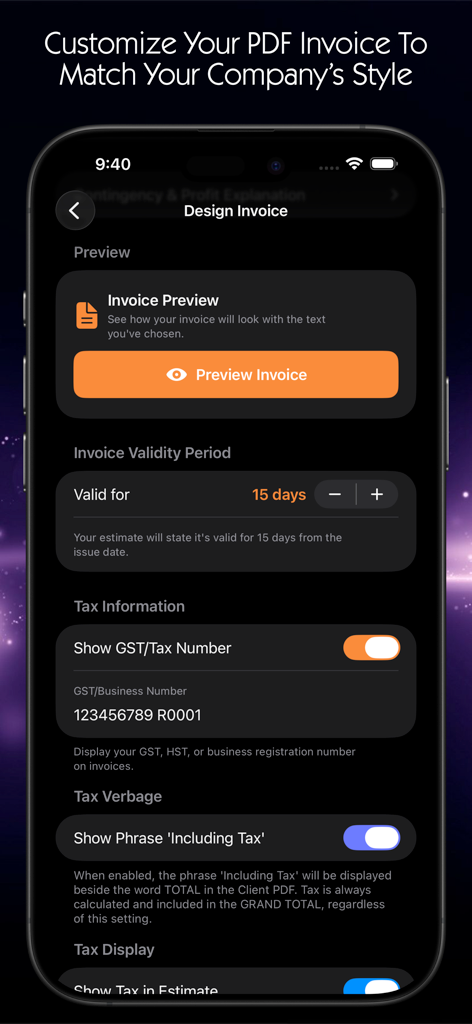
Paving Estimator - Interface for customizing PDF invoice details and tax information in the Paving Estimator app

Interface for customizing PDF invoice details and tax information in the Paving Estimator app

Description

MODERN ARCHITECTURE Completely rewritten in SwiftUI with SwiftData and CloudKit integration for seamless synchronization across all your iOS devices through iCloud. Start an estimate on your iPhone at the job site, refine it on your iPad in the office, and everything stays perfectly in sync. Your estimates, photos, and client information are automatically backed up to iCloud. ENHANCED JOB MANAGEMENT Jobs now features a card-based interface with cover photos for visual identification. Each card displays project name, client, color-coded status badge (Estimating, Approved, In Progress, Completed), and total in an elegant layout. REVOLUTIONARY PROJECT SUMMARY Completely redesigned with expandable sections replacing old page-by-page navigation. Materials, Labor, Equipment, and Plant Material are organized into collapsible categories. The Materials section intelligently groups similar items with automatic subtotals. Every line item shows quantity, unit, rate, and comprehensive calculator details. PROFESSIONAL PDF GENERATION Generate client-ready PDF estimates with one tap. PDFs include your company logo, detailed line items organized by category, complete cost analysis with taxes and overhead, and professional formatting. Share via Files, email, AirDrop, or print directly from your device. EMAIL INTEGRATION Send estimates directly to clients with pre-formatted professional emails. The system auto-fills client email addresses, creates compelling subject lines, and generates beautiful HTML emails with your company branding. ADVANCED CALCULATORS - Imperial or Metric Paving Stone Calculator - Complete six-layer hardscape system including excavation, gravel base with compaction, leveling course, geotextile fabric, polymeric sand and edge restraint calculations in ONE STEP. Separate, detailed line items represent individual waste percentages. Topsoil Calculator - Multiple areas with individual depth control, automatic calculations, configurable waste percentages Gravel Calculator - Driveways, pathways, drainage with depth and compaction considerations INTELLIGENT LINE ITEMS Items are automatically categorized by type with automatic subtotals. Edit quantities, rates, and notes directly while maintaining detailed calculator information for complete transparency. ENHANCED COST CONTROLS Separate tax rates for labor and materials. Configurable overhead and contingency percentages. Fixed or percentage-based profit margins. Real-time grand total updates. Default rates are stored in Settings and auto-applied to new jobs. CUSTOMIZABLE PRICING Set default pricing for all materials, including sod rolls, grass seed, topsoil, mulch, beach stone, decorative rocks, boulders, paving stone, gravel base, sand leveling course, and geotextile fabric. Prices saved in Settings apply automatically to future estimates. COMPANY SETTINGS Centralized company information, including business name, estimator name, contact details, and logo upload. Your logo appears on all client PDF estimates and emails for consistent professional branding. Currency symbols automatically display based on your country. PHOTO MANAGEMENT Add multiple photos per job from the camera or photo library. Set cover photos for job cards. All photos sync via iCloud across all your devices automatically. PLANT LIST & COSTING Dedicated Plant Material category with detailed plant lists and individual plant costing, a much-requested feature now fully integrated. IMPROVED INTERFACE Full dark mode support with a custom contractor orange theme. Smooth animations and intuitive gestures. Floating action buttons reduce taps needed. Optimized for all iPhone and iPad sizes. Clean, modern design focused on efficiency.

Download

Download on App Store

This page is not an official page of the app or its developer, but an independent editorial publication created for informational and commentary purposes. Unless expressly stated otherwise, neither the app nor its developer is affiliated with, endorsed by, sponsored by, authorized by, or otherwise officially connected with MWM, Apple, Google Play, the app publisher, or the app's developer, and nothing on this page implies that the app was developed using MWM's services. Any trademarks, logos, screenshots, and other content remain the property of their respective owners.