PDF Converter - PDF Scanner

PDF Converter - PDF Scanner

Download on App Store
Logo of PDF Converter - PDF Scanner

PDF Converter - PDF Scanner: The Ultimate All-in-One Toolkit for Professionals

Transform your iPhone or iPad into a powerful mobile workstation. Edit, sign, and convert documents instantly with AI-powered summaries, professional invoice makers, and secure file management.

Publisher

Techgear Inc

Category

Business

Downloads

3M+

User Rating

4.4/5

Total Ratings

60K+

Locales

11

Efficiency at Your Fingertips

Discover the interface used by 3M+ users.
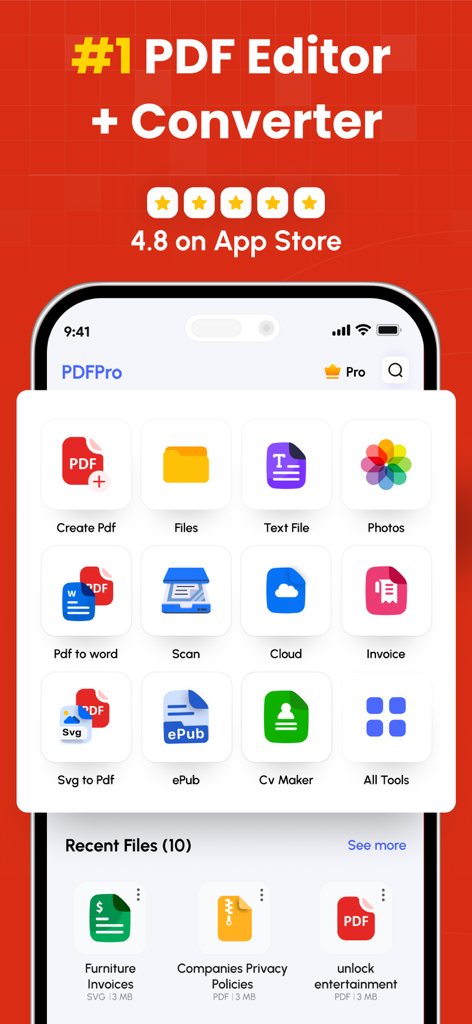
PDF Converter and Editor app interface showing tools for scanning, converting, and creating invoices and CVs.

PDF Converter and Editor app interface showing tools for scanning, converting, and creating invoices and CVs.

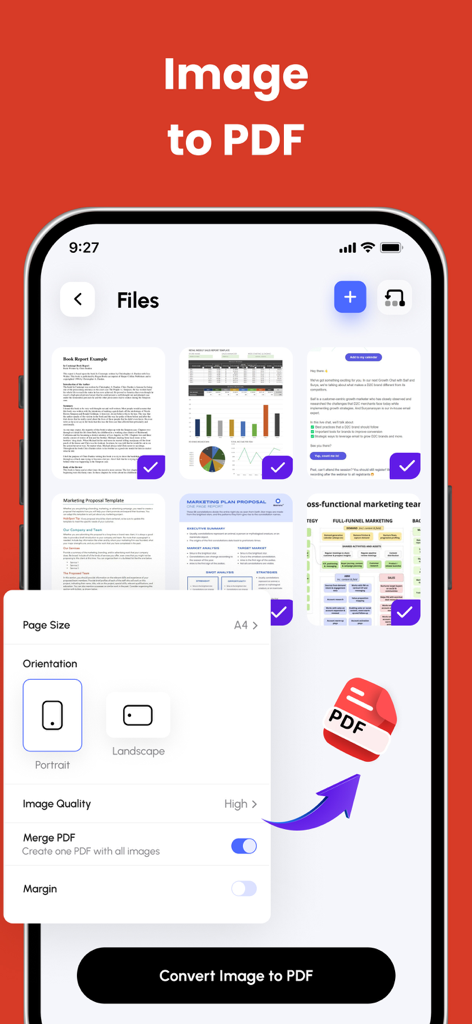
Mobile app screen showing the process of converting multiple images into a single PDF with orientation and quality settings

Mobile app screen showing the process of converting multiple images into a single PDF with orientation and quality settings

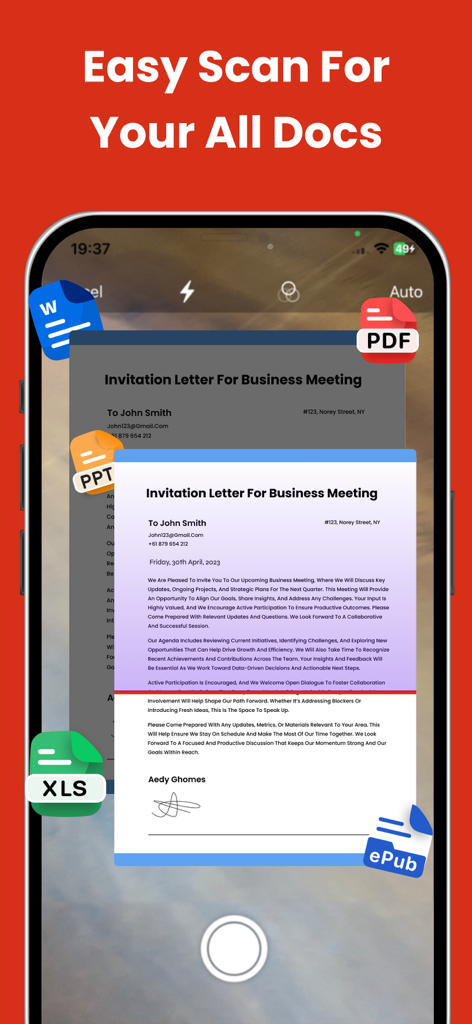
Smartphone app interface scanning a business letter with icons for various document formats like Word and PDF.

Smartphone app interface scanning a business letter with icons for various document formats like Word and PDF.

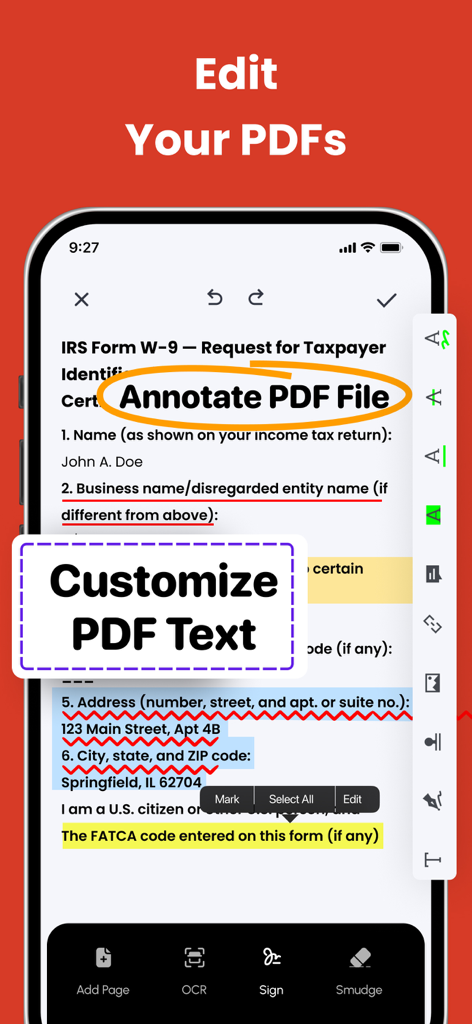
Mobile app interface showing text annotation and customization features on a PDF document

Mobile app interface showing text annotation and customization features on a PDF document

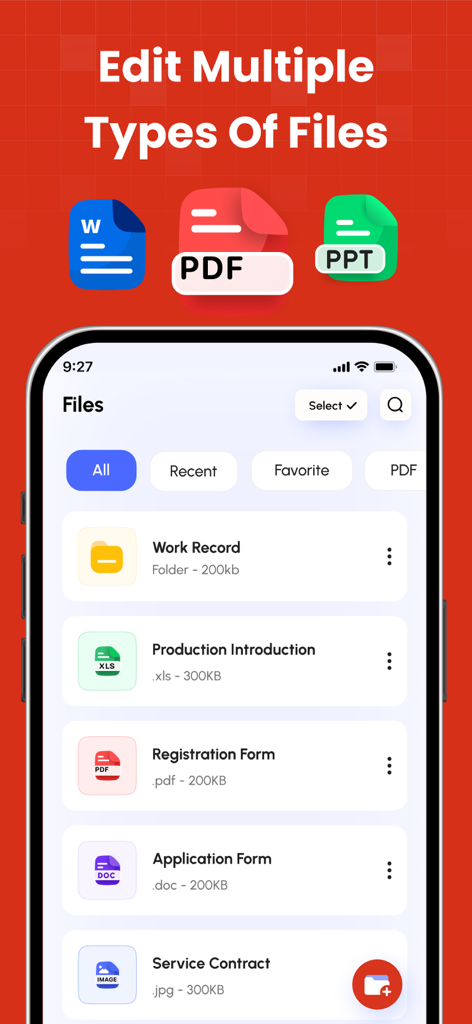
A smartphone screen displaying a file management app that supports PDF, Word, and PowerPoint files with a list of documents including a contract and registration form.

A smartphone screen displaying a file management app that supports PDF, Word, and PowerPoint files with a list of documents including a contract and registration form.

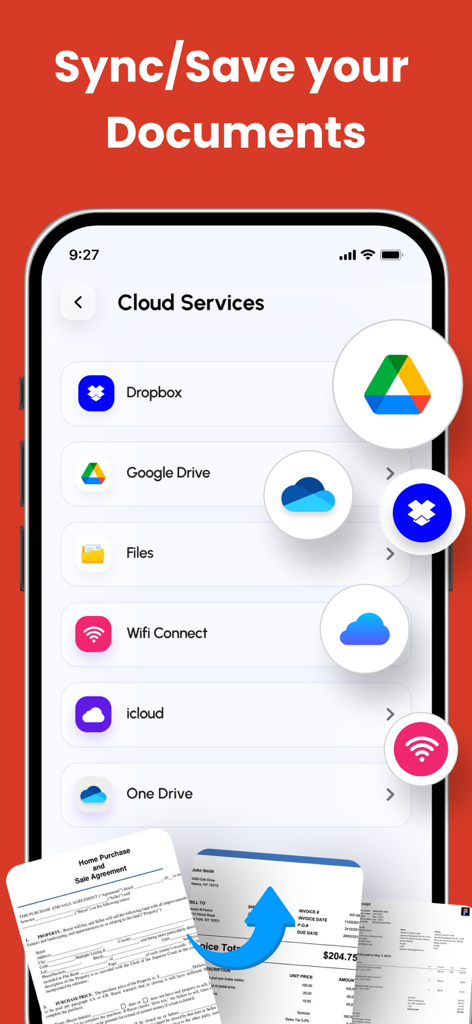
Mobile app screen showing cloud storage integrations for syncing and saving PDF documents

Mobile app screen showing cloud storage integrations for syncing and saving PDF documents

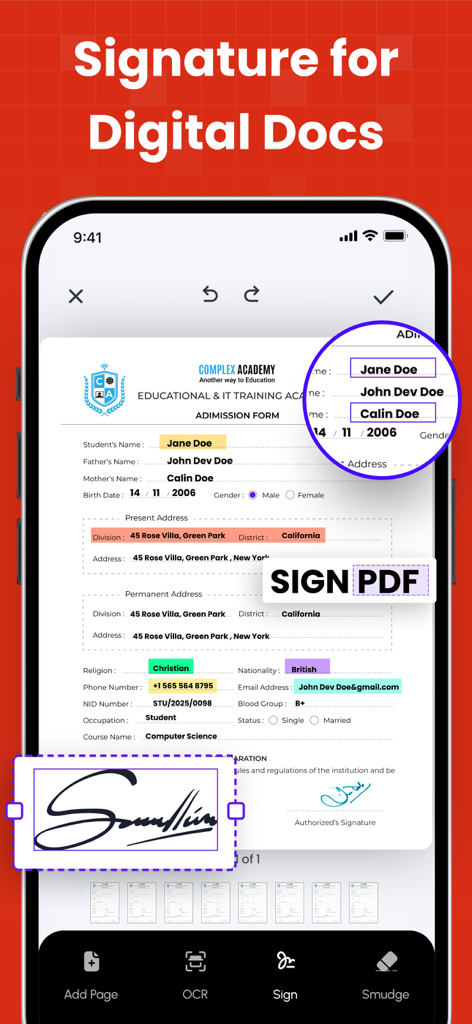
Mobile app interface showing how to add a digital signature to a PDF document.

Mobile app interface showing how to add a digital signature to a PDF document.

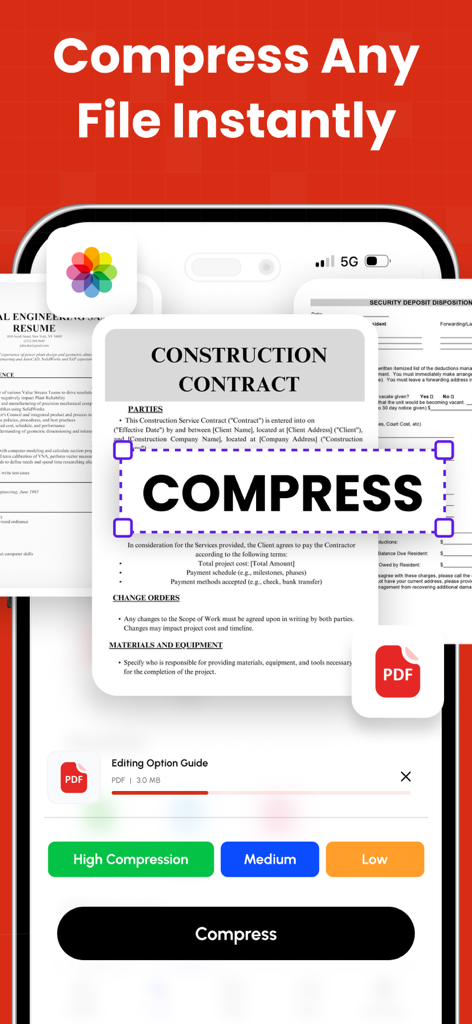
Mobile app interface showing options to compress a PDF document with high medium or low settings

Mobile app interface showing options to compress a PDF document with high medium or low settings

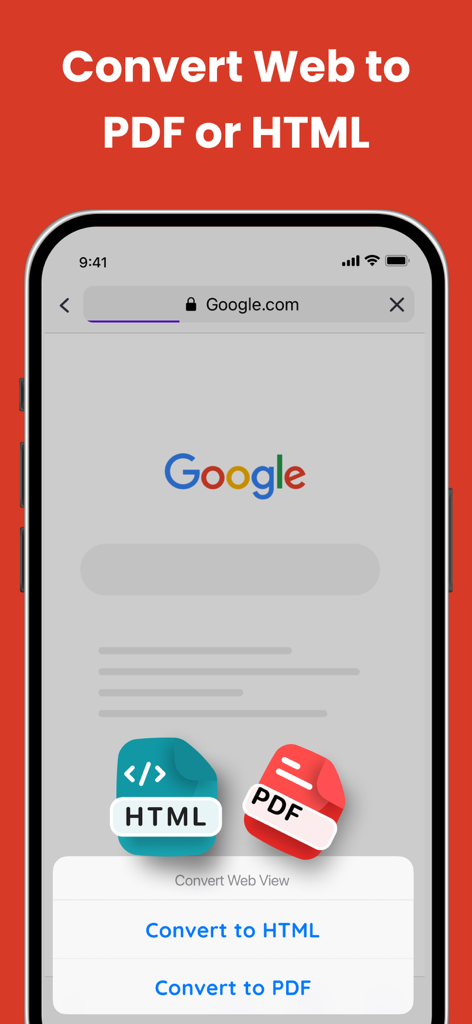
Interface showing how to convert a web page to PDF or HTML on a mobile device

Interface showing how to convert a web page to PDF or HTML on a mobile device

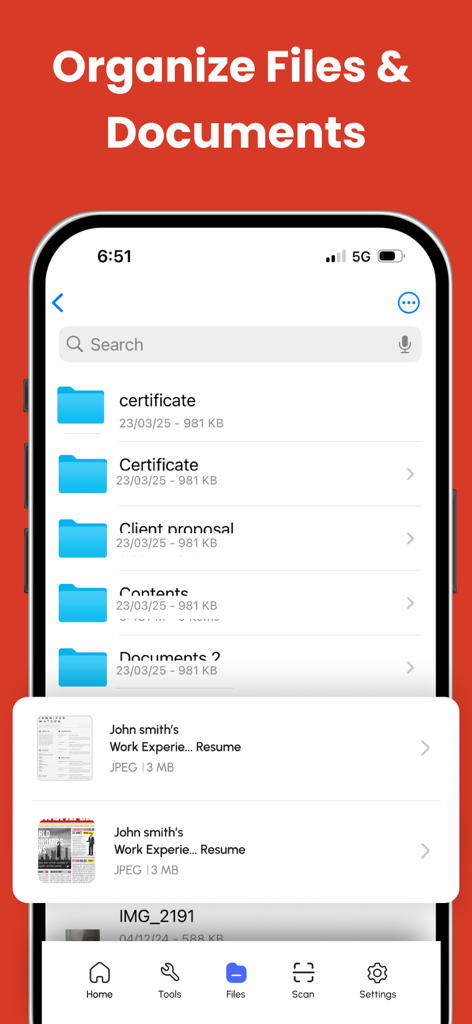
Mobile app interface showing file and document organization with folders and a search bar

Mobile app interface showing file and document organization with folders and a search bar

The Ultimate Document Toolkit for Mobile Professionals

The tools that make this app stand out, trusted by 3M+ users.

🤖

AI-Powered Instant Summaries

Save hours of reading by using our built-in AI to distill long reports and complex documents into clear, actionable insights in seconds.

🔄

Seamless Universal Conversion

Instantly transform Word, Excel, PowerPoint, and images into professional PDFs while preserving every detail of your original layout.

✍️

A Complete Mobile Workstation

Close deals and stay organized with digital signatures, form filling, and professional invoice creation—no printer or laptop required.

About the app

Everything you need to know about PDF Converter - PDF Scanner.

Description

PDF Converter & Editor: Your Complete PDF Toolkit File Management: Every tool you need to use PDFs, at your fingertips. Merge, split, compress, convert, rotate, unlock, and watermark PDFs with ease. Import files from cloud services like Drive, Box, and OneDrive. PDF Editor: Edit PDFs by adding text, shapes, comments, and highlights. A secure and simple tool for all your PDF editing needs. Enhance your PDF experience with our comprehensive PDF Annotation and Reader app. Whether you need to annotate documents for work, study, or personal use, or simply read PDFs with ease, our app has you covered. Key Features: * Annotation Tools: Highlight important text, add comments, draw shapes, and underline or strike through text to mark up your PDFs effectively. * Reader Mode: Switch to Reader Mode for a distraction-free reading experience. Adjust settings such as font size, background color, and brightness to suit your preferences. * Advanced Annotation: Use advanced tools like text box, sticky notes, and freehand drawing to customise your annotations and make your PDFs more interactive. * Document Management: Organise your PDF library with ease. Create folders, rename files, and move documents between folders for efficient file management. * Search and Navigation: Find specific content within your PDFs quickly using the search feature. Navigate through documents easily with page thumbnails and bookmarks. Additional Features: * PDF Form Filling: Fill out PDF forms directly within the app, saving time and paper. * Digital Signatures: Sign documents electronically with ease. Add, edit, or remove digital signatures as needed. * File Protection: Keep your PDFs secure with password protection and encryption. Key Features: Merge PDF: Combine multiple PDF files into one. Split PDF: Divide PDFs into smaller files. Compress PDF: Reduce PDF file size for easy sharing. CONVERT TO PDF JPG to PDF WORD to PDF POWERPOINT to PDF EXCEL to PDF HTML to PDF Additional Features: Invoice maker CV Maker AI PDF Summary CONVERT FROM PDF PDF to JPG PDF to WORD PDF to POWERPOINT PDF to EXCEL Experience the convenience of managing and editing PDFs with our comprehensive PDF Converter and Editor app. Easily merge, split, compress, and convert PDF files, and edit them with our intuitive PDF editor. Download now and unlock the full potential of your PDF files! Subscription Terms & Details Enjoy unlimited access to all features for $29.99/year, with a 3-day free trial. Payment will be charged to your iTunes account once the purchase is confirmed. Your subscription will automatically renew unless auto-renew is turned off at least 24 hours before the end of the current period. You can manage your subscription and disable auto-renewal at any time via your Account Settings. Your account will be charged for renewal within 24 hours prior to the end of the current subscription period. If you start a free trial and decide to subscribe, any remaining trial time will be forfeited. Privacy Policy: https://thepdfedit.com/privacy-policy Terms of Use: https://thepdfedit.com/terms-and-conditions

Latest Version

4.2.3

Size

177.3 MB

First Released

Aug 26, 2013

Ready to Transform Your iPhone into a Mobile Powerhouse?

Join over 3 million professionals who have ditched their desks for our all-in-one PDF toolkit. Start your 3-day free trial today and experience the ultimate efficiency of AI-powered summaries, instant conversions, and digital signatures at your fingertips.

Download on App Store
FAQ

Frequently Asked Questions

Everything you need to know about PDF Converter - PDF Scanner

What is the "PDF Converter - PDF Editor" app?

The PDF Converter - PDF Editor app is a comprehensive tool for managing, editing, and converting PDF files. It includes features like merging, splitting, compressing, and editing PDFs.

Can I edit text in PDFs using the PDF Converter - PDF Editor app?

Yes, the PDF Converter - PDF Editor app allows users to edit PDFs by adding text, shapes, comments, and highlights directly within documents. It provides comprehensive PDF editing tools.

Does "PDF Converter - PDF Editor" support converting images to PDF?

Yes, the PDF Converter - PDF Editor app supports converting JPG images to PDF. Users can also convert Word, PowerPoint, Excel, and HTML files into PDF format.

Can I convert PDFs to other file formats with the PDF Converter - PDF Editor app?

Yes, the PDF Converter - PDF Editor app converts PDFs to JPG, Word, PowerPoint, and Excel formats. This functionality allows for diverse document handling.

How do I compress PDF files using the PDF Converter - PDF Editor app?

The PDF Converter - PDF Editor app allows users to compress PDF files to reduce their size for easy sharing. It offers high, medium, and low compression options.

Does the PDF Converter - PDF Editor app allow for digital signatures?

Yes, the PDF Converter - PDF Editor app enables users to sign documents electronically with ease. Users can add, edit, or remove digital signatures as needed directly within the app.

What cloud services integrate with the PDF Converter - PDF Editor app for file management?

The PDF Converter - PDF Editor app integrates with cloud services like Drive, Box, OneDrive, Dropbox, Google Drive, iCloud, and Wifi Connect for importing and syncing files.

What is the cost of a premium subscription for the PDF Converter - PDF Editor app?

The premium subscription for the PDF Converter - PDF Editor app costs $29.99 per year. This provides unlimited access to all features.

Does the PDF Converter - PDF Editor app offer a free trial?

Yes, the PDF Converter - PDF Editor app offers a 3-day free trial. If you subscribe, any remaining trial time is forfeited.

How do I manage auto-renewal for my "PDF Converter - PDF Editor" subscription?

You can manage your subscription and disable auto-renewal at any time via your iTunes Account Settings. Auto-renewal must be turned off 24 hours before the period ends.

Can the PDF Converter - PDF Editor app scan documents?

Yes, the PDF Converter - PDF Editor app features an easy scan function for all documents. It can scan various file types into the app.

What annotation tools are available in the PDF Converter - PDF Editor app?

The PDF Converter - PDF Editor app offers annotation tools such as highlighting text, adding comments, drawing shapes, underlining, striking through, text boxes, sticky notes, and freehand drawing.

Can I protect my PDF files with a password in the PDF Converter - PDF Editor app?

Yes, the PDF Converter - PDF Editor app provides file protection features. Users can secure their PDFs with password protection and encryption to ensure document privacy.

Does the PDF Converter - PDF Editor app allow users to fill out PDF forms?

Yes, the PDF Converter - PDF Editor app includes PDF Form Filling capabilities. Users can fill out PDF forms directly within the app, saving time and paper.

Can the PDF Converter - PDF Editor app convert web pages to PDF?

Yes, the PDF Converter - PDF Editor app converts web pages to PDF format. It also supports converting HTML files directly to PDF.

How does the PDF Converter - PDF Editor app help organize documents?

The PDF Converter - PDF Editor app provides document management features to organize your PDF library. Users can create folders, rename files, and move documents for efficient file management.

Does PDF Converter - PDF Editor include an AI PDF Summary feature?

Yes, the PDF Converter - PDF Editor app includes an AI PDF Summary feature. This is listed under its additional tools.

App information, icons, screenshots, and descriptions displayed on this page are sourced from the Apple App Store and are the property of their respective developers. Download estimates and rankings are based on MWM's proprietary models and may not reflect actual figures. This page is provided for informational and analytical purposes only.

Believe this page infringes your intellectual property? File a dispute