PDF Converter : Scan & Editor
Download on App Store

This page is not an official page of the app or its developer, but an independent editorial publication created for informational and commentary purposes. Unless expressly stated otherwise, neither the app nor its developer is affiliated with, endorsed by, sponsored by, authorized by, or otherwise officially connected with MWM, Apple, Google Play, the app publisher, or the app's developer, and nothing on this page implies that the app was developed using MWM's services. Any trademarks, logos, screenshots, and other content remain the property of their respective owners.

Logo of PDF Converter : Scan & Editor
Download on App Store

PDF Converter : Scan & Editor

Transform your iPhone into a powerful document scanner. Effortlessly scan, sign, and use OCR text recognition to manage your contracts, notes, and receipts with professional precision.

Key Figures

Downloads

0

User Rating

1.0/5

Total Ratings

0

Publisher

Jamil Ahmad

Category

Business

Locales

1

Latest Version

3.16.1

Size

77.3 MB

First Released

Jul 26, 2021
Features

A Complete Mobile Office in Your Pocket

Streamline your document management with high-speed scanning, intelligent OCR, and secure PDF tools designed for professionals on the move.

Sign and Edit Instantly

Skip the printer. Add professional digital signatures and edit documents directly from your iPhone or iPad.

Smart Text Recognition (OCR)

Automatically turn images into searchable, editable text. Effortlessly digitize notes, books, and long contracts.

The following screenshots and description are sourced directly from the app's official store listing and are the property of the app developer.

App Store

Screenshots
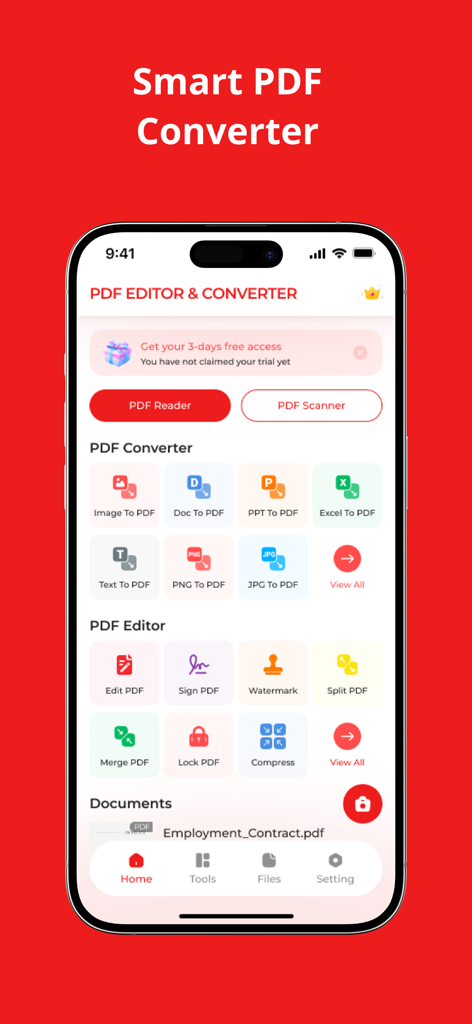
PDF Converter : Scan & Editor - Main dashboard of the PDF Converter and Editor app showing conversion and editing tools
Main dashboard of the PDF Converter and Editor app showing conversion and editing tools

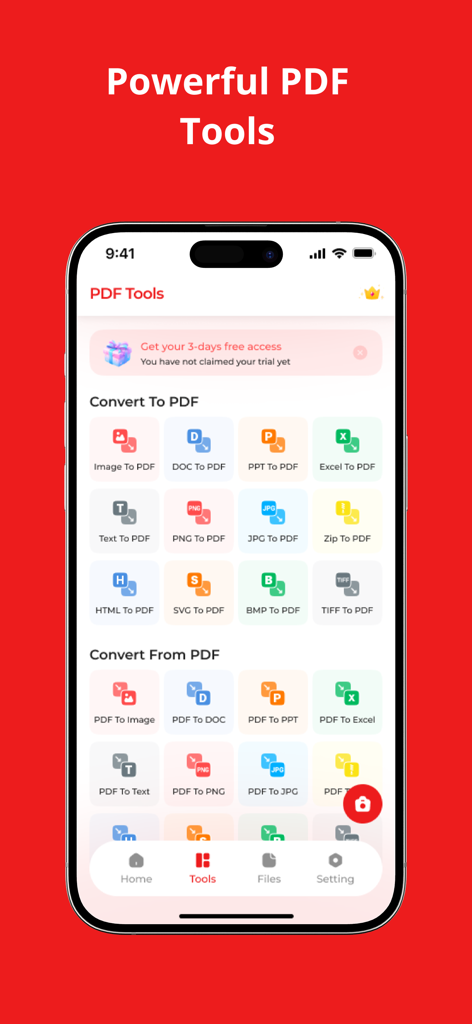
PDF Converter : Scan & Editor - Mobile app screen showing various PDF conversion tools for images and office documents
Mobile app screen showing various PDF conversion tools for images and office documents

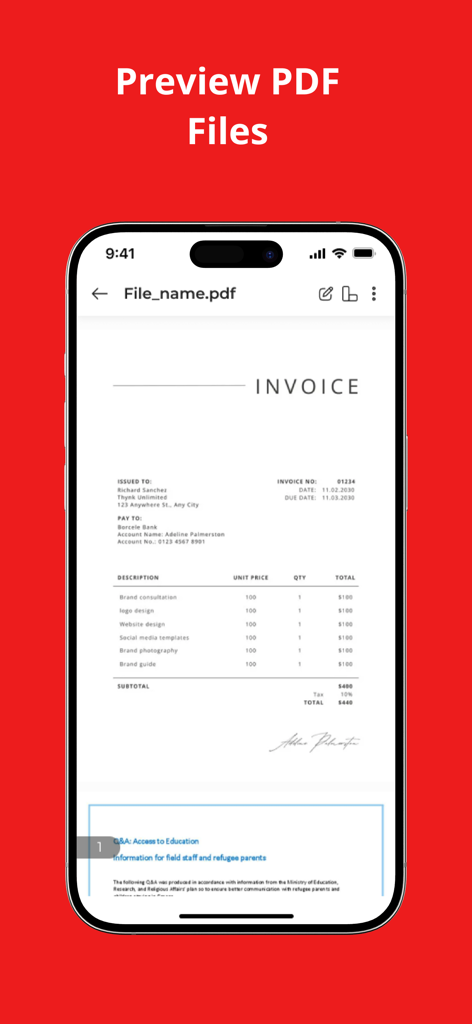
PDF Converter : Scan & Editor - Smartphone displaying a preview of a scanned invoice with a digital signature within the PDF Converter app

Smartphone displaying a preview of a scanned invoice with a digital signature within the PDF Converter app

Description

Scanner App: PDF document Scanner is free to download and turns your mobile device into a powerful scanner that recognizes text automatically (OCR) and allows you to create, save, and organize your paper documents as a digital file. PDF Converter and Reader for PDF is an Text scanner app which convert Image to Text — and turn them into PDF or JPEG files you can work with on your smartphone, tablet, or computer.Go paperless with our fast PDF scanner and scan guru PDF Doc cam Scanner app – store all your documents in a neat mobile office right on your phone!Tiny doc Scanner text recognition and text scanner is such a time-proved scanner machine that stays on your phone right in your pocket! HOW PDF SCANNER WORKS * Scan any document and convert to PDF or photo. * Save and organize your important documents so they are easy to find. ENHANCE * Whether it’s a PDF doc or photo scan, you can preview, reorder, crop, rotate, resize, and adjust color through PDF Document Scan, text PDF Converter - Reader for PDF doc and Mobile PDF Scanner. * Remove and edit imperfections, erase stains, marks, creases, even handwriting by PDF text scanner and PDF photo Scanner Fax cam scanner app. PHOTO TRANSLATOR and PDF DOCUMENT SCANNER This tiny yet powerful free mobile PDF doc scanner app is a must-have for students and anyone involved in a small business: accountants, realtors, managers, or lawyers. Scan anything you need, including receipts, contracts, paper notes, fax papers, books, and store your scans as PDF files. KEY FEATURES * Scan documents with a single page, or a batch of pages like an entire book, with single/multi-page scan mode and tutorials all the way; * Automatically recognize documents by intelligent border detection; * Professional filters, including Color, Black & White, Photo, Gray-scale; * Share documents as PDF, JPG by faxing or emailing them, or upload them to Dropbox, Google Drive, Box, One Drive and vice versa. * Transfer documents to computers by WiFi Drive; * Add either written or scanned signature onto documents. --- * Customization Better than most similar apps, fast PDF scanning re-editing saved documents is empowered so that you can move pages, replace pages with new ones, or even merge two documents into one. * Organized All scanned documents or files can be organized in any way as you like. You can move them among others or archive them into folders. * Everywhere Through PDF scanner is a reader for PDF Doc scanner and text recognition scan to PDF app your scans documents, and files are always there, steadily and safely saved on your phone. If you have any problem or suggestion, please send mail to yameeapps@gmail.com, you will get the response and solution in a short time. Note: Payment will be charged to your iTunes account at confirmation of purchase. Your subscription will automatically renew unless auto-renew is turned off at least 24-hours before the end of the current subscription period. Your account will be charged for renewal within 24-hours prior to the end of the current subscription period. Automatic renewals will cost the same price you were originally charged for the subscription. You can manage your subscriptions and turn off auto-renewal by going to your Account Settings on the App Store after purchase. Read our terms of service and Privacy Policy for more information. Privacy policy https://waqarullahapps.blogspot.com/2025/04/privacy-policy.html Terms of use https://waqarullahapps.blogspot.com/2025/04/terms-of-use.html

Download

Download on App Store

This page is not an official page of the app or its developer, but an independent editorial publication created for informational and commentary purposes. Unless expressly stated otherwise, neither the app nor its developer is affiliated with, endorsed by, sponsored by, authorized by, or otherwise officially connected with MWM, Apple, Google Play, the app publisher, or the app's developer, and nothing on this page implies that the app was developed using MWM's services. Any trademarks, logos, screenshots, and other content remain the property of their respective owners.