PDF Converter - Word to PDF

PDF Converter - Word to PDF

Download on App Store
Logo of PDF Converter - Word to PDF

PDF Converter - Word to PDF: Fast, No-Nonsense Document Conversion in 3 Simple Steps

The ultimate mobile tool for busy professionals and students. Convert images, Word documents, and 50+ file formats into professional PDFs directly from your iPhone or iPad—no desk required.

Publisher

Minimodev Technologies LTD

Category

Productivity

Downloads

4M+

User Rating

4.7/5

Total Ratings

37K+

Locales

3

Efficiency in Action

Discover the interface used by 4M+ users.
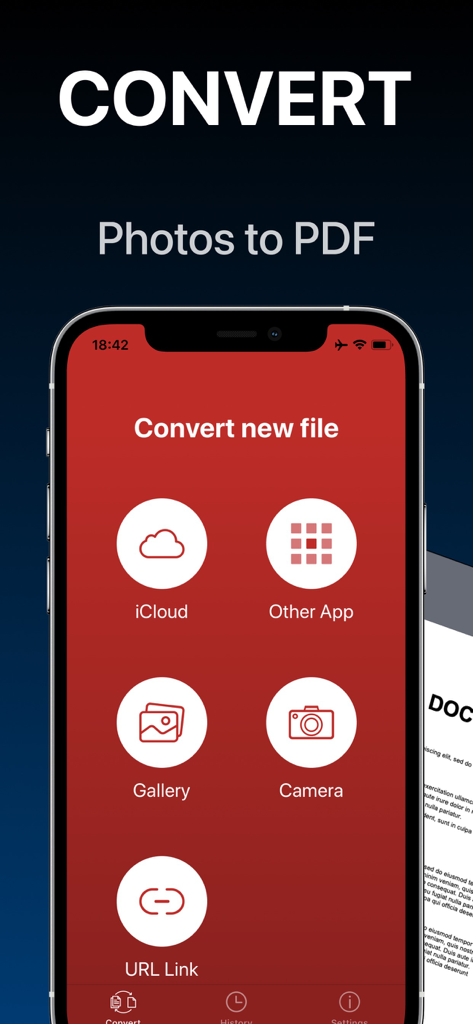
A mobile app interface for converting photos to PDF with options to import from iCloud gallery camera or other apps

A mobile app interface for converting photos to PDF with options to import from iCloud gallery camera or other apps

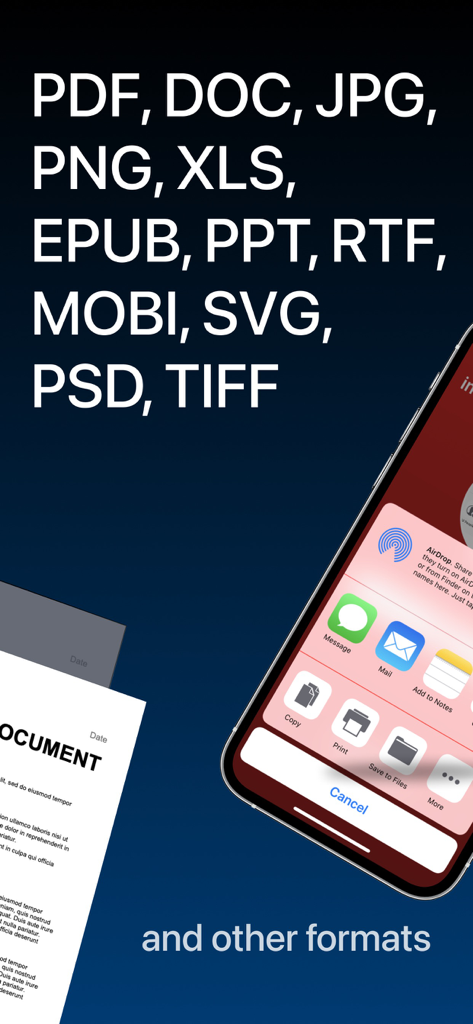
Mobile app screenshot displaying supported file formats and iOS sharing menu options

Mobile app screenshot displaying supported file formats and iOS sharing menu options

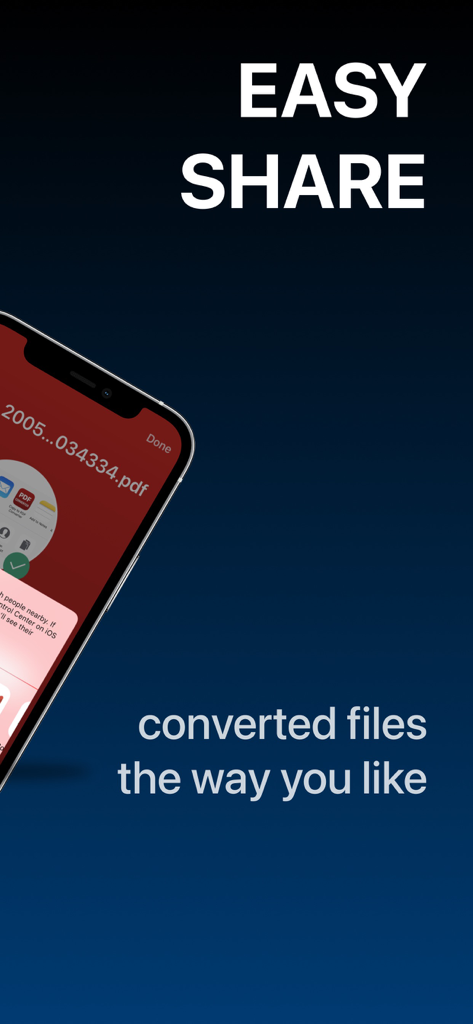
A smartphone screen displaying a PDF document and the iOS sharing menu with the text Easy Share

A smartphone screen displaying a PDF document and the iOS sharing menu with the text Easy Share

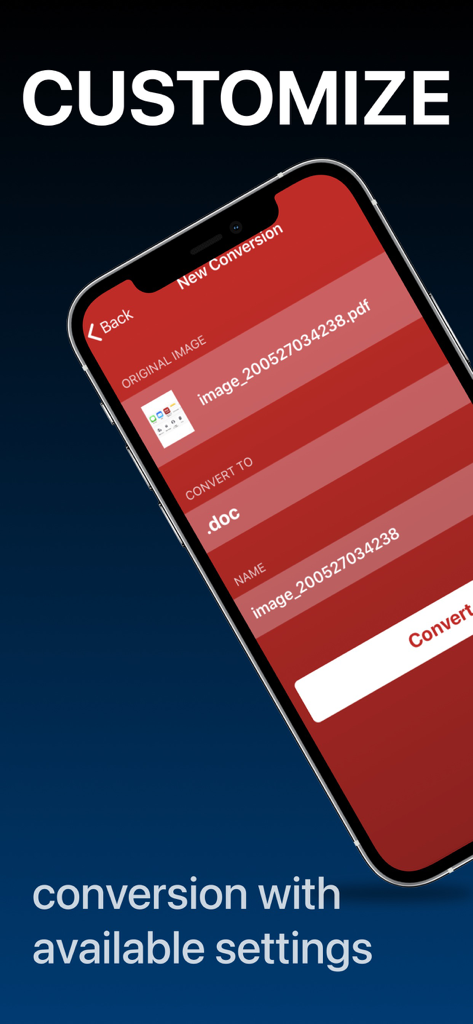
Mobile app interface showing options to customize document conversion settings

Mobile app interface showing options to customize document conversion settings

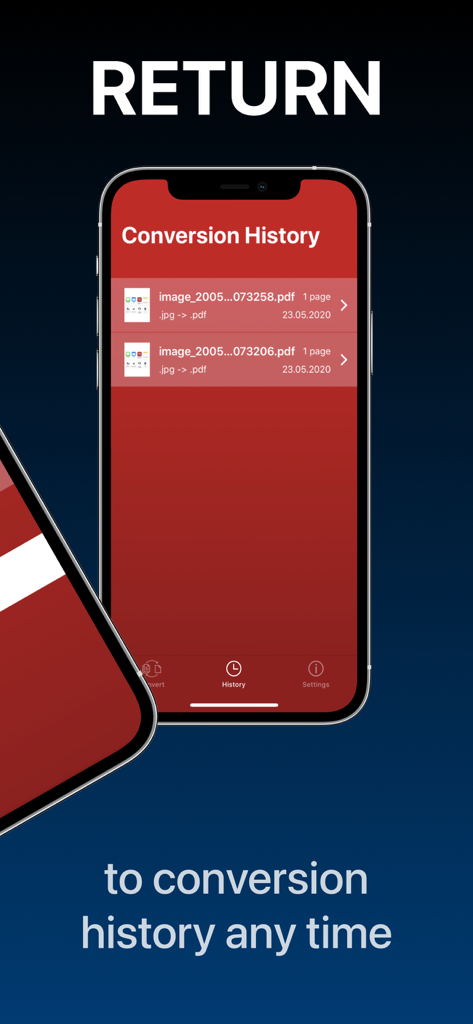
PDF Converter app showing conversion history list

PDF Converter app showing conversion history list

Streamline Your Document Workflow

The tools that make this app stand out, trusted by 4M+ users.

No-Nonsense 3-Step Conversion

Skip the learning curve. Pick your file, choose a format, and convert. It’s productivity simplified for busy professionals and students under a deadline.

🔄

Universal Format Support

Convert over 50 formats including Word, Excel, and Apple’s HEIC. Never worry about 'unsupported file' errors again when submitting important business or school work.

📱

Built for the Mobile Hustle

Access your full conversion history and share directly to Slack, iCloud, or iMessage. Manage your entire paperless office without ever needing a desktop computer.

About the app

Everything you need to know about PDF Converter - Word to PDF.

Description

Convert your documents from and to PDF in a 3 steps! 1. Select your input file 2. Choose output format from available ones 3. Convert! It will take only a few seconds It's just as easy as it sounds! No need for overcomplicated apps with dozens of nonsense features. With PDF Converter app you can convert your documents to pdf or create pdf files from images in a matter of seconds. -- ADD -- You may chose between different sources like iCloud, gallery or just capture a new photo. You may also share file from other apps. -- SHARE -- Share all your converted files right from the app. Send via iMessage, Open in other apps, Print or save it to Files app on iPhone. -- RETURN -- Access your conversion history - there is a related tab in the app. There you may also repeat sharing of converted files or delete those you don't need anymore. -- FORMATS -- Supported file formats: pdf, jpg, png, doc, docx, txt, rtf, svg, xls, xlsm, xlsx, xps, epub, fb2 csv, djvu, docm, eml, eps, msg, odp, ods, odt, pps, ppsx, ppt, pptm, pptx, ps, heic, ai, cdr, emf, odg, pcx, psd, tga, wbmp, webp, wmf, bmp, gif, tiff, pub, wpd, wps, lit, mobi and more to come! (not all variations for initial and target file formats are available) Some conversions are done on a secure cloud server so you must have an internet connection to use this app. You should be aware that by using this app, you agree that your files will be sent over the internet from the app to the cloud server for conversion. Note: price may vary depending on location. Information about the auto-renewal of subscription: - Payment will be charged to iTunes Account at confirmation of purchase; – Subscriptions are billed weekly, monthly, quarterly, or annually at the rate based on the subscription plan - Subscription automatically renews unless auto-renew is turned off at least 24-hours before the end of the current period; - The account will be charged for renewal within 24-hours before the end of the current period. The cost depends on the selected plan; - Subscriptions may be managed by the user and auto-renewal may be turned off by going to the user’s Account Settings after purchase; Privacy Policy: https://minimodev.com/pdf/privacy Terms of Use: https://minimodev.com/pdf/terms For any questions or inquiries, please get in touch: pdf.converter.info@gmail.com

Latest Version

1.7.13

Size

85.4 MB

First Released

May 29, 2020

Ready to Simplify Your Workflow?

Join 4 million+ professionals and students who convert any file to PDF in just three steps. Get the fast, no-nonsense tool your iPhone deserves.

Download on App Store
FAQ

Frequently Asked Questions

Everything you need to know about PDF Converter - Word to PDF

How does the PDF Converter - Word to PDF app work?

The PDF Converter app converts documents to and from PDF in three steps: select input file, choose output format, and convert. It also creates PDF files from images.

What are the input sources for the PDF Converter - Word to PDF app?

PDF Converter - Word to PDF supports input from iCloud, gallery, new photos captured by the camera, and files shared from other apps. It also supports URL links.

What file formats does PDF Converter - Word to PDF support?

Yes, PDF Converter - Word to PDF supports many formats including PDF, JPG, PNG, DOC, DOCX, XLS, PPT, EPUB, and MOBI. Not all format variations are available for every conversion.

Does PDF Converter - Word to PDF require an internet connection?

Yes, the PDF Converter - Word to PDF app requires an internet connection for some conversions, as they are performed on a secure cloud server.

Can I share converted files from PDF Converter - Word to PDF?

Yes, the PDF Converter - Word to PDF app allows users to share converted files directly. Options include iMessage, opening in other apps, printing, or saving to the Files app on iPhone.

Does PDF Converter - Word to PDF keep a conversion history?

Yes, the PDF Converter - Word to PDF app includes a dedicated 'History' tab. Users access their conversion history, repeat sharing, or delete past conversions from this section.

Does the price of PDF Converter - Word to PDF vary by location?

Yes, the price for the PDF Converter - Word to PDF subscription may vary depending on the user's geographical location.

How does the subscription auto-renewal work for PDF Converter - Word to PDF?

Subscriptions for PDF Converter - Word to PDF are billed weekly, monthly, quarterly, or annually. They automatically renew unless turned off 24-hours before the current period ends via Account Settings.

Where can I find the Privacy Policy for PDF Converter - Word to PDF?

The Privacy Policy for the PDF Converter - Word to PDF app is available at https://minimodev.com/pdf/privacy. This policy details how user data is handled.

How can I contact support for PDF Converter - Word to PDF?

Users can contact support for PDF Converter - Word to PDF by emailing pdf.converter.info@gmail.com for any questions or inquiries.

App information, icons, screenshots, and descriptions displayed on this page are sourced from the Apple App Store and are the property of their respective developers. Download estimates and rankings are based on MWM's proprietary models and may not reflect actual figures. This page is provided for informational and analytical purposes only.

Believe this page infringes your intellectual property? File a dispute