PDF Maker : Photos to PDF App

This page is not an official page of the app or its developer, but an independent editorial publication created for informational and commentary purposes. Unless expressly stated otherwise, neither the app nor its developer is affiliated with, endorsed by, sponsored by, authorized by, or otherwise officially connected with MWM, Apple, Google Play, the app publisher, or the app's developer, and nothing on this page implies that the app was developed using MWM's services. Any trademarks, logos, screenshots, and other content remain the property of their respective owners.
Logo of PDF Maker : Photos to PDF App

PDF Maker : Photos to PDF App

Effortlessly convert photos to high-quality PDFs, extract text with OCR, and sign contracts on the go. The smartest way to manage your documents and stay paperless.

Key Figures

Downloads

100+

User Rating

1.0/5

Total Ratings

0

Publisher

Pratik Kadam

Category

Productivity

Locales

1

Latest Version

1.2

Size

5.1 MB

First Released

Nov 14, 2025
Features

Your All-in-One Mobile Office

Streamline your workflow with powerful tools designed to help you scan, sign, and organize documents in seconds.

Smart Scanning & OCR

Convert photos to high-quality PDFs and extract text instantly using advanced OCR technology for searchable documents.

Secure Digital Signatures

Sign contracts, NDAs, and agreements on the go. Save your e-signature to finalize documents without ever needing a printer.

The following screenshots and description are sourced directly from the app's official store listing and are the property of the app developer.

App Store

Screenshots
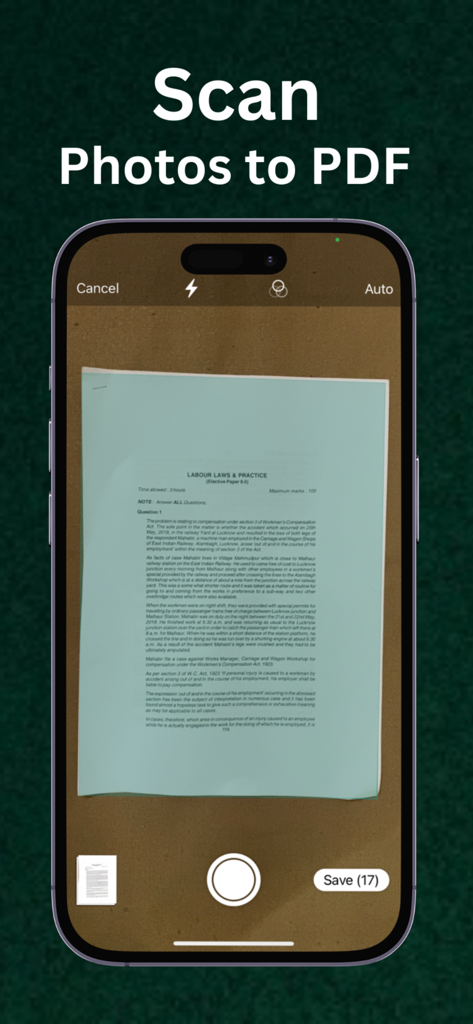
PDF Maker : Photos to PDF App - iPhone screen displaying the scan feature of the PDF Maker app while capturing a paper document
iPhone screen displaying the scan feature of the PDF Maker app while capturing a paper document

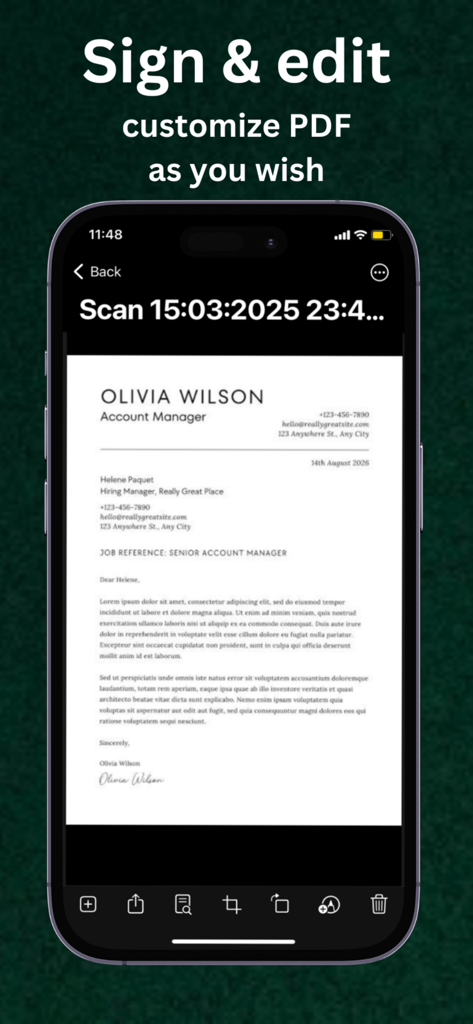
PDF Maker : Photos to PDF App - iPhone screen showing a document with a digital signature in the PDF Maker app
iPhone screen showing a document with a digital signature in the PDF Maker app

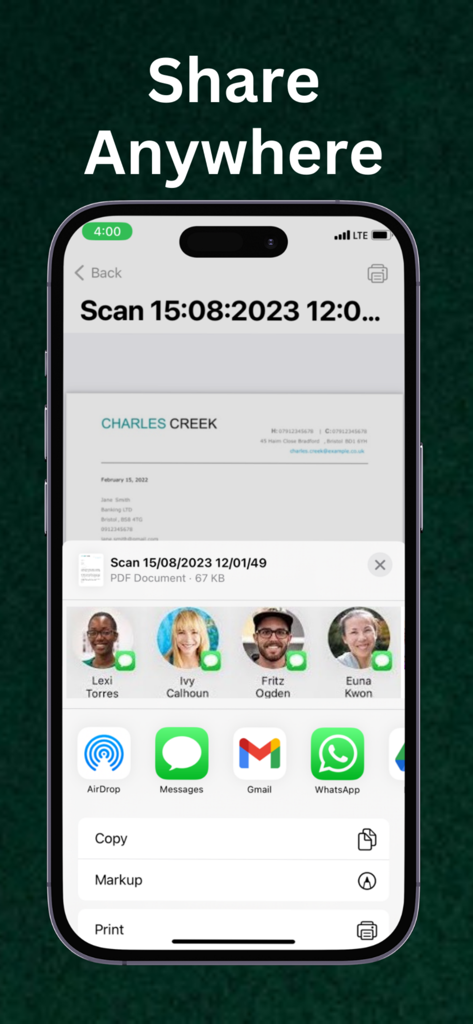
PDF Maker : Photos to PDF App - iPhone screen showing the share sheet in the PDF Maker app with options to share files via AirDrop, Messages, Gmail, and WhatsApp.
iPhone screen showing the share sheet in the PDF Maker app with options to share files via AirDrop, Messages, Gmail, and WhatsApp.

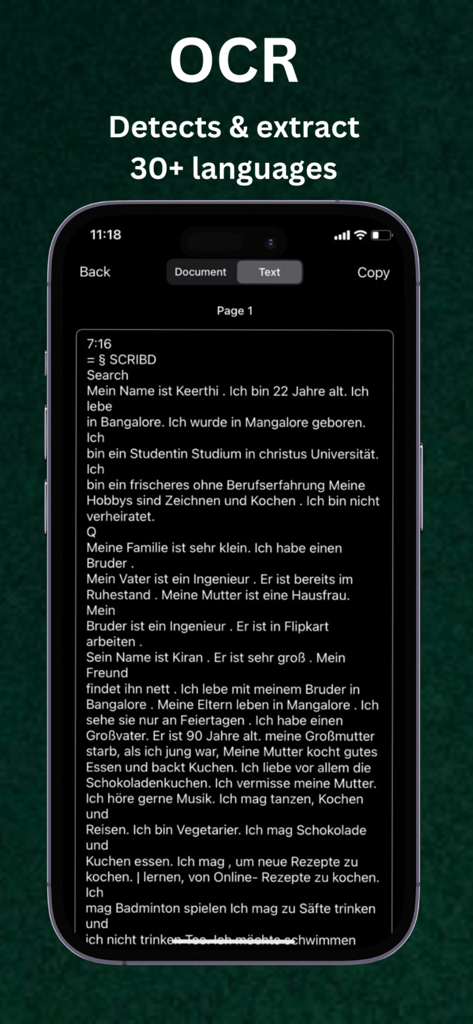
PDF Maker : Photos to PDF App - Interface of the PDF Maker app showing OCR feature extracting text from a document on an iPhone
Interface of the PDF Maker app showing OCR feature extracting text from a document on an iPhone

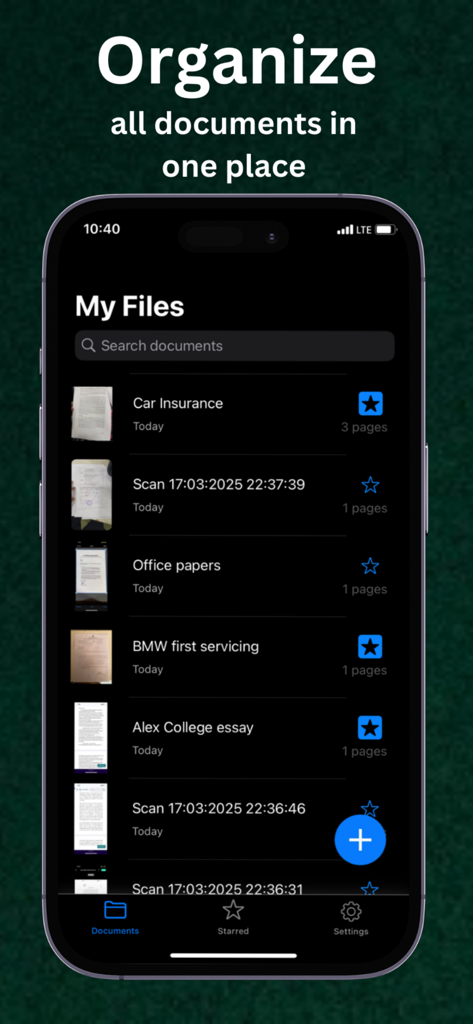
PDF Maker : Photos to PDF App - Interface showing a list of organized PDF documents including car insurance and college essays in the My Files section.
Interface showing a list of organized PDF documents including car insurance and college essays in the My Files section.

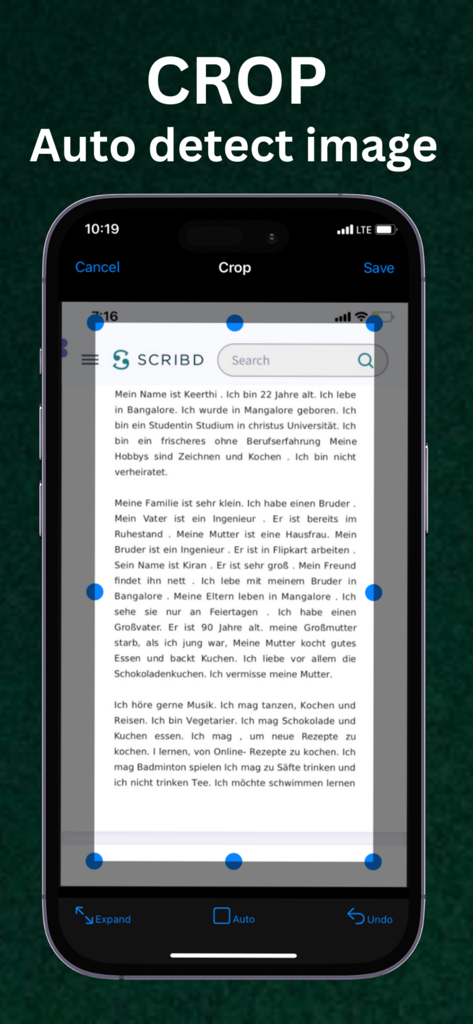
PDF Maker : Photos to PDF App - PDF Maker app showing auto detect image cropping feature on an iPhone screen
PDF Maker app showing auto detect image cropping feature on an iPhone screen

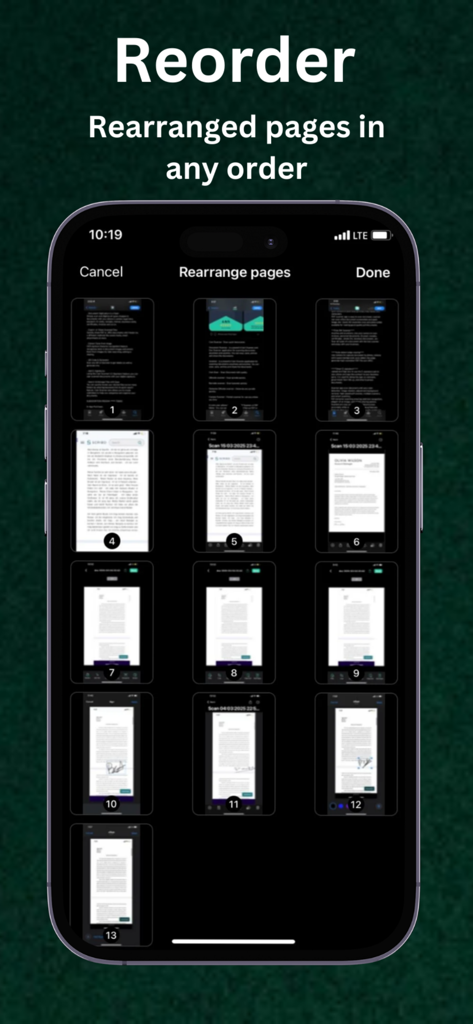
PDF Maker : Photos to PDF App - iPhone interface showing a grid of document thumbnails for rearranging PDF pages in any order

iPhone interface showing a grid of document thumbnails for rearranging PDF pages in any order

Description

PDF Maker - PDF Scanner, Converter & Editor PDF Maker is a powerful PDF scanner and doc scanner app for iPhone that lets you scan, convert, edit, and share documents anytime, anywhere. With our all-in-one **PDF converter and editor, you can easily transform your paper documents, notes, receipts, or images into high-quality PDF files — fast, free, and secure. Whether you need a **document scanner, PDF reader, or PDF editor, PDF Maker is your go-to tool for creating professional digital files right from your iPhone. Key Features: Smart PDF Scanner & Doc Scanner : * Instantly scan any document, photo, ID card, receipt, or whiteboard. * Convert scans to PDF with crystal-clear quality. * Auto-detect borders, adjust brightness, and apply filters for perfect clarity. * Save or share as PDF or image formats. PDF Converter & File Tools : * Convert images to PDF and combine multiple scans into a single file. * Rearrange, rotate, crop, or delete pages with ease. * Merge PDFs or split large PDF files quickly. * Add or remove watermarks and backgrounds. PDF Editor & Annotation Tools : * Add text, notes, and highlights to any PDF. * Draw or annotate directly on your scanned pages. * Customize fonts, colors, and sizes for a professional finish. * Add custom watermarks and filters to enhance your files. Add Digital Signature : * Sign documents digitally right inside the app. * Draw or type your signature and adjust size, color, and rotation. * Save and reuse your e-signature for contracts, forms, and agreements. OCR Text Recognition : * Extract text from images and scanned PDFs using OCR (Optical Character Recognition). * Edit, copy, or share extracted text instantly. * Perfect for digitizing printed documents and making them searchable. Organize & Manage Files: * Rename, sort, and categorize your documents into custom folders. * Use the built-in search function to find files by name or keyword instantly. * Create subfolders to manage work, personal, and educational documents. Share & Backup Anywhere: * Save or share your PDFs via Dropbox, Google Drive, OneDrive, Email, or Airdrop. * Print directly using any WiFi printer. * Export scans to your Camera Roll or Files app. * Share to social media or messaging apps in one tap. Why Choose PDF Maker? * All-in-one PDF scanner, converter, and editor for iPhone. * Free to use basic tools — upgrade for pro-level features. * Create, edit, read, and share PDFs anytime you need. * Perfect for students, business professionals, and anyone who works with documents. Privacy Policy: - https://pdmakerconverterapp.blogspot.com/2025/11/pdf-maker-privacy-policy.html Terms of Use: - https://pdmakerconverterapp.blogspot.com/2025/11/pdf-maker-terms-of-use.html

Download

This page is not an official page of the app or its developer, but an independent editorial publication created for informational and commentary purposes. Unless expressly stated otherwise, neither the app nor its developer is affiliated with, endorsed by, sponsored by, authorized by, or otherwise officially connected with MWM, Apple, Google Play, the app publisher, or the app's developer, and nothing on this page implies that the app was developed using MWM's services. Any trademarks, logos, screenshots, and other content remain the property of their respective owners.