
This page is not an official page of the app or its developer, but an independent editorial publication created for informational and commentary purposes. Unless expressly stated otherwise, neither the app nor its developer is affiliated with, endorsed by, sponsored by, authorized by, or otherwise officially connected with MWM, Apple, Google Play, the app publisher, or the app's developer, and nothing on this page implies that the app was developed using MWM's services. Any trademarks, logos, screenshots, and other content remain the property of their respective owners.

PDF Reader - Editor & Scanner
This app grants users absolute document command, transforming chaos into clarity with a tap.
Downloads
250k+User Rating
Total Ratings
473Publisher
Category
UtilitiesLocales
15Latest Version
8.2Size
105.0 MBFirst Released
Jan 21, 2025Key Features for Enhanced Document Management & Productivity
App Analysis: PDF Reader - Editor & Scanner
AI-Powered Document Scanning & OCR
The app allows users to instantly digitize paper documents, receipts, and notes using advanced AI scanning, featuring auto edge detection, image enhancement, and optical character recognition (OCR) for editable text extraction.
Comprehensive PDF Editing & Annotation
It provides users with robust tools to annotate PDFs by highlighting, underlining, and striking through text, as well as signing documents digitally and filling out forms directly within the app.
Secure Cloud Integration & File Management
The app supports seamless integration with Google Drive and OneDrive, allowing users to upload, access, and manage their PDFs securely in the cloud, ensuring data protection and accessibility across devices.
Versatile PDF Conversion
This tool features the ability to convert PDFs to and from various formats such as Word, Excel, PowerPoint, and images, streamlining document workflows and compatibility.
Advanced PDF Tools
The app offers powerful tools to merge multiple PDFs, split large documents into smaller files, compress PDFs to reduce file size, and add password protection for sensitive information.
AI Summary for Quick Insights
It provides an AI-powered summary feature that generates concise overviews of PDF content, helping users quickly grasp key points and save time on extensive reading.
Frequently Asked Questions
Everything you need to know about PDF Reader - Editor & Scanner
What is PDF Reader - Editor & Scanner?
PDF Reader - Editor & Scanner is a comprehensive app providing PDF reading, intelligent scanning, and AI-powered editing. It serves as a centralized hub for managing, converting, and annotating documents on iPhone and iPad.
Can I scan documents with PDF Reader - Editor & Scanner?
Yes, PDF Reader - Editor & Scanner features AI scanning to digitize paper files, receipts, notes, and business cards using your camera. It includes auto edge detection and image enhancement for clear scans.
Does PDF Reader - Editor & Scanner convert files to PDF?
Yes, PDF Reader - Editor & Scanner converts Word, Excel, PowerPoint, Markdown, text, and images into PDF format. It also converts PDFs back into these formats, supporting a wide range of document types.
How can I sign documents in PDF Reader - Editor & Scanner?
PDF Reader - Editor & Scanner allows you to add handwritten signatures to digital documents. You can sign documents easily using your finger or a stylus directly within the app, completing forms and agreements.
Does PDF Reader - Editor & Scanner support cloud storage?
Yes, PDF Reader - Editor & Scanner supports secure cloud backup and management. You can upload files to the app's secure cloud and access, view, and edit documents from Google Drive and OneDrive seamlessly.
Can I merge multiple PDFs with PDF Reader - Editor & Scanner?
Yes, PDF Reader - Editor & Scanner includes an advanced tool to merge multiple PDF files into a single document. This feature simplifies organization and management of various files efficiently.
Does PDF Reader - Editor & Scanner offer password protection for files?
Yes, PDF Reader - Editor & Scanner allows users to lock PDFs with password protection. This feature enhances security for sensitive documents, helping prevent unauthorized access within the app.
How do I annotate PDFs in PDF Reader - Editor & Scanner?
PDF Reader - Editor & Scanner provides practical editing features to annotate PDFs. You can highlight, underline, strikethrough text, and use various other annotation tools directly within the document for review.
Is PDF Reader - Editor & Scanner a free app?
Yes, PDF Reader - Editor & Scanner is described as a free and lightweight office app. It offers powerful features for document management and scanning without an initial cost.
What document formats can PDF Reader - Editor & Scanner view?
PDF Reader - Editor & Scanner views PDFs, Word documents (DOC, DOCX), Excel spreadsheets (XLS, XLSX), and PowerPoint presentations. It supports seamless reading across these various office document formats.
Does PDF Reader - Editor & Scanner offer an AI summary feature?
Yes, PDF Reader - Editor & Scanner includes an AI Summary feature. This allows users to quickly generate concise summaries of key points in their documents, facilitating faster review and comprehension.
Can PDF Reader - Editor & Scanner perform OCR?
Yes, PDF Reader - Editor & Scanner features OCR Recognition. This allows users to extract and copy text from scanned pages with one tap, making digitized documents editable and searchable.
Where can I find the privacy policy for PDF Reader - Editor & Scanner?
The privacy policy for PDF Reader - Editor & Scanner is available at https://getpdfreader.github.io/ipdfreader/privacypolicy.html. This link is provided directly in the app description for user access.
The following screenshots and description are sourced directly from the app's official store listing and are the property of the app developer.
App Store
Screenshots
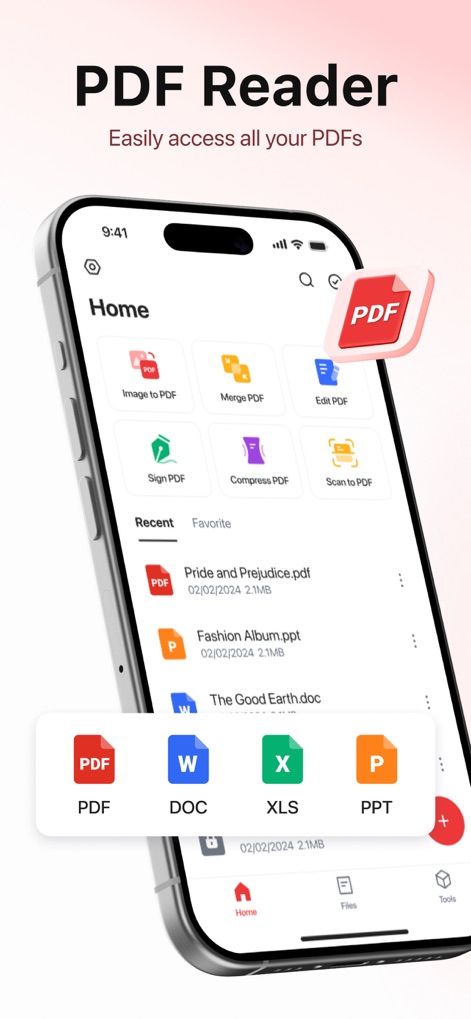
This app provides a unified home screen for quick access to tools like 'Image to PDF' and displays recently opened files, including PDF, DOC, and XLS formats.
Centralized Document Hub
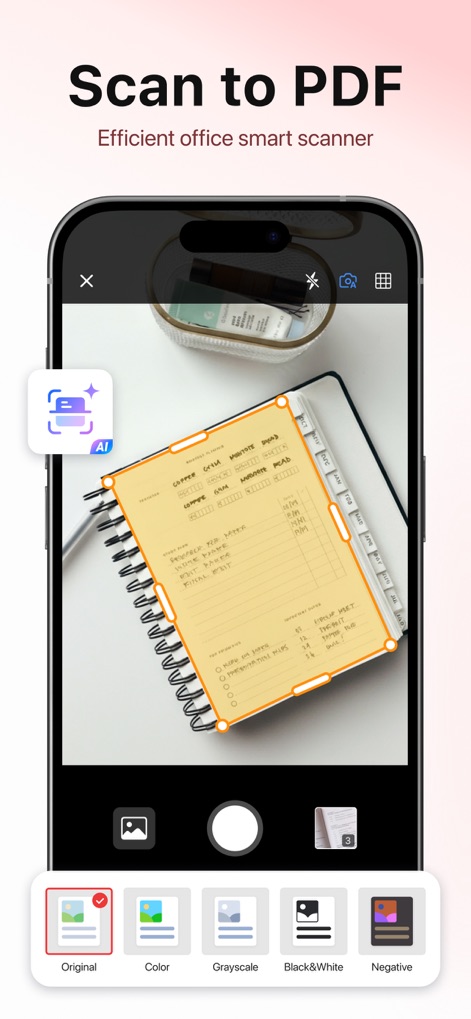
Users can digitize physical documents with the 'AI Scan' feature, which utilizes 'Auto Edge Detection' to precisely capture content, as shown with the orange bounding box.
Intelligent Document Scanning
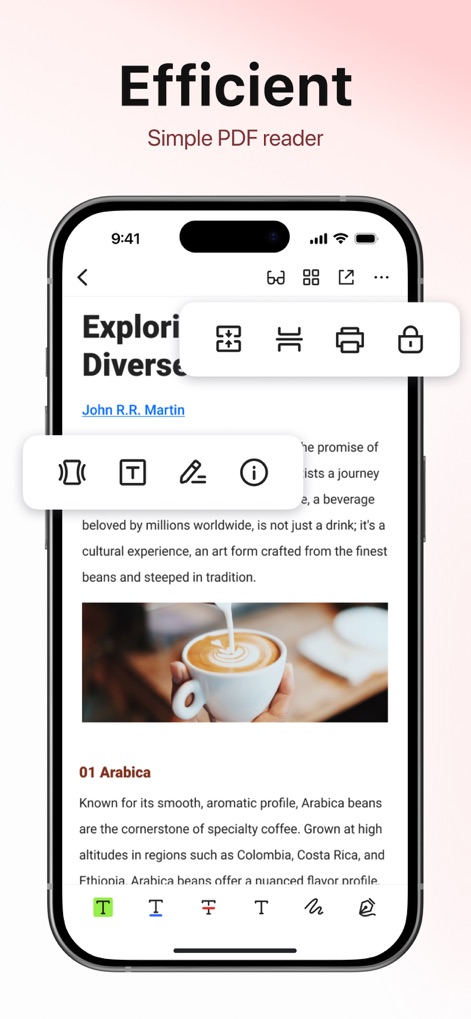
The app offers a smooth PDF reading experience, featuring a toolbar with options like 'highlighting' text and an 'insert signature' tool for dynamic document interaction.
Seamless PDF Interaction
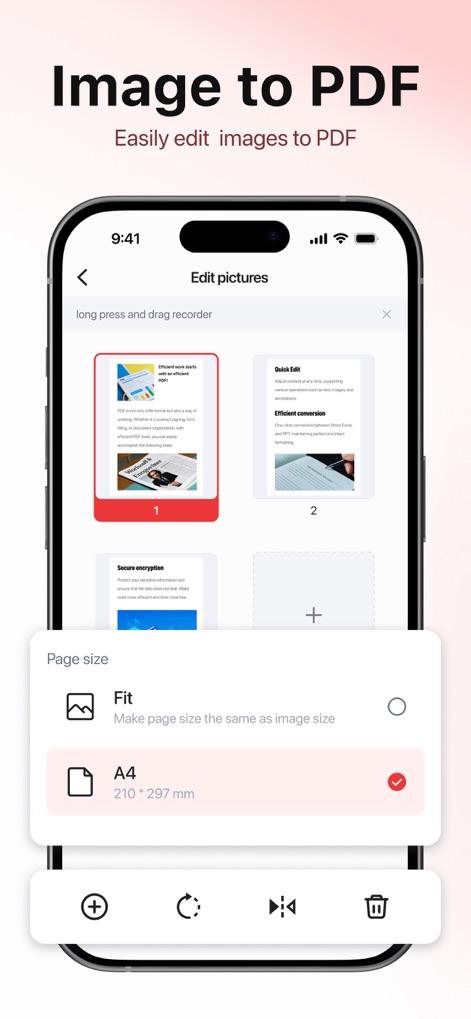
This tool allows users to effortlessly convert multiple images into a single PDF, providing flexible 'page size' options such as 'A4' for optimal formatting.
Image to PDF Conversion
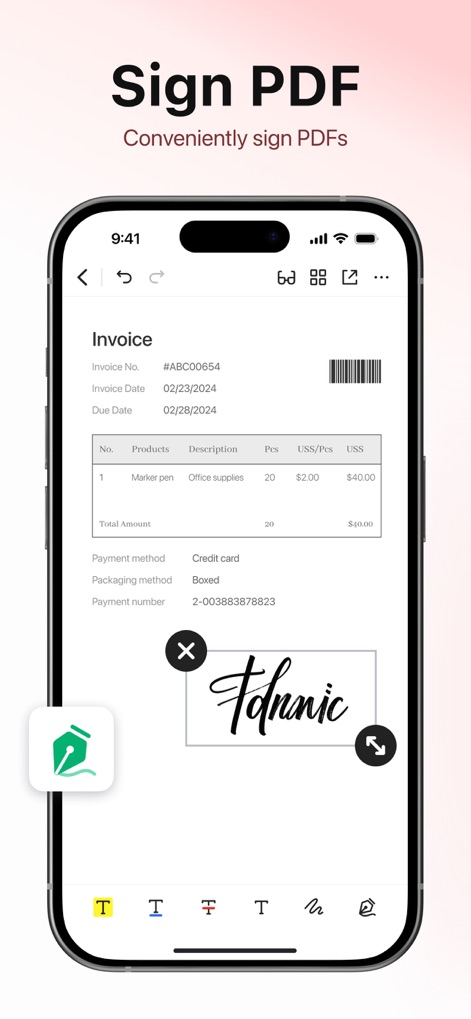
Users can easily sign PDFs directly within the app, utilizing a 'handwritten signature' feature that can be 'resized and repositioned' on the document.
Effortless Digital Signatures
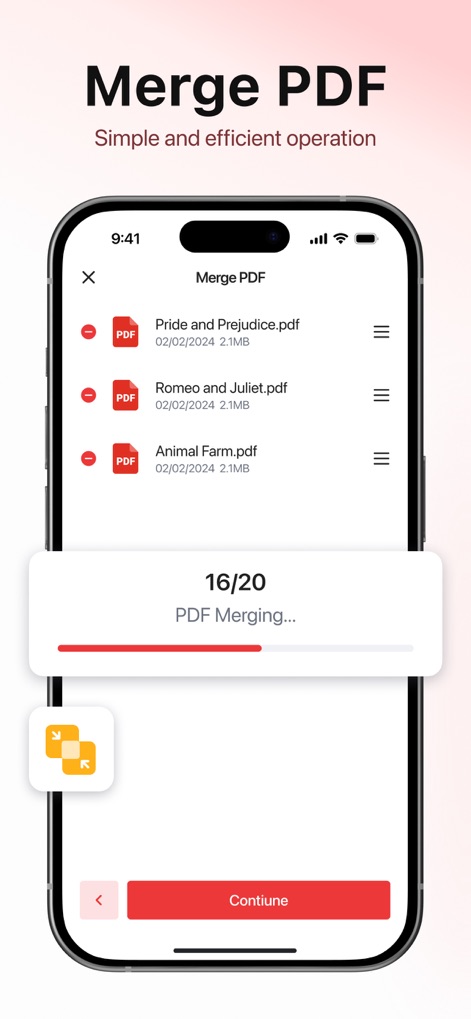
The app enables users to 'merge multiple PDF files' into one consolidated document, with a clear 'progress bar' indicating the merging status.
Combine Documents Seamlessly
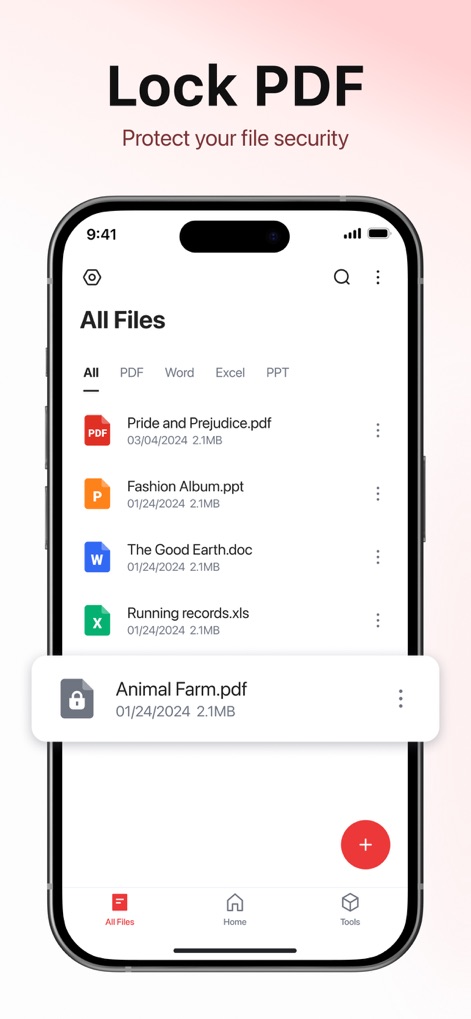
This feature allows users to 'lock PDF files' with password protection, as indicated by the 'lock icon' next to the file name in the file list.
Secure Document Protection
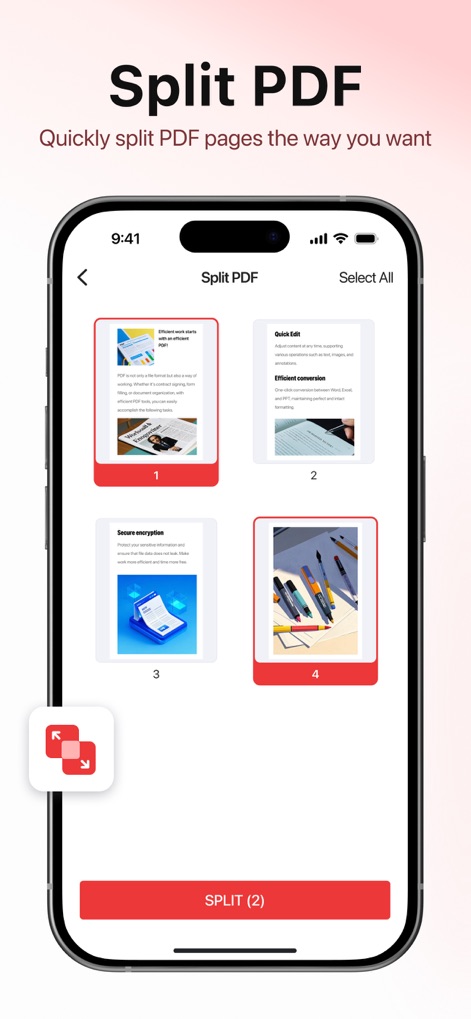
Users can easily 'split large PDF files' into smaller, manageable sections, visually selecting individual 'pages to split' before confirming the action.
Precise PDF Splitting
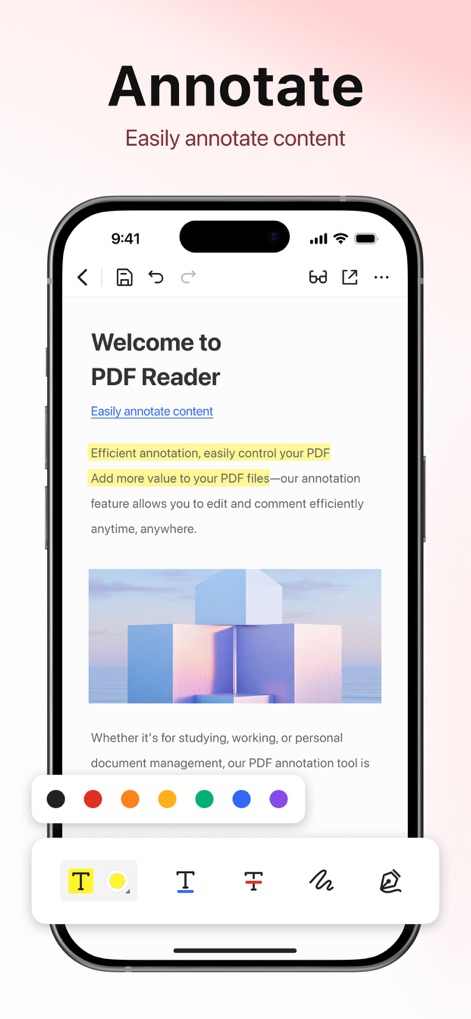
The app provides comprehensive annotation tools, including various 'color options for highlighting' and dedicated buttons for 'text and pen annotations'.
Enhanced PDF Annotation
Description
Download
More Like This
Apps with similar features and user experience

Converter Files & PDF Editor
Shenzhen Miguo Qudong Technology Co., Ltd

文档手机版-word文档编辑,手机office办公软件
喜存 岳

PDF Maker - Convert to PDF
KUPERTINO BIL. YAZ. HALIL IBRAHIM KARAHAN SAFFET ARSLAN MUSTAFA AYTEN MUHAMMET YALCIN OZDEMIR K. S.

PDF Converter & PDF Creator
The Last Sunrise LLC

PDF Maker: Editor & Converter
SolveIt Inc.

PDF Editor・PDF File Converter
VISARGERD, S.L.

PDFit-AI PDF&Scanner
FAST LINE NETWORK TECHNOLOGY LIMITED

PDF Converter・Doc Scanner
Nikolai Ivanenko

PDF Editor | Files Converter
Yehor Karataiev
This page is not an official page of the app or its developer, but an independent editorial publication created for informational and commentary purposes. Unless expressly stated otherwise, neither the app nor its developer is affiliated with, endorsed by, sponsored by, authorized by, or otherwise officially connected with MWM, Apple, Google Play, the app publisher, or the app's developer, and nothing on this page implies that the app was developed using MWM's services. Any trademarks, logos, screenshots, and other content remain the property of their respective owners.