
This page is not an official page of the app or its developer, but an independent editorial publication created for informational and commentary purposes. Unless expressly stated otherwise, neither the app nor its developer is affiliated with, endorsed by, sponsored by, authorized by, or otherwise officially connected with MWM, Apple, Google Play, the app publisher, or the app's developer, and nothing on this page implies that the app was developed using MWM's services. Any trademarks, logos, screenshots, and other content remain the property of their respective owners.


Converter & Editor: PDF Expert
Finally, total control over your documents and digital identity. This app proves to be a rare gem in document handling and personalization.
Downloads
250k+User Rating
Total Ratings
933Publisher
Category
BusinessLocales
1Latest Version
1.7.0Size
86.6 MBFirst Released
Jul 17, 2022An in-depth evaluation of essential functionalities for document management and personalization.
Key Features Analysis: Converter & Editor: PDF Expert
Smart PDF Converter
The app provides powerful tools to transform PDFs into various editable formats like Word, Excel, or images, ensuring seamless conversion while preserving original quality.
High-Quality Output Preservation
This tool ensures that all conversions maintain the original clarity, formatting, and structural integrity, crucial for professional and academic documents.
Smooth PDF Navigation & Management
It allows users to effortlessly browse, annotate, and organize PDF documents, enhancing productivity and ease of access on mobile devices.
Custom Stickers Creation
The app enables users to design and create personalized, eye-catching stickers to imbue digital communications with a unique touch.
Frequently Asked Questions
Everything you need to know about Converter & Editor: PDF Expert
What file types can the PDF Converter & PDF Creator app convert?
The PDF Converter & PDF Creator app converts PDFs to and from formats like DOCX, RTF, HTML, JPG, PNG, EPUB, MOBI, and FB2. It also converts files, photos, and camera input to PDF.
Can users create custom stickers with the PDF Converter & PDF Creator app?
Yes, the PDF Converter & PDF Creator app allows users to design eye-catching custom stickers. This feature adds a personalized touch to messages and communication.
Does the PDF Converter & PDF Creator app allow editing of PDF documents?
Yes, the PDF Converter & PDF Creator app enables users to edit documents. Features include cropping, rotating, adding text, using a brush, and erasing content within PDFs.
Does PDF Converter & PDF Creator maintain quality during file conversion?
Yes, the PDF Converter & PDF Creator app preserves quality and formatting during all file conversions. It ensures high-quality output for dynamic digital assets.
Does PDF Converter & PDF Creator offer premium features via subscription?
Yes, the PDF Converter & PDF Creator app provides access to premium features through a subscription plan. These subscriptions have flexible options and automatically renew.
How does PDF Converter & PDF Creator convert files to PDF?
The PDF Converter & PDF Creator app converts various file types, photos, and camera inputs directly to PDF. Users select the source, and the app transforms it into a PDF.
Where can I find the privacy policy for the PDF Converter & PDF Creator app?
The privacy policy for the PDF Converter & PDF Creator app is available at the provided URL: https://docs.google.com/document/d/1qY5Upw2ABnChTihH1jpsfiduLnlwn5D8AMldI5UX4aM/edit?usp=sharing.
Can files be shared directly from the PDF Converter & PDF Creator app?
Yes, the PDF Converter & PDF Creator app allows instant sharing of files. Users can utilize various methods such as AirDrop, Messages, Mail, or Notes directly from the app interface.
The following screenshots and description are sourced directly from the app's official store listing and are the property of the app developer.
App Store
Screenshots

Users can explore multiple conversion categories for various input types, alongside a wide array of supported output formats like PDF, TXT, and DOC.
Versatile Conversions
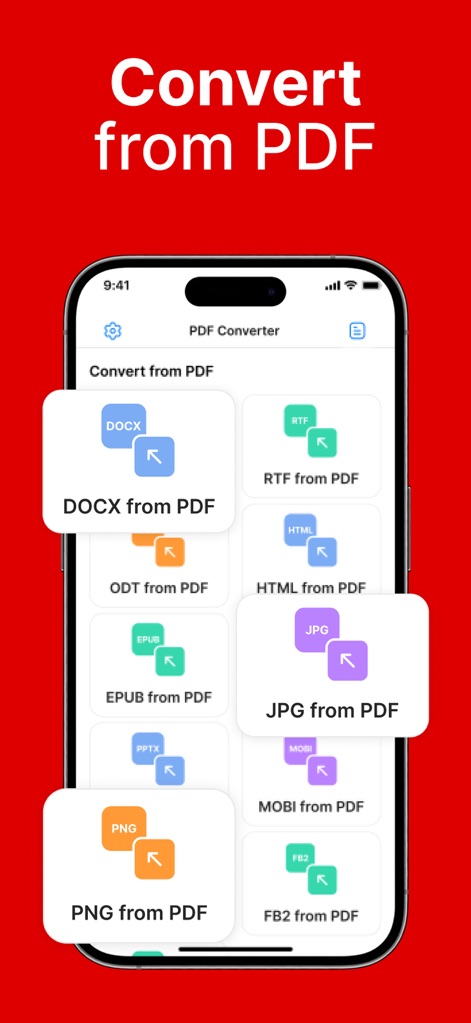
This tool highlights specific conversion pairs such as DOCX from PDF and JPG from PDF, presented within an organized grid layout for effortless selection.
Extensive PDF Outputs
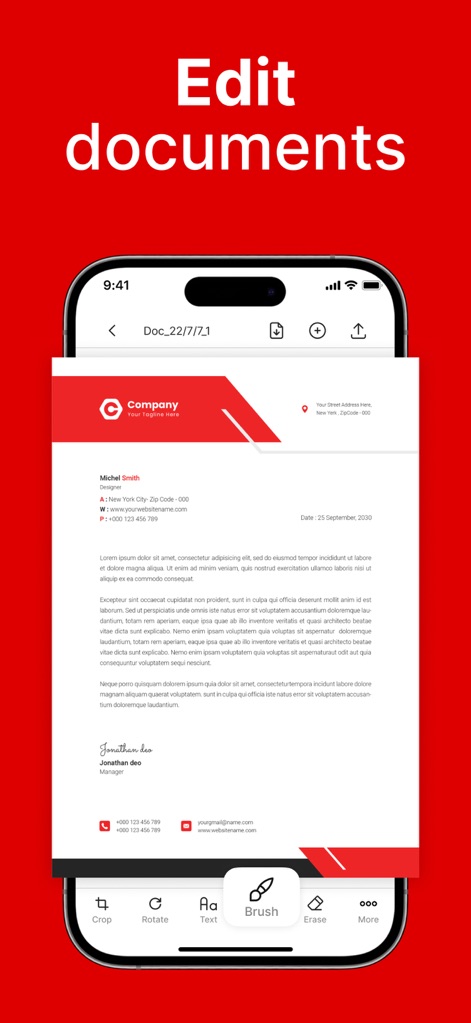
The app provides a robust bottom-toolbar with editing options like Crop, Rotate, and Brush, allowing for precise modifications directly within the document preview pane.
Precision PDF Tools
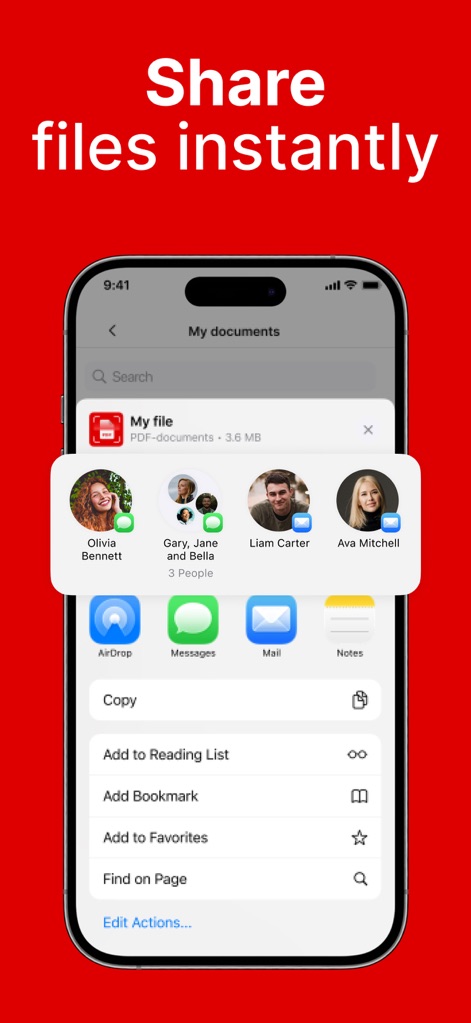
The app integrates seamlessly with the iOS sharing sheet, offering quick access to contacts and popular app actions like AirDrop, Messages, and Mail for efficient distribution.
Effortless File Sharing
Description
Download
More Like This
Apps with similar features and user experience

Converter Files & PDF Editor
Shenzhen Miguo Qudong Technology Co., Ltd

文档手机版-word文档编辑,手机office办公软件
喜存 岳

PDF Maker - Convert to PDF
KUPERTINO BIL. YAZ. HALIL IBRAHIM KARAHAN SAFFET ARSLAN MUSTAFA AYTEN MUHAMMET YALCIN OZDEMIR K. S.

PDF Maker: Editor & Converter
SolveIt Inc.

PDF Editor・PDF File Converter
VISARGERD, S.L.

PDFit-AI PDF&Scanner
FAST LINE NETWORK TECHNOLOGY LIMITED

PDF Converter・Doc Scanner
Nikolai Ivanenko

PDF Editor | Files Converter
Yehor Karataiev
PDF Converter: PDF Compressor
Marten Geiger
This page is not an official page of the app or its developer, but an independent editorial publication created for informational and commentary purposes. Unless expressly stated otherwise, neither the app nor its developer is affiliated with, endorsed by, sponsored by, authorized by, or otherwise officially connected with MWM, Apple, Google Play, the app publisher, or the app's developer, and nothing on this page implies that the app was developed using MWM's services. Any trademarks, logos, screenshots, and other content remain the property of their respective owners.