
This page is not an official page of the app or its developer, but an independent editorial publication created for informational and commentary purposes. Unless expressly stated otherwise, neither the app nor its developer is affiliated with, endorsed by, sponsored by, authorized by, or otherwise officially connected with MWM, Apple, Google Play, the app publisher, or the app's developer, and nothing on this page implies that the app was developed using MWM's services. Any trademarks, logos, screenshots, and other content remain the property of their respective owners.

PDF Converter: PDF Compressor
Effortlessly convert, sign, and compress files on the go. Turn photos into PDFs, use OCR, and manage your workflow with professional tools built for your iPhone.
Downloads
45K+User Rating
Total Ratings
300Publisher
Category
UtilitiesLocales
1Latest Version
1.0.6Size
44.2 MBFirst Released
Aug 18, 2025Your Complete Mobile Office
Stop searching for multiple tools. Handle every document task with a single, powerful app designed for the high-paced professional.
Convert & Compress Instantly
Transform photos, spreadsheets, and presentations into professional PDFs. Use advanced compression to bypass email size limits without losing quality.
Sign & Edit on the Fly
Close deals anywhere by adding digital signatures and filling out forms. Annotate reports, highlight key text, and add notes directly from your iPhone.
Frequently Asked Questions
Everything you need to know about PDF Converter: PDF Compressor
How to convert images to PDF using PDF Converter: PDF Compressor?
Yes, PDF Converter: PDF Compressor converts photos to PDF. Users can take a photo with their camera, pick from the gallery, or import from files to convert images into PDF documents.
What are the main features of PDF Converter: PDF Compressor?
PDF Converter: PDF Compressor offers conversion of various files to PDF, editing capabilities like annotation and highlighting, merging/splitting PDFs, compression, OCR, digital form filling, and document signing. It also includes file organization and security.
Does PDF Converter: PDF Compressor support OCR?
Yes, PDF Converter: PDF Compressor supports OCR (Optical Character Recognition). This feature allows users to scan printed text and convert it into editable digital content within the application.
Can I edit documents with PDF Converter: PDF Compressor?
Yes, PDF Converter: PDF Compressor provides advanced editing capabilities. These include annotation, text insertion, highlighting, and freehand drawing, allowing users to personalize and mark up documents efficiently.
How can I protect my PDF files in PDF Converter: PDF Compressor?
PDF Converter: PDF Compressor offers multiple security options. Users can apply passwords and encryption to protect their PDFs. Additionally, sensitive files can be secured with optional Face ID / Touch ID protection.
What types of files can PDF Converter: PDF Compressor convert?
PDF Converter: PDF Compressor converts various file types. It converts photos, documents, spreadsheets, and presentations to PDF. It also supports conversion between formats like Word, Excel, PowerPoint, JPG, and HTML to PDF or vice versa.
Is PDF Converter: PDF Compressor a free app?
No, PDF Converter: PDF Compressor offers a premium subscription for unlimited access to all features. This includes advanced conversions, unlimited edits, cloud integration, and priority support. A Week Membership is available.
How do I manage or cancel my subscription for PDF Converter: PDF Compressor?
Users manage their PDF Converter: PDF Compressor subscription via account settings. The subscription will auto-renew unless turned off at least 24 hours before the current period ends.
Does PDF Converter: PDF Compressor automatically enhance scanned documents?
Yes, PDF Converter: PDF Compressor features Smart Auto-Crop & Enhancement. This includes automatic edge detection and color correction, ensuring that all scans look sharp and precise.
Where can I find the privacy policy for PDF Converter: PDF Compressor?
The privacy policy for PDF Converter: PDF Compressor is available at https://sites.google.com/view/privacy-policy-pdf-converter-a. This link is provided in the app's description for user reference.
The following screenshots and description are sourced directly from the app's official store listing and are the property of the app developer.
App Store
Screenshots
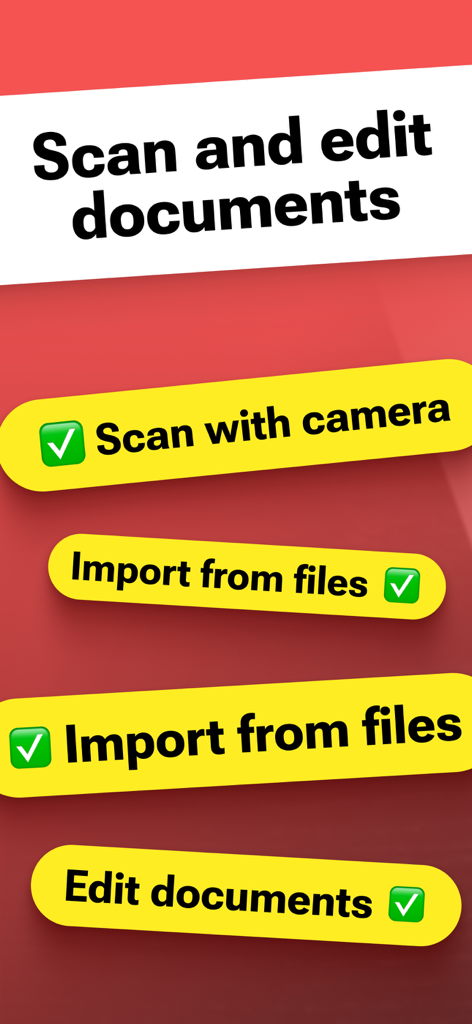
App interface showing document scanning and editing options for mobile PDF conversion
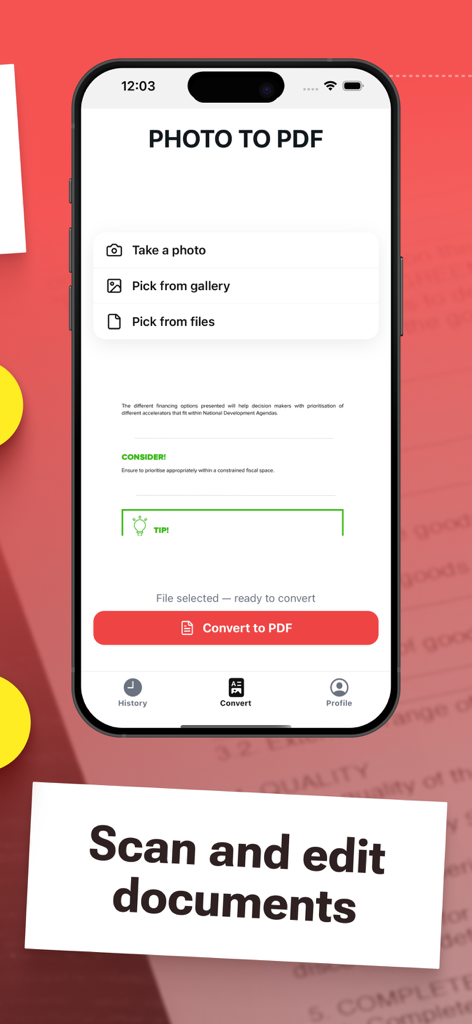
Iphone screen showing the photo to pdf conversion and document scanning interface
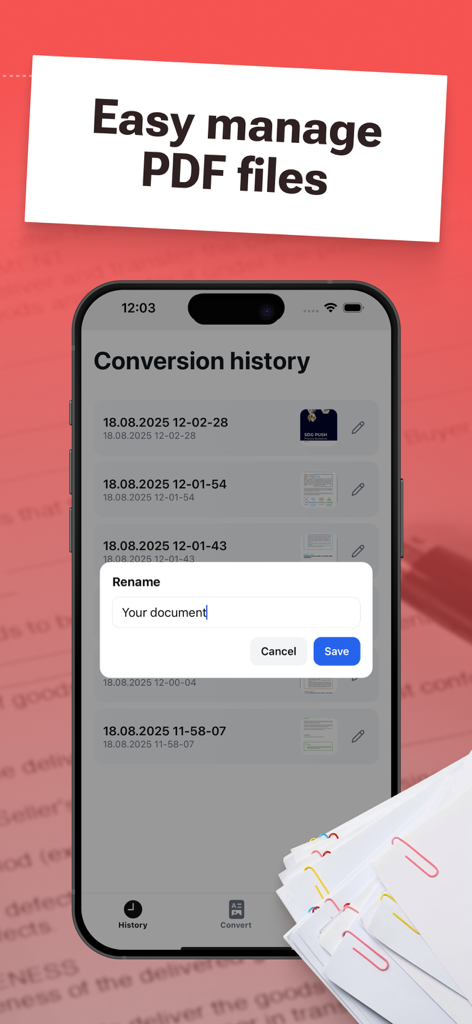
Mobile app screen showing conversion history and a rename document popup window
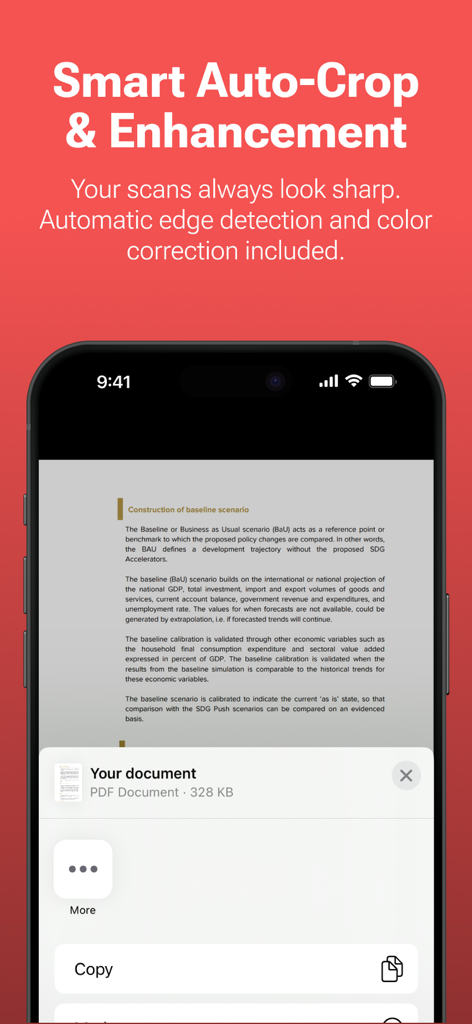
Smartphone screen showing a scanned document with smart auto-crop and enhancement features
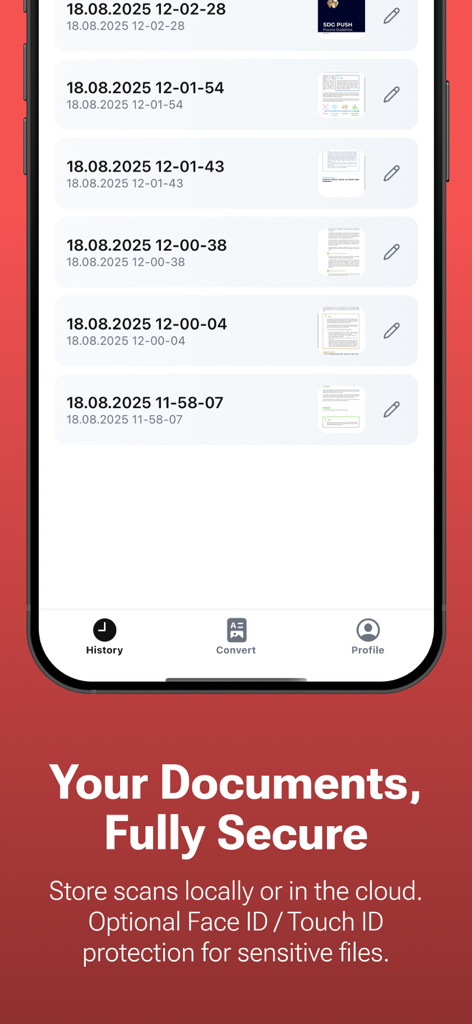
Smartphone screen displaying the document history and security features of the PDF Converter app.
Description
Download
More Like This
Apps with similar features and user experience

Converter Files & PDF Editor
Shenzhen Miguo Qudong Technology Co., Ltd

文档手机版-word文档编辑,手机office办公软件
喜存 岳

PDF Maker - Convert to PDF
KUPERTINO BIL. YAZ. HALIL IBRAHIM KARAHAN SAFFET ARSLAN MUSTAFA AYTEN MUHAMMET YALCIN OZDEMIR K. S.

PDF Converter & PDF Creator
The Last Sunrise LLC

PDF Maker: Editor & Converter
SolveIt Inc.

PDF Editor・PDF File Converter
VISARGERD, S.L.

PDFit-AI PDF&Scanner
FAST LINE NETWORK TECHNOLOGY LIMITED

PDF Converter・Doc Scanner
Nikolai Ivanenko
PDF Editor-Converter & Viewer
SCOTT WILLIAM WALKER
This page is not an official page of the app or its developer, but an independent editorial publication created for informational and commentary purposes. Unless expressly stated otherwise, neither the app nor its developer is affiliated with, endorsed by, sponsored by, authorized by, or otherwise officially connected with MWM, Apple, Google Play, the app publisher, or the app's developer, and nothing on this page implies that the app was developed using MWM's services. Any trademarks, logos, screenshots, and other content remain the property of their respective owners.