
This page is not an official page of the app or its developer, but an independent editorial publication created for informational and commentary purposes. Unless expressly stated otherwise, neither the app nor its developer is affiliated with, endorsed by, sponsored by, authorized by, or otherwise officially connected with MWM, Apple, Google Play, the app publisher, or the app's developer, and nothing on this page implies that the app was developed using MWM's services. Any trademarks, logos, screenshots, and other content remain the property of their respective owners.

PDF Editor-Converter & Viewer
Effortlessly create, edit, and secure professional documents on the go. Whether you are merging files, annotating drafts, or converting images to PDF, streamline your workflow with the ultimate tool for mobile efficiency.
Downloads
50K+User Rating
Total Ratings
700Publisher
Category
UtilitiesLocales
6Latest Version
1.0.2Size
41.6 MBFirst Released
Aug 26, 2025Streamline Your Professional Workflow
The all-in-one mobile toolkit designed for freelancers, students, and professionals who need to manage, edit, and secure documents on the fly.
Instant Scan-to-PDF
Transform photos of receipts, invoices, or handwritten notes into professional-grade PDFs instantly using your device camera.
Merge & Organize
Combine multiple documents into a single report or split large files into smaller segments to keep your digital workspace clutter-free.
Frequently Asked Questions
Everything you need to know about PDF Editor-Converter & Viewer
What is PDF Editor-Converter & Viewer?
PDF Editor-Converter & Viewer is a tool designed for creating, editing, and managing PDF files. It supports converting images or text into PDFs, merging, splitting, adding annotations, and password protection.
How can I create PDFs with PDF Editor-Converter & Viewer?
Yes, PDF Editor-Converter & Viewer allows you to create PDFs from various sources including images, text, Word, and Excel files. It also offers a scan feature to convert physical documents into PDFs.
Does PDF Editor-Converter & Viewer allow me to edit and annotate PDFs?
Yes, PDF Editor-Converter & Viewer enables comprehensive editing and annotation of PDFs. You can highlight text, reorder pages, add new pages, and extract text from your documents.
Can I merge and split PDF files using PDF Editor-Converter & Viewer?
Yes, PDF Editor-Converter & Viewer includes functionalities to merge multiple PDF documents into a single file or split a large PDF into smaller, manageable files for better organization.
How can I protect my PDF files with PDF Editor-Converter & Viewer?
PDF Editor-Converter & Viewer allows you to add password protection to your PDF files. This feature helps secure your sensitive documents against unauthorized viewing or access.
Does PDF Editor-Converter & Viewer support cloud services for file management?
Yes, PDF Editor-Converter & Viewer offers cloud support for importing and sharing files. This feature ensures you can manage and access your PDF documents across different devices and locations.
How does payment work for PDF Editor-Converter & Viewer subscriptions?
Charges for PDF Editor-Converter & Viewer subscriptions are applied directly to your iTunes Account upon confirmation of purchase. This is the standard payment process for app subscriptions.
Does PDF Editor-Converter & Viewer subscription auto-renew?
Yes, subscriptions for PDF Editor-Converter & Viewer automatically renew. To avoid unwanted charges, you must cancel the subscription at least 24 hours before the current billing period concludes.
How do I manage my PDF Editor-Converter & Viewer subscription?
You can manage your PDF Editor-Converter & Viewer subscription by navigating to your Account Settings after purchase. Here you can control auto-renewal and modify other subscription preferences.
Where can I find the Privacy Policy for PDF Editor-Converter & Viewer?
The Privacy Policy for PDF Editor-Converter & Viewer is accessible via the provided link: https://telegra.ph/Privacy-Policy-08-27-92. This document outlines how your data is handled.
The following screenshots and description are sourced directly from the app's official store listing and are the property of the app developer.
App Store
Screenshots
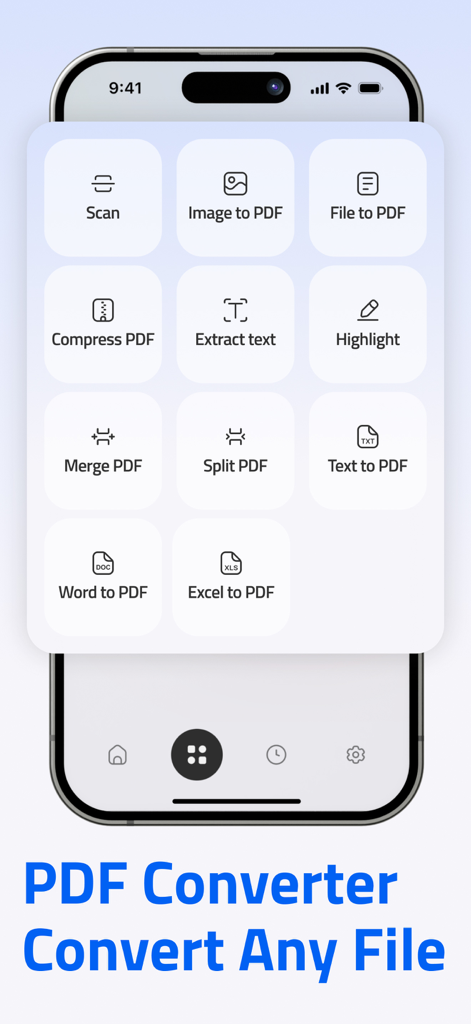
A mobile interface of PDF Creature showing various document management tools like Scan, Image to PDF, and Merge PDF.
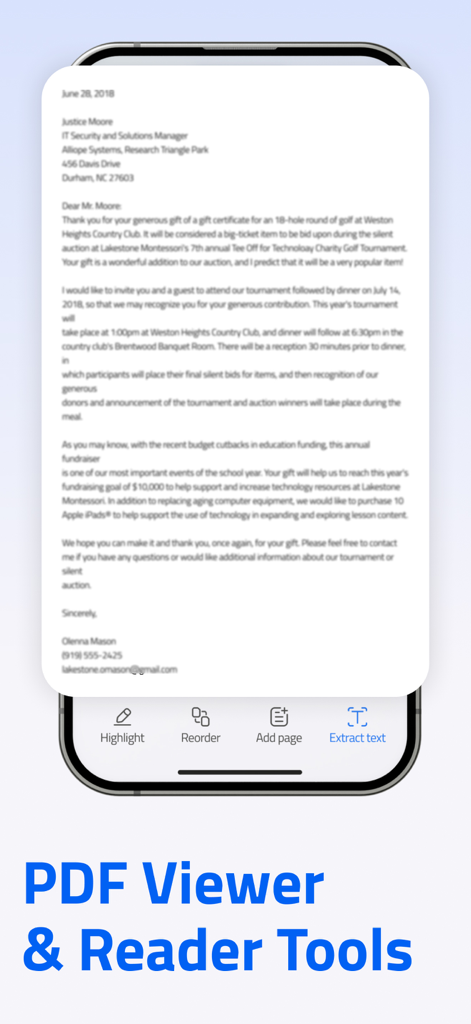
A mobile interface of the PDF Creature app showing document tools like highlight and extract text
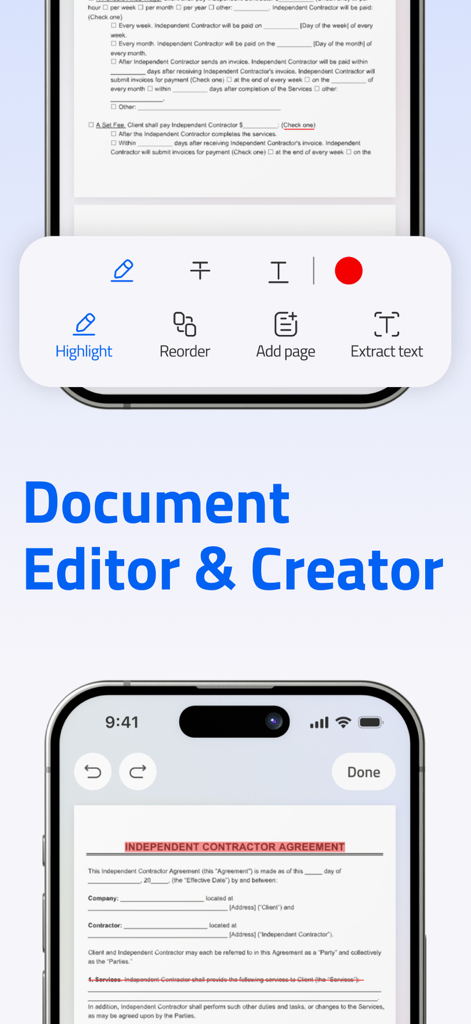
Mobile app interface of PDF Creature showing document editing tools including highlight, reorder, and text extraction features over a contract document.
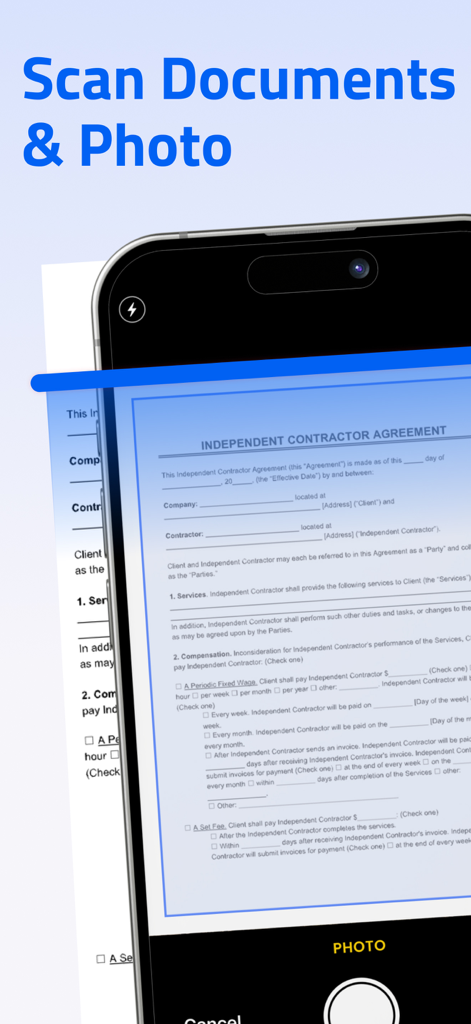
A smartphone interface scanning an independent contractor agreement using the PDF Creature app.
Description
Download
More Like This
Apps with similar features and user experience

Converter Files & PDF Editor
Shenzhen Miguo Qudong Technology Co., Ltd

文档手机版-word文档编辑,手机office办公软件
喜存 岳

PDF Maker - Convert to PDF
KUPERTINO BIL. YAZ. HALIL IBRAHIM KARAHAN SAFFET ARSLAN MUSTAFA AYTEN MUHAMMET YALCIN OZDEMIR K. S.

PDF Converter & PDF Creator
The Last Sunrise LLC

PDF Maker: Editor & Converter
SolveIt Inc.

PDF Editor・PDF File Converter
VISARGERD, S.L.

PDFit-AI PDF&Scanner
FAST LINE NETWORK TECHNOLOGY LIMITED

PDF Converter・Doc Scanner
Nikolai Ivanenko

PDF Editor | Files Converter
Yehor Karataiev
This page is not an official page of the app or its developer, but an independent editorial publication created for informational and commentary purposes. Unless expressly stated otherwise, neither the app nor its developer is affiliated with, endorsed by, sponsored by, authorized by, or otherwise officially connected with MWM, Apple, Google Play, the app publisher, or the app's developer, and nothing on this page implies that the app was developed using MWM's services. Any trademarks, logos, screenshots, and other content remain the property of their respective owners.