PDF Reader - PDF Viewer, Edit

PDF Reader - PDF Viewer, Edit

Download on App Store
Logo of PDF Reader - PDF Viewer, Edit

PDF Reader - PDF Viewer, Edit: Your Fast, Offline Office Hub

Boost your productivity with a lightweight, secure app to read and manage PDFs, Word, and Excel files anywhere. Designed for efficiency seekers who need instant access to documents on the go—no internet required.

Download on App Store

Publisher

Mohit Rudani

Category

Productivity

Downloads

106K+

User Rating

4.4/5

Total Ratings

1K+

Locales

1

Productivity at a Glance

Discover the interface used by 106K+ users.
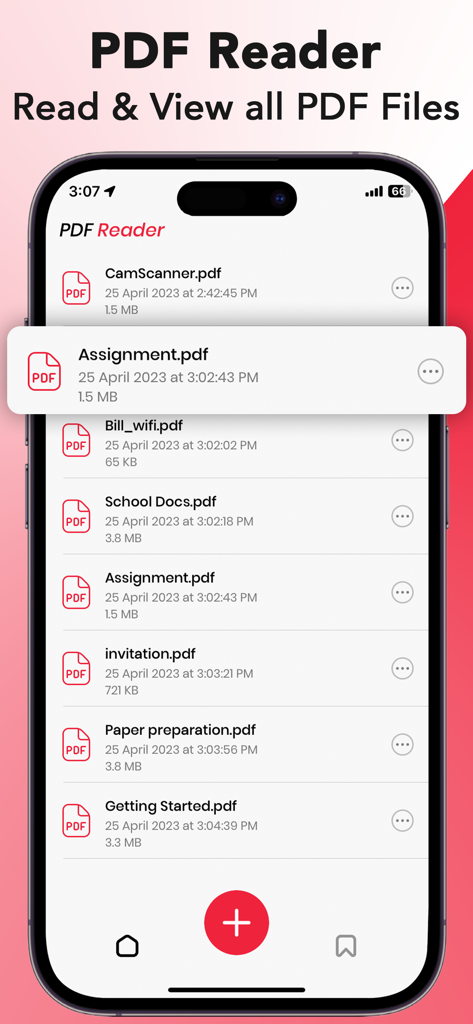
A list of PDF documents including assignments and school files on the PDF Reader app.

A list of PDF documents including assignments and school files on the PDF Reader app.

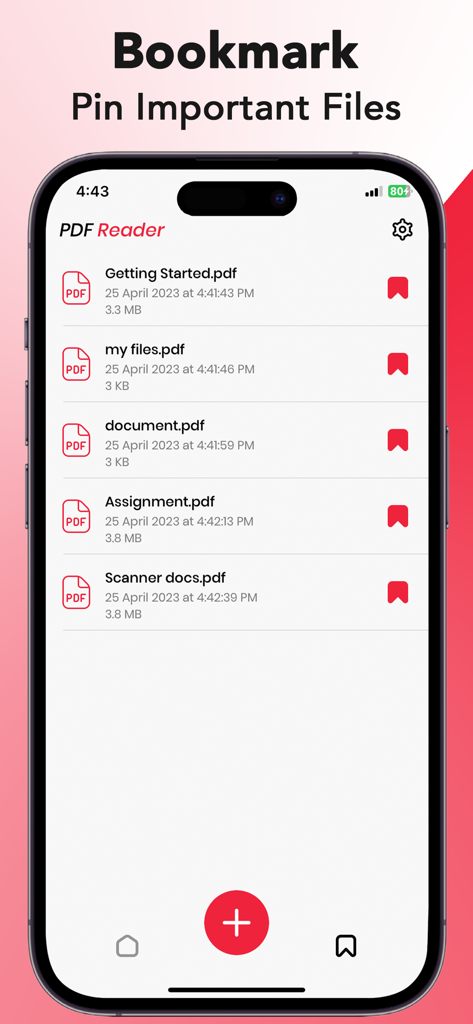
Mobile app screen showing bookmarked and pinned important PDF documents in a list view.

Mobile app screen showing bookmarked and pinned important PDF documents in a list view.

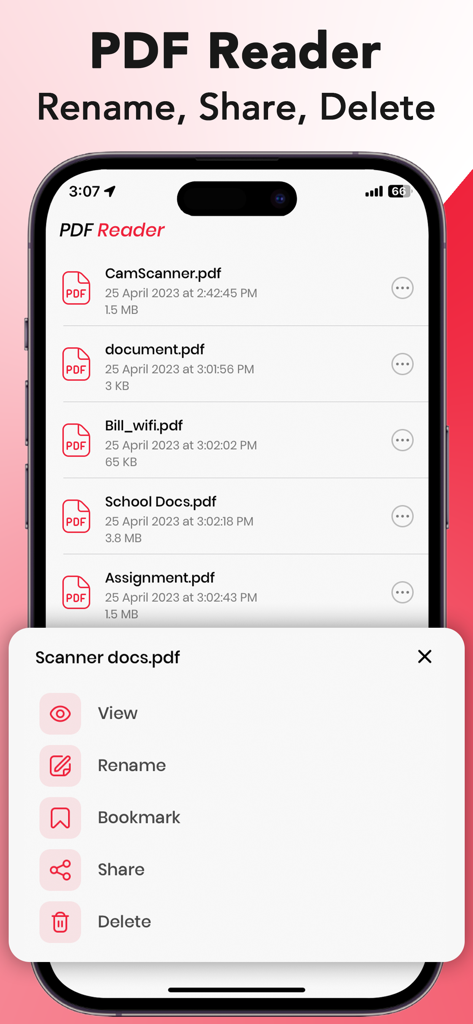
A menu in the PDF Reader app showing options to view, rename, bookmark, share, and delete documents on an iPhone.

A menu in the PDF Reader app showing options to view, rename, bookmark, share, and delete documents on an iPhone.

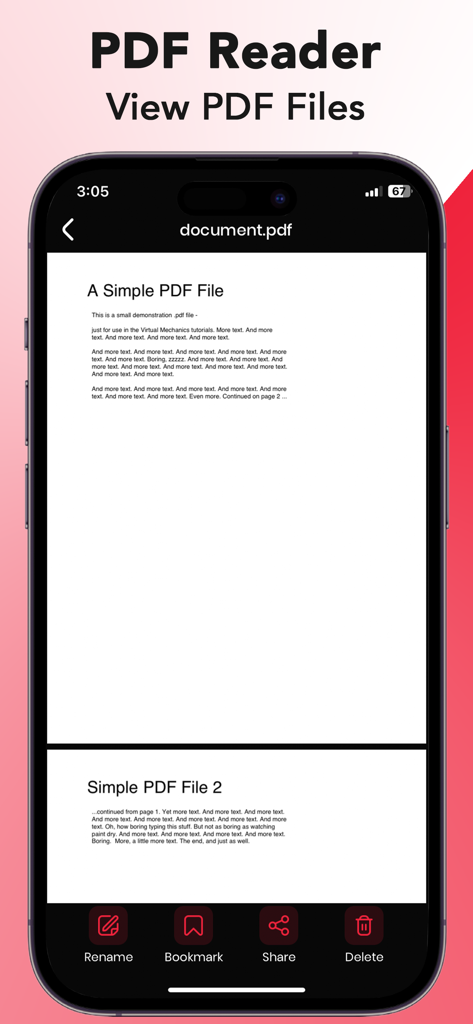
A mobile interface of a PDF reader app on an iPhone showing a document with file management tools like rename and share

A mobile interface of a PDF reader app on an iPhone showing a document with file management tools like rename and share

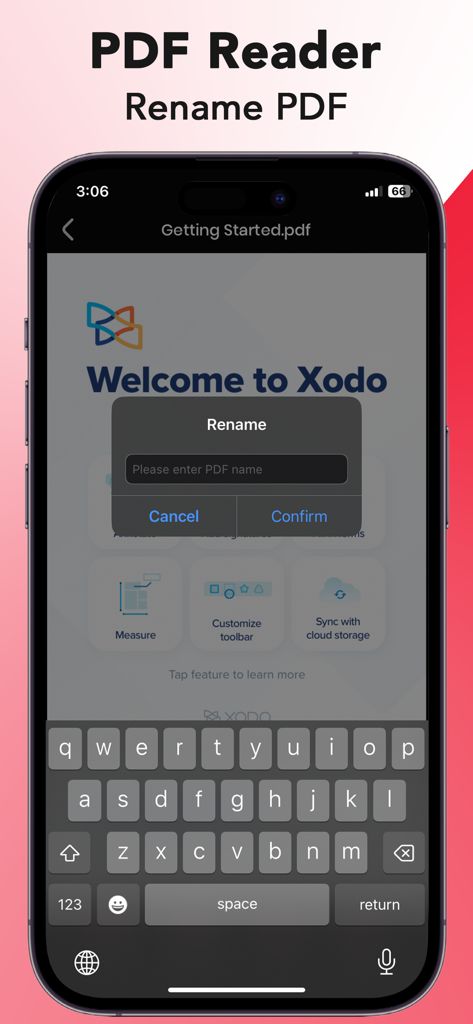
A mobile interface for renaming a PDF document within a PDF reader app

A mobile interface for renaming a PDF document within a PDF reader app

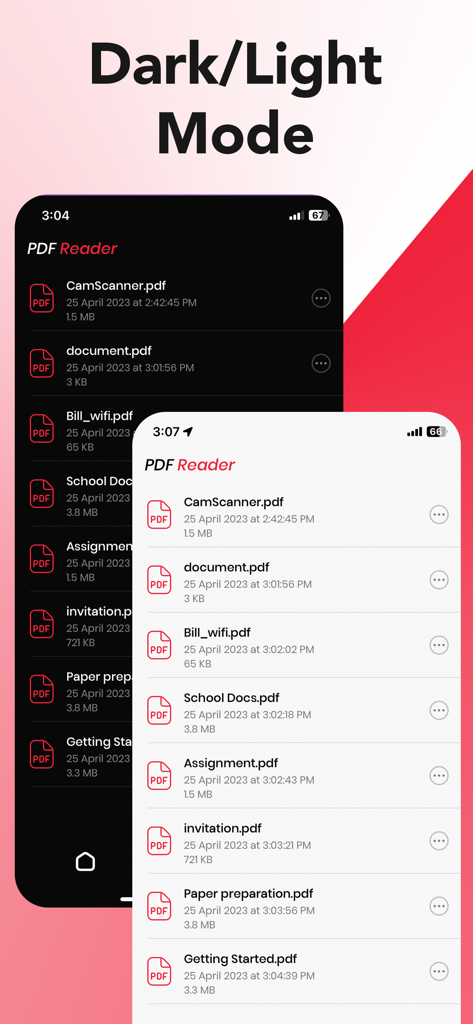
A side by side comparison of the PDF Reader mobile app interface in dark and light modes showing a list of documents

A side by side comparison of the PDF Reader mobile app interface in dark and light modes showing a list of documents

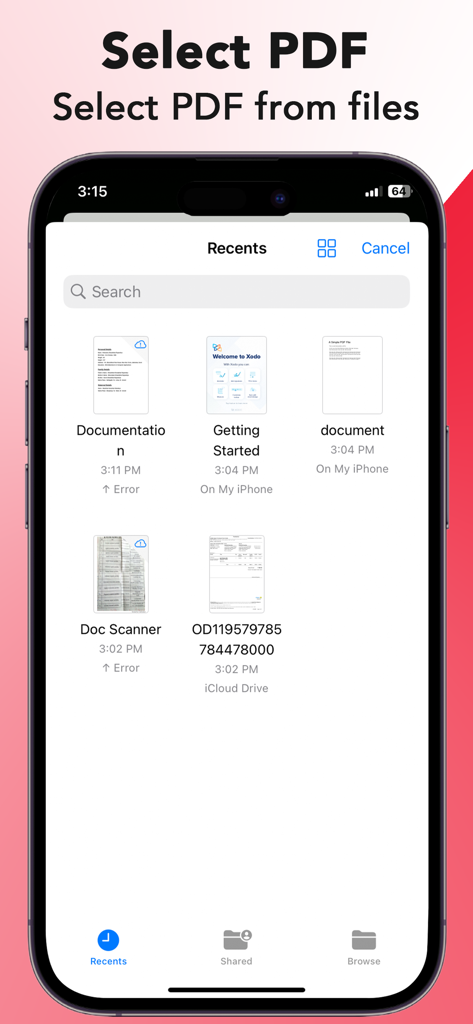
Screen showing recent PDF files ready for selection in the PDF Reader app on iPhone.

Screen showing recent PDF files ready for selection in the PDF Reader app on iPhone.

Master Your Documents on the Go

The tools that make this app stand out, trusted by 106K+ users.

🚀

Lightweight & Blazing Fast

Open large documents in an instant and navigate seamlessly with high-performance scrolling optimized for your mobile device.

🔌

Total Offline Freedom

Stay productive even without Wi-Fi. View and manage your PDFs, Word, and Excel files locally with maximum privacy and speed.

🌙

Built for Focus

Reduce eye strain during late-night work sessions with an integrated Dark Mode and a clutter-free interface designed for efficiency.

About the app

Everything you need to know about PDF Reader - PDF Viewer, Edit.

Description

PDF Reader - PDF Viewer boosts your productivity with everything you need to read, edit PDF files on the go. PDF Reader for Document is the Fastest and Safest mobile reader app in the Apple Store. This is an easy-to-use PDF document reader that allows you to view PDF files while on the go. It is an essential app for every iOS device. Download it for Free! Offline PDF Viewer for iphone :- Free PDF reader is an all-in-one office app because our eBook reader app provides a PDF reader, Word reader, Excel Viewer, and PowerPoint viewer without the internet. Install this free PDF Reader - PDF Viewer and enjoy reading PDF files. This is a free PDF book reader and Docx reader app. √ Features of PDF Reader :- - View local PDF files - Load files from Files - Save your PDF files - Share in a one click - Bookmark PDF - Rename PDF File - Delete PDF File - Check current page - Fast Page Scrolling Horizontal and Vertical. - Easily find your PDFs and documents by name. - Adjust the Dark Mode for reading PDF files. - This is an offline PDF Book reader for viewing PDF documents. - Share in one click Open, View, and Read PDFs with the fast PDF Reader for iphone. A simple PDF viewer is free and reliable to read PDF documents and PDF eBooks. THE PDF viewer app makes it very easy to scan & read .PDF files and manage documents on your phone. This is the best PDF book reader for iphone. Privacy : https://mrappsprivacy.blogspot.com Terms of use : https://sites.google.com/view/mr-apps-termsofuse/home Do not forget to share your best experiences with us through Rate & Review.

Latest Version

1.2

Size

14.6 MB

First Released

Apr 26, 2023

Ready to Work Smarter from Anywhere?

Join 100k+ users who simplify their workflow with the fastest, free, and completely offline PDF tool for iPhone. No subscriptions, no internet needed—just pure productivity.

Download on App Store
FAQ

Frequently Asked Questions

Everything you need to know about PDF Reader - PDF Viewer, Edit

What is PDF Reader - PDF Viewer, Edit?

PDF Reader - PDF Viewer, Edit is a mobile application for iOS that allows users to read, view, and edit PDF files. It also functions as a reader for Word, Excel, and PowerPoint documents.

Is the PDF Reader - PDF Viewer, Edit app free to download?

Yes, PDF Reader - PDF Viewer, Edit is available for free download. It is specified as a free PDF reader and Docx reader application for iOS devices.

Does PDF Reader - PDF Viewer, Edit work offline?

Yes, PDF Reader - PDF Viewer, Edit operates offline. It is designed as an offline PDF viewer for iPhone and an offline PDF book reader, requiring no internet connection for viewing documents.

How do I load PDF files into the PDF Reader - PDF Viewer, Edit app?

Users load PDF files into PDF Reader - PDF Viewer, Edit from their device's Files. The application supports viewing local PDF files directly from the storage.

Can I bookmark PDF files using PDF Reader - PDF Viewer, Edit?

Yes, users can bookmark PDF files within PDF Reader - PDF Viewer, Edit. The bookmark feature is accessible from a file's context menu or during document viewing.

How do I rename a PDF file in PDF Reader - PDF Viewer, Edit?

Users rename PDF files in PDF Reader - PDF Viewer, Edit through the file's context menu or directly from the document viewing interface. A dedicated dialog box appears for entering the new name.

Does PDF Reader - PDF Viewer, Edit offer a dark mode for reading?

Yes, PDF Reader - PDF Viewer, Edit offers a dark mode. Users can adjust this setting to enable Dark Mode for a more comfortable PDF reading experience.

Can I share PDF files directly from the PDF Reader - PDF Viewer, Edit app?

Yes, PDF Reader - PDF Viewer, Edit allows users to share PDF files. This functionality is available directly from the app interface with a single click.

Where can I find the privacy policy for PDF Reader - PDF Viewer, Edit?

The privacy policy for PDF Reader - PDF Viewer, Edit is located at https://mrappsprivacy.blogspot.com.

What types of documents can PDF Reader - PDF Viewer, Edit open besides PDFs?

Besides PDF files, PDF Reader - PDF Viewer, Edit can open and view Word, Excel, and PowerPoint documents. It serves as an all-in-one office app.

App information, icons, screenshots, and descriptions displayed on this page are sourced from the Apple App Store and are the property of their respective developers. Download estimates and rankings are based on MWM's proprietary models and may not reflect actual figures. This page is provided for informational and analytical purposes only.

Believe this page infringes your intellectual property? File a dispute