
This page is not an official page of the app or its developer, but an independent editorial publication created for informational and commentary purposes. Unless expressly stated otherwise, neither the app nor its developer is affiliated with, endorsed by, sponsored by, authorized by, or otherwise officially connected with MWM, Apple, Google Play, the app publisher, or the app's developer, and nothing on this page implies that the app was developed using MWM's services. Any trademarks, logos, screenshots, and other content remain the property of their respective owners.


Epub Reader -read epub,chm,txt
Digital text used to be a mess. This app untangles it, putting every format at your command.
Downloads
2.5M+User Rating
Total Ratings
88.1KPublisher
Category
BooksLocales
33Latest Version
2.3Size
61.4 MBFirst Released
Oct 19, 2017An analytical overview of core functionalities catering to diverse reading and research needs.
Epub Reader - A Versatile Digital Document Solution
Comprehensive Document Format Support
The app provides extensive support for viewing popular and specialized document formats, including EPUB, CHM, PDF, and RTF, ensuring compatibility with a broad range of digital content.
Advanced Navigation & Reference Tools
It features essential navigation functionalities such as a visible Table of Contents and the ability to add bookmarks, significantly enhancing efficiency for detailed study and quick referencing.
Integrated Note-Taking & Annotation
This tool allows users to take notes directly within documents, facilitating active learning, critical analysis, and personalized engagement with the text.
Direct Compressed Archive Access
The app supports opening various compressed package formats like ZIP, RAR, 7Zip, GZIP, TAR, CBZ, and CBR, enabling direct access to bundled content without prior extraction.
Customizable Reading Experience
It offers customizable font size settings, allowing users to adjust text for optimal comfort and accessibility, catering to individual visual preferences and reducing eye strain.
Flexible Content Import Methods
The app facilitates convenient file addition through multiple channels, including desktop web browser and iTunes file sharing, streamlining the process of getting content into the reader.
Frequently Asked Questions
Everything you need to know about Epub Reader -read epub,chm,txt
What file formats does Epub Reader support for viewing?
Epub Reader supports viewing CHM, EPUB, PDF, and RTF formats. It also opens compressed packages such as ZIP, RAR, 7Zip, GZIP, TAR, CBZ, and CBR files directly within the app.
What key reading features are available in the Epub Reader app?
Epub Reader provides a Table of Contents, allows users to take notes, and add bookmarks. Users can also customize the font size and change reading colors for an optimized experience.
How do users add files to the Epub Reader app?
Users add files to the Epub Reader app through two methods: using a desktop web browser or utilizing iTunes file sharing. These options facilitate easy transfer of documents and ebooks.
What are the purchase options for the Epub Reader app?
Epub Reader offers a 'Permanent professional version' via a one-time purchase. It also provides an 'Annual professional version' which is an auto-renewable subscription that renews automatically upon expiration.
Can users manage their annual subscription for Epub Reader?
Yes, users can manage their annual professional version subscription for Epub Reader. Auto-renewal may be turned off by accessing the user's iTunes Account Settings after purchase.
Where can users find the Privacy Policy for Epub Reader?
The Privacy Policy for the Epub Reader app is available online. Users can access the full policy document at https://epubreaderserver.web.app/privacypolicy.html.
The following screenshots and description are sourced directly from the app's official store listing and are the property of the app developer.
App Store
Screenshots
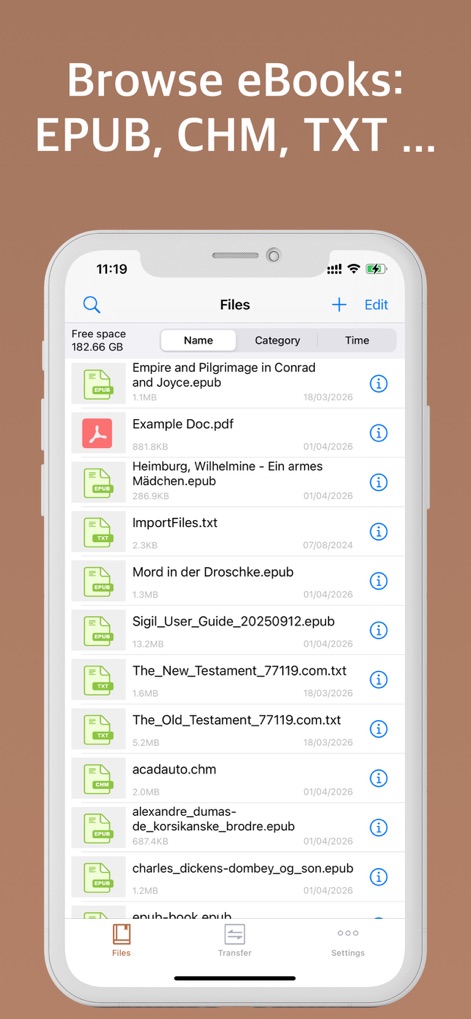
This tool offers a streamlined file management interface, displaying diverse file formats like EPUB and TXT, alongside details such as file name and category.
Universal File Hub
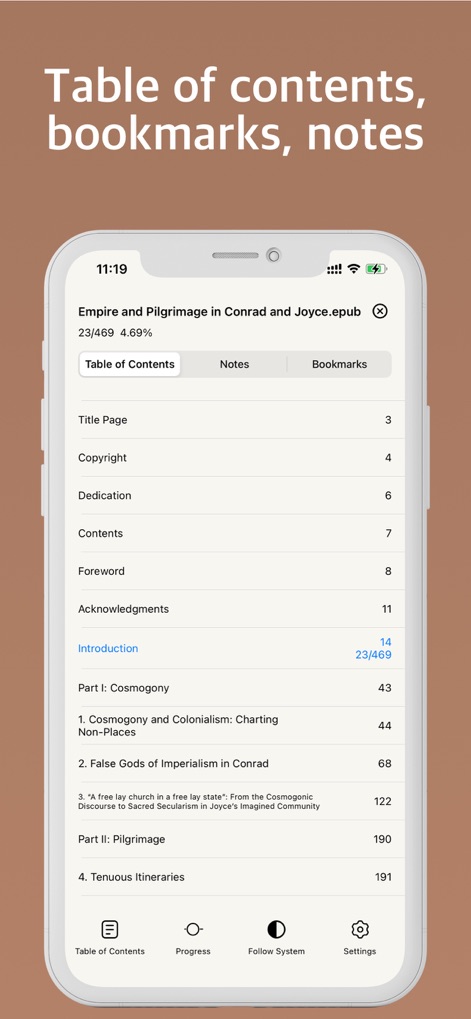
Users can efficiently navigate their documents using the interactive table of contents and easily access personal notes or bookmarks for enhanced study.
Navigation & Annotation
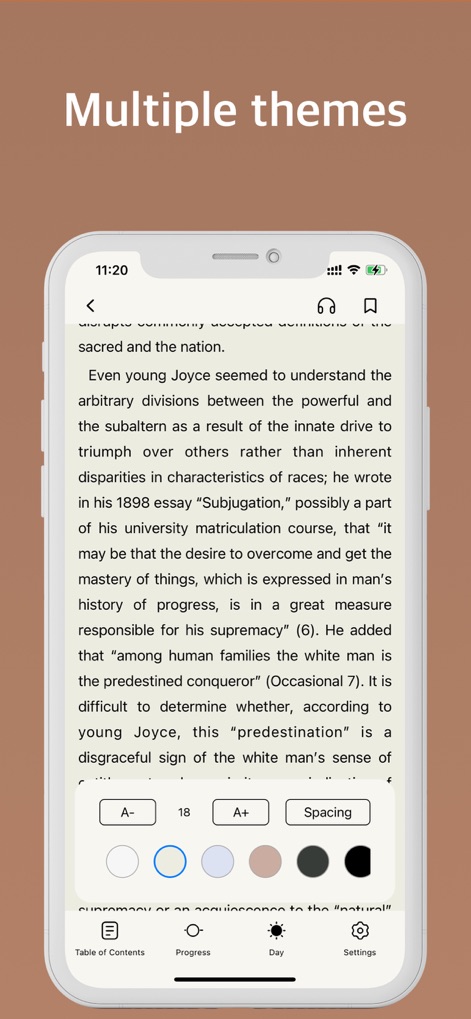
The app enables a customizable reading environment, offering multiple theme options and adjustable font sizes to suit individual preferences.
Personalized Reading Experience
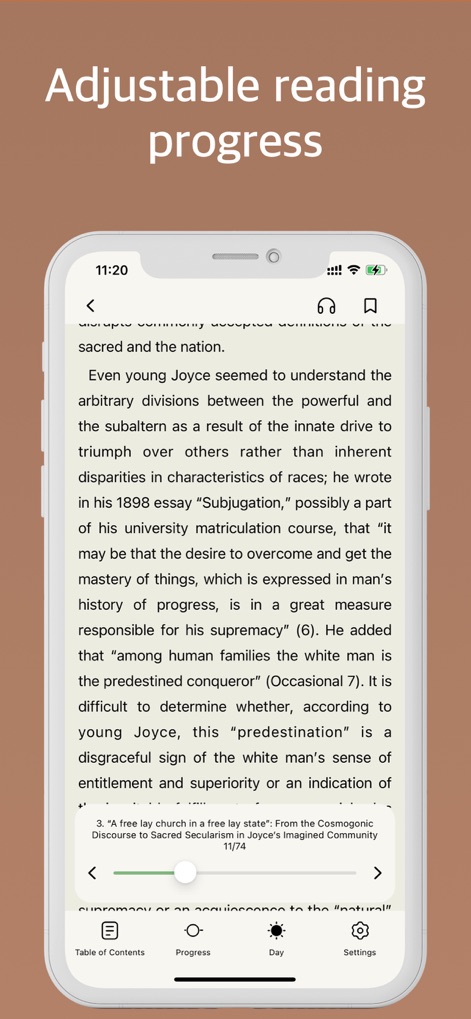
This reader allows users to precisely track their reading progress through an intuitive slider and navigate between pages with dedicated arrows.
Seamless Progress Tracking
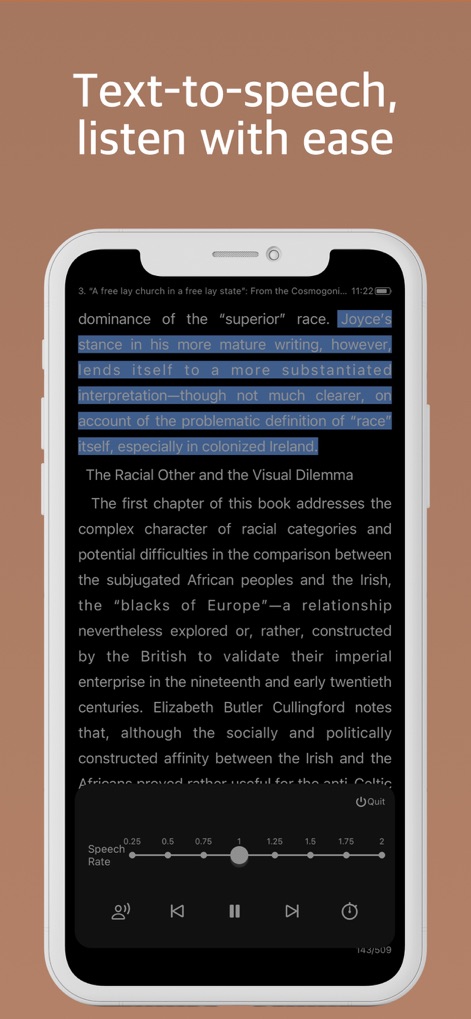
The app integrates a robust text-to-speech function, featuring a highlighted text display and a customizable speech rate slider for accessible listening.
Listen & Learn
Description
Download
More Like This
Apps with similar features and user experience

eBoox - fb2 ePub book reader
REDIT, OOO

PureLibro: ebook reader
添欢 谢

Summit Reader
三英 郑

Readingo
哲魁 左

YACReader - Comic Reader
Luis Ángel San Martín

KRed Reader
Kingjet Network Co., Ltd.

Yomu EBook Reader
Beat Raess

KyBook 3 Ebook Reader
Konstantin Bukreev

KyBook 2 Ebook Reader
Konstantin Bukreev
This page is not an official page of the app or its developer, but an independent editorial publication created for informational and commentary purposes. Unless expressly stated otherwise, neither the app nor its developer is affiliated with, endorsed by, sponsored by, authorized by, or otherwise officially connected with MWM, Apple, Google Play, the app publisher, or the app's developer, and nothing on this page implies that the app was developed using MWM's services. Any trademarks, logos, screenshots, and other content remain the property of their respective owners.