
This page is not an official page of the app or its developer, but an independent editorial publication created for informational and commentary purposes. Unless expressly stated otherwise, neither the app nor its developer is affiliated with, endorsed by, sponsored by, authorized by, or otherwise officially connected with MWM, Apple, Google Play, the app publisher, or the app's developer, and nothing on this page implies that the app was developed using MWM's services. Any trademarks, logos, screenshots, and other content remain the property of their respective owners.


Yomu EBook Reader
Finally, a reader that respects your eyes and your library. Yomu gives users control over their digital reading experience, free from digital noise and corporate surveillance.
Downloads
750k+User Rating
Total Ratings
1.5KPublisher
Category
BooksLocales
5Latest Version
3.16.0Size
56.9 MBFirst Released
Jan 5, 2013An analytical overview of features driving a premium, private, and customizable reading experience on Apple devices.
Yomu EBook Reader: Core Capabilities for Discerning Apple Users
Seamless iCloud Sync & Cross-Device Continuity
It provides seamless synchronization of libraries and reading progress across all Apple devices via iCloud, ensuring a consistent experience.
Privacy-First Data Handling
The app prioritizes user privacy by explicitly stating it does not collect or sell personal information, keeping data private.
Highly Customizable & Distraction-Free Reader
It offers an extensively customizable and distraction-free reading environment, allowing users to tailor themes, fonts, layouts, and reading modes to their preferences.
Robust Library Organization & Metadata Editing
This tool features comprehensive library management, enabling users to organize books with folders, tags, and custom sorting, as well as edit metadata.
Extensive Ebook Format Support
The app supports a wide array of popular ebook formats including EPub, Mobi, Kindle (AZW/AZW3), CBZ/CBR for comics, and PDF, handling diverse personal libraries.
Advanced Annotation & Search Capabilities
It allows users to highlight text, take notes, create bookmarks, and perform internal searches within ebooks, enhancing the interactive reading experience.
Frequently Asked Questions
Everything you need to know about Yomu EBook Reader
What is Yomu EBook Reader?
Yomu EBook Reader is an independent reader designed for book lovers, offering custom styles and distraction-free reading for ebooks.
What e-book formats does Yomu EBook Reader support?
Yomu EBook Reader supports EPub, Mobi, Kindle, Comics (cbz, cbr), and PDF formats. It handles standard ebooks without digital rights management.
Can I customize the reading experience in Yomu EBook Reader?
Yes, Yomu EBook Reader offers extensive customization. Users can choose themes, reader modes (day, sepia, grey, dusk, night, black), font sizes, and content layouts (page, scroll).
Does Yomu EBook Reader allow highlighting and notes?
Yes, Yomu EBook Reader allows users to select text in EPub, Mobi, and Kindle books to take notes or highlight favorite sections. Users can also create bookmarks.
How can I organize my books in the Yomu EBook Reader library?
Yomu EBook Reader allows users to organize their books by creating folders or tags. Collections can be sorted by title, author, series, recently read, or custom drag-and-drop order.
What features are included with Yomu Pro?
Yomu Pro includes the Cloud Library for iCloud sync, unlimited documents, and an ad-free experience. The free version has limitations and may display ads.
Does Yomu EBook Reader offer cloud syncing for books?
Yes, Yomu EBook Reader offers Cloud Library functionality with Yomu Pro. This feature stores and syncs books and annotations securely using Apple's iCloud across all devices.
Does Yomu EBook Reader collect personal data?
No, Yomu EBook Reader does not collect or sell any personal information. The app prioritizes user data privacy.
What platforms does Yomu EBook Reader support?
Yomu EBook Reader is available on Apple platforms, including iPhone, iPad, and Mac devices.
How can I import books into Yomu EBook Reader?
Users can import books into Yomu by downloading from a browser, copying from other apps, AirDrop, iCloud Drive, iTunes File Sharing, Dropbox, Google Drive, OPDS, or Calibre.
Does Yomu EBook Reader have widgets?
Yes, Yomu EBook Reader includes widgets. These widgets allow users to quickly view and open recently read books or highlighted quotes, resuming where they left off.
The following screenshots and description are sourced directly from the app's official store listing and are the property of the app developer.
App Store
Screenshots
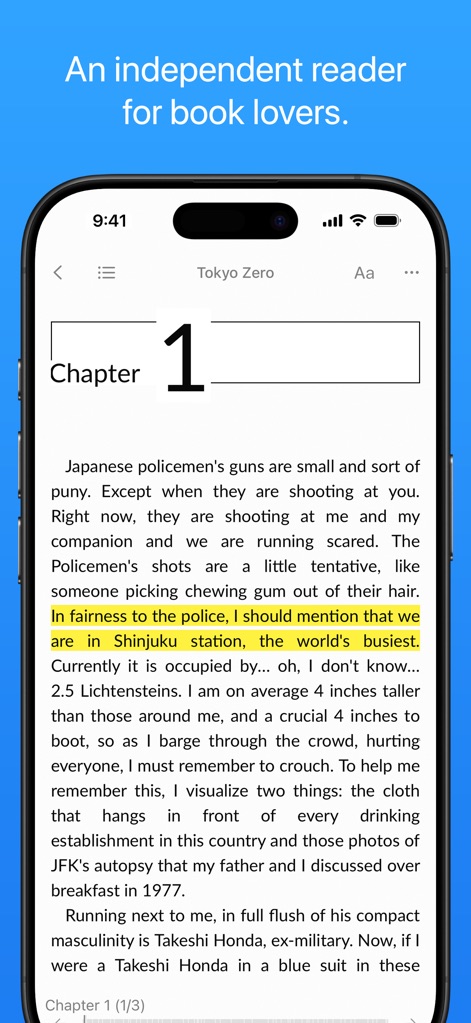
Discover the app's clean reading interface and how users can highlight important sections for focused study.
Immersive Reading Display

Explore the comprehensive support for various ebook formats like EPub and Kindle, all managed within an organized book list.
Extensive Format Support
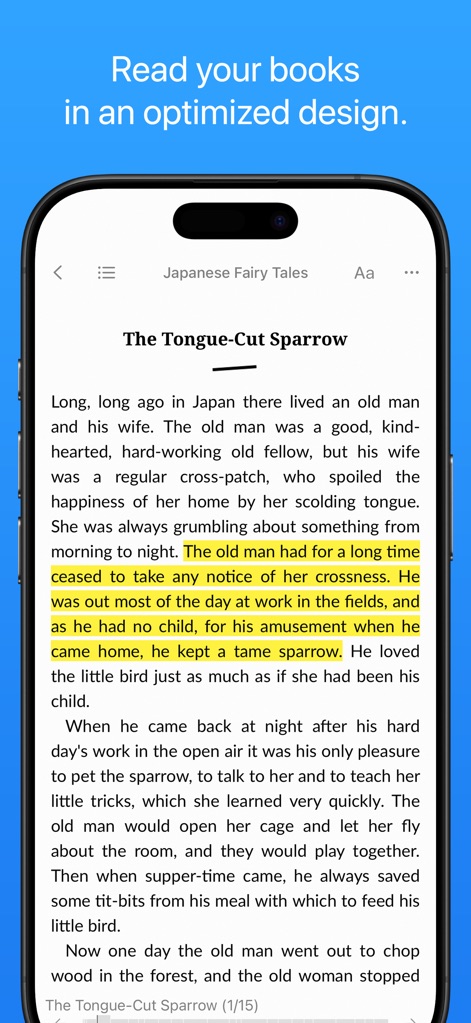
Observe the app's optimized text layout and the intuitive tap/swipe navigation that enhances the reading flow.
Optimized Reading Experience
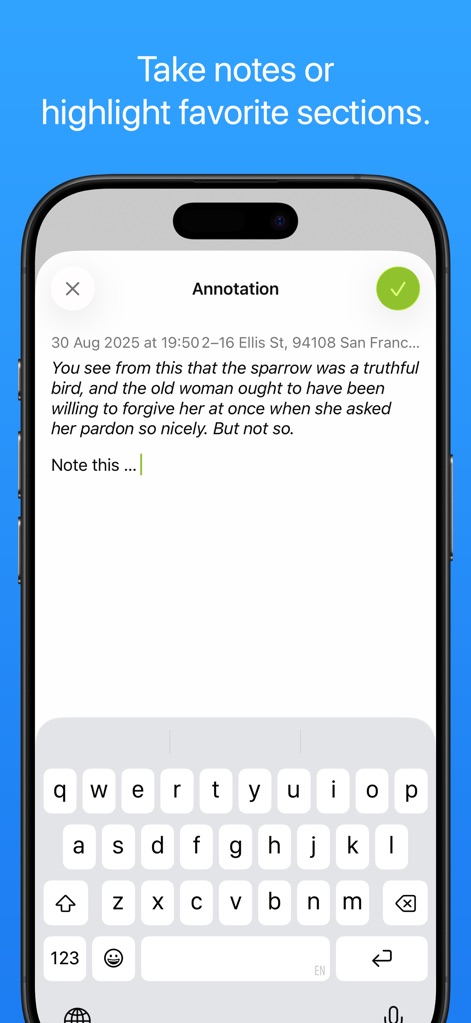
The app provides a dedicated annotation input field, allowing users to effortlessly capture thoughts and notes using the integrated keyboard.
Effortless Annotation

Users can fine-tune their reading environment through detailed preference options and extensively customizable font settings for optimal comfort.
Personalized Reading Styles

This tool provides efficient library management with a convenient search bar and clear selection checkboxes for batch actions.
Organized Library Management
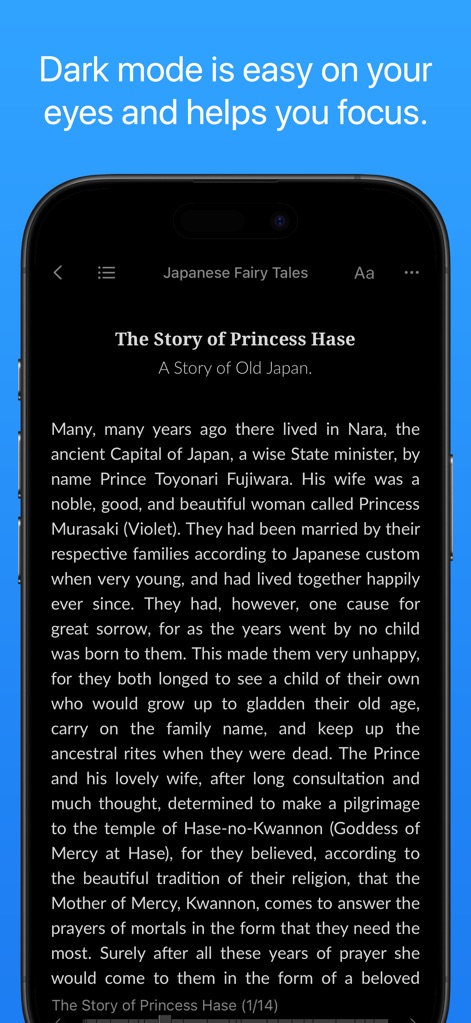
Experience the app's soothing dark theme interface, designed to reduce eye strain and provide a focused reading view in low-light conditions.
Eye-Friendly Dark Mode
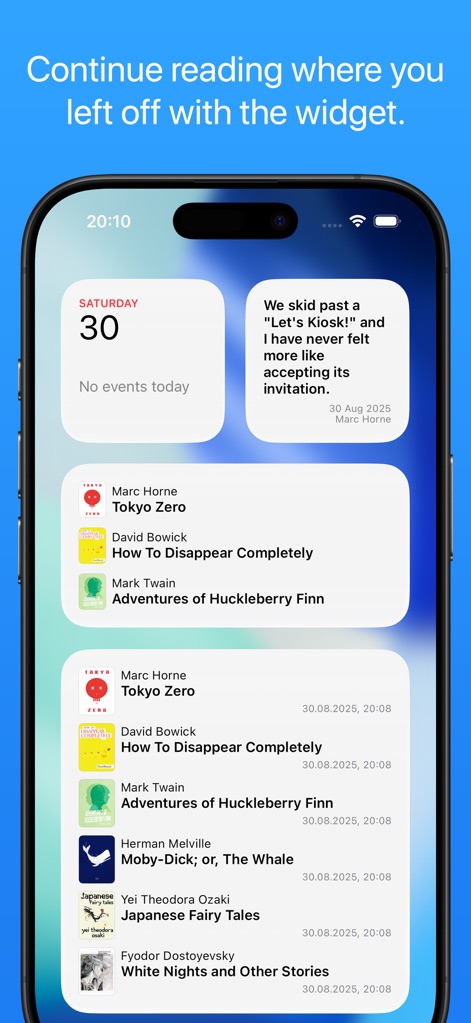
Leverage the app's seamless integration with home screen widgets, providing quick access to recently read books and highlighted quotes.
Seamless Widget Integration
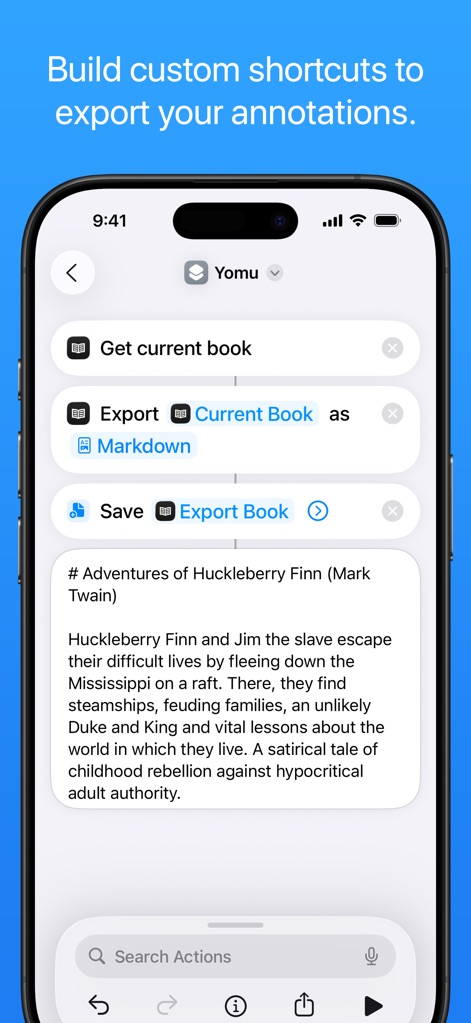
Users can build custom shortcuts to streamline workflows, allowing annotations to be exported efficiently in formats like Markdown.
Advanced Annotation Export
Description
Download
More Like This
Apps with similar features and user experience

eBoox - fb2 ePub book reader
REDIT, OOO

PureLibro: ebook reader
添欢 谢

Summit Reader
三英 郑

Readingo
哲魁 左

YACReader - Comic Reader
Luis Ángel San Martín

KRed Reader
Kingjet Network Co., Ltd.

Epub Reader -read epub,chm,txt
俊杰 阮

KyBook 3 Ebook Reader
Konstantin Bukreev

KyBook 2 Ebook Reader
Konstantin Bukreev
This page is not an official page of the app or its developer, but an independent editorial publication created for informational and commentary purposes. Unless expressly stated otherwise, neither the app nor its developer is affiliated with, endorsed by, sponsored by, authorized by, or otherwise officially connected with MWM, Apple, Google Play, the app publisher, or the app's developer, and nothing on this page implies that the app was developed using MWM's services. Any trademarks, logos, screenshots, and other content remain the property of their respective owners.