PDF Scanner AI: Scan Documents

PDF Scanner AI: Scan Documents

Download on App Store
Logo of PDF Scanner AI: Scan Documents

PDF Scanner AI: Scan Documents: Your AI-Powered Pocket Office

Join 3 million+ professionals who digitize their workflow in seconds. Scan, edit, and convert any document, ID, or book into searchable, high-quality digital files with industry-leading OCR accuracy.

Publisher

CACAO MOBILE SP Z O O

Category

Business

Downloads

3M+

User Rating

4.7/5

Total Ratings

13K+

Locales

17

Efficiency at a Glance

Discover the interface used by 3M+ users.
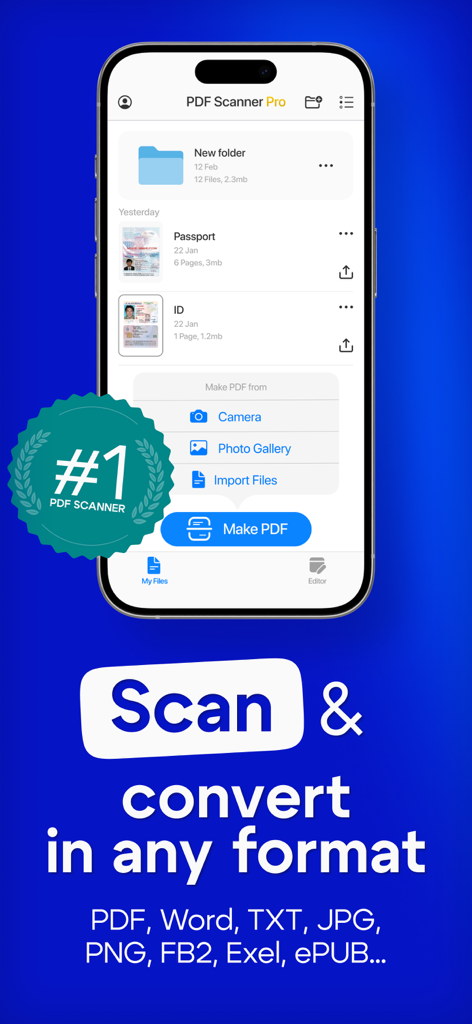
PDF Scanner AI app on a smartphone screen showing document scanning and conversion features

PDF Scanner AI app on a smartphone screen showing document scanning and conversion features

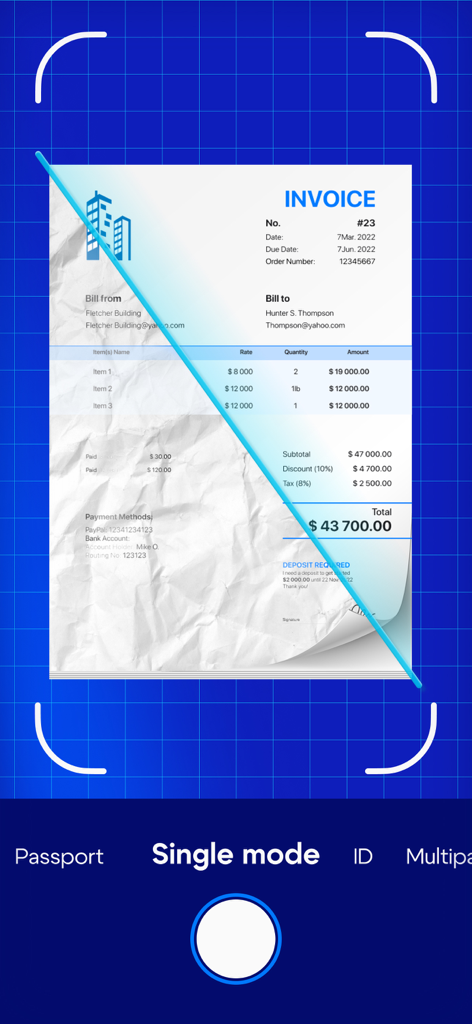
PDF Scanner AI app interface showing a physical invoice being scanned and digitally enhanced

PDF Scanner AI app interface showing a physical invoice being scanned and digitally enhanced

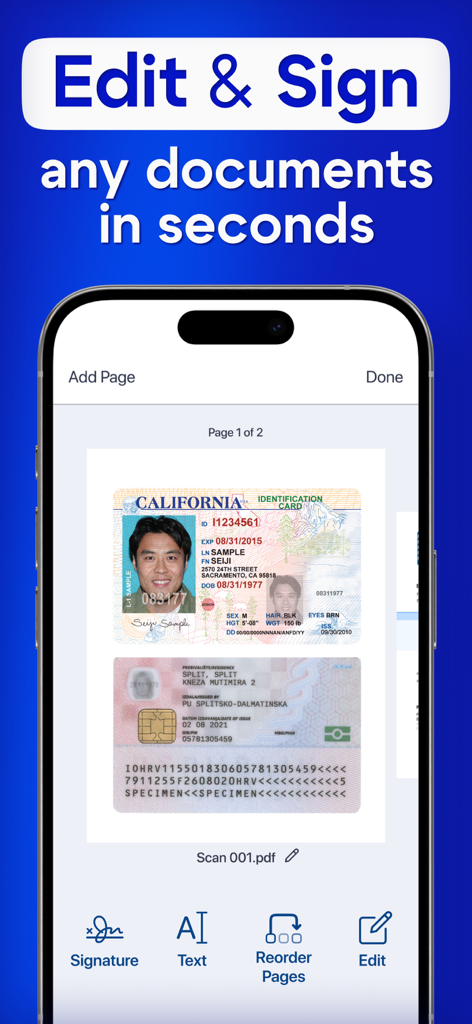
A smartphone interface of the PDF Scanner AI app displaying the editing and signing of scanned identification cards

A smartphone interface of the PDF Scanner AI app displaying the editing and signing of scanned identification cards

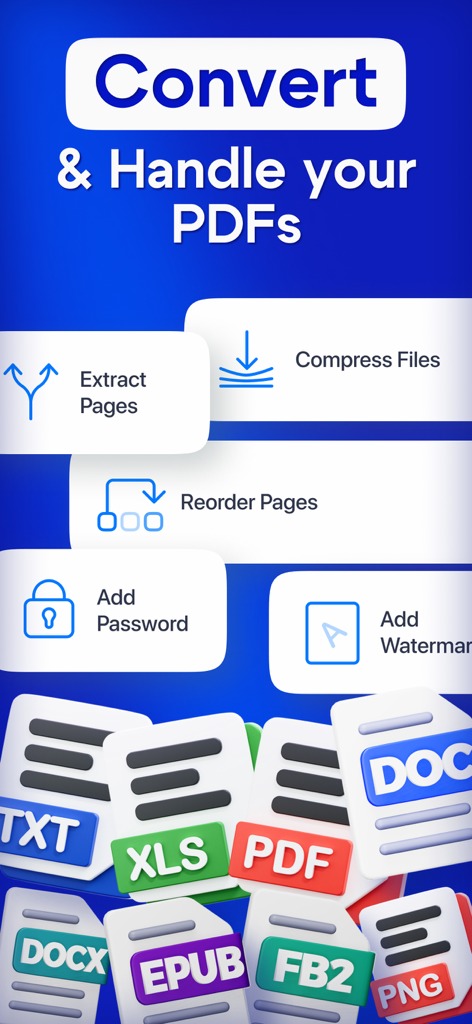
PDF management screen with conversion compression and security tools

PDF management screen with conversion compression and security tools

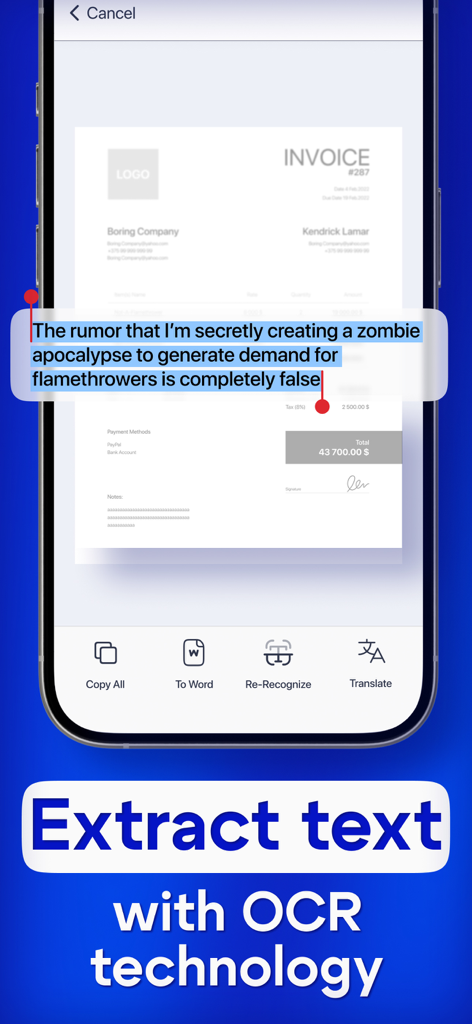
A smartphone screen showing the OCR text recognition feature in the PDF Scanner AI app

A smartphone screen showing the OCR text recognition feature in the PDF Scanner AI app

Your Professional Office, Pocket-Sized

The tools that make this app stand out, trusted by 3M+ users.

🤖

Smart AI Text Recognition

Convert images into editable text instantly with advanced OCR, perfect for digitizing notes, textbooks, and contracts.

📸

HD Document Digitization

Capture crystal-clear scans of IDs, passports, and multi-page books with automatic edge detection and quality enhancement.

🔒

Secure Workflow & Export

Protect your sensitive data while seamlessly exporting files to PDF, Word, or JPG for professional use anywhere.

About the app

Everything you need to know about PDF Scanner AI: Scan Documents.

Description

Turn your device into powerful portable scanner, that recognizes text and have rich editor tools. Trusted by millions users. PDF Scanner can scan PDF files, ID Photo and books for recognition. After processing the file, get the result. Fast and easy HD scanning! Highly accurately recognizes different materials, scan identity documents, accurately prepares the sources, exports to office formats. PDF scanning app allows you to create, edit and view PDFs, work with content, convert, improve the quality of content and work with scanner. Just in one click! File formats Images: jpg, jpeg, png Multi-page documents: pdf Functions: * Camera scanner allows recognition of scanned files and photos that contain text * Formatting paper and PDF multiple documents into editable formats * Doc scanner & OCR - Online document editing by and retrieving Printed Text * Quickly scan - Easy and convenient interface * Genius scanner has features of Multilanguage, fast text recognition and unlimited requests * Data protection. * Conversion of scanned works, recognition of different formats and data editing Do you have a textbook or any magazine you want to get the text from, but don't have time to print the text? Recognizing Text has never been easier. With PDF scanner document all you need is to scan or photograph the text, then select the file and upload it to our text recognition service. If the image with the text was accurate enough, then you will receive recognized and readable text. What can be done by scannerpro: PDF scan & photo scanner easily scans all documents. ID scanner - simply take a photo of the document, just as you usually photograph food, cats or yourself. It also can scan ID cards, passports, driving licenses, visas, and other identity documents. Isn't it cool? Scan Book, your favorite books and literature also can be scanned. Scan novels, magazines to PDF by using our document edge recognition system in the section of document scan or OCR. Scan Photo and save your favorite pictures by using a pro photo scanner app and OCR scanner. Program for scanning documents, allows you to recognize and identify texts and images, digitize materials, convert them and much more. The PDF format allows you to preserve formatting, regardless of which screen and in which program the file is viewed. In addition, printing documents becomes more convenient, all elements of the document in picture scanner will remain in place, the text will not be able to go beyond the boundaries of the sheet, and the pagination of the text will remain exactly as it is on the device screen. PDF scanner application differs in a set of useful functions, advanced features and settings. Utilities with additional options, intelligent components and high-quality work algorithms are available. Easily analyzes and recognizes and scans documents, files and photos thanks to an intelligent system, also exports recognized material for correction and editing. Terms of use: https://pdfscanner.xyz/termsofuse Privacy policy https://pdfscanner.xyz/privacy

Latest Version

2.7.111

Size

182.4 MB

First Released

May 14, 2021

Ready to Ditch the Paperwork?

Join over 3 million professionals who have transformed their device into a powerful AI-driven pocket office. Start scanning, editing, and organizing in seconds.

Download on App Store
FAQ

Frequently Asked Questions

Everything you need to know about PDF Scanner AI: Scan Documents

What is PDF Scanner AI: Scan Documents?

PDF Scanner AI: Scan Documents transforms your device into a portable scanner. It recognizes text, offers rich editing tools, and scans various document types like PDFs, IDs, and books for recognition and conversion.

Can PDF Scanner AI: Scan Documents recognize text from scanned documents?

Yes, PDF Scanner AI: Scan Documents features OCR (Optical Character Recognition) technology. It recognizes text from scanned files, photos, and documents, allowing for editable formats and text extraction.

What types of documents can PDF Scanner AI: Scan Documents scan?

PDF Scanner AI: Scan Documents scans PDF files, ID photos, books, invoices, passports, driving licenses, and other identity documents. It also converts paper and PDF into editable formats.

Does PDF Scanner AI: Scan Documents allow editing of scanned documents?

Yes, PDF Scanner AI: Scan Documents provides rich editor tools. Users can edit scanned documents, add signatures, reorder pages, and convert recognized materials for further correction and editing.

What file formats does PDF Scanner AI: Scan Documents support for export?

PDF Scanner AI: Scan Documents supports various file formats for images (jpg, jpeg, png) and multi-page documents (pdf). It can also convert and export to formats like Word, TXT, JPG, PNG, FB2, Exel, and ePUB.

Is my data protected when using PDF Scanner AI: Scan Documents?

Yes, PDF Scanner AI: Scan Documents includes data protection features. The app provides a privacy policy to detail how user data is handled, ensuring user information is secured.

Can I add a password to my PDF documents using PDF Scanner AI: Scan Documents?

Yes, PDF Scanner AI: Scan Documents allows users to add a password to their PDF documents. This feature is part of its advanced tools for handling and securing PDFs.

Does PDF Scanner AI: Scan Documents support text translation?

Yes, PDF Scanner AI: Scan Documents supports text translation. After extracting text with OCR technology, users have the option to translate the recognized text.

How accurate is the text recognition in PDF Scanner AI: Scan Documents?

PDF Scanner AI: Scan Documents uses highly accurate recognition technology. It intelligently analyzes, recognizes, and scans documents, files, and photos with precise text recognition.

Can I reorder pages within a PDF using PDF Scanner AI: Scan Documents?

Yes, PDF Scanner AI: Scan Documents allows users to reorder pages within their documents. This feature is available in the editing and PDF handling tools.

App information, icons, screenshots, and descriptions displayed on this page are sourced from the Apple App Store and are the property of their respective developers. Download estimates and rankings are based on MWM's proprietary models and may not reflect actual figures. This page is provided for informational and analytical purposes only.

Believe this page infringes your intellectual property? File a dispute