INFOSOFT Informations- und Dokumentationssysteme GmbH
Docutain: The Secure All-In-One Scanner & Document Manager
Transform your smartphone into a high-definition mobile office. Organize receipts, manage contracts, and find any document in seconds with advanced OCR and professional-grade privacy.
INFOSOFT Informations- und Dokumentationssysteme GmbH
Category
Business
Downloads
1M+
User Rating
4.7/5
Total Ratings
32K+
Locales
21
Efficiency in Focus
Discover the interface used by 1M+ users.
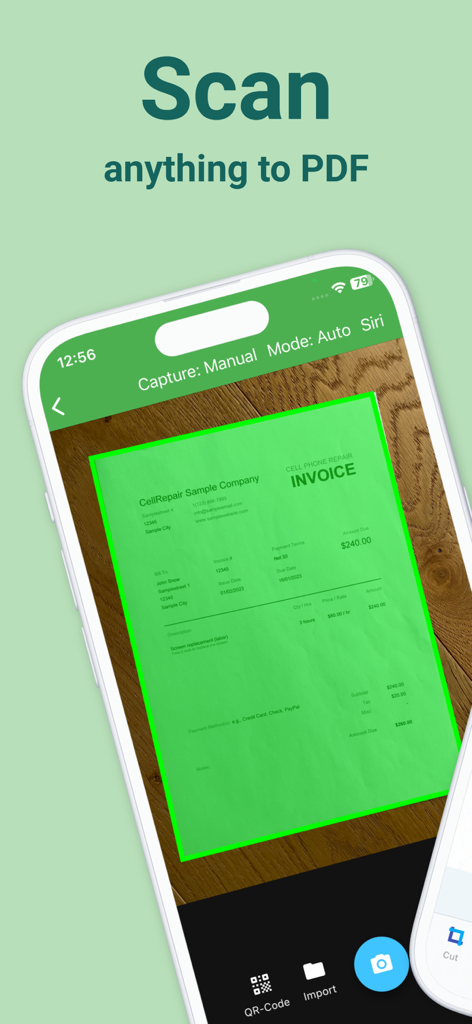
Docutain mobile app scanning a cell phone repair invoice to create a high quality PDF document.
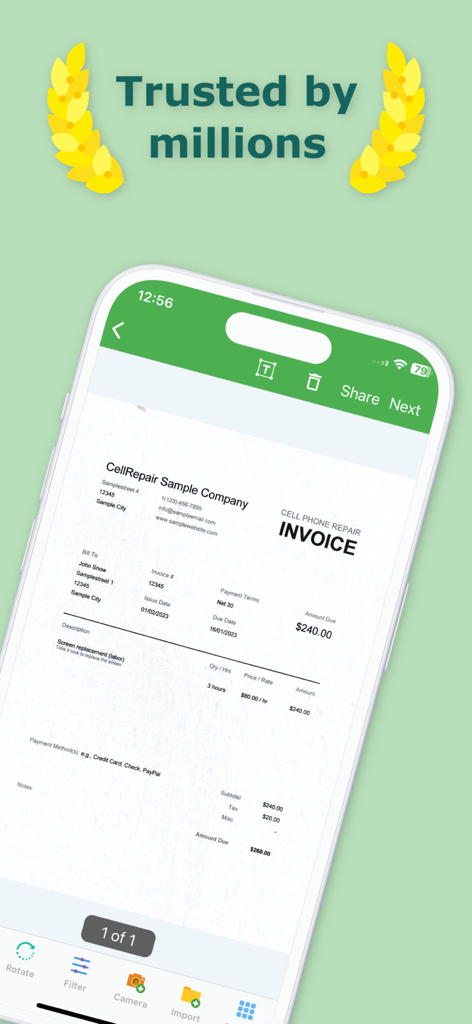
Docutain app interface showing a scanned business invoice on a smartphone screen
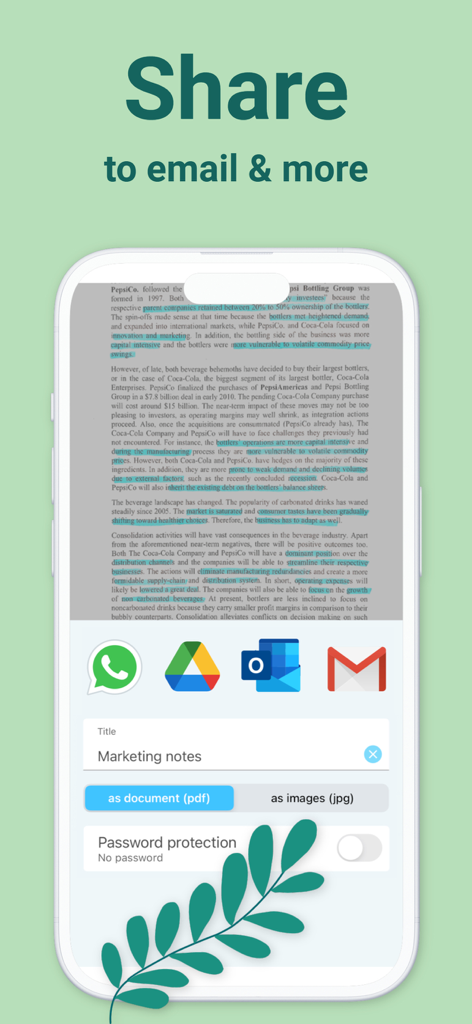
Interface of Docutain app showing document sharing options for PDF and JPG formats via email and messenger
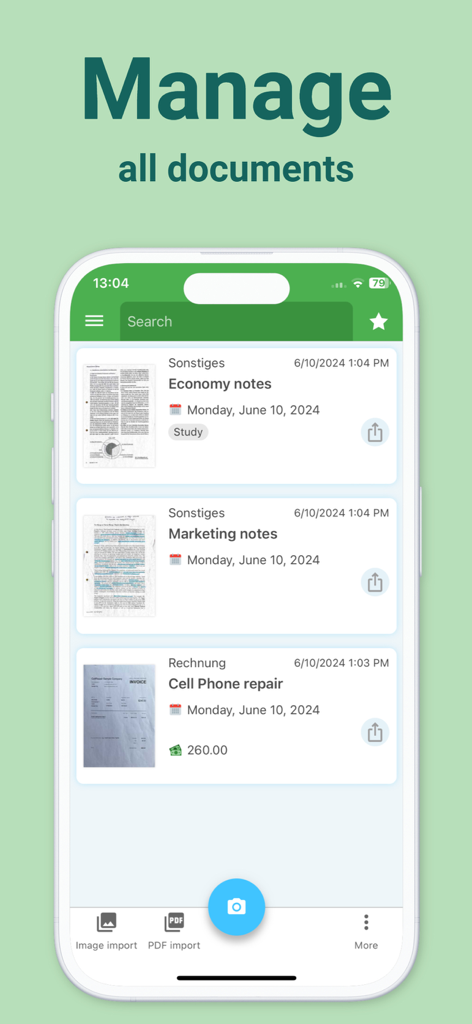
Docutain app screen displaying a list of scanned documents including economy notes and a cell phone repair invoice
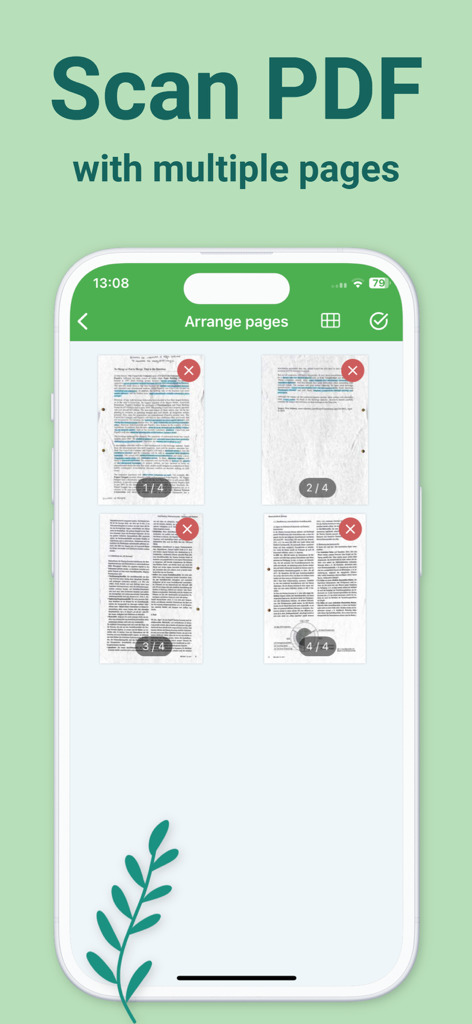
Docutain app interface showing a grid of four scanned pages for a multi page PDF
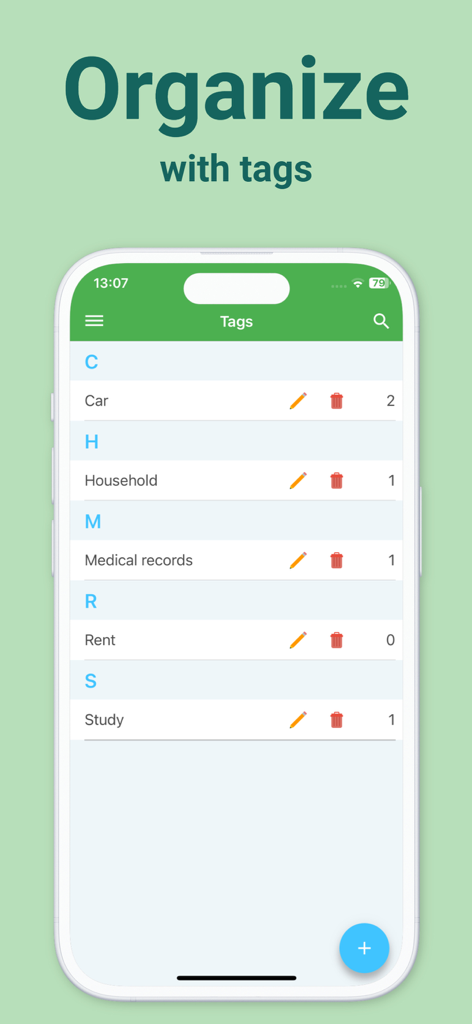
A mobile screen showing organized document tags in the Docutain app
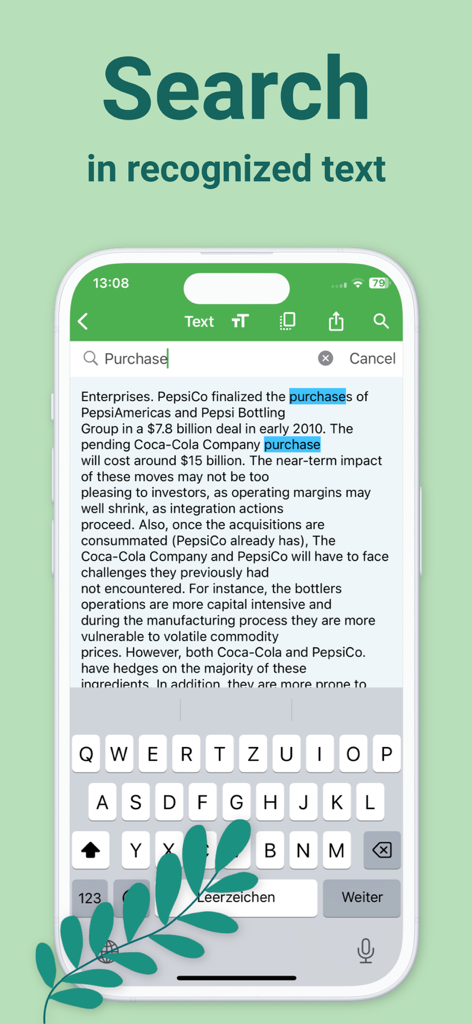
Docutain app demonstrating full text search functionality within a scanned document using OCR technology.
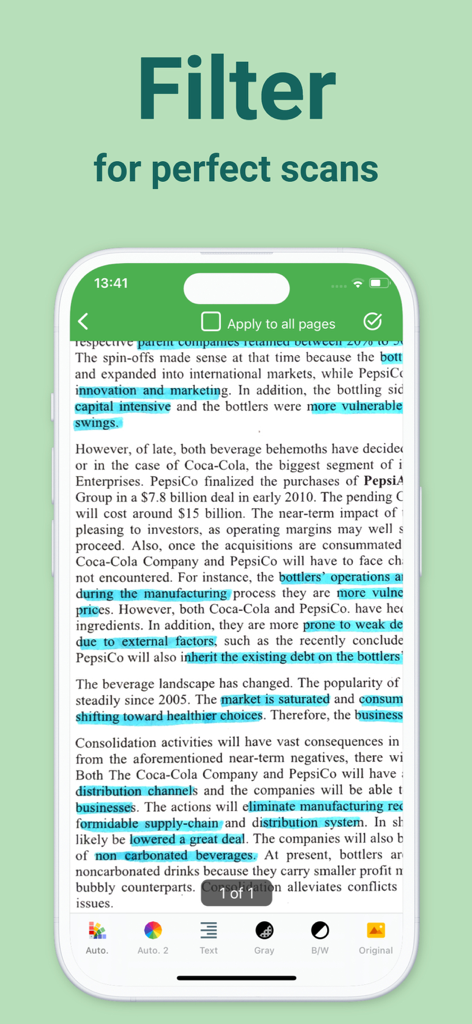
Docutain app screen showing various image filters like black and white and grayscale for improving document scan quality
Master Your Paperwork with Professional Precision
The tools that make this app stand out, trusted by 1M+ users.
🔍
HD Scanning & OCR Intelligence
Capture crystal-clear PDFs with automatic edge detection and blur reduction. Our advanced OCR technology makes every word searchable, so you can find any document in seconds.
📁
Tax-Ready Organization
Tag and categorize receipts, invoices, and warranties as you scan. Effortlessly organize your records for tax season and maximize your deductions with one-click exports.
🛡️
Military-Grade Privacy
Your sensitive data stays yours. Benefit from local-first storage, state-of-the-art encryption, and biometric protection—no external servers or forced cloud uploads required.
About the app
Everything you need to know about PDF Scanner App, OCR: Docutain.
Description
The only Scanner App you need!
1) The integrated document scanner enables fast PDF scans in HD quality. The scan is readable and searchable thanks to automatic OCR text recognition.
2) With the secure document management system and scanner, the right document is at hand in just one click. Paper chaos or going through paper folders are a thing of the past!
3) Optional cloud integration and local storage on the device for maximum security of your documents.
4) Share scannable documents directly via email or messenger.
*BENEFITS OF DOCUTAIN*
Scan in HD
With intelligent document recognition and automatic shutter in the perfect moment, perspective correction, document edge detection, blur-reduction and color correction, you achieve a perfect scan with the PDF scanner app. Create a PDF scan or photo scan, use batch scanning for multiple pages and convert to PDF.
Edit
Manually crop, color filter, add, reorder, or remove pages. Even after saving, you can still edit the scan of documents.
Organize
Optional index information when saving a scan (e.g. name, keywords, address, tax relevance, and optical character recognition (OCR)) helps organize and retrieve your digital documents.
Index information is automatically recognized so that you receive suitable suggestions for indexing scannable PDFs.
Docutain Pro also lets you pay your scanned invoices and monitor expenses through payment providers.
You can use the PDF scanner app to manage not only scannable documents with the camera, but also existing photos and PDF documents. This also enables to convert images to PDF files (jpg to pdf).
Search & Find
Find documents with the help of the detailed search mask, your self-defined criteria or via the full text search thanks to OCR. In addition, quick searches are available, e.g. via keywords or addresses.
Share
You can export your scannable docs as PDF files and send them directly by mail or text messenger with the mobile scanner.
Security & Privacy
With optional cloud connection you can protect documents from loss and synchronize them with all your end devices. Available cloud services: GoogleDrive, OneDrive, Dropbox, STRATO HiDrive, MagentaCLOUD, Web.de, GMX MediaCenter, Box, WebDAV, Nextcloud, ownCloud.
For maximum security, you can encrypt all data in the scanner app using state-of-the-art methods and protect app access with a password or fingerprint. No external servers are connected, data is stored locally on your device.
*USE CASES*
Invoices & Contracts
Receipts, warranties, business cards, passports, insurance documents + more scannable documents can be managed securely & clearly in one place with relevant information - e.g. end of contract reminder.
Tax return
Find all tax-related documents within one click. Save time to focus on tax return. Docutain supports you.
Rental
Documents for service charge settlements can be assigned to the rental parties by means of keywords, without duplications after scanning. This way, billing is done quickly. Apartment handover protocols, meter readings or defects can be easily stored in the DMS.
Studies, Homeschooling, Homeoffice
Exercise sheets, homework, lecture notes, book pages + more. Share transcripts with fellow students, scan books from the term paper, or send certificates to instructors as space-saving PDF scans.
Recipes
Create your own cookbook with document types + tags and browse with flexibility combining your criteria with the PDF scanner app and intuitive document manager.
Download Docutain, the scanning app, stay organized and keep track with the smart, mobile photo scanner!
Contact@Docutain.de
Terms of Use
http://www.docutain.de/AGBPrivat?Local=en
Latest Version
2.55.1
Size
188.5 MB
First Released
Jan 21, 2020
Transform Your Phone into a Secure, Paperless Office
Join over 1 million professionals managing taxes, contracts, and receipts with HD precision and local-first encryption. Your data, your device, your control.
FAQ
Frequently Asked Questions
Everything you need to know about PDF Scanner App, OCR: Docutain
Does Docutain PDF Scanner App include OCR text recognition?
Yes, the Docutain PDF Scanner App includes automatic OCR text recognition, making scanned documents readable and searchable. This feature is integrated for HD quality scans.
How does Docutain help users organize their scanned documents?
Docutain organizes documents with optional index information like name, keywords, address, and tax relevance. It offers auto-recognized indexing suggestions and supports tags for categorization, visible in the app's interface.
Can I share documents from the Docutain PDF Scanner App?
Yes, users can share scannable documents directly from the Docutain app via email or messenger. Export options include PDF and JPG formats, with additional password protection available for sharing.
What cloud services are compatible with the Docutain app for document storage?
Docutain supports optional cloud integration with services like GoogleDrive, OneDrive, Dropbox, STRATO HiDrive, MagentaCLOUD, Web.de, GMX MediaCenter, Box, WebDAV, Nextcloud, and ownCloud for document synchronization and security.
Is it possible to edit scanned documents within the Docutain PDF Scanner App?
Yes, the Docutain PDF Scanner App allows users to edit scans. Features include manual cropping, color filtering, adding, reordering, or removing pages. Edits are possible even after saving the document.
Does the Docutain app allow full-text search within scanned documents?
Yes, Docutain enables full-text search within scanned documents thanks to its OCR capabilities. Users can find documents using a detailed search mask, self-defined criteria, or quick searches via keywords.
Can the Docutain PDF Scanner App handle multi-page documents?
Yes, Docutain supports scanning multiple pages and converting them into a single PDF document. The app provides features for batch scanning and arranging pages after capture.
Does Docutain offer enhanced security features for user data?
Yes, Docutain offers maximum security by allowing encryption of all data using state-of-the-art methods. Users can protect app access with a password or fingerprint, and data is stored locally.
Can the Docutain app convert existing images to PDF files?
Yes, the Docutain app converts existing photos and images to PDF files (jpg to pdf). This feature allows users to manage a wider range of digital documents beyond just camera scans.
What advanced scanning features does Docutain include for high-quality results?
Docutain includes intelligent document recognition, automatic shutter, perspective correction, document edge detection, blur-reduction, and color correction. These features ensure perfect, HD quality scans for PDF and photo outputs.
App information, icons, screenshots, and descriptions displayed on this page are sourced from the Apple App Store and are the property of their respective developers. Download estimates and rankings are based on MWM's proprietary models and may not reflect actual figures. This page is provided for informational and analytical purposes only.
Believe this page infringes your intellectual property? File a dispute