PDF Scanner - Fax, Sign & Edit

This page is not an official page of the app or its developer, but an independent editorial publication created for informational and commentary purposes. Unless expressly stated otherwise, neither the app nor its developer is affiliated with, endorsed by, sponsored by, authorized by, or otherwise officially connected with MWM, Apple, Google Play, the app publisher, or the app's developer, and nothing on this page implies that the app was developed using MWM's services. Any trademarks, logos, screenshots, and other content remain the property of their respective owners.
Logo of PDF Scanner - Fax, Sign & Edit

PDF Scanner - Fax, Sign & Edit

Streamline your professional workflow with high-precision scanning, instant e-signatures, and built-in faxing. Edit, protect, and manage your documents with AI-powered tools designed for the modern mobile lifestyle.

Key Figures

Downloads

0

User Rating

1.0/5

Total Ratings

0

Publisher

Appenvision Ltd

Category

Productivity

Locales

31

Latest Version

1.0

Size

232.3 MB

First Released

Mar 6, 2026
Features

Your Entire Office, Now in Your Pocket

Replace bulky hardware with AI-powered scanning, professional e-signatures, and secure document management built for your busy lifestyle.

Pro-Grade AI Scanning

Instantly digitize contracts, receipts, and IDs with crystal-clear precision and smart text recognition for immediate editing.

Sign & Fax Instantly

Close deals faster by adding legal e-signatures and sending faxes directly from your device—no printer or physical hardware required.

The following screenshots and description are sourced directly from the app's official store listing and are the property of the app developer.

App Store

Screenshots
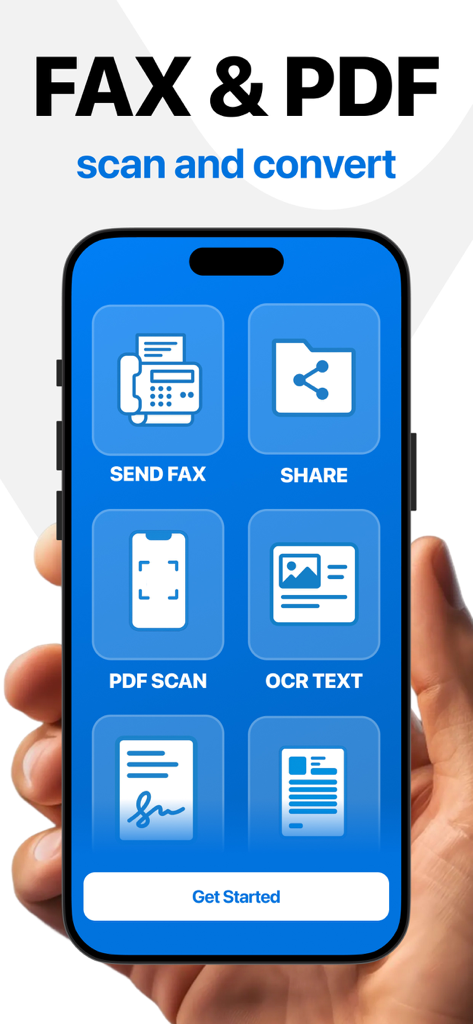
PDF Scanner - Fax, Sign & Edit - Mobile app interface of PDF Scanner showing icons for faxing sharing scanning and OCR text
Mobile app interface of PDF Scanner showing icons for faxing sharing scanning and OCR text

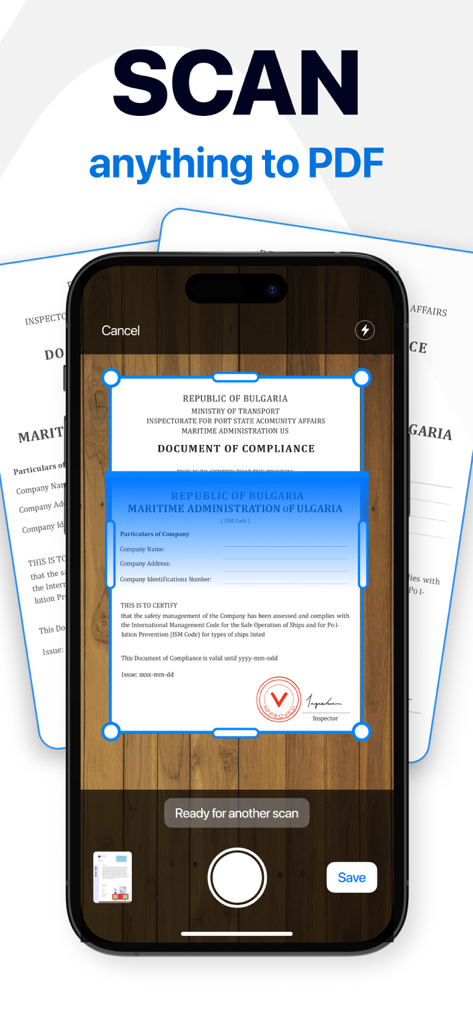
PDF Scanner - Fax, Sign & Edit - iPhone app screen showing a document being scanned to PDF
iPhone app screen showing a document being scanned to PDF

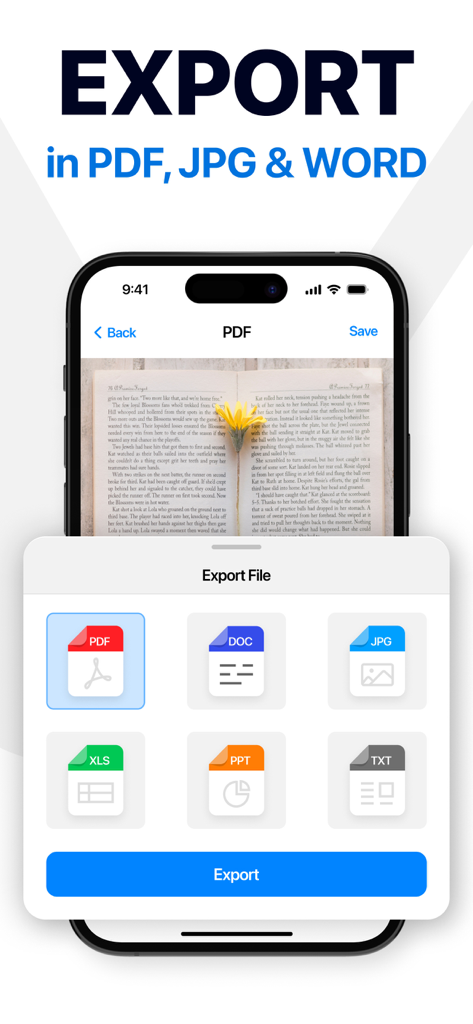
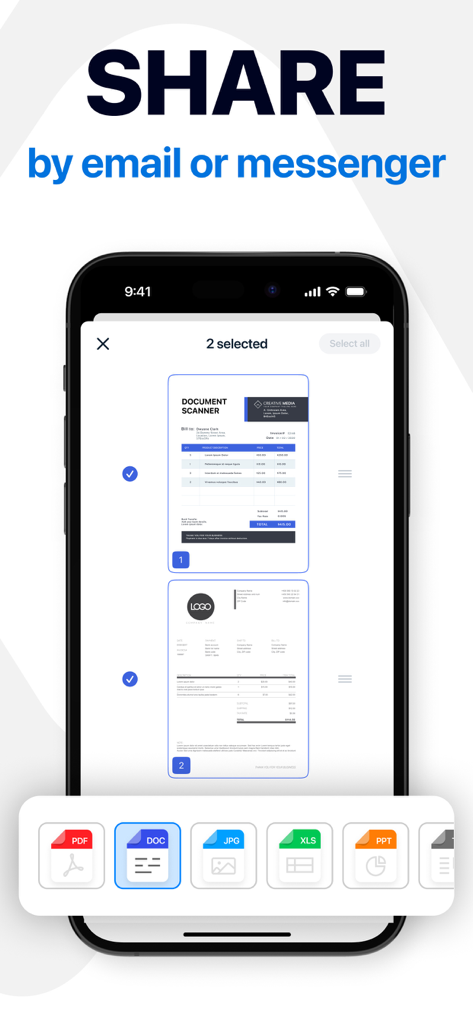
PDF Scanner - Fax, Sign & Edit - Mobile app interface showing export options for scanned documents in PDF Word and JPG formats
Mobile app interface showing export options for scanned documents in PDF Word and JPG formats

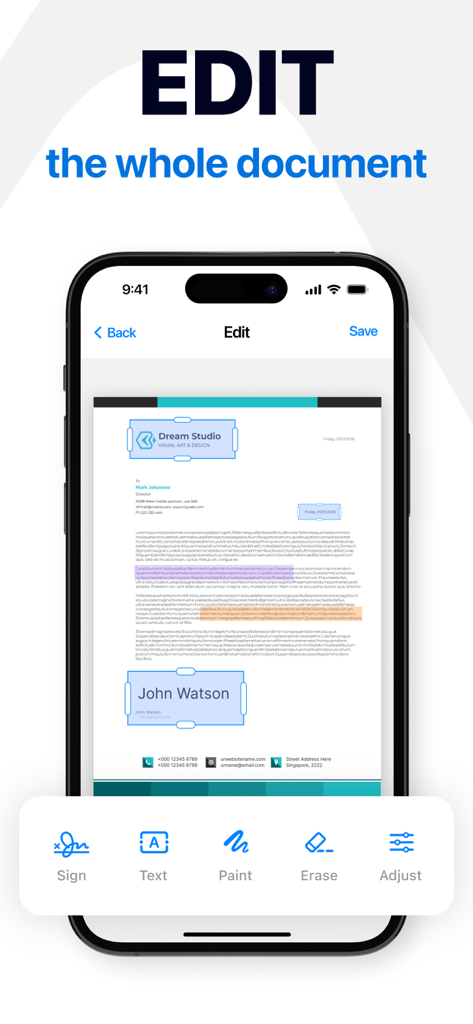
PDF Scanner - Fax, Sign & Edit - A mobile interface of the PDF Scanner app showing a document being edited with tools for signing adding text painting and erasing
A mobile interface of the PDF Scanner app showing a document being edited with tools for signing adding text painting and erasing

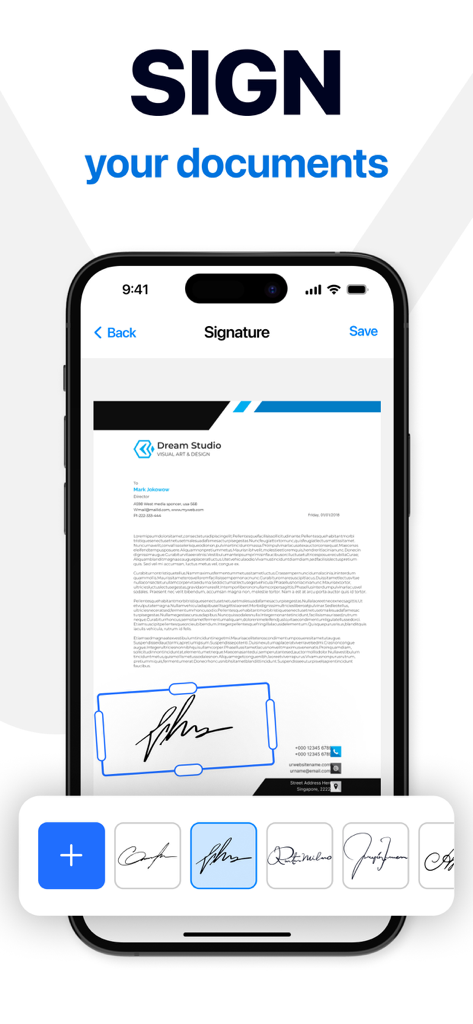
PDF Scanner - Fax, Sign & Edit - A mobile interface of the PDF Scanner app showing a document being signed electronically with a variety of signature options at the bottom
A mobile interface of the PDF Scanner app showing a document being signed electronically with a variety of signature options at the bottom

PDF Scanner - Fax, Sign & Edit - Mobile app interface showing document sharing options in PDF DOC and JPG formats
Mobile app interface showing document sharing options in PDF DOC and JPG formats

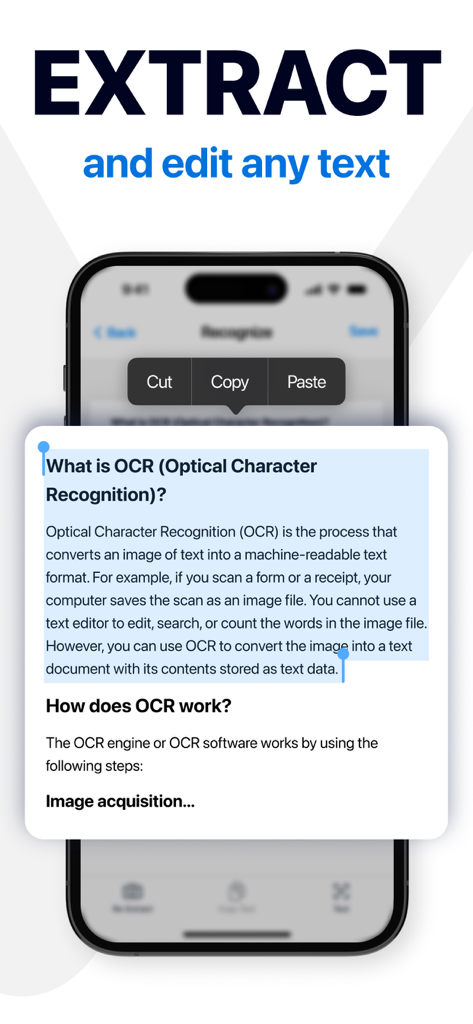
PDF Scanner - Fax, Sign & Edit - Mobile app interface showing OCR text extraction and editing on a document
Mobile app interface showing OCR text extraction and editing on a document

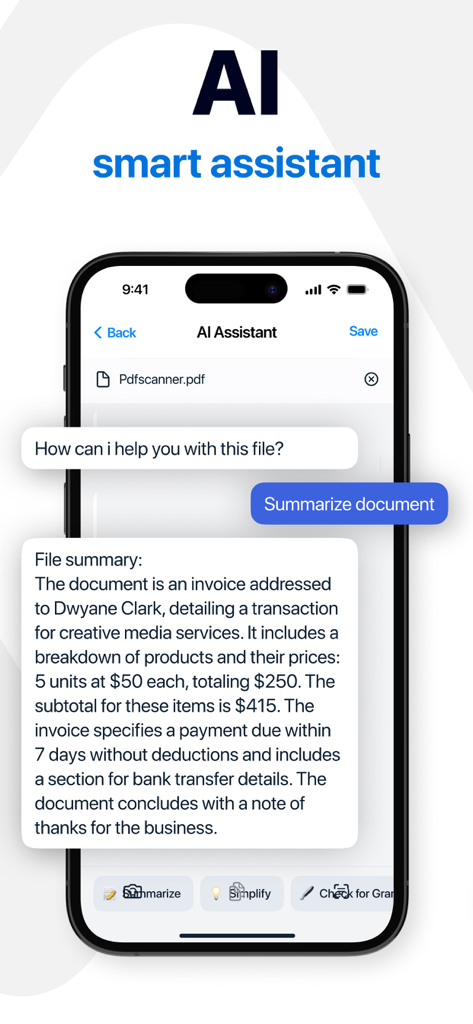
PDF Scanner - Fax, Sign & Edit - AI smart assistant feature in the PDF scanner app summarizing an invoice document on a smartphone screen.
AI smart assistant feature in the PDF scanner app summarizing an invoice document on a smartphone screen.

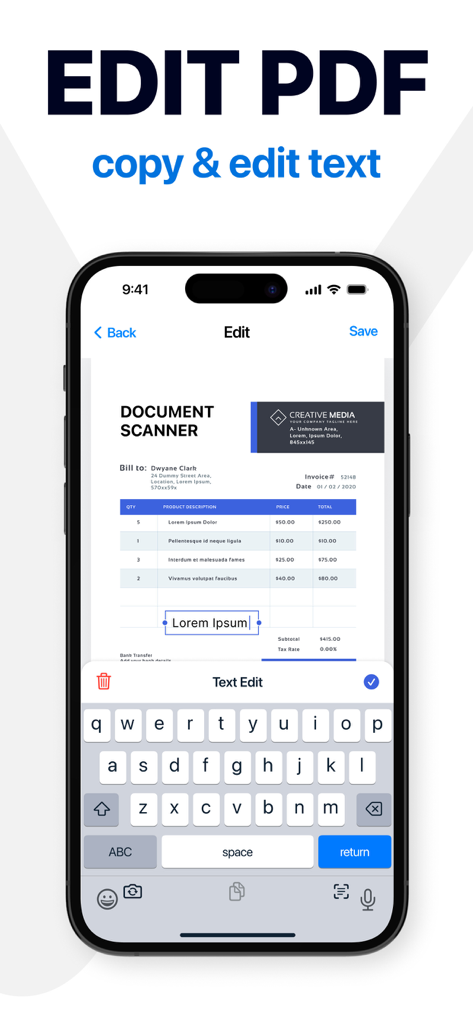
PDF Scanner - Fax, Sign & Edit - iPhone screen showing a PDF document being edited with a virtual keyboard in the PDF Scanner app
iPhone screen showing a PDF document being edited with a virtual keyboard in the PDF Scanner app

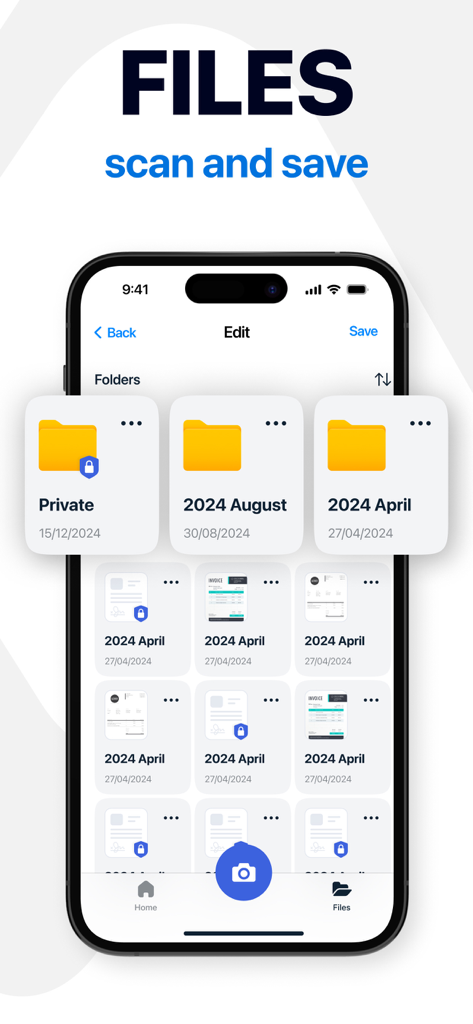
PDF Scanner - Fax, Sign & Edit - Mobile app interface showing organized document folders and private files.

Mobile app interface showing organized document folders and private files.

Description

It isn’t always easy to manage your documents, but you can make it easier with this versatile app! Our smart document scanner will give you everything you need to save time and streamline your daily workflow, whether you need to scan documents, edit, or simply organize your files. Key App Features: - Quick doc scanner for various types of documents - Handy ID scanner and QR code reader - Flexible tools to add, edit, blur text, or remove text when needed - Drawing and color-highlighting parts of the document Scan and Edit With our instant PDF scanner, you can digitize pictures or documents and read QR codes in a matter of seconds using only your camera. Any scanned text can be edited right away, while image to text recognition technology ensures precision. Additional tools, such as an electronic signature maker, watermarks, and built-in fax sending, will make your documents look more personalized and professional — and easy to share without leaving the app. Adjust and Customize All your doc scans are stored in our PDF editor and can be changed as needed. Adjust the format, orientation, and other parameters. Remove or blur text to have full control over the content. The built-in AI assistant can help with text analysis and refinement, while voice notes will make the editing process more flexible. Personalize and Protect Add text and drawings to your docs, or highlight the information with color. These tools will make notes clearer, presentations more engaging, and shared files easier to understand. Password protection will keep the files and folders safe and let you worry less. From study notes and creative projects to work-related files, our app adapts to every situation. It’s more than just a document scanner — it’s an all-in-one solution that can replace multiple scanning apps and keep everything simple. Start today and discover a smarter way to scan, protect, or sign documents, manage files, and keep all your work and study materials organized! SUBSCRIPTION Subscribe and get right now: 1. AI text editing and analysis 2. Image-to-text recognition 3. Password protection 4. Built-in fax sending 5. Electronic signatures 6. Voice note recording Make your life easier with premium access: - Paid subscription is divided into 3 types: weekly, monthly and annual. - The cost of a weekly paid subscription is $9.99. Monthly - $16.99. Annual - $39.99. - The amount will be charged to your Apple ID account at confirmation of purchase. - You can cancel a subscription or trial period at any time, but no later than 24 hours before the end of the current period. OTHERWISE it will be automatically renewed. - Your account will be charged for renewal within 24-hours prior to the end of the current period. - After payment, you can manage your subscription and turn off auto-renewal in your account settings. - Any unused portion of the free period will be forfeited upon purchase of the subscription. - Please read our privacy policy and EULA https://appenvisions.com/privacy.html https://appenvisions.com/eula.html

Download

This page is not an official page of the app or its developer, but an independent editorial publication created for informational and commentary purposes. Unless expressly stated otherwise, neither the app nor its developer is affiliated with, endorsed by, sponsored by, authorized by, or otherwise officially connected with MWM, Apple, Google Play, the app publisher, or the app's developer, and nothing on this page implies that the app was developed using MWM's services. Any trademarks, logos, screenshots, and other content remain the property of their respective owners.