PDFgear Scan: PDF Scanner App

PDFgear Scan: PDF Scanner App


Download on App StoreDownload on Google Play
Logo of PDFgear Scan: PDF Scanner App
PDFgear Scan: The AI-Powered Document Hub for High-Performance Professionals

Transform your iPhone into a portable office. Scan books, sign contracts, and use integrated AI to instantly summarize and extract insights from any document.

Download on App Store

Publisher

PDF GEAR TECH PTE. LTD.

Category

Business

Downloads

93K+

User Rating

4.9/5

Total Ratings

400

Locales

11

Efficiency in Action

Discover the interface used by 93K+ users.
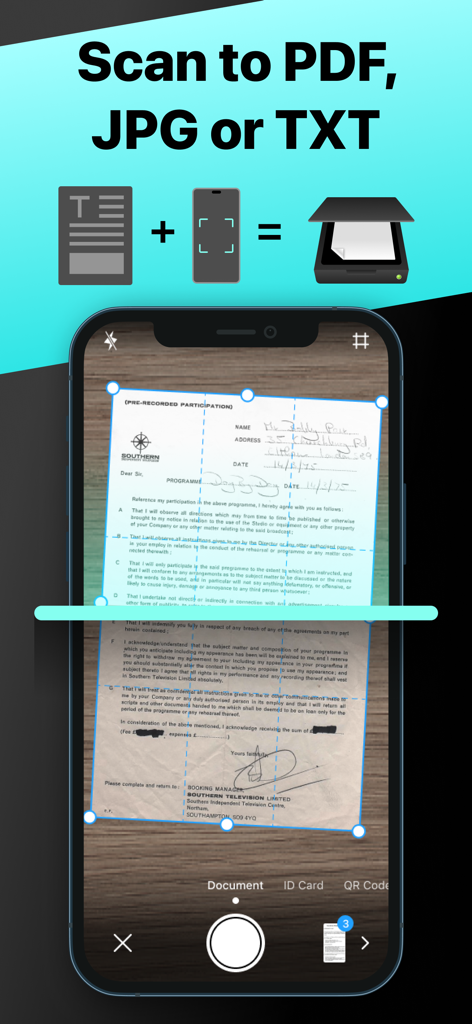
PDFgear Scan app interface showing a document being captured for conversion into PDF JPG or TXT formats

PDFgear Scan app interface showing a document being captured for conversion into PDF JPG or TXT formats

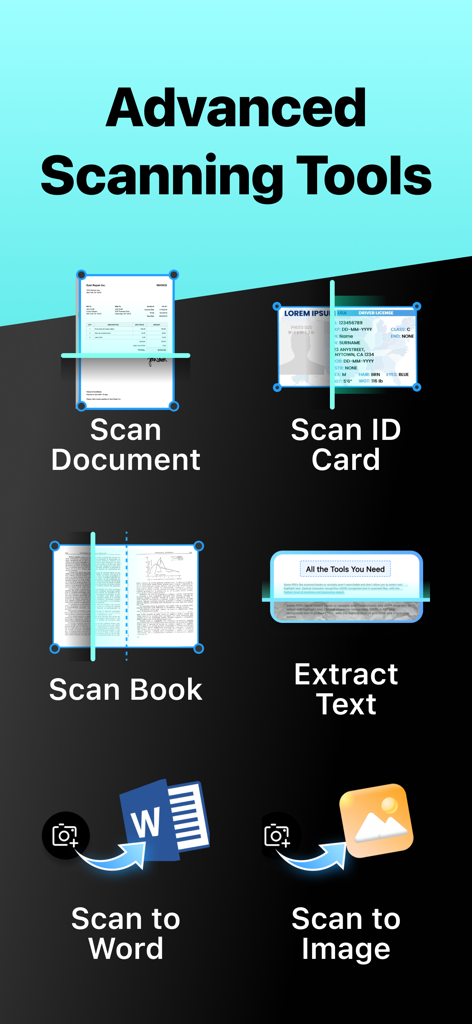
A menu showing PDFgear Scan features like document scanning, ID card scan, book scanning, text extraction, and export to Word or Image.

A menu showing PDFgear Scan features like document scanning, ID card scan, book scanning, text extraction, and export to Word or Image.

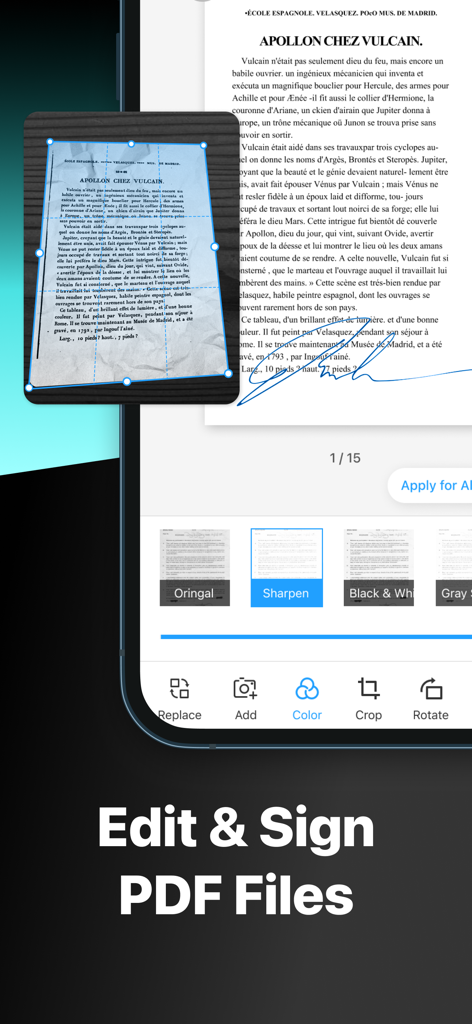
Interface of PDFgear Scan app showing document editing and signing tools

Interface of PDFgear Scan app showing document editing and signing tools

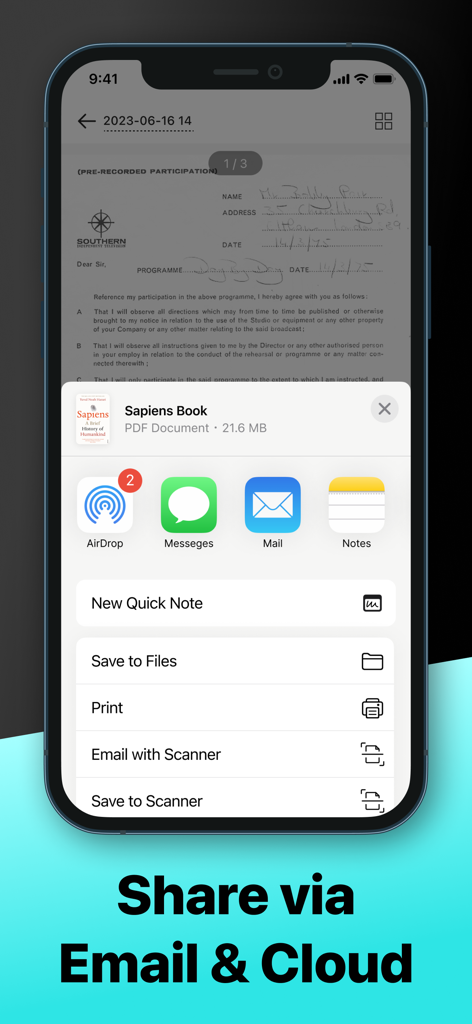
PDFgear Scan app interface showing options to share documents via AirDrop Messages Email and Cloud services

PDFgear Scan app interface showing options to share documents via AirDrop Messages Email and Cloud services

Your Portable Productivity Powerhouse

The tools that make this app stand out, trusted by 93K+ users.

🤖

AI-Powered Document Insights

Extract text with high-precision OCR and use the integrated AI assistant to summarize complex contracts or find specific information in seconds.

📚

Specialized Modes for Every Task

Digitize everything from passports to textbooks with ease. Our 'Book Mode' automatically flattens curved pages for crystal-clear digital copies.

✍️

Pro Editing & E-Signatures

Sign contracts on the fly, apply enhancement filters, and export files as Word or PDF to keep your professional workflow moving from anywhere.

About the app

Everything you need to know about PDFgear Scan: PDF Scanner App.

Description

PDFgear Scan is a feature-rich PDF Scanner App that digitizes all your documents and simplifies your life. It can transform your iPhone or iPad into a powerful and portable scanner, extract texts and data from the document with cutting-edge OCR technology and advanced editing capabilities, and share the scanned document as PDF, Word, TXT, or images effortlessly. PDFgear Scan boosts productivity and saves time for anyone who works with documents: lawyers, officers, realtors, managers, students, accountants, and more. Download PDFgear Scan now to streamline your workflow and experience the most convenient way to store, manage, and share all your paper documents. Key Features: Smart Document Scanner - Capture documents, remove cluttered backgrounds, and deskew in one step automatically - Scan multiple pages into one file easily - Scan with the device’s cameras or stored photos - Save scans as PDF, Word, or image files Multi-Scanning Modes for Every Need: – Receipts & Expense Reports: Effortlessly scan receipts, automatically categorize expenses, and generate professional reports in seconds. Simplify your bookkeeping and tax prep! – ID & Passport Scan: Securely capture and store IDs, passports, and other vital documents with a specialized, high-speed mode designed for accuracy and convenience. – Book & Magazine Scan (with Smart Flattening): Digitize entire books and magazines with ease. Our innovative "Book Mode" automatically flattens curved pages, ensuring crystal-clear, perfectly aligned scans every time. – QR & Barcode Reader: Instantly scan any QR code or barcode with your camera. Get quick access to websites, product information, and more. Powerful Editing Tools - Crop or rotate the captured images with a simple tap - Apply filters to enhance the quality of scanned documents - Create and insert signatures into documents, perfect for professionals dealing with contracts Advanced OCR Capabilities - Recognize and extract texts from documents using OCR technology - Export the OCR result to Word or TXT and share with others - Auto-split the OCR results for optimal layout Page Management & Scan Organization - Add, rotate, delete, and reorder pages with ease - Manage and rename scans in list view for quick access Flexible Sharing Options - Share scanned documents in formats like PDF, Word, Images, or a long image based on your needs - Collaborate with others by sharing files through Airdrop, Email, messaging apps, and more AI Chat for Instant Document Insights: – Ask AI Anything About Your Scans: Have questions about a scanned document? Our integrated AI chat allows you to instantly ask anything about your captured text – from summarizing key points to extracting specific information. It's like having a personal document assistant! PDFgear Scan revolutionizes the way you handle paperwork, offering a seamless scanning experience. Embrace the convenience of PDFgear Scan and elevate your document management efficiency now. Terms of service: https://www.pdfgear.com/terms-conditions/ Privacy Policy: https://www.pdfgear.com/privacy/ Contact us at https://www.pdfgear.com/contact-us/

Latest Version

1.19

Size

52.6 MB

First Released

Aug 11, 2023

Ready to Master Your Paperwork with AI?

Join 93,000+ professionals who save time and boost productivity. Download PDFgear Scan today and turn your iPhone into a smart document assistant.

Download on App StoreDownload on Google Play

App information, icons, screenshots, and descriptions displayed on this page are sourced from the Apple App Store and are the property of their respective developers. Download estimates and rankings are based on MWM's proprietary models and may not reflect actual figures. This page is provided for informational and analytical purposes only.

Believe this page infringes your intellectual property? File a dispute