Perfect+ for Presentations
Download on App Store

This page is not an official page of the app or its developer, but an independent editorial publication created for informational and commentary purposes. Unless expressly stated otherwise, neither the app nor its developer is affiliated with, endorsed by, sponsored by, authorized by, or otherwise officially connected with MWM, Apple, Google Play, the app publisher, or the app's developer, and nothing on this page implies that the app was developed using MWM's services. Any trademarks, logos, screenshots, and other content remain the property of their respective owners.


Logo of Perfect+ for Presentations
Download on App Store

Perfect+ for Presentations

Built for high-velocity professionals. Transform your ideas into polished business reports and roadmaps on your mobile device—even while in transit. You provide the content; we handle the design.

Key Figures

Downloads

0

User Rating

1.0/5

Total Ratings

0

Publisher

Cristiano Pontani

Category

Productivity

Locales

7

Latest Version

1.5.10

Size

15.1 MB

First Released

Feb 4, 2015
Features

Design High-Stakes Slides in Seconds

Perfect+ eliminates the formatting struggle, giving you boardroom-ready presentations designed specifically for your mobile workflow.

400+ Business Templates

Access professional frameworks for SWOT, roadmaps, and status reports that look great instantly.

Intelligent Auto-Formatting

Stop fighting with tiny icons. Our smart layout engine aligns every element perfectly so you don't have to.

The following screenshots and description are sourced directly from the app's official store listing and are the property of the app developer.

App Store

Screenshots
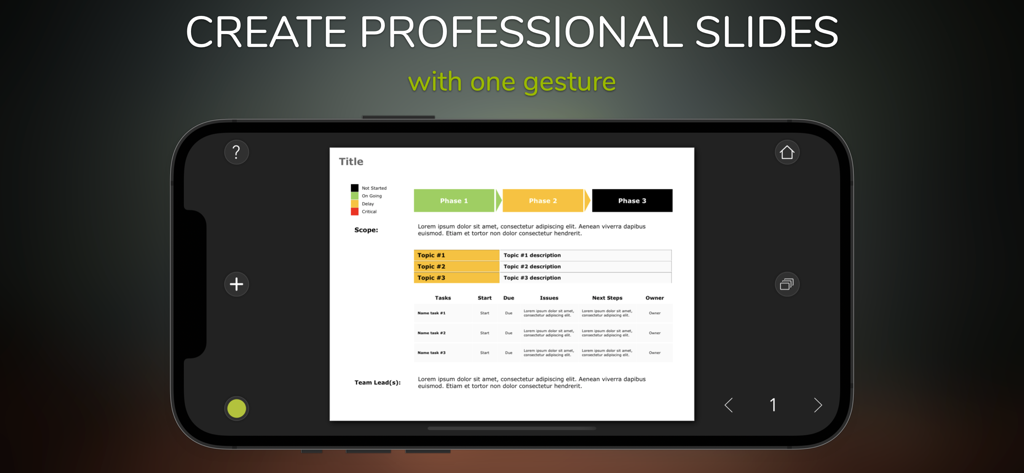
Perfect+ for Presentations - Mobile phone interface displaying a professional business slide with project phases and a data table
Mobile phone interface displaying a professional business slide with project phases and a data table

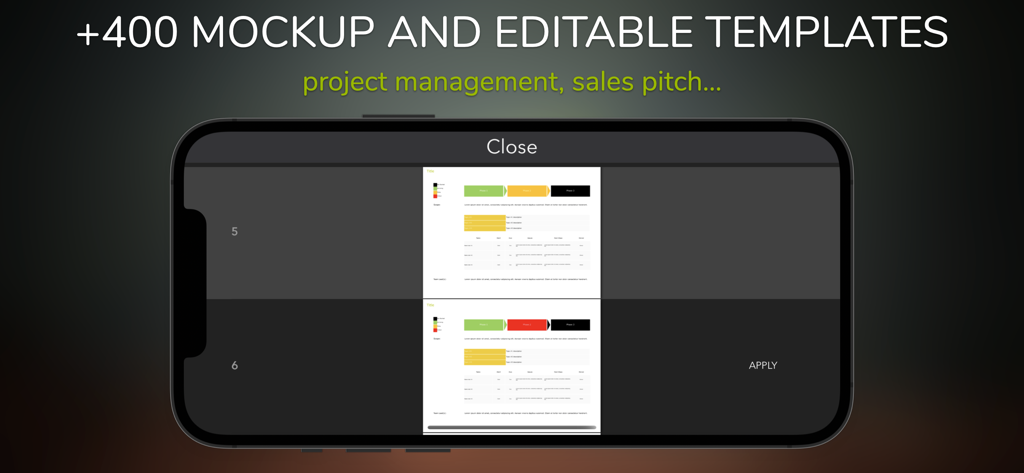
Perfect+ for Presentations - Mobile interface of Perfect Plus app showing business presentation templates for project management and sales pitches
Mobile interface of Perfect Plus app showing business presentation templates for project management and sales pitches

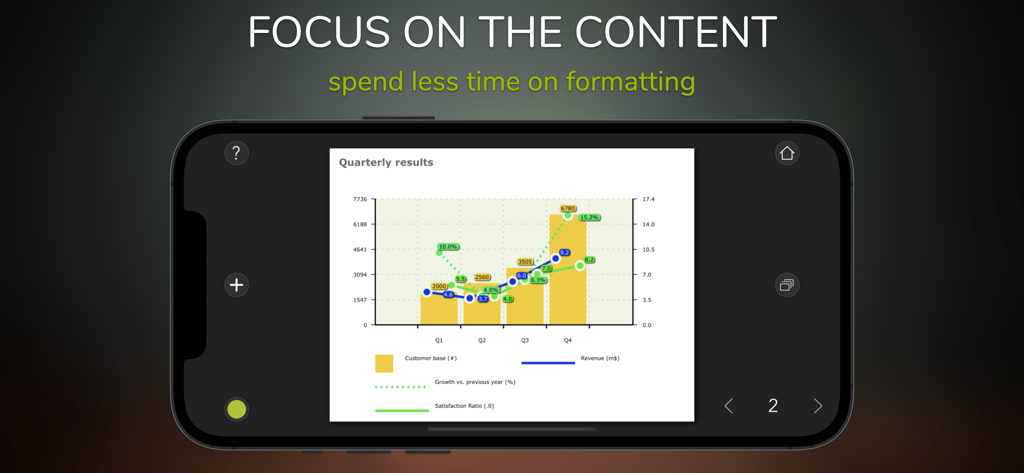
Perfect+ for Presentations - Smartphone displaying a professional business chart slide with quarterly results
Smartphone displaying a professional business chart slide with quarterly results

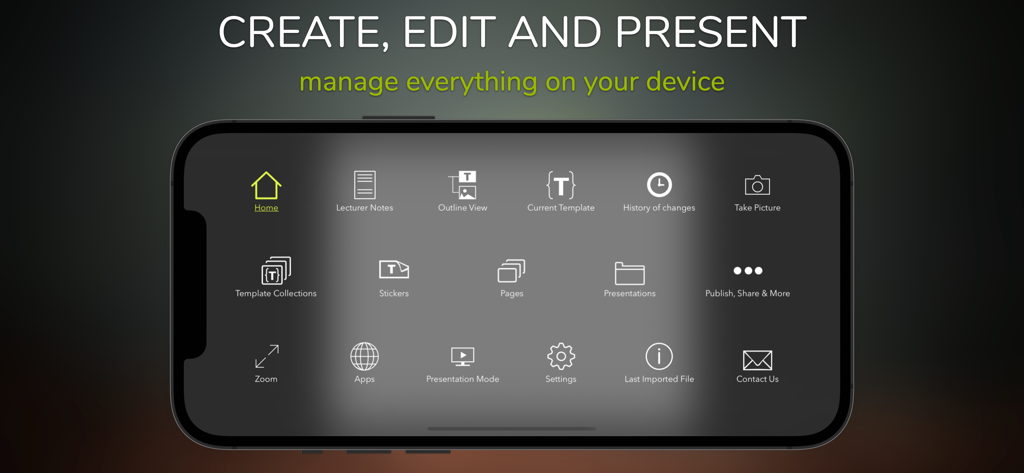
Perfect+ for Presentations - Dashboard of the Perfect+ for Presentations mobile app showing various slide editing and presentation management tools on a smartphone
Dashboard of the Perfect+ for Presentations mobile app showing various slide editing and presentation management tools on a smartphone

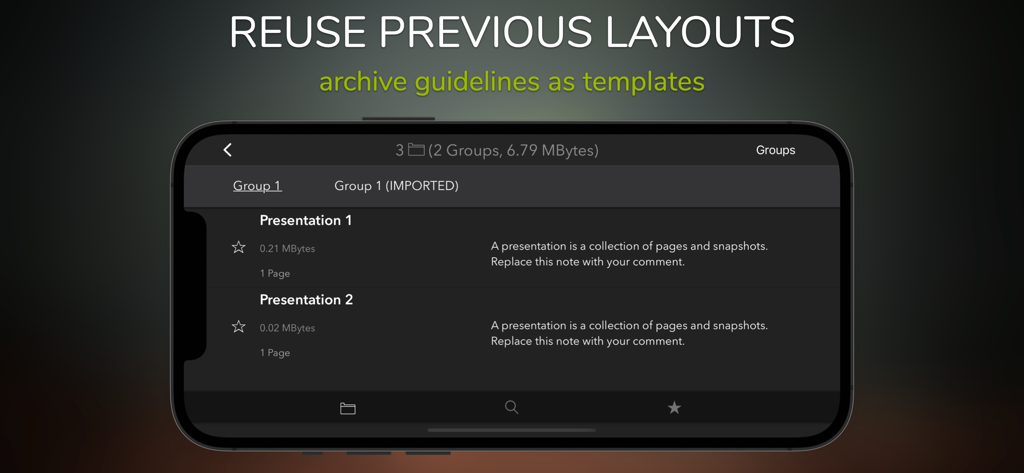
Perfect+ for Presentations - Interface of a mobile app for managing and reusing presentation layouts and templates
Interface of a mobile app for managing and reusing presentation layouts and templates

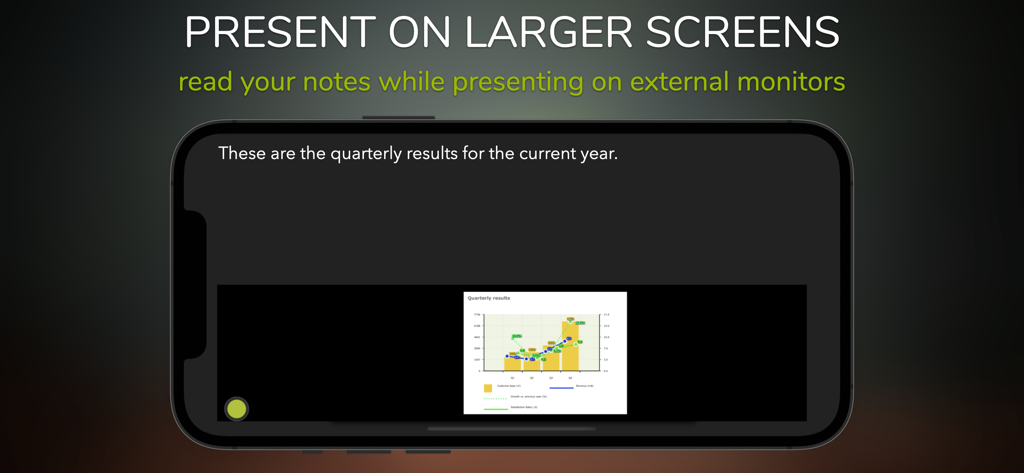
Perfect+ for Presentations - An iPhone screen showing the lecturer mode with presentation notes and a slide preview for external monitors.
An iPhone screen showing the lecturer mode with presentation notes and a slide preview for external monitors.

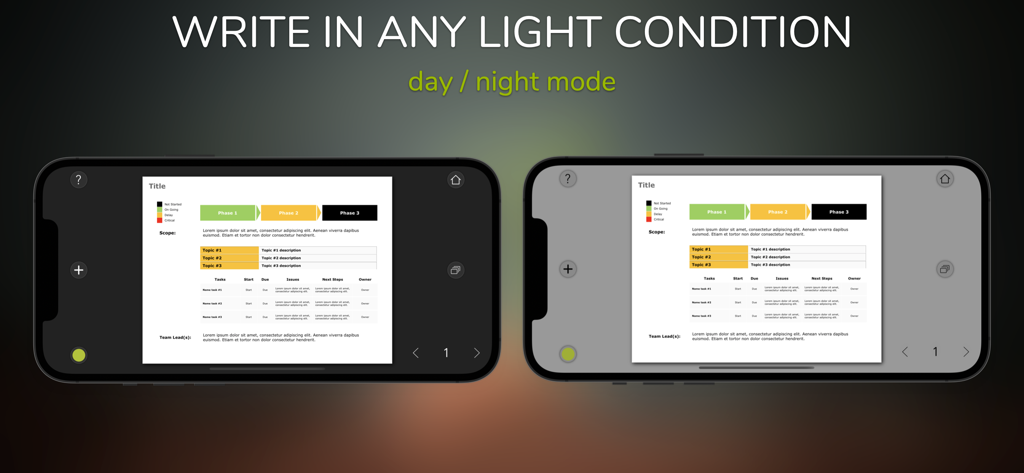
Perfect+ for Presentations - Comparison of day and night mode interface for business presentations on mobile

Comparison of day and night mode interface for business presentations on mobile

Description

Create, edit, present, and share anywhere, business slides, and more... PerfectPlus is the new app for business slides, specifically designed for mobile devices. You add the content, and we will take care of the formatting. Create professional presentations in no time with predefined (customizable) templates. Examples: > Propose your ideas to an audience. > Present an executive summary to your team or on an external screen. > Publish a newsletter. > Present a report or a project status. > Introduce a product portfolio or describe a roadmap. > Review projects proposal. > Create just any business slide. Creating presentations on a mobile device can sometimes be problematic. Particularly during transits (on a train, during flights, etc.). This app solves the issue with slides already tuned for a professional meeting. Select which one fits the best, and add additional content if needed. To release professional presentations usually means to spend at least 60% - 80% of the time formatting the content. Sometimes a finger is not precise enough to position items precisely… and precision is always required if you need to present to executives or high-level management. This app can help with that! The app comes with pre-built professional slide templates created by experts in the field. If you have to present about a project status (SWOT analysis, roadmaps, etc.) or have a meeting for a sales pitch, you will find what you need in an instant. Not just a presentation maker but also an app to create and share effective professional slides, using the knowledge of people who translated the business-as-usual into beautiful business presentations. Collections of predefined templates: There are more than 400 models to create reports, executive summaries for meetings, or sales pitches. Stickers: Stickers are extra information that you can add to the slide. If you need more than the default templates, you can create your slides by choosing among the many stickers available. You can customize each sticker (fonts, color, layout, etc.) and save it in the project library for later use. Formatting groups: Use always your favorite template font and colors for your presentations. Automatic page layout: Items added to the page are re-positioned automatically depending on the orientation iPad. You can print the same document in two different versions (portrait and landscape) with just a flip. Add external content: Paste images and texts that are taken from the web to the slide. Storyboard: You can assign to each slide a name and a note. Build your story by reordering the slides and adding comments. Lecturer mode: Use this feature to present on an external screen the slide meanwhile you are reading the notes. Export: Each project can be shared with other users or shared as a PDF. You can secure your content using encryption and a personal password. Export snapshots and versioning: You can always take an instant picture of your slide to share it with colleagues for comments or create a photo album. Versioning is available to keep track of your changes. Working remotely with your team anywhere: Any project can be shared securely (with a password) with other people using the same application.

Download

Download on App Store

This page is not an official page of the app or its developer, but an independent editorial publication created for informational and commentary purposes. Unless expressly stated otherwise, neither the app nor its developer is affiliated with, endorsed by, sponsored by, authorized by, or otherwise officially connected with MWM, Apple, Google Play, the app publisher, or the app's developer, and nothing on this page implies that the app was developed using MWM's services. Any trademarks, logos, screenshots, and other content remain the property of their respective owners.