
This page is not an official page of the app or its developer, but an independent editorial publication created for informational and commentary purposes. Unless expressly stated otherwise, neither the app nor its developer is affiliated with, endorsed by, sponsored by, authorized by, or otherwise officially connected with MWM, Apple, Google Play, the app publisher, or the app's developer, and nothing on this page implies that the app was developed using MWM's services. Any trademarks, logos, screenshots, and other content remain the property of their respective owners.


Photo Cut Out Editor
Join 4 million+ creators and entrepreneurs using the most precise tool for flawless cutouts, batch editing, and one-click ID photos. Perfect for social media, Etsy listings, and pro-level design on the go.
Downloads
4M+User Rating
Total Ratings
55K+Publisher
Category
Photo & VideoLocales
33Latest Version
13.0Size
508.2 MBFirst Released
Nov 13, 2015Professional Results in Just a Few Taps
Join over 4 million creators using the most powerful cutout tool to design high-converting product listings, social content, and stunning digital art.
Pixel-Perfect Precision
Don't settle for jagged edges. Our smart selection tools handle complex details like hair and fur with ease, giving you a flawless cutout every single time.
Scale Your Side-Hustle
Perfect for Etsy and Poshmark sellers. Instantly create transparent PNGs and use batch-processing to prepare all your product listings in seconds.
Frequently Asked Questions
Everything you need to know about Photo Cut Out Editor
What is the primary function of Photo Cut Out Editor?
Photo Cut Out Editor primarily allows users to cut out objects from photos, including fine details like hair and fur, and export them as transparent PNGs.
Can Photo Cut Out Editor replace photo backgrounds?
Yes, Photo Cut Out Editor can replace photo backgrounds with ease, allowing users to choose from millions of background images after cutting out desired objects.
Does Photo Cut Out Editor support transparent PNG images?
Yes, Photo Cut Out Editor fully supports transparent PNG images. It allows both importing and exporting of transparent PNG images.
Does Photo Cut Out Editor offer batch processing for cutouts?
Yes, Photo Cut Out Editor performs batch cutouts. Users can save multiple cutouts simultaneously.
Can Photo Cut Out Editor remove unwanted objects from photos?
Yes, Photo Cut Out Editor allows users to freely choose and delete unwanted objects from photos using tools like Eraser, Scribble, Enclose, and Lasso.
How does Photo Cut Out Editor replace the sky in photos?
Photo Cut Out Editor supports one-click replacement of the photo sky. It provides thousands of skies to change cloudy days to sunny days or daytime to starry nights.
Can users create ID photos with Photo Cut Out Editor?
Yes, Photo Cut Out Editor supports one-click creation of ID photos. This feature is completely free for users.
How does subscription auto-renewal work for Photo Cut Out Editor?
Subscription for Photo Cut Out Editor automatically renews unless auto-renew is turned off at least 24-hours before the current period ends. Renewal charges occur within 24 hours of expiry.
How can a user manage their Photo Cut Out Editor subscription?
Users can manage their Photo Cut Out Editor subscription and turn off auto-renewal by accessing their Account Settings after purchase.
What image formats does Photo Cut Out Editor support for editing?
Photo Cut Out Editor supports editing BMP and JPG images. It also supports importing and exporting transparent PNG and WEBP images, and importing/exporting PSD images.
The following screenshots and description are sourced directly from the app's official store listing and are the property of the app developer.
App Store
Screenshots
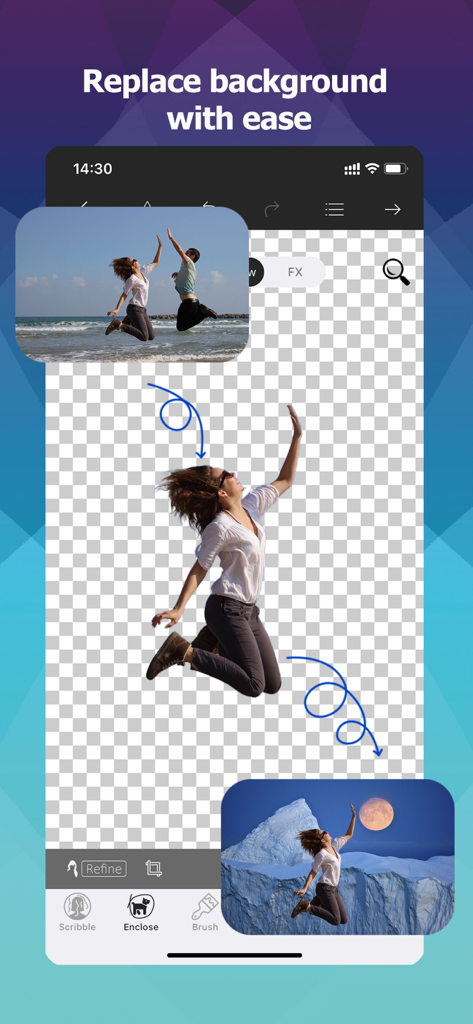
Mobile app interface showing a person being cut out from a beach photo and placed into a new mountain background
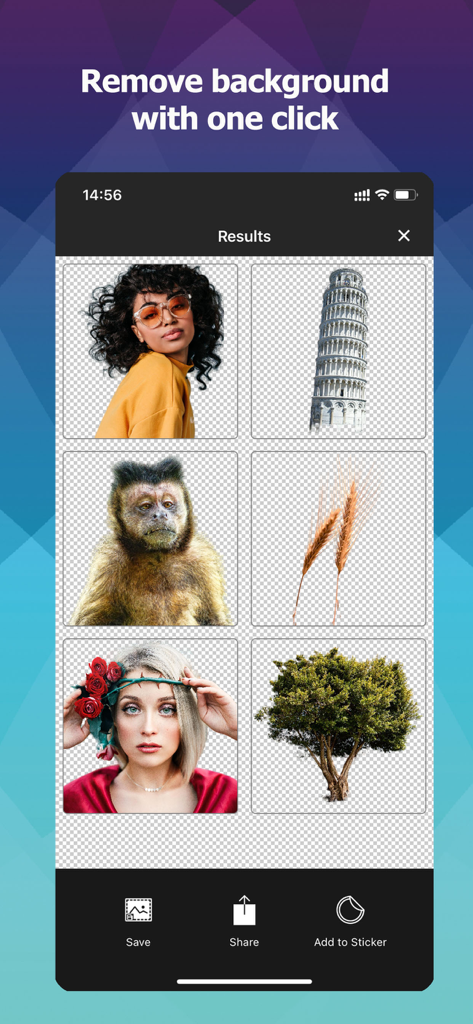
Mobile app interface showing various images like a person and a tree with their backgrounds removed for easy editing
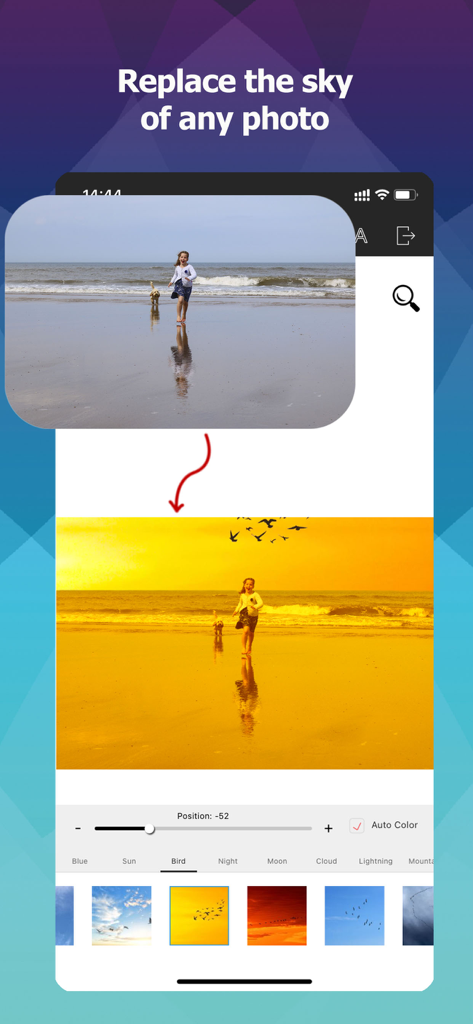
Mobile app interface showing sky replacement feature changing a beach photo sky to a golden sunset
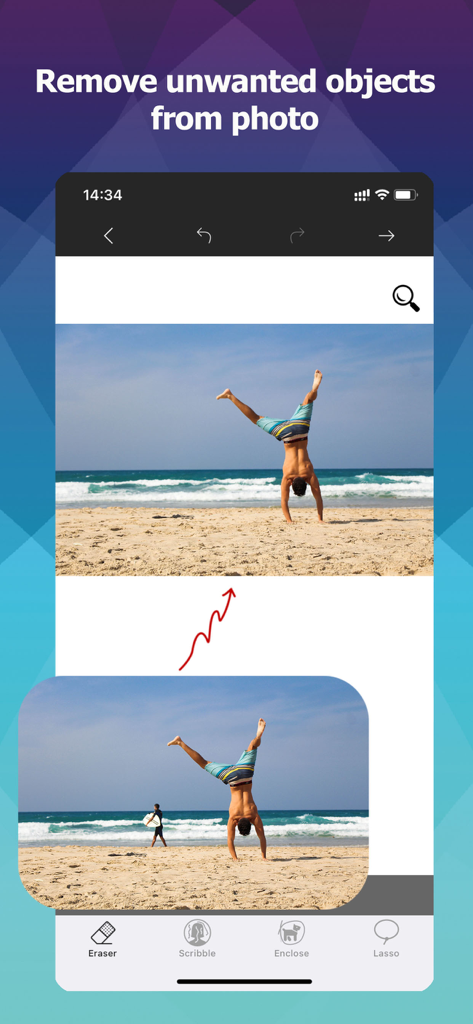
Before and after comparison showing the removal of a person from a beach photo using an object eraser tool
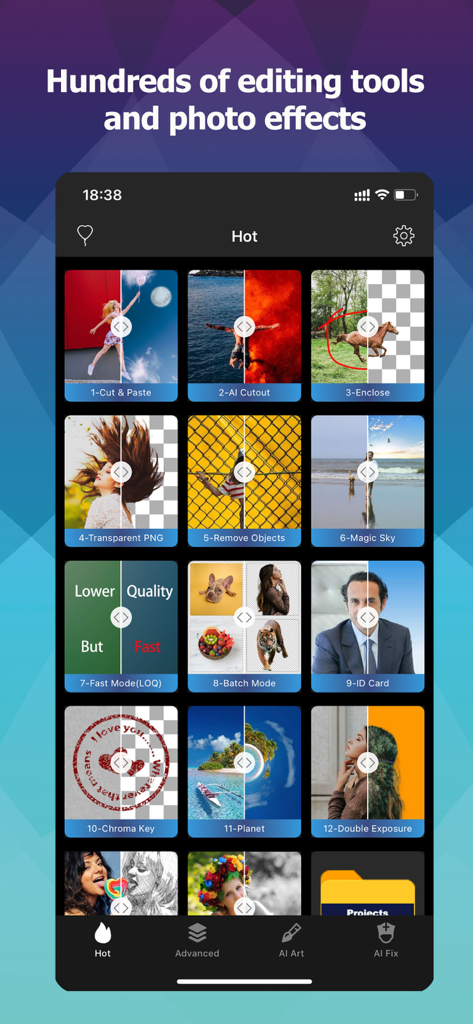
A mobile interface for Photo Cut Out Editor showcasing a grid of features including AI cutout, background removal, and batch processing tools.
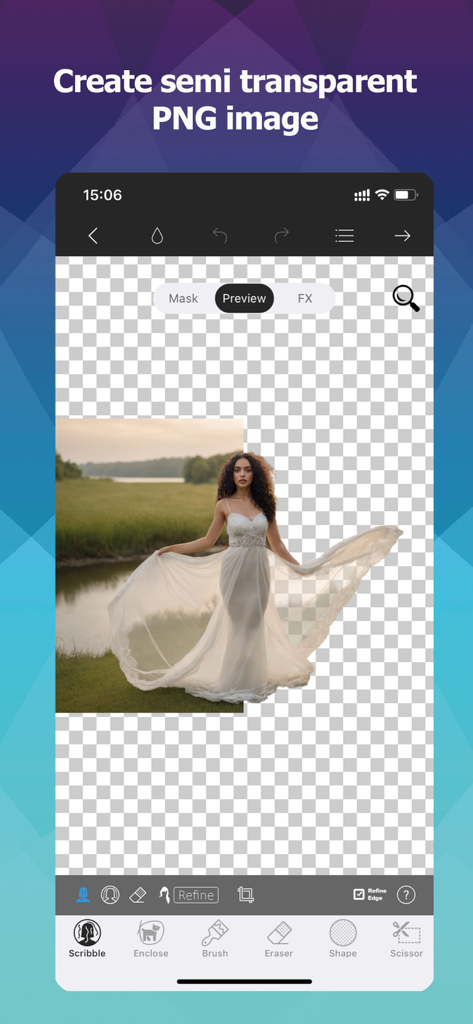
Mobile app interface showing a woman in a white dress being cut out from a background to create a transparent PNG image
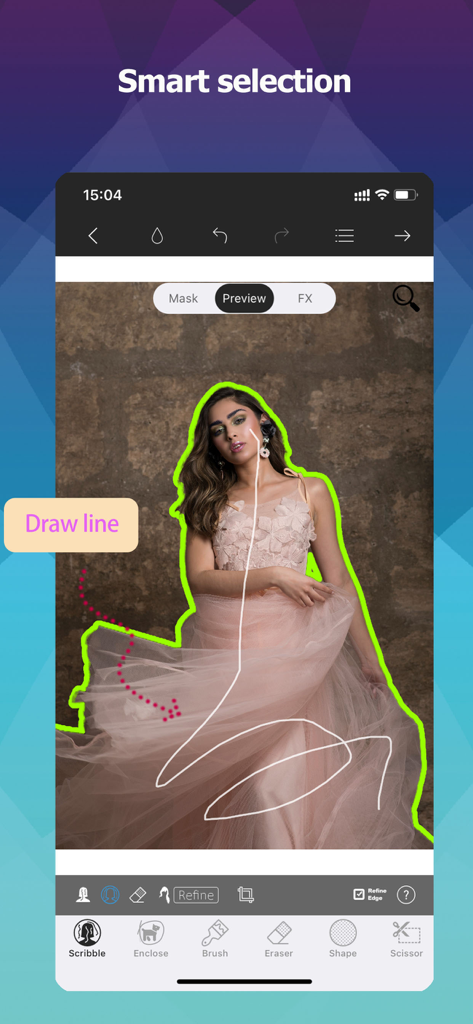
A user drawing a line with the smart selection tool to cut out a person from an image in the Photo Cut Out Editor app.
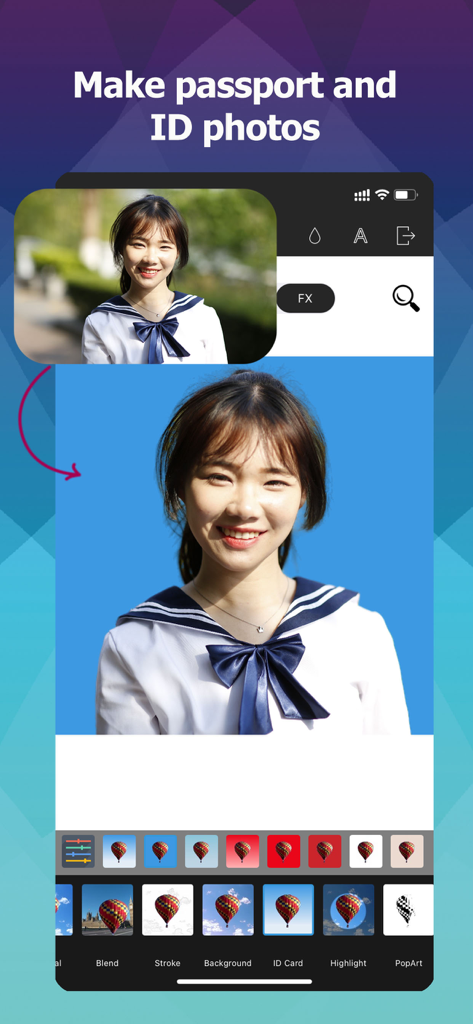
Mobile app interface showing how to create professional passport and ID photos with background removal
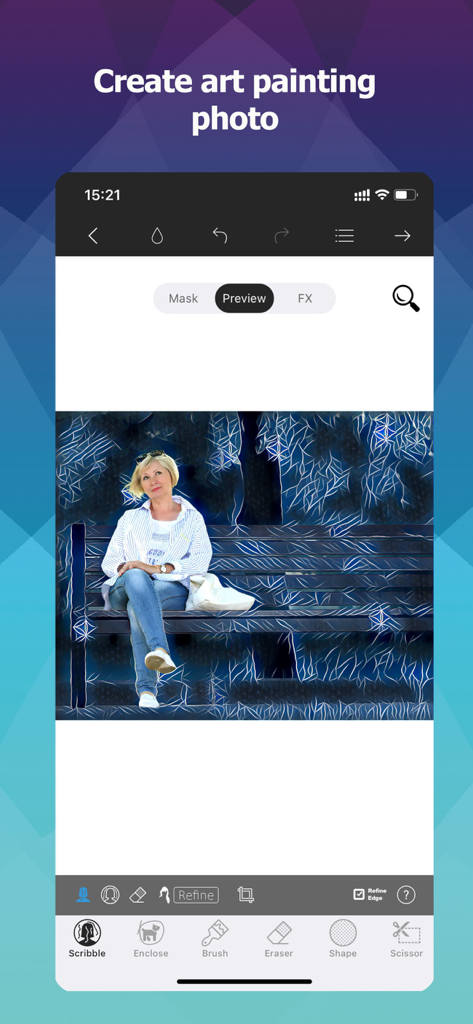
A mobile app interface showing an artistic painting filter applied to a woman sitting on a park bench
Description
Download
More Like This
Apps with similar features and user experience

CocoAI - BG Remover
Beijing Jianchang Technology Co., Ltd.

水印宝-视频水印助手软件
Beijing Pengtuzhumeng Technology Co., Ltd.

Photo Retouch - Remove object
化媚 席

PhotoBy-Batch adding borders
岳森 刘

Watermarkly ― Watermark Maker
Julia Nikitina

去水印大师-短视频编辑助手
志阳 郭

大神水印-照片图像制作修图神器
伟 黄

Add Watermark -Batch Process
Saraswati Javalkar

Background Eraser: AI Remove
SUNWOONG JANG
This page is not an official page of the app or its developer, but an independent editorial publication created for informational and commentary purposes. Unless expressly stated otherwise, neither the app nor its developer is affiliated with, endorsed by, sponsored by, authorized by, or otherwise officially connected with MWM, Apple, Google Play, the app publisher, or the app's developer, and nothing on this page implies that the app was developed using MWM's services. Any trademarks, logos, screenshots, and other content remain the property of their respective owners.