
This page is not an official page of the app or its developer, but an independent editorial publication created for informational and commentary purposes. Unless expressly stated otherwise, neither the app nor its developer is affiliated with, endorsed by, sponsored by, authorized by, or otherwise officially connected with MWM, Apple, Google Play, the app publisher, or the app's developer, and nothing on this page implies that the app was developed using MWM's services. Any trademarks, logos, screenshots, and other content remain the property of their respective owners.


PhotoLayers
Finally, photo manipulation without the headache. It turns complex edits into effortless art.
Downloads
2.5M+User Rating
Total Ratings
113.1KPublisher
Category
Photo & VideoLocales
2Latest Version
26.0.0Size
8.8 MBFirst Released
Sep 2, 2015An analysis of key functionalities that empower individuals and content creators to craft compelling visual narratives with ease.
PhotoLayers: A Casual Creator's Montage Toolkit
Advanced Photo Montage & Collage Creation
The app provides comprehensive tools for easily combining multiple photos into beautiful collages and complex photomontages, perfectly suiting casual content creators.
Intuitive and User-Friendly Interface
It allows users to enjoy a simplified and intuitive interface, making complex photo editing and layering accessible and fun for individuals without professional software experience.
Precision Background Eraser
This tool features a powerful background eraser that enables users to effortlessly make unwanted areas transparent, cut out subjects, and achieve clean, professional-looking transparent backgrounds.
Multi-Layer Compositing
The app provides robust layer compositing capabilities, allowing users to combine up to 11 photos simultaneously to build intricate and dynamic visual narratives.
Frequently Asked Questions
Everything you need to know about PhotoLayers
What is PhotoLayers?
PhotoLayers is a photo montage application designed for simple and fun photo editing and layering. It enables users to create beautiful photo collages, composite photos, and photomontages easily.
Can PhotoLayers remove backgrounds from images?
Yes, PhotoLayers includes a Background Eraser feature. This tool makes unwanted areas transparent, allowing users to cut out subjects and create clean, transparent backgrounds for their images.
How many photos can I combine using PhotoLayers?
PhotoLayers allows users to combine up to 11 photos simultaneously. This layer compositing feature assists in building complex and detailed photomontages directly within the application.
Does PhotoLayers offer color adjustment tools?
Yes, PhotoLayers provides color control features. Users can adjust the color tone of their images to make them more attractive and achieve specific visual effects.
What editing options are available for layers in PhotoLayers?
PhotoLayers offers various layer editing options. These include adjustments for Feather, Opacity, Brightness, Warmth, Tint, Saturation, and Blur, providing precise control over each image layer.
The following screenshots and description are sourced directly from the app's official store listing and are the property of the app developer.
App Store
Screenshots
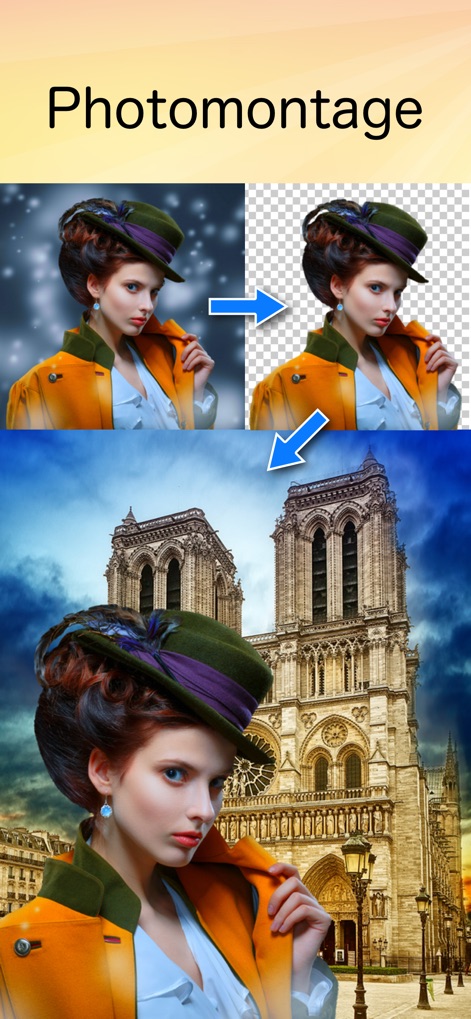
Witness how PhotoLayers enables effortless background removal and seamless image combining for stunning photomontages.
Seamless Photomontage Creation
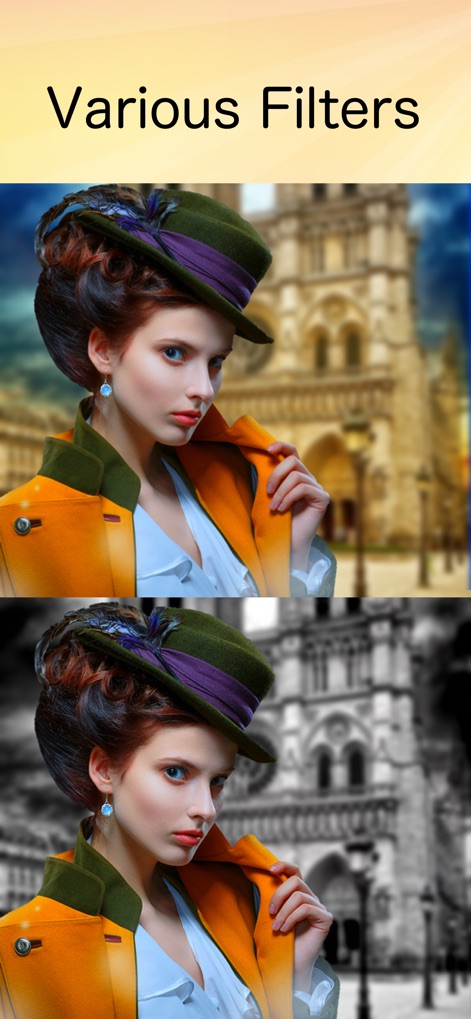
Explore the app's diverse range of creative filters, from artistic background blurs to striking monochromatic transformations, to enhance image aesthetics.
Creative Filter Effects
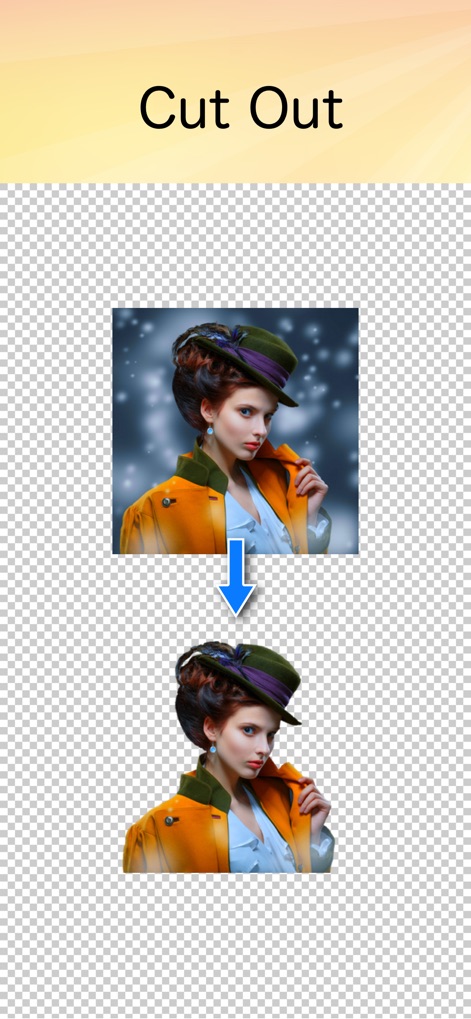
Discover the powerful background eraser tool, allowing users to precisely cut out subjects and achieve a clean transparent background with ease.
Precision Background Eraser
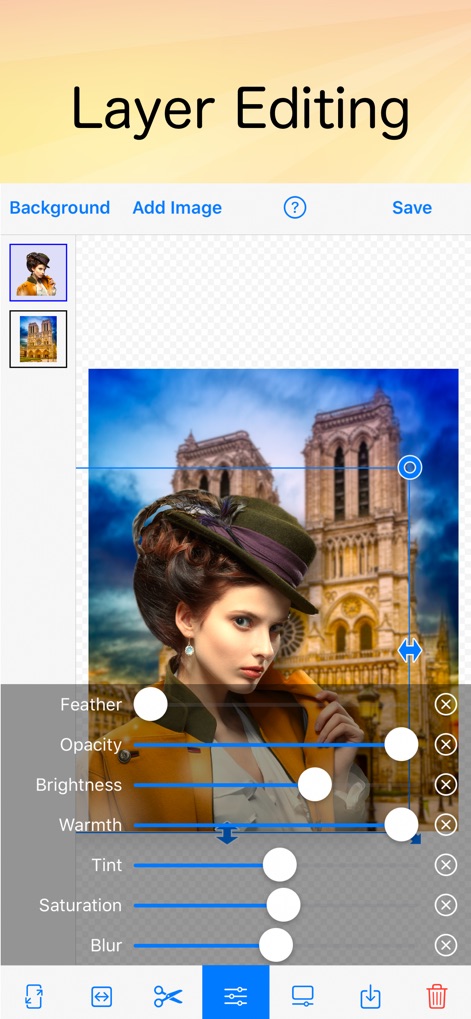
Delve into the app's intuitive layer editing interface, showcasing the ability to combine multiple images and granular color adjustment sliders for fine-tuning.
Advanced Layer Control
Description
Download
More Like This
Apps with similar features and user experience

Blend Photos
TAPUNIVERSE LLC

Wand - AI canvas
Wand Technologies Inc.

Superimpose X
Pankaj Goswami

Image Blender
JHND i Sverige AB

Juxtaposer: cut, combine, edit
Pocket Pixels Inc.

Adobe Photoshop: Photo Editor
Adobe Inc.

Affinity Photo 2 for iPad
Serif (Europe) Ltd.

Matter - 3D Effects
Pixite Inc.

Union - Combine & Edit Photos
Pixite Inc.
This page is not an official page of the app or its developer, but an independent editorial publication created for informational and commentary purposes. Unless expressly stated otherwise, neither the app nor its developer is affiliated with, endorsed by, sponsored by, authorized by, or otherwise officially connected with MWM, Apple, Google Play, the app publisher, or the app's developer, and nothing on this page implies that the app was developed using MWM's services. Any trademarks, logos, screenshots, and other content remain the property of their respective owners.