
This page is not an official page of the app or its developer, but an independent editorial publication created for informational and commentary purposes. Unless expressly stated otherwise, neither the app nor its developer is affiliated with, endorsed by, sponsored by, authorized by, or otherwise officially connected with MWM, Apple, Google Play, the app publisher, or the app's developer, and nothing on this page implies that the app was developed using MWM's services. Any trademarks, logos, screenshots, and other content remain the property of their respective owners.


Wand - AI canvas
Turn your sketches into reality and train private AI models on your own artistic style. Stop fighting prompts and start co-creating at the speed of thought.
Downloads
412K+User Rating
Total Ratings
2K+Publisher
Category
Graphics & DesignLocales
1Latest Version
2.2.4Size
496.2 MBFirst Released
Aug 16, 2023Your Vision, Powered by AI
A digital canvas designed for professional artists who demand precision, style consistency, and total creative control over every stroke.
Sketch-to-Life Control
Go beyond text prompts. Turn your rough sketches into refined art instantly, ensuring the AI follows your composition and intent perfectly.
Private Style Training
Securely train a personal AI on your own portfolio. Automate your unique artistic signature across background elements and new concepts.
Frequently Asked Questions
Everything you need to know about Wand - AI canvas
What is Wand - AI canvas?
Wand - AI canvas is an AI creative tool designed for artists. It brings ideas to life by interpreting sketches, editing existing images, and fine-tuning personalized AI models for unique styles and objects.
Can Wand - AI canvas interpret sketches?
Yes, Wand - AI canvas interprets sketches. Users create sketches, and the AI brings them to life, offering visual control over artistic ideas and simplifying the creative process.
How does Wand - AI canvas edit existing images?
Wand - AI canvas edits existing images by allowing users to select areas and describe changes with text prompts. It works for small edits or comprehensive modifications, as demonstrated in visual examples.
Can I personalize the AI style in Wand - AI canvas?
Yes, Wand - AI canvas offers fine-tuning to personalize AI style. Users upload images to train a private, personalized AI that understands and applies their unique artistic preferences across features.
Does Wand - AI canvas understand custom objects?
Yes, Wand - AI canvas's fine-tuning feature enables the AI to understand custom objects. This includes personal items like faces or pets, and complex concepts such as characters or buildings for RPGs.
Can users create multiple custom AIs in Wand - AI canvas?
Yes, users create and collect multiple custom AIs within Wand - AI canvas. They can switch between these personalized AI models in real-time, adapting to different creative projects and visions.
Who is Wand - AI canvas designed for?
Wand - AI canvas targets artists and creative professionals. It supports the ideation and exploration phases, reducing tedious tasks and inspiring novel ideas for grander creative worlds without compromising vision.
What is the privacy policy for Wand - AI canvas?
The privacy policy for Wand - AI canvas is located at https://www.termsfeed.com/live/84d0b20a-c3d8-4900-9a01-aec5b2822245. This policy outlines how user data is handled by the application.
What are the terms of service for Wand - AI canvas?
The terms of service for Wand - AI canvas are available at https://www.apple.com/legal/internet-services/itunes/dev/stdeula/. These terms govern the use of the application's services.
Can Wand - AI canvas select specific objects in an image?
Yes, Wand - AI canvas allows users to tap and select specific objects within an image. This enables precise editing by describing desired modifications to the selected areas.
The following screenshots and description are sourced directly from the app's official store listing and are the property of the app developer.
App Store
Screenshots
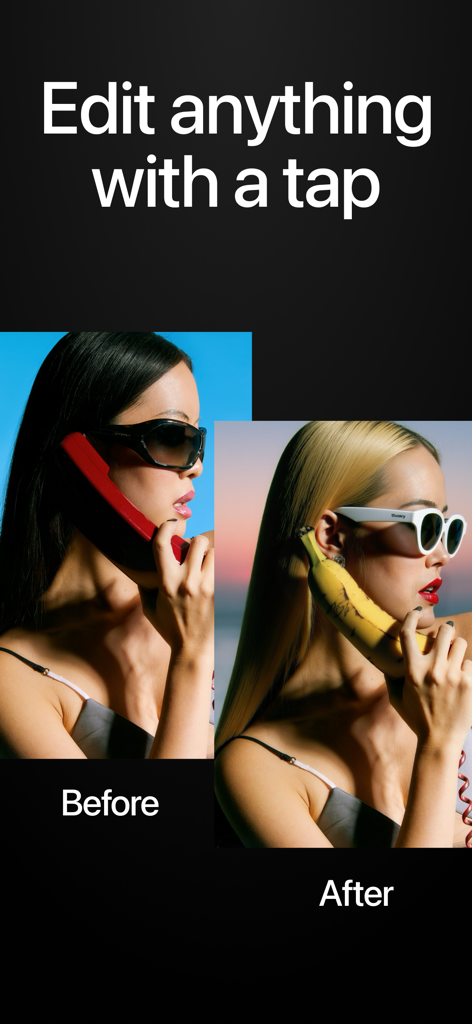
Before and after comparison showing a woman with a red phone and dark hair transformed into blonde hair with a banana phone using Wand AI
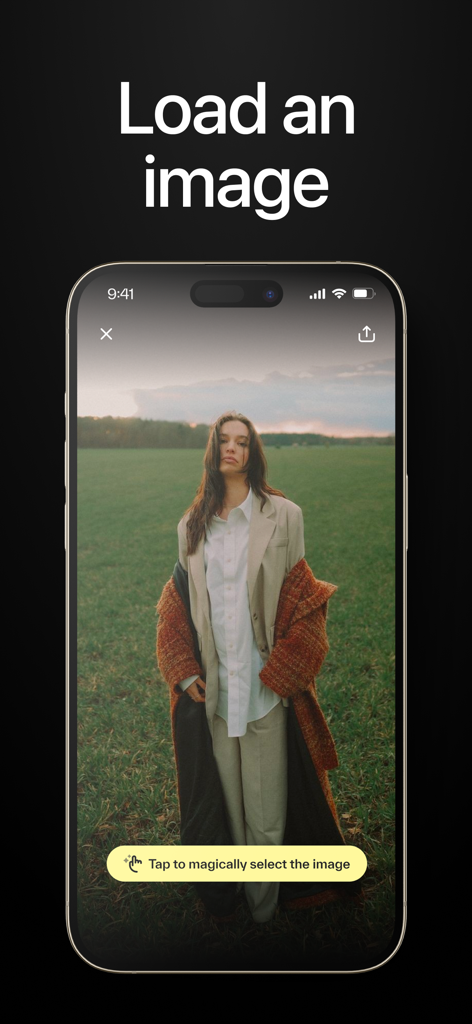
A smartphone interface showing a photo being loaded into the Wand AI canvas app with a prompt to magically select the image
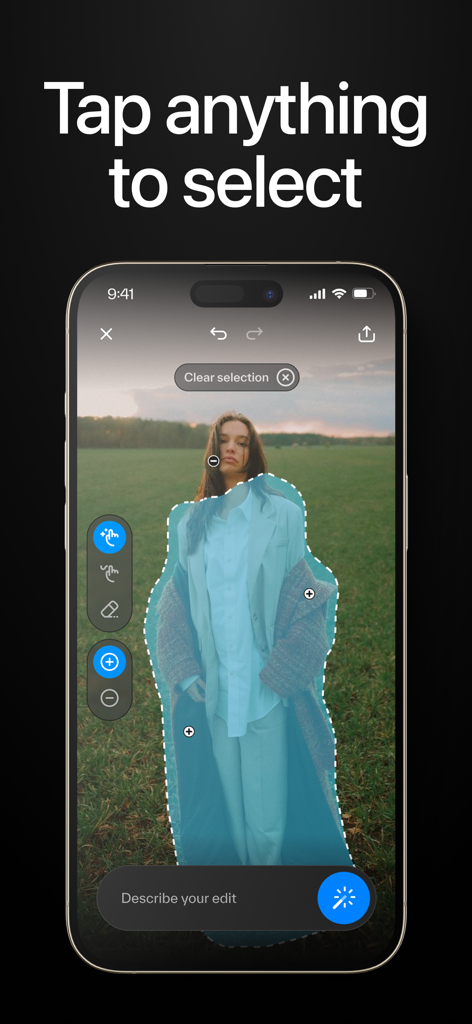
Smart object selection tool in the Wand AI canvas mobile app interface
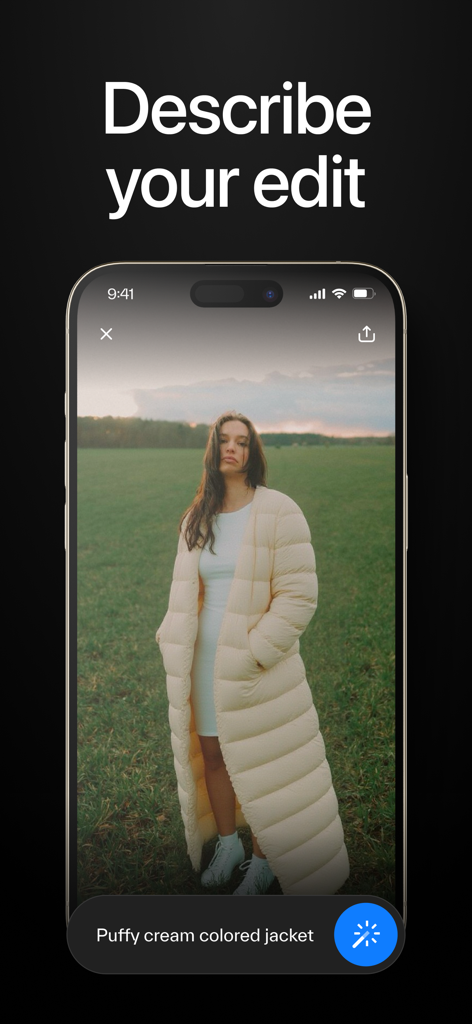
A screenshot of the Wand AI app showing a text prompt used to edit an image of a person in a field
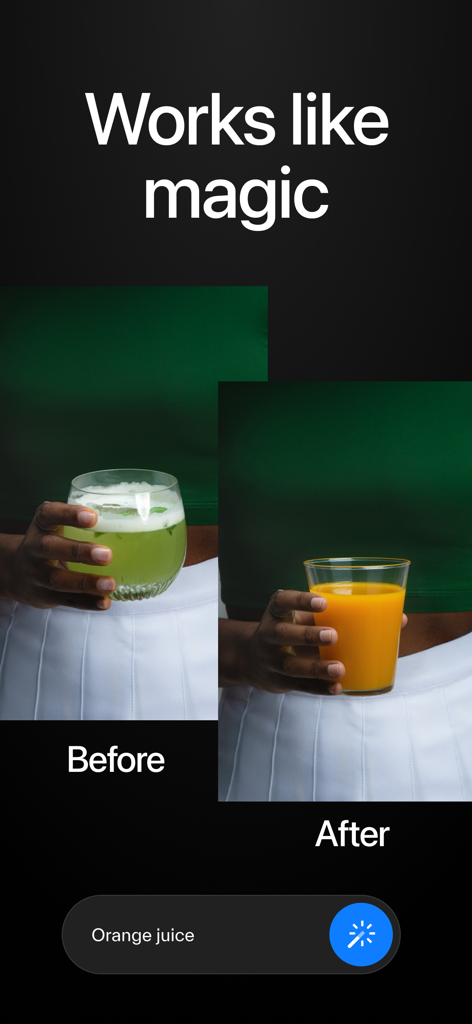
Before and after comparison of AI image editing changing a drink into orange juice based on a prompt
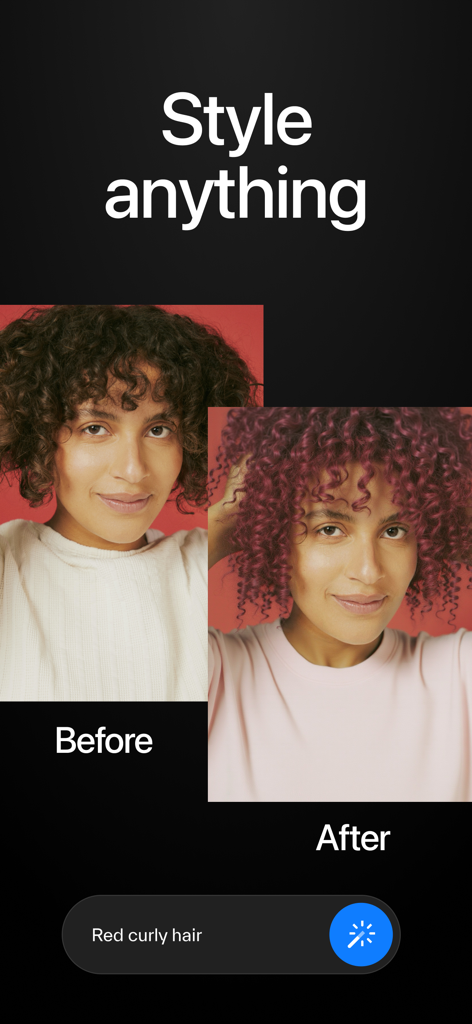
Before and after comparison of a woman's hair color changing from brown to red curly hair using Wand AI canvas
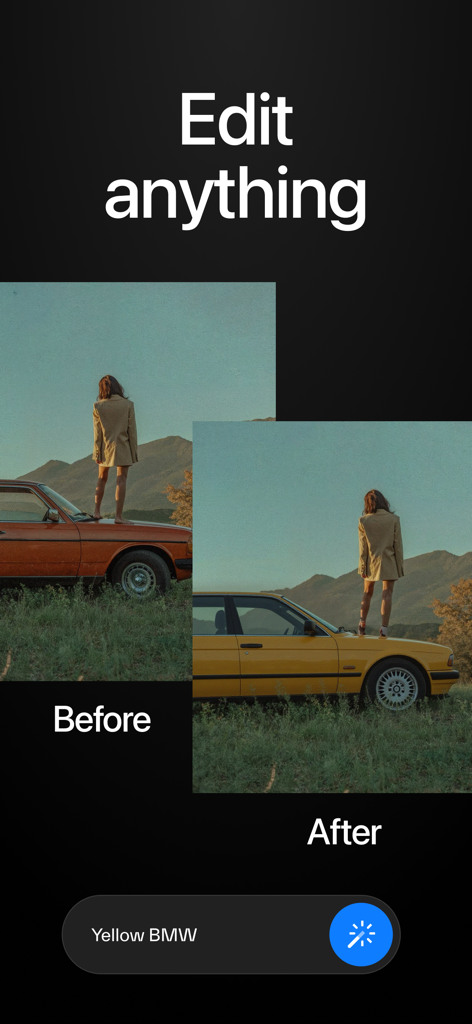
A before and after comparison showing an old car transformed into a yellow BMW using AI image editing prompts.
Description
Download
More Like This
Apps with similar features and user experience
PhotoLayers
handyCloset Inc.

Blend Photos
TAPUNIVERSE LLC

Superimpose X
Pankaj Goswami

Image Blender
JHND i Sverige AB

Juxtaposer: cut, combine, edit
Pocket Pixels Inc.

Adobe Photoshop: Photo Editor
Adobe Inc.

Affinity Photo 2 for iPad
Serif (Europe) Ltd.

Matter - 3D Effects
Pixite Inc.

Union - Combine & Edit Photos
Pixite Inc.
This page is not an official page of the app or its developer, but an independent editorial publication created for informational and commentary purposes. Unless expressly stated otherwise, neither the app nor its developer is affiliated with, endorsed by, sponsored by, authorized by, or otherwise officially connected with MWM, Apple, Google Play, the app publisher, or the app's developer, and nothing on this page implies that the app was developed using MWM's services. Any trademarks, logos, screenshots, and other content remain the property of their respective owners.