Photos+ Cloud Library
Download on App Store

This page is not an official page of the app or its developer, but an independent editorial publication created for informational and commentary purposes. Unless expressly stated otherwise, neither the app nor its developer is affiliated with, endorsed by, sponsored by, authorized by, or otherwise officially connected with MWM, Apple, Google Play, the app publisher, or the app's developer, and nothing on this page implies that the app was developed using MWM's services. Any trademarks, logos, screenshots, and other content remain the property of their respective owners.


Logo of Photos+ Cloud Library
Download on App Store

Photos+ Cloud Library

The ultimate secondary vault for prosumers and archivists. Connect your OneDrive, Google Drive, or S3 account to store unmodified photos and videos with AI organization and no auto-renewing subscriptions.

Key Figures

Downloads

8K+

User Rating

4.1/5

Total Ratings

0

Publisher

Pixegram, LLC

Category

Photo & Video

Locales

1

Latest Version

5.1

Size

48.5 MB

First Released

Nov 16, 2017
Features

Take Total Control of Your Digital Legacy

A high-performance secondary library for your original, unmodified media, powered by your own cloud storage and enhanced with pro-grade organization tools.

Bring Your Own Storage

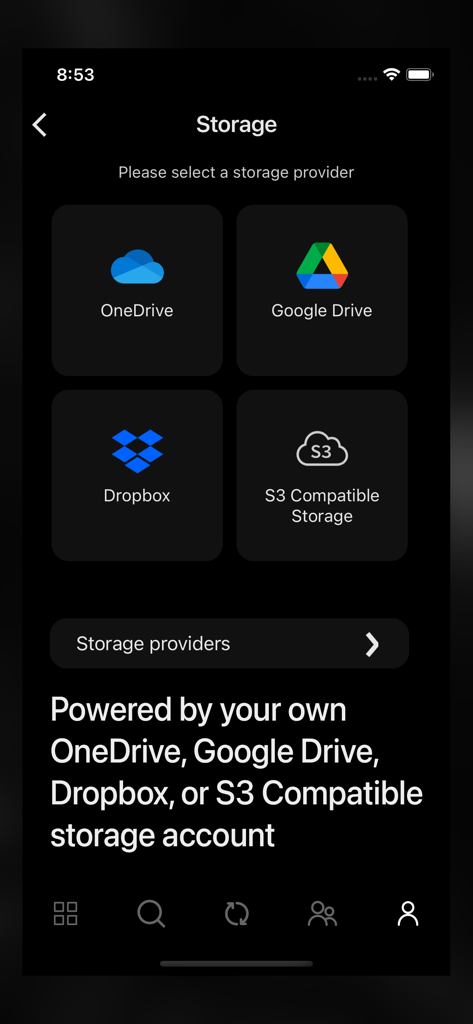
Eliminate vendor lock-in by connecting your own S3, Google Drive, or Dropbox. Your files stay in your account, exactly as you shot them, with zero compression.

Pro-Workflow Syncing

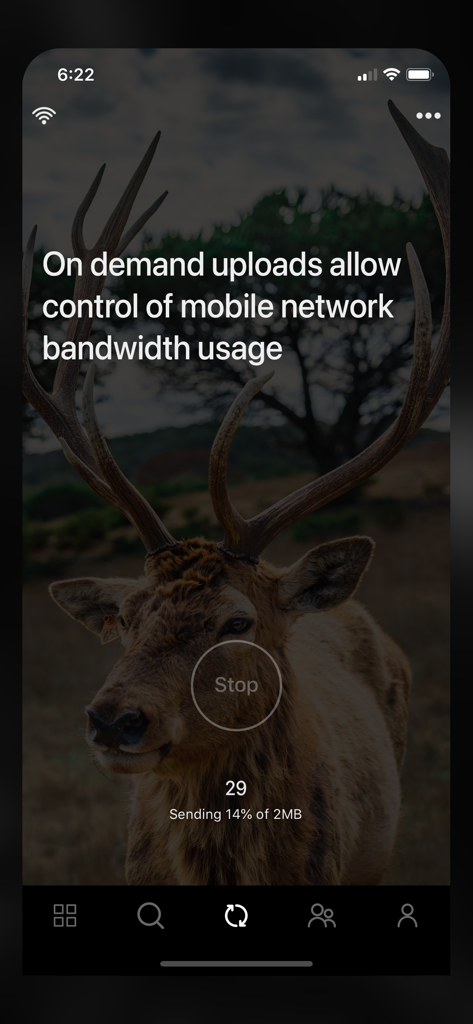
Designed for the field. Queue tens of gigabytes for upload and manage your library on mobile data, then let the heavy lifting happen automatically once you're on Wi-Fi.

The following screenshots and description are sourced directly from the app's official store listing and are the property of the app developer.

App Store

Screenshots
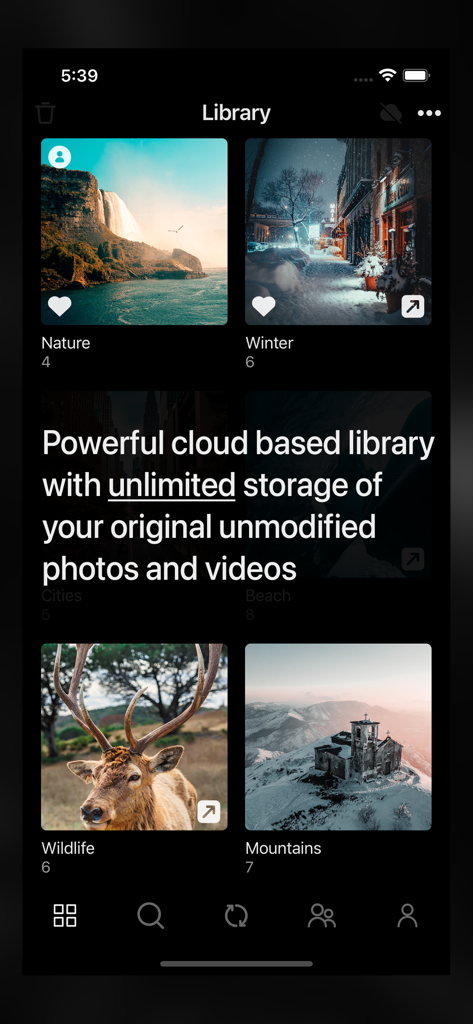
Photos+ Cloud Library - Photos Plus Cloud Library app displaying photo albums with unlimited storage message
Photos Plus Cloud Library app displaying photo albums with unlimited storage message

Photos+ Cloud Library - Photos+ app storage selection screen showing options for OneDrive Google Drive Dropbox and S3 compatible storage accounts
Photos+ app storage selection screen showing options for OneDrive Google Drive Dropbox and S3 compatible storage accounts

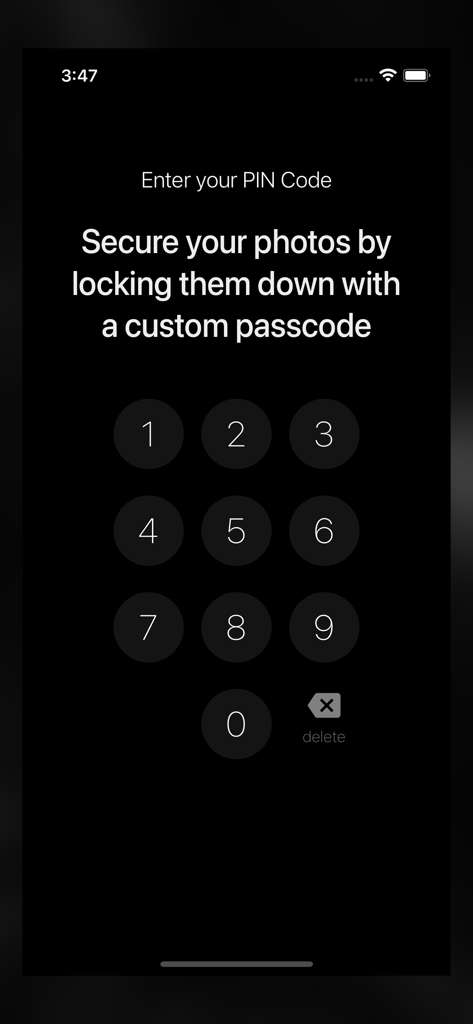
Photos+ Cloud Library - A numeric keypad interface for entering a custom PIN code to secure photos in the app.
A numeric keypad interface for entering a custom PIN code to secure photos in the app.

Photos+ Cloud Library - App interface showing on-demand upload progress and mobile bandwidth control
App interface showing on-demand upload progress and mobile bandwidth control

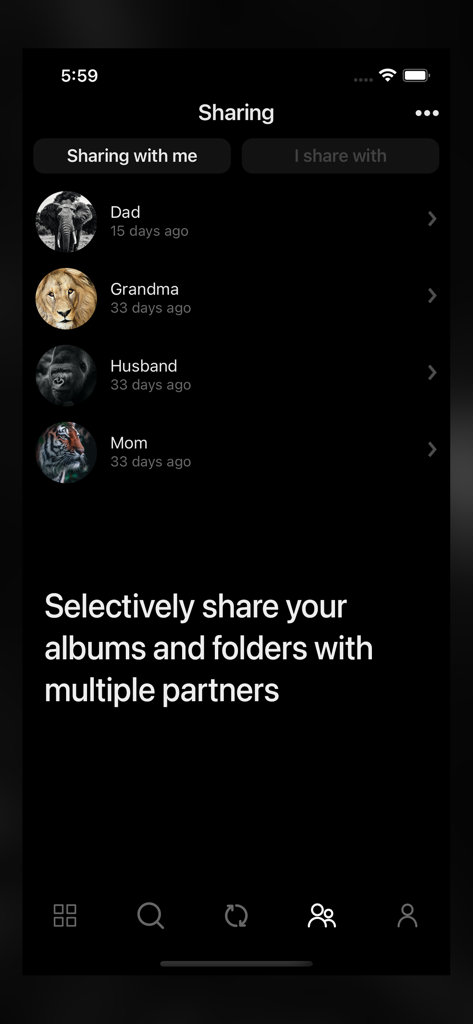
Photos+ Cloud Library - Sharing screen in the Photos Plus app showing a list of partners and the option to selectively share albums
Sharing screen in the Photos Plus app showing a list of partners and the option to selectively share albums

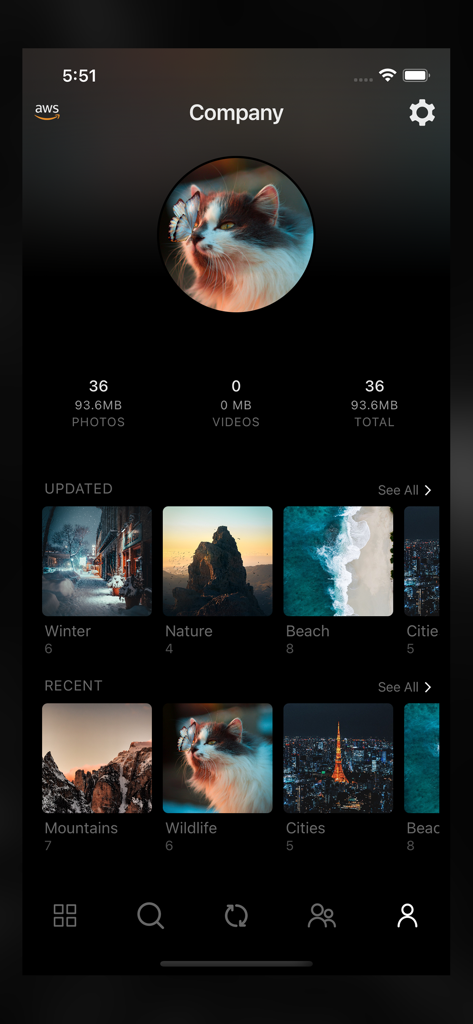
Photos+ Cloud Library - Interface of the Photos plus app showing a user profile with photo storage statistics and organized image albums like nature and wildlife

Interface of the Photos plus app showing a user profile with photo storage statistics and organized image albums like nature and wildlife

Description

Photos+ is a cloud based photos library with unlimited storage of your original unmodified photos and videos and powered by your own cloud storage account. You can choose from OneDrive, Google Drive, Dropbox, or any other S3-compatible storage platform. Use it as a second photo library to separate your precious photos from your main photo library, or use it as your primary photo library, resting assured that your photos are safely stored in your own cloud storage platform. When used with OneDrive, Google Drive or Dropbox, you’re only limited by the available free storage of your accounts. When used with other S3-compatible storage platforms, there is no limit to the number of photos and videos you can store and with most S3-compatible cloud storage providers, you only pay for the actual storage you use. • Synchronize / upload on demand. Photos+ was designed with professional photographers and videographers in mind who may shoot tens of gigabytes of content out on the field on a typical shoot. With our synchronize on demand feature, you can create new albums, select photos and videos for upload, and manage all other aspects of your cloud library while using a minimal amount of mobile network bandwidth while out on a shoot, and then optionally leave the actual heavy lifting of the actual uploading for when you’re back home on WIFI. • Powerful partner sharing. Photos+ takes the concept of partner sharing to the limit by allowing you to not only add multiple partners, but to selectively share individual albums or folders with each partner on a per partner basis. • Automatic image classification. Just like your built-in photo library, Photos+ automatically categories all your photos using advanced AI image classification so your can quickly search your photos based on tags. • Location based searches and automatic reverse geocoding. Photos and videos containing latitude/longitude data are automatically reverse geocoded to their respective cities, counties, countries and named places and become instantly searchable by location. • The safest cloud storage platforms where you can store your priceless photos and videos. With Photos+, your photos and videos are safely stored in your own account with the storage platform you configure, so your photos and videos are also available for direct download from OneDrive, Google Drive, Dropbox, or the S3-compatible storage platform you are using even without the Photos+ app. Subscription Pricing and Terms - Subscriptions will not automatically renew. If you take no action, your subscription will expire in 365 days and you will not be automatically charged again. Instead you will have the option to renew your subscription at the end its current term or simply let it expire. - Subscriptions are nonrefundable, so please choose this option carefully. - Please refer to the In-App purchases section for pricing.

Download

Download on App Store

This page is not an official page of the app or its developer, but an independent editorial publication created for informational and commentary purposes. Unless expressly stated otherwise, neither the app nor its developer is affiliated with, endorsed by, sponsored by, authorized by, or otherwise officially connected with MWM, Apple, Google Play, the app publisher, or the app's developer, and nothing on this page implies that the app was developed using MWM's services. Any trademarks, logos, screenshots, and other content remain the property of their respective owners.








